 ProMapRanker
Best SageMaker Alternatives in 2026

Key takeaways
- Google Vertex AI and Azure Machine Learning are the closest like-for-like replacements, and the right one usually follows the cloud your data already lives in.
- Databricks is the strongest pick when machine learning sits close to data engineering and Spark pipelines.
- DataRobot and H2O.ai suit teams that want AutoML and a guided path to a first production model without a large ML platform team.
- Modal, Runpod, and Anyscale suit teams that mainly need compute and are happy to bring their own experiment tracking and deployment code.
- Cloud ML pricing is usage based, so a small pilot on your real workload tells you more than any headline hourly rate.
Quick comparison
| Pick | Great for | Pricing starts at | Free tier | |
|---|---|---|---|---|
 Google Vertex AI | Google Cloud ML teams | See website | Free trial | Visit |
 Azure Machine Learning | Azure and Microsoft shops | See website | Free trial | Visit |
 Databricks | Data plus ML on a lakehouse | See website | Free trial | Visit |
 DataRobot | Enterprise AutoML | See website | Free trial | Visit |
 H2O.ai | AutoML and open source ML | See website | Yes | Visit |
 Domino | Governed enterprise data science | See website | Free trial | Visit |
 Modal | Serverless GPU compute | See website | Yes | Visit |
 Runpod | Flexible GPU cloud | See website | No | Visit |
 Anyscale | Distributed Ray workloads | See website | Free trial | Visit |
The best SageMaker alternatives
We compared full ML platforms, AutoML tools, and compute specialists on training, deployment, experiment tracking, governance, and pricing model. The list below gives you a like-for-like platform first, then options that trade platform breadth for lower cost or simpler setup.
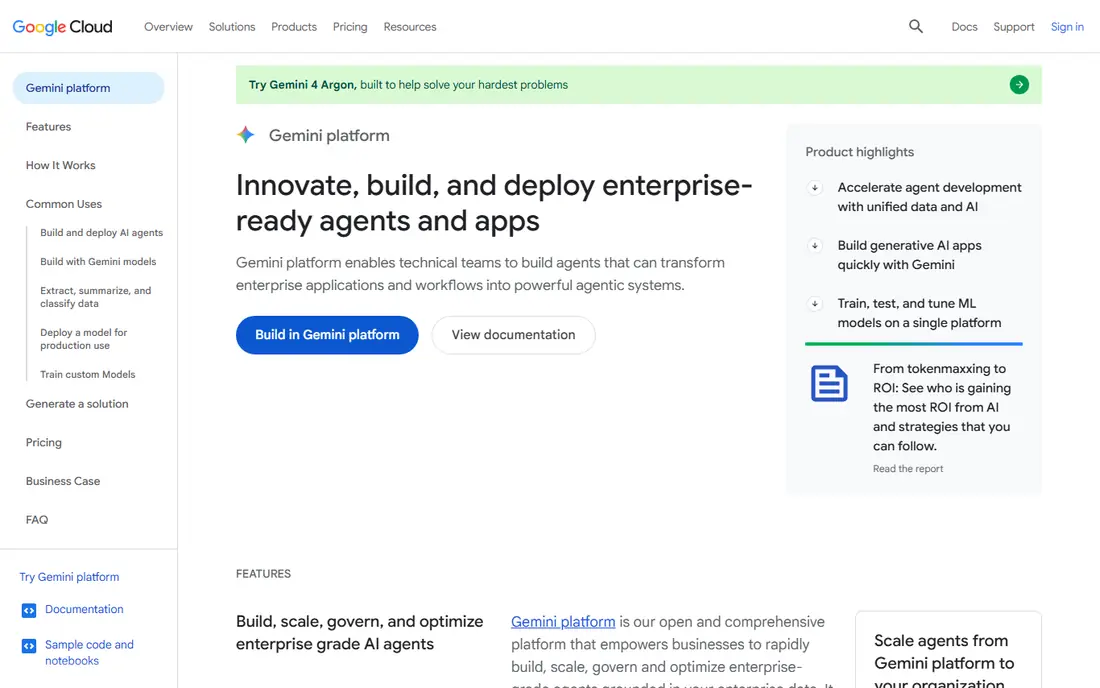
Vertex AI is the most direct SageMaker replacement for teams on Google Cloud. It covers notebooks, training, tuning, deployment, and monitoring in one managed platform, with AutoML for teams that want a model without hand tuning every step. BigQuery integration helps when your data already sits in Google Cloud, since you can move from data to model without a separate pipeline for every job.
The honest cost is complexity. Like SageMaker, Vertex AI bills for compute, storage, and serving separately, so a pilot budget needs billing alerts and a clear shutdown habit for endpoints. We think it is the right pick when Google Cloud is already your home, not a reason on its own to move clouds. Teams that switch clouds for one platform feature often spend more on migration than they save on the platform.
- Full managed ML lifecycle on Google Cloud
- Strong AutoML and managed training options
- Access to TPUs and BigQuery integration
- Pricing is usage based across many services, so totals need careful tracking
- Migration from AWS adds data and retraining work
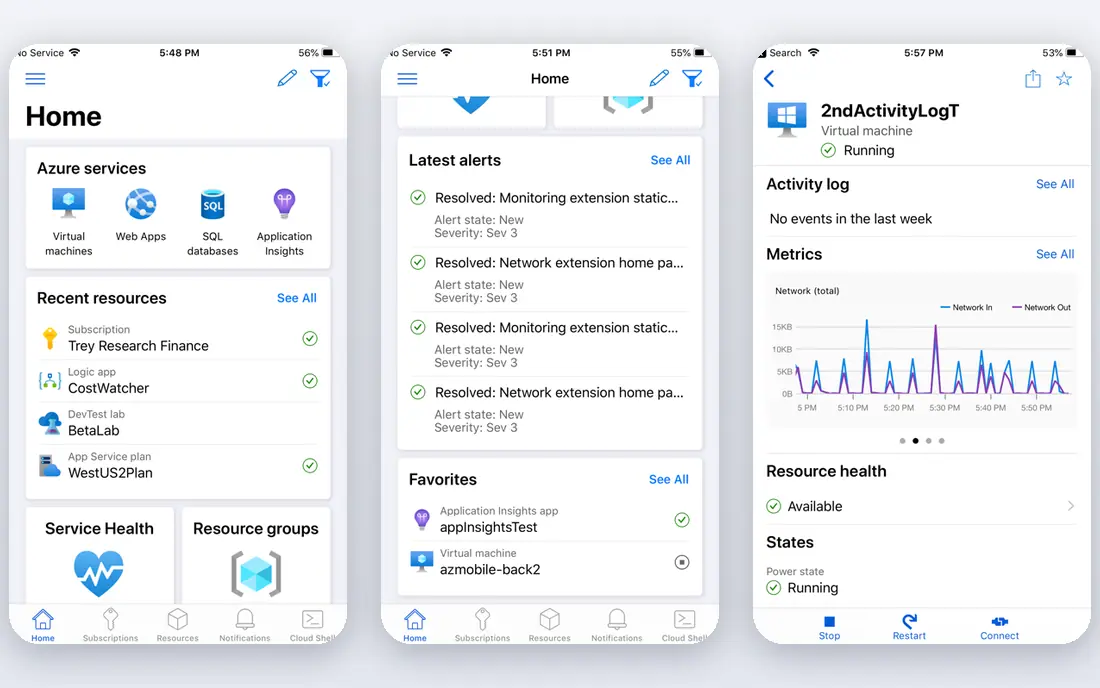
Azure Machine Learning is the parallel pick for Microsoft shops. It offers workspaces, pipelines, a model registry, and deployment to managed endpoints, with identity and access handled through the same controls many Azure teams already use. That fit matters in larger firms, where security review and audit trails can decide a platform choice faster than a benchmark.
The trade-off is similar to Vertex AI: you gain a managed lifecycle, but you also take on a usage based bill that grows with training jobs and always-on endpoints. Set up cost alerts early, use serverless or scale-to-zero options where they fit, and test a real training and serving workload before you commit. For teams already standardized on Azure, it is usually the lowest friction SageMaker replacement.
- Deep Azure and Microsoft 365 integration
- Managed pipelines, registry, and monitoring
- Strong governance and access controls
- Feature availability varies by region
- Usage based billing needs active cost management
Databricks suits teams where machine learning is only part of a larger data job. Data engineers, analysts, and data scientists share a workspace, use MLflow for tracking and registry, and run models close to the data pipelines that feed them. That closeness cuts down on copy-and-move work between a warehouse and a separate ML platform.
Pricing needs care. You pay Databricks usage on top of cloud compute in many setups, so compare the full stack cost, not just the Databricks rate. We think Databricks is the best pick when your team already runs data work there, since adding ML to an existing workspace is far easier than standing up a second platform. Teams that only need model training may find a narrower platform simpler.
- Notebooks, MLflow, and Spark in one workspace
- Strong fit for data engineering plus ML
- Works across major clouds
- Total cost combines Databricks charges with underlying cloud charges
- Governance can span more than one tool
DataRobot targets firms that need models in production without a large specialist team. You bring data, it tests many approaches, explains the leading models in plain terms, and helps you deploy and monitor the result. That guided path helps business analysts and small data teams ship a first model faster than building a full MLOps stack from scratch.
The limit is control and cost. Teams that want custom training loops, unusual architectures, or full code level tuning may feel boxed in by a guided workflow. Pricing behind a quote also means you need a sales conversation to budget properly. Ask for a pilot on your own data, with a clear success measure, before you sign a multi-year deal.
- Guided AutoML across many model types
- Deployment and monitoring in one platform
- Strong fit for business teams with limited ML staff
- Commercial pricing is quote based
- Less control for teams that want to hand tune every model detail
H2O.ai gives teams two paths: open source tools they can run themselves, and a commercial platform for managed AutoML and deployment. For tabular data, which covers a large share of business prediction work, its AutoML is a practical way to test many models quickly and compare them on the same data. That speed helps teams that need a solid baseline before investing in a custom model.
The commercial side needs a quote, so open source is the clearest way to start without a budget discussion. Self-hosting adds upkeep, and governance features depend on the edition you choose. We think H2O.ai fits teams that value open source flexibility and want AutoML without moving all their data to a single cloud platform.
- Open source H2O and Driverless AI options
- Strong AutoML for tabular data
- Flexible deployment across cloud and on-premises setups
- Enterprise platform pricing is not published
- Support and governance features vary by edition
Domino is built for firms where reproducibility and governance matter as much as model accuracy. Data science work lives in governed projects, with versioning, access controls, and a path from experiment to production that auditors can follow. That structure helps in finance, health care, and other regulated work, where a model change needs a clear record.
Smaller teams may find Domino heavier than they need. If you are a solo data scientist or a tiny team, a notebook plus MLflow and a cloud endpoint will be faster. For larger firms with many data scientists, shared compute, and strict review rules, Domino earns its place by making collaboration and control the default rather than an add-on.
- Central workspaces, projects, and model governance
- Supports many languages and tools
- Fits regulated teams that need audit trails
- Quote based pricing
- Setup and administration suit larger teams more than solo data scientists
Modal suits developers who mainly need compute, not a full ML platform. You define functions and GPU needs in Python, and Modal runs them on demand and scales to zero when idle. That model fits batch jobs, scheduled retraining, and inference endpoints that do not need to run around the clock, and it avoids paying for idle servers.
The gap is platform depth. Experiment tracking, a model registry, and monitoring are yours to add, often with MLflow or a similar tool. We think Modal is a strong SageMaker alternative when your real need was GPU time and a simple deployment path, not the full SageMaker lifecycle. Test it on your actual job shape, since GPU pricing and availability vary by type and region.
- Serverless scale to zero for jobs and endpoints
- Fast setup for Python workloads
- Useful for event driven and scheduled ML work
- Brings less built-in MLOps than a full platform
- Cost depends on GPU type and preemption choices
Runpod is a GPU cloud that appeals to teams that want control over hardware and cost. You can spin up a development pod, run a training job, or serve an endpoint, and choose the GPU that fits the job rather than taking a fixed platform bundle. That flexibility helps when a job needs a specific GPU or when a team wants to test a model without a large cloud commitment.
It is not a drop-in SageMaker replacement. You will need your own tracking, registry, and monitoring, and you should check GPU availability in your region before planning a large run. For teams comfortable with that trade, Runpod can cut compute costs sharply, especially for interactive work and for endpoints that can scale to zero between uses.
- Wide GPU choices for training and inference
- Interactive development plus endpoints that scale to zero
- Often lower GPU rates than hyperscalers
- Less managed MLOps than SageMaker
- You manage more of the deployment and monitoring setup
Anyscale is the specialist pick for distributed work built on Ray. If your training, tuning, or serving already uses Ray, Anyscale manages the cluster, scaling, and operations so your team can focus on the workload. Ray Serve also gives a path to production serving for distributed models, which is harder to build by hand.
If you do not use Ray, Anyscale is a harder sell. Learning Ray plus a new platform is a larger change than moving from one managed ML platform to another. We think it belongs on the shortlist for Ray teams and for teams whose workloads truly need many machines at once, while other teams should start with Vertex AI, Azure ML, or Databricks.
- Managed Ray for distributed training and serving
- Scales Python workloads across many machines
- Strong fit for teams already using Ray
- Value depends on Ray adoption
- Teams not using Ray gain less and face a learning curve
How we picked these
We compared official product documentation and pricing pages for managed ML platforms, AutoML tools, and GPU compute services that cover a meaningful part of what SageMaker offers, from training and tuning to deployment and monitoring. We kept tools that are live in October 2026, that support production ML work, and that fit a clear use case, whether that is a like-for-like platform, a guided AutoML path, or lower cost compute. We did not list general cloud servers without ML tooling, since those do not replace the platform features most SageMaker teams rely on.
How to choose without overpaying
Start by naming the job SageMaker actually does for you. Some teams use it for full MLOps, with pipelines, a registry, and monitored endpoints. Others mainly use it for notebook development and occasional training, or only for GPU time. Those are different purchases, and the right alternative changes with the answer. A full platform makes sense for the first group, while a compute service plus MLflow may serve the second and third groups at a lower cost.
Next, run a pilot on a real workload. Train a model you already know, deploy it, and leave the endpoint running for a week with billing alerts on. That test reveals the true cost of idle endpoints, storage, and data movement, which headline rates hide. Also check where your data lives, since moving large datasets across clouds adds time and egress cost that can wipe out a platform saving.
Finally, check governance early. Model versioning, access controls, and monitoring are easy to postpone and painful to add later, especially in regulated work. If your firm needs audit trails, pick a platform that provides them by default. If you choose a compute-only service, plan from day one how you will track experiments, version models, and monitor performance in production.
Frequently asked questions
What are the best AWS SageMaker alternatives?
Google Vertex AI and Azure Machine Learning are the closest full replacements, with Databricks close behind for data heavy teams. DataRobot and H2O.ai suit AutoML needs, while Modal, Runpod, and Anyscale suit teams that mainly need compute. The best choice follows your cloud, your data location, and how much MLOps you truly need.
Is Vertex AI cheaper than SageMaker?
Not in a simple sense. Both charge for compute, storage, and serving on a usage basis, so the total depends on your workload, GPU choices, and how long endpoints stay running. A pilot on your real training and serving pattern, with billing alerts, gives a fairer comparison than any published hourly rate.
Can I move a SageMaker model to another platform?
In many cases, yes, if you retrain or repackage the model for the new platform and move the data it needs. Code written tightly to SageMaker specific services takes more work to move than a standard model saved in a common format. Budget time for testing, since performance and serving behavior can differ across platforms.
Do I need a full ML platform, or just GPU compute?
You need a full platform when you have many models, shared teams, and strict governance or monitoring needs. You may only need GPU compute when you have a small number of models, a simple serving path, and your own tracking tools. Many teams start with compute plus MLflow and add a platform later, once the number of models makes manual tracking painful.
What is AutoML, and who should use it?
AutoML tests many model types and settings on your data and ranks the results, which helps teams with limited ML staff reach a solid model faster. It suits tabular business data and first production models well. Teams with custom architectures, unusual data, or deep tuning needs will still want a full training platform alongside AutoML.
Is Databricks a direct SageMaker replacement?
Databricks covers much of the same ground, with notebooks, MLflow tracking, and deployment options, and it adds strong data engineering. It is a direct replacement for teams whose ML work sits close to Spark and lakehouse data. Teams that do not use Spark may prefer Vertex AI or Azure ML, which center the ML lifecycle more directly.
Sources
See where you really rank - block by block
ProMapRanker scans Google Maps across a grid of your service area. Simple monthly plans from $19, white-label on every plan.
Start freeKeep reading
 who has best internet service
Who Has the Best Internet Service in 2026
Who has best internet service for US homes? We compare fiber, cable, fixed wireless and satellite providers on speed, price, availability and terms today.
Read → which survey tool has the best analytics
Which Survey Tool Has the Best Analytics in 2026
Find which survey tool has the best analytics in 2026, comparing Qualtrics, SurveyMonkey, Typeform, Alchemer, and more on reports, text, and stats today.
Read → which streaming service has the best movies
Which Streaming Service Has the Best Movies in 2026
Answering which streaming service has the best movies, with Netflix, Max, Criterion and more compared on libraries, prices and free options in this guide.
Read →