 ProMapRanker
Best Planful Alternatives in 2026


Enterprise planning in the Workday ecosystem · Pricing starts at: See website
Key takeaways
- Workday Adaptive Planning and Anaplan suit large enterprises with complex models, but both use custom pricing and longer implementations.
- Vena and Datarails suit finance teams that want to keep Excel at the center while adding controls and automation.
- Cube and Jirav are stronger picks for mid-market and smaller teams that want faster setup and clearer starting prices.
- Pigment and Limelight offer modern, visual planning for teams that want collaboration without heavy spreadsheet files.
- This is not financial advice. Treat starting prices as a guide and get a full quote for your user count, modules, and implementation.
Quick comparison
| Pick | Great for | Pricing starts at | Free tier | |
|---|---|---|---|---|
| Workday Adaptive Planning | Enterprise planning in the Workday ecosystem | See website | Free trial | Visit |
 Anaplan | Complex connected planning | See website | No | Visit |
 Vena Solutions | Excel-based planning with controls | See website | No | Visit |
 Datarails | Excel-native FP and A automation | See website | No | Visit |
 Cube | Spreadsheet-native planning | $1,250 per month | No | Visit |
 Pigment | Visual collaborative planning | See website | No | Visit |
 Jirav | Smaller teams and accounting firms | $833 per month | Free trial | Visit |
 Prophix | Mid-market planning and reporting | See website | No | Visit |
 Limelight | Mid-market browser-based planning | $1,399 per month | No | Visit |
The best planful alternatives
Planful covers budgeting, forecasting, consolidation, and reporting in one platform, but it is not the only way to run financial planning. These nine alternatives to Planful range from enterprise connected planning to spreadsheet-native tools for smaller teams.

Workday Adaptive Planning is a natural alternative for organizations already using Workday for HR or finance. Budgets, forecasts, and reports connect to Workday data without a separate integration project, and driver-based models let finance teams test how headcount or revenue changes flow through the plan. Collaboration features let budget owners enter and review figures in a controlled workflow.
The catch is scale and cost. Pricing is custom, trials are time-limited, and large deployments take months to configure well. Smaller teams may find the platform more than they need. For enterprises already committed to Workday, though, the ecosystem fit is a real advantage.
- Strong driver-based planning
- Native Workday integration
- Collaborative budgeting and forecasting
- Custom pricing only
- Implementation can be long for large organizations
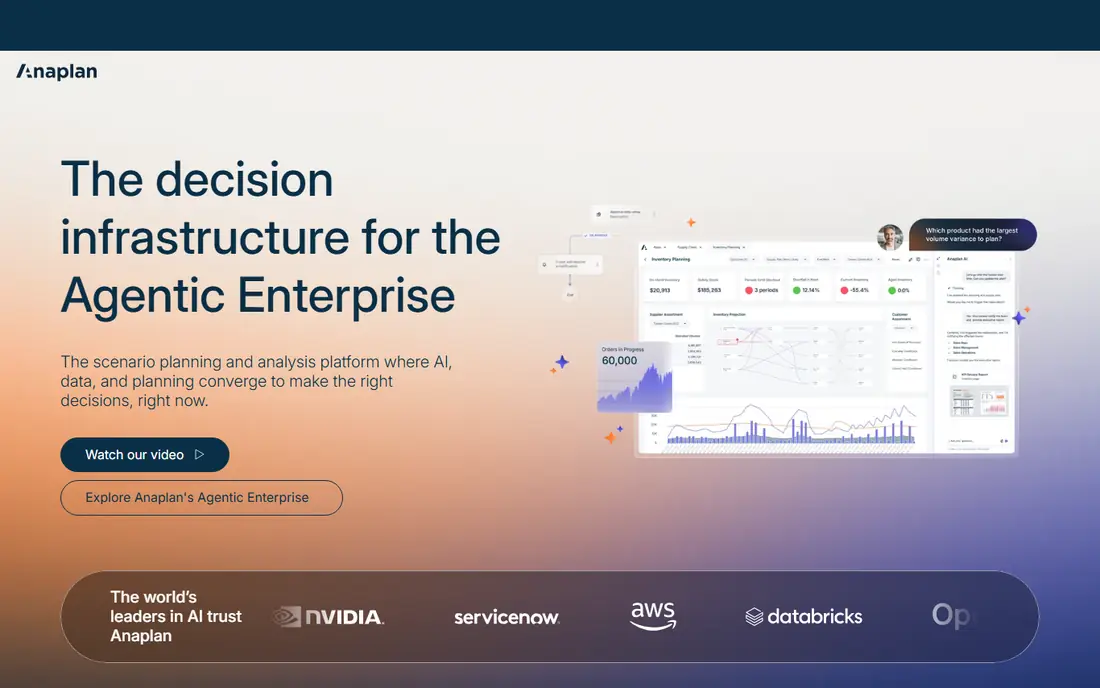
Anaplan is built for connected planning, where sales, finance, supply chain, and workforce plans feed into one model. Its multidimensional engine handles complex scenarios that would strain a spreadsheet, and changes in one area flow through to related plans. Large global companies use it for exactly that breadth.
That power comes with a learning curve and a need for skilled model builders. Pricing is custom and typically enterprise-level, and implementation is a project rather than a quick setup. If your planning spans many departments and dimensions, Anaplan is worth evaluating. If you need a simpler budgeting tool, look further down this list.
- Powerful multidimensional models
- Connected planning across departments
- Strong scenario modeling
- Custom pricing only
- Needs specialist model builders for complex use
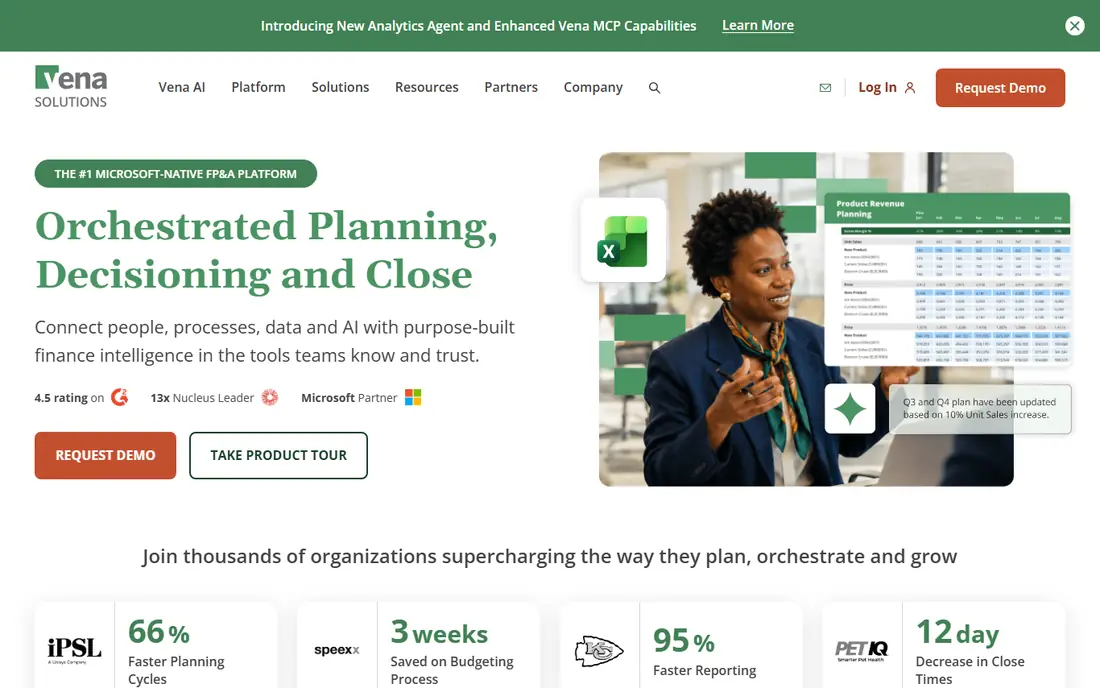
Vena is the pick for finance teams that do not want to give up Excel. Staff work in familiar spreadsheets while Vena adds version control, workflow approvals, and a central database behind the scenes. That combination reduces the usual spreadsheet chaos of emailed files and conflicting versions.
Because Excel remains central, teams that want a fully browser-based experience may find the approach dated in places. Pricing is also custom, so budget planning requires a sales conversation. For Excel-committed teams that need governance without retraining everyone, Vena is a strong Planful alternative.
- Keeps Excel as the main interface
- Workflow controls and audit trails
- Strong for budgeting and reporting
- Custom pricing only
- Excel dependence can limit some web-native features
Datarails automates the repetitive parts of financial planning while letting teams stay in Excel. It consolidates data from accounting and other systems, refreshes reports automatically, and supports budgeting, forecasting, and board-ready presentations. Finance teams that spend too much time copying data between systems will notice the difference quickly.
Pricing is custom, and the setup effort depends on how clean your source data is. Teams with messy or scattered data should allow time for mapping and testing. For mid-market finance teams that live in Excel but want automation, Datarails is a practical step up from manual spreadsheets.
- Excel remains central
- Automated data consolidation
- Dashboards and reporting built in
- Custom pricing only
- Implementation effort varies with data sources
Cube takes a spreadsheet-first approach, letting finance teams plan in Excel or Google Sheets while Cube manages data connections, versioning, and governance underneath. That familiarity shortens adoption, since staff do not need to learn a new modeling language to start planning. The published starting price also makes early budgeting easier than with quote-only rivals.
Very large enterprises with complex consolidation needs may outgrow Cube or need higher tiers. For mid-market teams that want spreadsheet comfort plus control, it is a strong balance of speed and structure. Check which connectors and features sit in the starting tier before you commit.
- Works in Excel and Google Sheets
- Published starting price
- Fast setup compared with enterprise tools
- Less suited to very complex enterprise consolidation
- Advanced features cost more
Pigment is a modern planning platform that emphasizes visual models and collaboration. Teams can build scenarios, share plans, and see how assumptions change results without wrestling spreadsheet formulas. The interface feels closer to a modern business app than a legacy planning system, which helps non-finance budget owners contribute.
Pricing is custom, and because Pigment is newer than Anaplan or Workday Adaptive, its community and template library are smaller. For startups and growing companies that want collaborative planning without legacy complexity, it is an appealing option. Larger teams should test it against their most complex model before switching.
- Visual and collaborative modeling
- Scenario planning
- Good for cross-team planning
- Custom pricing only
- Newer platform with a smaller community than older rivals
Jirav is aimed at smaller finance teams and accounting firms that need real planning without an enterprise project. It connects to QuickBooks, Xero, and similar systems, supports driver-based forecasts, and produces dashboards and reports that clients and boards can read. Setup is measured in weeks rather than months.
The platform is not designed for the most complex enterprise consolidation, and the monthly price may be high for a solo business. For small and mid-sized companies moving beyond spreadsheets, Jirav offers a clear upgrade path. The free trial is worth using with your own accounting data.
- Quick setup
- Driver-based planning
- QuickBooks and Xero integrations
- Less depth for large enterprise models
- Monthly cost adds up for very small teams
Prophix serves mid-market finance teams that need budgeting, forecasting, and financial reporting without a specialist modeling team. Workflows guide budget owners through submissions and approvals, and reporting tools turn plan data into management packs. The interface is approachable for finance staff who are not model builders.
Pricing is custom and implementation timelines vary with scope, so allow time for configuration and training. Teams that want a single system for planning and close-adjacent reporting will find Prophix a solid alternative. Test its reporting output against your board pack format early in evaluation.
- Budgeting, forecasting, and reporting in one system
- Workflow controls
- Suited to non-technical finance teams
- Custom pricing only
- Implementation can take weeks to months
Limelight offers browser-based financial planning for mid-market teams using systems such as NetSuite, Sage Intacct, or Dynamics. Driver-based models, workforce planning, scenarios, and reporting are included, and finance teams can administer the system without heavy IT involvement. The published starter price helps with early budgeting.
At $1,399 per month, it is not a small-business tool, and setup still takes weeks depending on data readiness. For mid-market teams that want to move away from spreadsheet files without jumping to enterprise pricing, Limelight is a credible Planful alternative. Confirm final pricing for your user count and scope before deciding.
- Browser-based planning
- ERP-connected models
- Finance-owned administration
- Starting price is high for small teams
- Implementation takes weeks
How we picked these
We compared official product pages, pricing pages, and recent FP and A roundups for tools live in October 2026. We included enterprise, mid-market, and spreadsheet-native options so readers can match a tool to team size and model complexity. Where a vendor does not publish a price, we wrote See website rather than repeating an unverified estimate, and we noted implementation effort because it affects total cost as much as licensing.
How to choose an FP and A platform
Start with your model, not the demo. List your planning dimensions, such as departments, products, regions, and headcount drivers, and test the most complex one in each shortlisted tool. A platform that handles simple budgets well can still struggle with allocations, consolidations, or multi-currency plans. Ask vendors to build your model, not a generic example.
Check data connections early. Confirm which accounting, ERP, HR, and CRM systems connect natively, how often data refreshes, and who maintains the connection. A tool that needs manual uploads every month will lose value quickly. Also confirm user roles, approvals, and audit trails, since planning without controls creates the same version problems as spreadsheets.
Finally, compare total cost, not just license price. Add implementation services, training, and ongoing administration time. A tool with a higher license price but finance-owned administration can cost less over three years than a cheaper tool that needs consultants for every change. Get quotes on the same user count and modules for a fair comparison.
Frequently asked questions
What are the best alternatives to Planful?
Workday Adaptive Planning, Anaplan, Vena, Datarails, Cube, and Pigment are among the strongest alternatives to Planful. The right pick depends on team size, spreadsheet preference, and model complexity.
Is there a cheaper alternative to Planful?
Jirav and Cube offer clearer starting prices than many enterprise tools, and both suit mid-market teams. Smaller companies may also find that a well-structured spreadsheet tool covers their needs until planning complexity grows.
Which Planful alternative is best for Excel users?
Vena and Datarails are the strongest picks for teams that want Excel to remain central. Cube also works in Excel and Google Sheets while adding governance underneath.
Do Planful alternatives offer free trials?
Some do. Workday Adaptive Planning and Jirav offer free trials, while many enterprise tools offer demos instead. Ask for a trial with your own data rather than a scripted demo where possible.
How long does it take to implement an FP and A tool?
It varies widely. Spreadsheet-native tools can be live in weeks, mid-market platforms often take four to twelve weeks, and enterprise platforms can take three to six months. Data readiness is usually the biggest factor.
Is Planful better than Anaplan or Workday Adaptive?
None is better in every case. Planful suits teams that want integrated planning and close management, Anaplan suits complex connected planning, and Workday Adaptive suits organizations already using Workday. Test each against your own model before deciding.
Sources
See where you really rank - block by block
ProMapRanker scans Google Maps across a grid of your service area. Simple monthly plans from $19, white-label on every plan.
Start freeKeep reading
 who has best internet service
Who Has the Best Internet Service in 2026
Who has best internet service for US homes? We compare fiber, cable, fixed wireless and satellite providers on speed, price, availability and terms today.
Read → which survey tool has the best analytics
Which Survey Tool Has the Best Analytics in 2026
Find which survey tool has the best analytics in 2026, comparing Qualtrics, SurveyMonkey, Typeform, Alchemer, and more on reports, text, and stats today.
Read → which streaming service has the best movies
Which Streaming Service Has the Best Movies in 2026
Answering which streaming service has the best movies, with Netflix, Max, Criterion and more compared on libraries, prices and free options in this guide.
Read →