 ProMapRanker
PagerDuty Alternatives in 2026

Key takeaways
- xMatters, Squadcast and PagerTree offer the most direct on-call replacement, with schedules, escalations and alert routing in one tool.
- Splunk On-Call suits teams already using Splunk monitoring, while Zenduty and iLert suit smaller teams that want lower prices.
- Free tiers cover small responder teams on several tools, but status pages and advanced automation often need a paid plan.
- This list contains incident management and on-call alternatives only, and never lists PagerDuty itself.
Quick comparison
| Pick | Great for | Pricing starts at | Free tier | |
|---|---|---|---|---|
 xMatters | Communication-driven incidents | Free | Yes | Visit |
 Splunk On-Call | Splunk monitoring teams | See website | No | Visit |
 Squadcast | Lower-cost on-call replacement | $9 per user per month | Yes | Visit |
 PagerTree | Simple on-call schedules | See website | No | Visit |
 Zenduty | Small team incident management | $6 per user per month | No | Visit |
 iLert | Alert routing and on-call | See website | No | Visit |
 SIGNL4 | Mobile-first alerting | See website | No | Visit |
 AlertOps | Affordable alert management | $5 per user per month | No | Visit |
The best pagerduty alternatives
We compared on-call and incident management tools on schedules, escalations, alert routing, integrations and price. The best alternatives to PagerDuty depend on team size and existing monitoring tools, since a five-person startup and a large IT department buy very different plans. All tools here handle on-call alerts today, and none of them is PagerDuty.
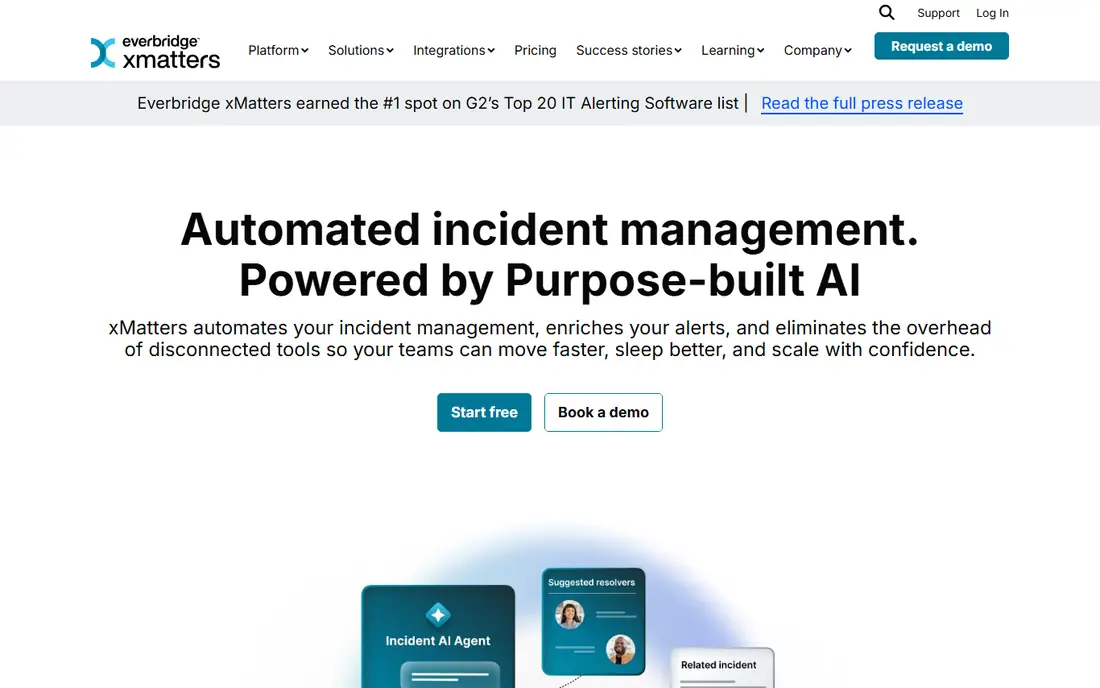
xMatters puts communication at the centre of incident response, with alerts sent by phone, SMS, email, push and chat tools. That multi-channel approach helps when one channel fails or a responder is away from a desk. On-call schedules, rotations and escalations are built in, and workflows can trigger from monitoring tools, ticketing systems and manual reports. The free tier covers up to 10 users, which is enough for a small team to start without payment.
Complexity is the trade-off. Building detailed workflows and escalation rules takes time, and the full automation set sits on paid plans. Teams that want a simple schedule and alert tool may find xMatters larger than needed. For IT and DevOps teams that treat communication as the main incident job, xMatters is a strong and proven alternative.
- Free tier for up to 10 users
- Strong multi-channel notifications
- Workflows that reach the right responder fast
- Full automation features need paid plans
- Setup takes time for complex escalation rules
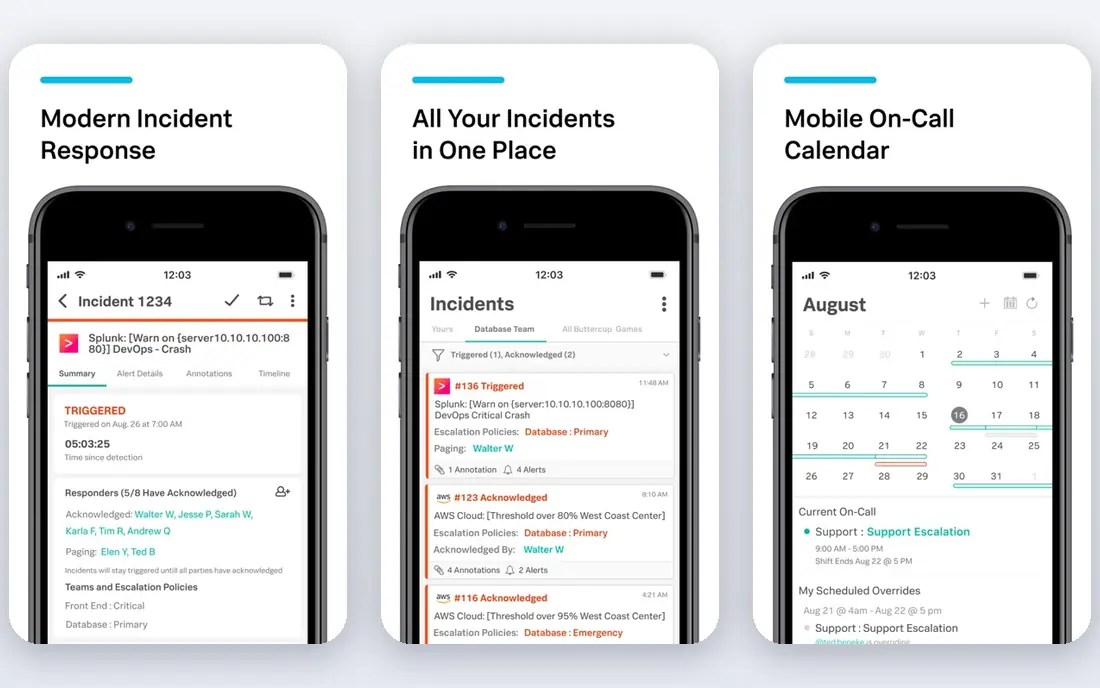
Splunk On-Call, formerly VictorOps, is the natural on-call pick for teams already running Splunk monitoring. Alerts flow from Splunk into on-call schedules, with timelines that show who was alerted, who acknowledged and what actions were taken. Collaboration features keep responders in one incident view, rather than scattered across chat threads. That integration reduces the manual work of copying alert details between systems.
Custom pricing is the main drawback, since a quote is needed before budgeting. Teams without Splunk may also find the setup heavier than a standalone tool such as Squadcast or PagerTree. For Splunk shops, though, the fit is clear, and the incident timeline helps with post-incident review. Check the current plan terms on the vendor site, since Splunk product packaging changes over time.
- Deep integration with Splunk monitoring
- Timeline and collaboration features for incidents
- Broad alert routing options
- Pricing is custom and not published
- Best value needs an existing Splunk setup
Squadcast is built as a direct on-call replacement, with schedules, rotations, escalations and alert deduplication that will feel familiar to PagerDuty users. The free tier covers small responder teams, and paid plans start at 9 dollars per user per month on annual billing. Integrations cover common monitoring, ticketing and chat tools, so most teams can connect their existing stack without custom work. That mix of familiarity and lower price makes Squadcast a popular switch.
Higher tiers gate some features. Status pages and deeper analytics sit on more expensive plans, so teams that need public status pages should check the plan page carefully. The integration list is also smaller than xMatters or Splunk. For startups and mid-size engineering teams that want solid on-call basics at a lower cost, Squadcast is our pick.
- PagerDuty-style schedules and escalations at a lower price
- Free tier for small teams
- Status pages on higher plans
- Some features, such as advanced status pages, need higher tiers
- Smaller integration list than larger rivals
PagerTree keeps on-call management simple, with schedules, rotations and escalations that are easy to set up for a small team. Responders receive alerts by phone, SMS, email and push, with acknowledgement and escalation when no one responds. The interface is less cluttered than larger incident suites, which helps teams that want alerts without a full incident platform. That simplicity also shortens onboarding for new responders.
Advanced workflow features are thinner. PagerTree does not offer the same depth of incident automation, analytics or status page options as Squadcast or xMatters. Teams that need full incident lifecycle management may outgrow it. For small teams that mainly need reliable schedules and alerts, PagerTree is a tidy and affordable alternative.
- Simple schedule and rotation setup
- Clear escalation rules
- Affordable for small teams
- Fewer advanced incident workflow features than larger tools
- Pricing should be confirmed on the site
Zenduty offers incident management at a low starting price of 6 dollars per user per month, which suits small teams with tight budgets. Features include on-call schedules, escalation policies, alert suppression and integrations with monitoring and chat tools. The setup is straightforward, and the alert rules help reduce noise from repeated or low-priority alerts. That focus on core incident work makes Zenduty easy to adopt.
The limits are clear. There is no free plan, and status pages are not built in, so teams that need a public status page must use a separate service. Zenduty is also a smaller vendor than xMatters or Splunk, so enterprise buyers may want to check support terms and roadmap during a trial. For small teams that want low-cost on-call basics, Zenduty is a strong value pick.
- Low starting price
- On-call schedules, escalations and alert rules
- Integrations with common monitoring tools
- No free plan
- Status pages need an external tool
- Smaller vendor than larger rivals
iLert routes alerts from monitoring tools to the right responder, with on-call schedules, overrides and escalation policies. Overrides matter in real life, since holidays, sick days and shift swaps happen every week. The platform supports phone, SMS, push and chat notifications, and it connects to common monitoring, ticketing and chat systems. That flexibility suits teams with varied alert sources and changing rotas.
Pricing is not as clear as Squadcast or Zenduty, so the plan page should be checked before budgeting. Some advanced features also sit on higher tiers, which can raise the total for larger teams. iLert fits best for teams that value flexible routing and schedule overrides, and that are happy to confirm pricing through a trial or quote.
- Flexible alert routing and escalation
- On-call schedules with overrides
- Integrations with monitoring and chat tools
- Pricing should be confirmed on the site
- Advanced features need higher plans
SIGNL4 is a mobile-first alerting tool, with an app designed for quick acknowledgement and team coordination. Alerts arrive as push notifications with clear action buttons, and duty planning covers who is on call and who backs them up. That mobile focus suits field teams, small IT teams and operations staff who are often away from a desk. Setup is simple, with integrations for monitoring tools and a team alerting model that does not need complex workflows.
Full incident management is thinner than xMatters or Splunk On-Call. SIGNL4 focuses on alerting and acknowledgement rather than deep incident timelines, analytics or post-incident review. Teams that need a full incident platform should pair it with another tool or pick a broader suite. For fast mobile alerting, SIGNL4 is a practical and focused alternative.
- Mobile app built for fast acknowledgement
- Team alerting with duty planning
- Simple setup for small teams
- Less full incident management depth than larger suites
- Pricing should be confirmed on the site
AlertOps offers on-call schedules, escalations and alert routing from 5 dollars per user per month, which makes it one of the cheapest paid options here. It connects to monitoring and ticketing tools, and it supports phone, SMS, email and push alerts. For a small team that needs reliable alerting without paying for a large incident suite, that price is attractive. Setup is straightforward, with schedules and escalation rules that cover most small team needs.
The feature set is narrower than larger rivals. Advanced analytics, status pages and deep workflow automation are limited or sit on higher plans. AlertOps is also a smaller vendor, so larger teams should check support and integration depth during a trial. For budget-focused teams that want core on-call features at a low price, AlertOps is a solid pick.
- Low starting price
- On-call schedules and escalations
- Integrations with monitoring and ticketing tools
- Smaller vendor with a narrower feature set
- Advanced analytics need higher plans
How we picked these
We compared official feature pages, pricing pages, review listings and public documentation for incident management tools available in October 2026. We kept tools that offer on-call schedules, escalations and alert routing today, and that state their pricing or free tier clearly. We left out Opsgenie, since Atlassian ended new sales and set an end-of-life date for that product, and we left out tools that only offer status pages without on-call features. Where a price could not be confirmed on the vendor site, we wrote See website rather than guessing.
How to switch without missing alerts
Start by mapping the current setup before changing tools. List every monitoring source, every schedule, every escalation rule and every notification channel, since a missed source is the most common switch failure. Run the new tool in parallel for at least one full rotation, with alerts going to both systems, so gaps show up before the old tool is turned off. Test a real alert at night and on a weekend, not just during office hours, since on-call failures often appear outside normal work.
Next, check integrations and acknowledgement. Confirm that alerts can be acknowledged from phone, SMS and chat, and that escalations fire when no one responds. Train every responder on the new app, including how to swap a shift and set an override. Finally, review the first month of alerts for noise, since a new tool with poor deduplication can cause alert fatigue. Tune suppression rules early, and keep the schedule visible to the whole team.
Frequently asked questions
What are the best alternatives to PagerDuty?
xMatters, Squadcast and PagerTree are the most direct alternatives, with on-call schedules, escalations and alert routing. Splunk On-Call suits Splunk users, while Zenduty, iLert, SIGNL4 and AlertOps suit smaller teams or lower budgets. The best pick depends on team size, existing monitoring tools and whether a free tier or a public status page matters most.
Is there a free alternative to PagerDuty?
xMatters offers a free tier for up to 10 users, and Squadcast offers a free tier for small responder teams. Those free tiers cover core on-call features, but status pages and advanced automation often need a paid plan. For a very small team, a free tier can be enough to start, with a paid upgrade later as the team grows.
What happened to Opsgenie as a PagerDuty alternative?
Atlassian ended new sales of Opsgenie and set an end-of-life date for the product, so it is not a safe new purchase in 2026. Existing Opsgenie users need a migration plan, and Squadcast, xMatters and Zenduty are common destinations for those teams. Anyone still listing Opsgenie as a current option should check the vendor notice before relying on it.
How much do PagerDuty alternatives cost?
Prices in this list start from free tiers on xMatters and Squadcast, and from 5 to 9 dollars per user per month on AlertOps, Zenduty and Squadcast paid plans. Larger tools such as Splunk On-Call use custom pricing, so a quote is needed. Total cost depends on responder count, since most tools charge per user, so count every person who receives alerts before comparing prices.
Do these tools work with Slack and common monitoring tools?
Most tools in this list integrate with Slack, Microsoft Teams and common monitoring tools such as Datadog, New Relic, Grafana and Zabbix, though the exact list varies by vendor. Check the integration page for each tool before buying, since a missing integration can force manual work. A trial with a real monitoring source gives a better test than a feature list alone.
Sources
See where you really rank - block by block
ProMapRanker scans Google Maps across a grid of your service area. Simple monthly plans from $19, white-label on every plan.
Start freeKeep reading
 twitch alternatives
Twitch Alternatives in 2026
Explore the best Twitch alternatives in 2026 for live streaming, with free platforms, monetisation options, audiences, chat tools, and tips for new streamers.
Read → firebase alternatives
Best Firebase Alternatives in 2026
Looking for Firebase alternatives? We compare 9 backend platforms for auth, databases, realtime, storage, functions, self-hosting, and pricing for your app.
Read → companies with best work life balance
Companies With Best Work Life Balance in 2026
See companies with best work life balance in 2026, ranked by employee ratings, with flexible work options, benefits, and what to check before applying.
Read →