 ProMapRanker
Twitch Alternatives in 2026

Key takeaways
- YouTube Live suits streamers who want search, recommendations, and a lasting video library alongside live shows.
- Kick suits gaming streamers who want a smaller, chat-focused community and a creator-friendly subscription split.
- TikTok Live and Instagram Live suit creators who already build short-form audiences and want live reach from that base.
- Facebook Live suits local and community streamers, while Rumble suits talk, commentary, and podcast-style channels.
- Two once-popular options, Trovo and DLive, closed live streaming in 2026, so avoid guides that still list them as live options.
Quick comparison
| Pick | Great for | Pricing starts at | Free tier | |
|---|---|---|---|---|
 YouTube Live | Searchable live and video library | Free | Yes | Visit |
 Kick | Gaming and chat-focused streams | Free | Yes | Visit |
 TikTok Live | Short-form creators going live | Free | Yes | Visit |
 Facebook Live | Community and local audiences | Free | Yes | Visit |
 Rumble | Talk and commentary streams | Free | Yes | Visit |
 Instagram Live | Creators with an Instagram audience | Free | Yes | Visit |
 Owncast | Self-hosted independent streams | Free | Yes | Visit |
 Steam Broadcasting | Gaming with a Steam audience | Free | Yes | Visit |
 Vimeo Livestream | Professional and business events | See website | Free trial | Visit |
The best Twitch alternatives
These are live alternatives to Twitch only, and Twitch itself is not listed as a product here. Each platform below is live in October 2026, and each suits a different kind of streamer, from gamers to talk hosts to businesses running events.
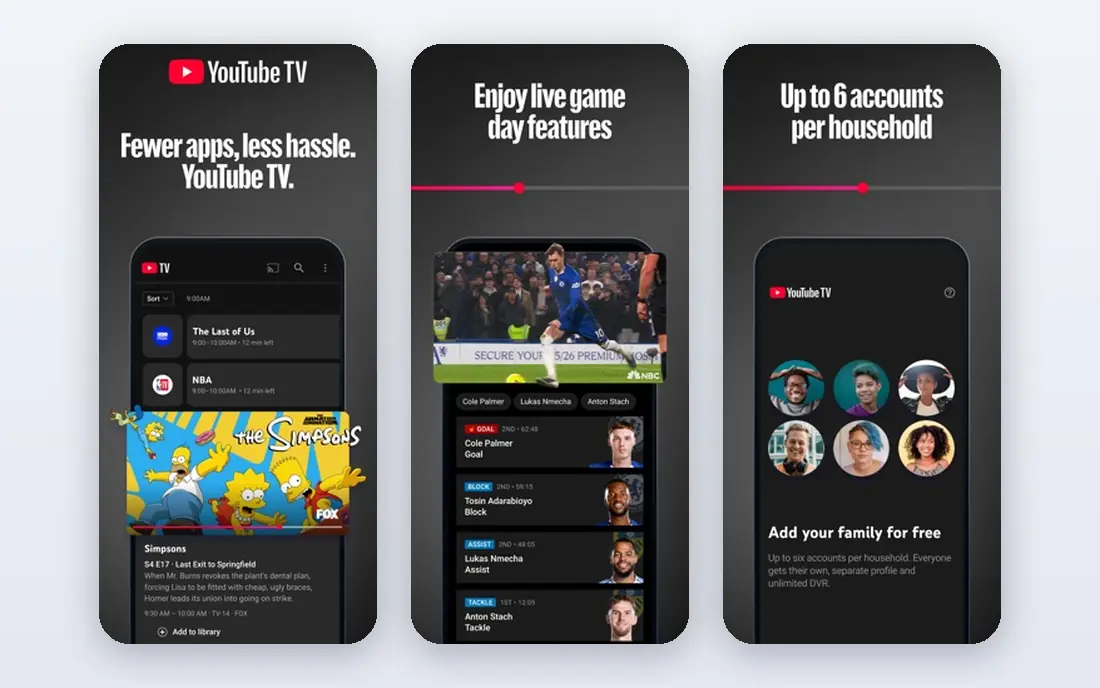
YouTube Live is our pick for most streamers leaving Twitch, because a live show does not disappear when it ends. Streams can stay on the channel as videos, appear in search, and keep earning views long after the live moment. That lasting library is a major advantage over platforms where past streams fade quickly.
The trade-off is the path to earning. Channel memberships, Super Chat, and ad revenue need eligibility, including subscriber and watch-time thresholds that vary by feature. Large gaming categories are also crowded, so a new channel needs a clear niche and consistent uploads alongside live shows. For a streamer building a long-term audience, YouTube Live is still the strongest all-round alternative.
- Huge audience and search discovery
- Streams can live on as videos
- Memberships, Super Chat, and ads for eligible channels
- Live monetisation needs eligibility thresholds
- Large categories are crowded
- Rules and policies change often
Kick is the closest in feel to Twitch, with live categories, chat culture, and gaming at its centre. New streamers often find it easier to be noticed, because categories are smaller than the largest Twitch and YouTube lists. Subscriptions are a core earning route, and Kick advertises a split that sends most subscription money to the creator.
The audience is still far smaller than YouTube, so growth ceilings are lower for now. Moderation and content rules have also drawn debate, and streamers should read the current terms before building a channel there. For a gaming streamer who wants live chat energy and a fresh start, Kick is the most direct alternative.
- Gaming-first community
- Subscriptions with a creator-friendly split
- Smaller categories give new streamers more visibility
- Smaller audience than YouTube
- Content rules and moderation draw criticism
- Fewer discovery tools than YouTube
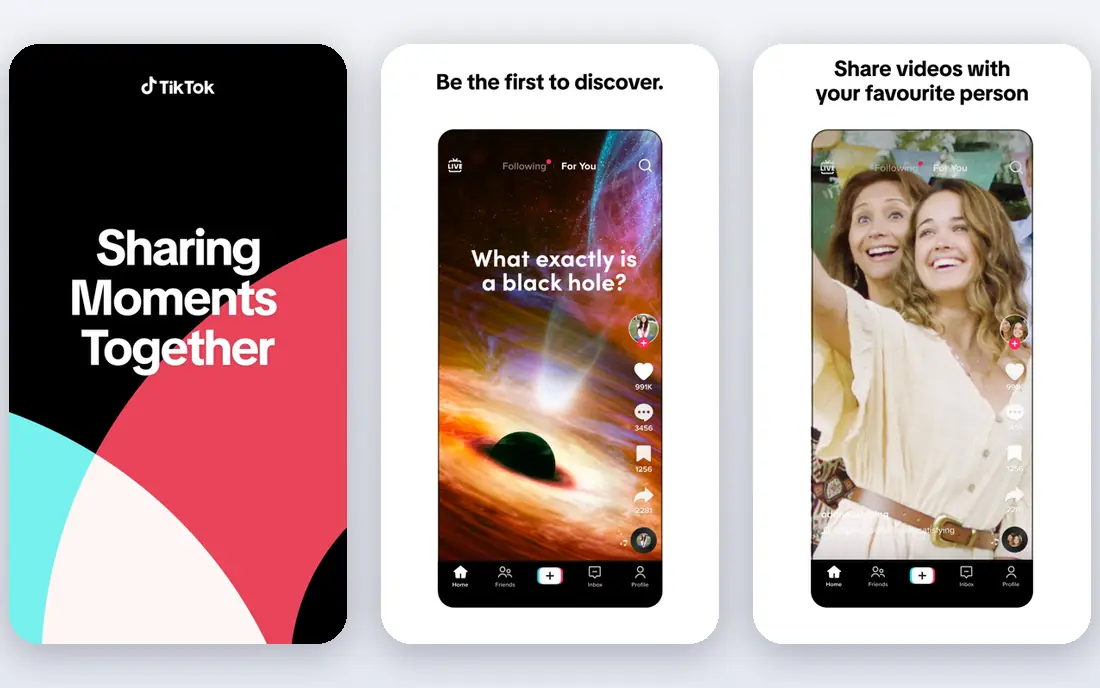
TikTok Live suits creators who already make short videos and want live interaction with that audience. A live session can surface to viewers beyond existing followers through recommendations, which gives a new streamer a faster route to eyeballs than a quiet category page. Viewer gifts provide an early earning route for eligible creators.
Live access is not open to every account. Creators must meet age and follower eligibility rules, which change by region, so check the current rules in the app before planning a schedule. Streams also suit short, energetic formats rather than long, slow broadcasts. For a creator with a growing TikTok following, live is a natural next step.
- Huge short-form audience
- Live can reach viewers through the For You feed
- Gifts from viewers for eligible creators
- Live access needs age and follower eligibility
- Streams are short-form in feel
- Earning depends on gifts and brand work
Facebook Live suits streamers whose audience already lives on Facebook: local groups, churches, clubs, schools, and community organisations. Going live from a Page or profile reaches people who already follow that page, and sharing into groups can spread a stream without a separate audience build. Stars and subscriptions give eligible creators earning routes.
It is not the best home for competitive gaming discovery. The feed algorithm decides how far a live video travels, and gaming categories lack the dedicated culture of Twitch or Kick. For a community streamer, a local business, or a creator with a strong Facebook following, Facebook Live is a practical, free alternative.
- Friends, groups, and local audiences already exist
- Stars and subscriptions for eligible creators
- Easy sharing
- Gaming discovery is weaker than on dedicated platforms
- Feed algorithm controls reach
- Younger gaming audiences are thinner
Rumble suits talk hosts, commentators, podcasters, and creators who stream discussion rather than gameplay. Live streams sit alongside uploaded videos, and Rants let viewers pay to highlight a chat message. The creator programme offers another earning route for eligible channels, and the audience skews toward talk and news content.
Gaming streamers will find a smaller live gaming crowd here than on Kick or YouTube. Discovery tools are also less developed, so creators often bring their own audience from elsewhere. For a talk-format streamer who wants a video home that welcomes commentary, Rumble is a solid alternative.
- Talk and commentary audience
- Rants for paid chat messages
- Creator programme for eligible channels
- Gaming audience is smaller
- Discovery tools are thinner
- Content mix may not suit every streamer
Instagram Live is best for creators who already post Reels and Stories and want a live way to talk with followers. Starting a live session from a phone takes seconds, and followers receive a notice that you are live. That direct link to an existing audience suits Q and A sessions, product launches, and behind-the-scenes broadcasts.
Discovery by strangers is weak compared with YouTube search or TikTok recommendations, and live alone offers limited direct earning. It works best as part of a wider Instagram presence, where Reels bring new followers and live turns them into regular viewers. For an Instagram-first creator, it is a free and simple live option.
- Live reaches existing followers directly
- Works well with Reels and Stories
- Simple to start from a phone
- Live access needs follower eligibility in some cases
- Streams are hard to discover by strangers
- Limited monetisation for live alone
Owncast is the independent route. It is open-source software you run on your own server, so you control the page, the chat, and the rules for your stream. There is no platform that can change terms overnight or close your channel, which appeals to streamers who value independence after seeing platforms close.
The cost is effort and discovery. You pay for server hosting, you handle updates and moderation tools, and viewers will only find you if you promote the stream elsewhere. Owncast suits a streamer with a loyal audience, technical confidence, or a community that wants its own home rather than a place inside a large platform.
- Full control over the stream and chat
- No platform cut of tips you arrange yourself
- No sudden shutdown by a host platform
- You must run and pay for a server
- Audience discovery is up to you
- Setup needs technical care
Steam Broadcasting suits PC gamers who already play and buy games on Steam. Friends can watch a game session from a profile or community page without installing another app, and the broadcast starts from inside Steam itself. For a casual streamer who plays with friends, that zero-setup route is appealing.
It is not a career platform. There is no direct subscription or tip system for broadcasters, and discovery beyond friends and community pages is limited. Talk shows, music, and creative streams also fit poorly here. For a gamer who streams for fun with a Steam circle, Steam Broadcasting is a free, low-friction alternative.
- Built into Steam for PC gamers
- Viewers can watch from game and community pages
- Zero setup for Steam users
- No direct streamer monetisation
- Discovery is limited
- Streams suit gameplay, not talk formats
Vimeo Livestream suits businesses, schools, churches, and event organisers who need a professional live event rather than a public gaming channel. You get a clean player, privacy controls, event pages, and tools for registration and on-demand replays. That control matters for paid events, training sessions, and conferences.
It is not a Twitch replacement for a gaming streamer chasing a public audience. Full live features sit behind paid plans, and viewers arrive through your own promotion, not through a large live directory. For a professional event where reliability and branding matter more than discovery, Vimeo Livestream is the right kind of alternative.
- Professional player and privacy controls
- Event pages and registration tools
- Reliable playback for business audiences
- Paid plans needed for full live features
- No large public gaming audience
- Discovery is not the point
How we picked these
We compared official platform pages, help pages, and current streaming guides for live platforms that are operating in October 2026. We kept only platforms where a creator can go live today, and we removed Trovo and DLive after reports that both closed live streaming in 2026. Where monetisation thresholds vary by region, we described the route in general terms rather than stating a single global figure.
What to check before you switch
Start with where your audience already is. A platform with a huge audience is useless if your viewers never visit it, while a smaller platform can work well if your community follows you there. Tell viewers where you are moving, run a few test streams, and keep old clips available so new viewers can find you.
Compare earning routes honestly
Check which earning routes you can actually use on day one, not just the headline split. Subscriptions, tips, gifts, ads, and memberships each have eligibility rules, and some need a minimum audience first. A platform with a generous split but no viewers may earn less than a platform with a smaller split and a larger audience.
Test chat, moderation, and tools
Run a stream with a moderator and test chat controls, bans, slow mode, and clip tools before you commit. A platform that feels fine as a viewer can feel thin as a broadcaster when chat moves fast. Also check whether your streaming software, overlays, and alerts work with the platform, or need new setup.
Keep a backup home
Platforms close, change rules, and shift algorithms, as the 2026 closures of Trovo and DLive showed. Keep your videos, email list, or community space outside any single live platform. That backup lets you move again without losing the audience you worked to build.
Frequently asked questions
What are the best alternatives to Twitch?
YouTube Live suits most streamers for reach and a lasting video library, while Kick suits gaming streamers who want a chat-focused community. TikTok Live suits short-form creators, Facebook Live suits community streamers, and Rumble suits talk hosts. The best choice depends on your format and where your audience already spends time.
Is Kick a good alternative to Twitch?
Yes, for gaming streamers who want a similar live feel with smaller categories and a creator-friendly subscription split. Its audience is smaller than YouTube, so growth may be slower in absolute numbers. Read the current content rules and moderation terms before building a channel there.
Can I stream on YouTube Live without many subscribers?
Yes, you can go live on YouTube with a verified channel, although mobile live and some monetisation features need higher eligibility. Desktop streaming is the easiest starting route for a new channel. Pair live shows with regular uploads, since search and recommendations help new viewers find you.
What happened to Trovo and DLive?
Reports in 2026 say Trovo ended live streaming on 30 June 2026 and DLive closed in April 2026. Older guides still list both as live options, so check the current status of any platform before you plan a move. This guide only lists platforms operating in October 2026.
Do Twitch alternatives pay streamers?
Yes, through different routes: YouTube offers memberships, Super Chat, and ads for eligible channels; Kick offers subscriptions; TikTok and Facebook offer gifts and Stars; Rumble offers Rants and a creator programme. Each route has eligibility rules, and earnings depend on audience size and engagement, not just the platform split.
Should I stream on more than one platform at once?
Multistreaming can widen reach, but some platforms restrict it for partnered or monetised creators, so check the current terms for each platform you use. It also splits chat across rooms, which can weaken community feel. Many streamers start on one main platform and add a second only once the main channel is stable.
Sources
See where you really rank - block by block
ProMapRanker scans Google Maps across a grid of your service area. Simple monthly plans from $19, white-label on every plan.
Start freeKeep reading
 firebase alternatives
Best Firebase Alternatives in 2026
Looking for Firebase alternatives? We compare 9 backend platforms for auth, databases, realtime, storage, functions, self-hosting, and pricing for your app.
Read → companies with best work life balance
Companies With Best Work Life Balance in 2026
See companies with best work life balance in 2026, ranked by employee ratings, with flexible work options, benefits, and what to check before applying.
Read → com alternatives
Com Alternatives in 2026
Com alternatives explained, with .co, .net, .org, .io, .app, .dev, .shop, .xyz and .tech compared on price, trust and best use in 2026 before you register.
Read →