 ProMapRanker
Best Microsoft Active Directory Alternatives in 2026

Key takeaways
- Microsoft Entra ID is the cloud successor to Azure AD, and it is the default pick for firms already on Microsoft 365.
- Okta and Ping Identity suit firms that need vendor-neutral identity across Microsoft, Google, and other clouds.
- JumpCloud is the strongest cloud directory for smaller firms that also need device management across Windows, Mac, and Linux.
- Keycloak suits engineering teams that want a free self-hosted directory and can run it themselves.
- Directory replacement is rarely one product: check SSO, MFA, lifecycle, device management, and LDAP needs separately before you choose.
Quick comparison
| Pick | Great for | Pricing starts at | Free tier | |
|---|---|---|---|---|
 Microsoft Entra ID | Microsoft 365 firms | Free | Yes | Visit |
 Okta | Vendor-neutral workforce identity | See website | Free trial | Visit |
 JumpCloud | Cloud directory plus devices | See website | Free trial | Visit |
 Ping Identity | Large hybrid enterprises | See website | Free trial | Visit |
 OneLogin | Mid-market SSO simplicity | See website | Free trial | Visit |
 Google Cloud Identity | Google Workspace firms | Free | Yes | Visit |
 Keycloak | Self-hosted open source identity | Free | Yes | Visit |
 Cisco Duo | MFA and device trust | $3 per user per month | Yes | Visit |
 Rippling | HR-driven identity automation | See website | Free trial | Visit |
The best Microsoft Active Directory alternatives
We compared cloud identity providers, directory services, and MFA tools on single sign-on, multi-factor authentication, lifecycle automation, device management, and pricing. Note that Microsoft renamed Azure AD to Microsoft Entra ID, so Entra ID appears below as the Microsoft option rather than as a separate rival.
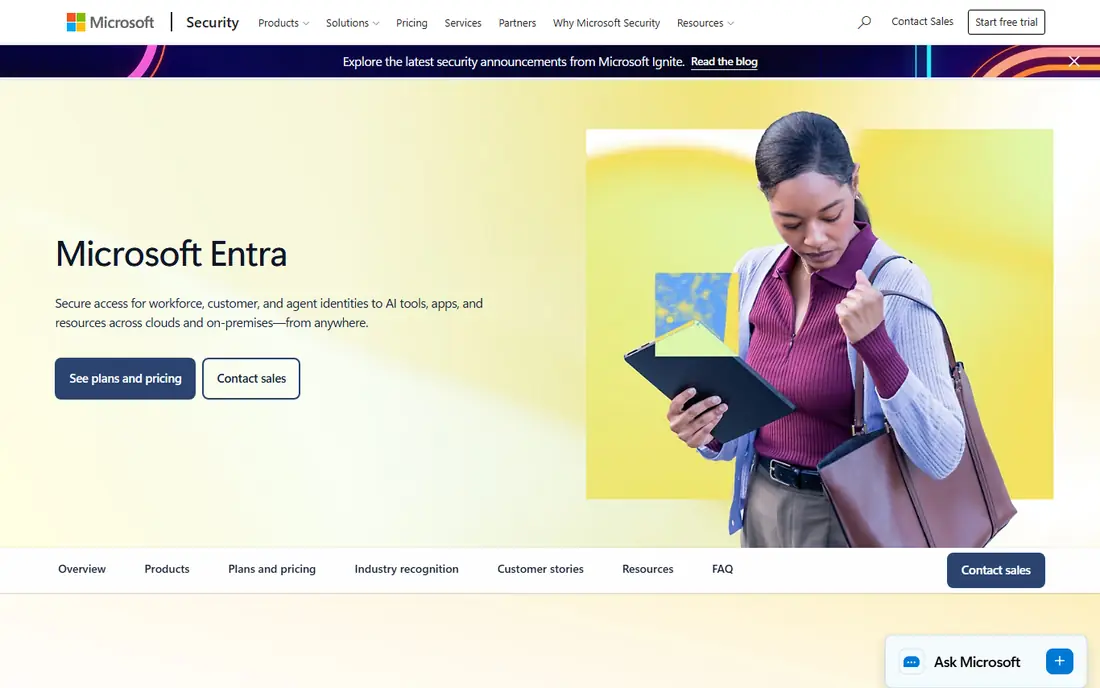
Entra ID is the option most Active Directory teams should evaluate first, since it is Microsoft cloud identity path forward. It handles sign-in for Microsoft 365, Azure, and thousands of third-party apps, with MFA, Conditional Access policies, and lifecycle controls that replace many on-premises directory tasks. A free edition covers basic SSO and MFA, while paid P1 and P2 tiers add Conditional Access, identity protection, and governance features.
The limit is ecosystem fit. If your firm runs mainly on Google Workspace or a mix of clouds with little Microsoft licensing, Entra ID still works, but you pay for integration you do not use. For Microsoft shops, though, it is the lowest friction move away from on-premises Active Directory, since users, groups, and policies carry over in a familiar model.
- Cloud successor to Azure AD
- SSO, MFA, and Conditional Access in one platform
- Included with many Microsoft 365 and Azure plans
- Best value depends on Microsoft licensing
- Firms outside Microsoft gain less from its tight integration
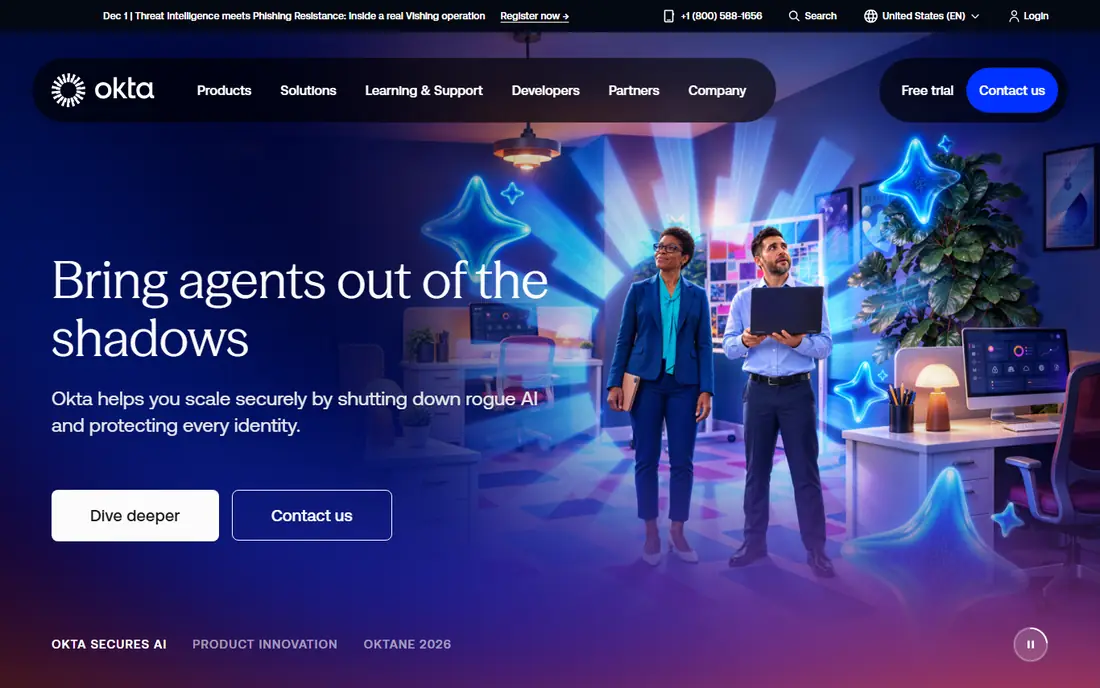
Okta is the leading vendor-neutral alternative, and it suits firms whose app portfolio spans more than one cloud. It centralizes sign-in, MFA, and joiner-mover-leaver automation, so a new hire gets the right apps on day one and a leaver loses access promptly. Its integration catalog is a real strength, since most common business apps already have a tested connection.
Cost needs a careful quote. Published starter rates have varied, and some plans carry an annual minimum, so ask for pricing on your exact user count, MFA needs, and lifecycle features. Small teams may find Okta more than they need, but mid-size and larger firms with many SaaS apps often find the neutrality worth the price, since they are not tied to one cloud vendor for identity.
- Broad app integration catalog
- SSO, adaptive MFA, and lifecycle automation
- Works the same across Microsoft, Google, and AWS estates
- Pricing is quote based for many plans, with annual minimums on some tiers
- Breadth can mean a longer setup for small teams
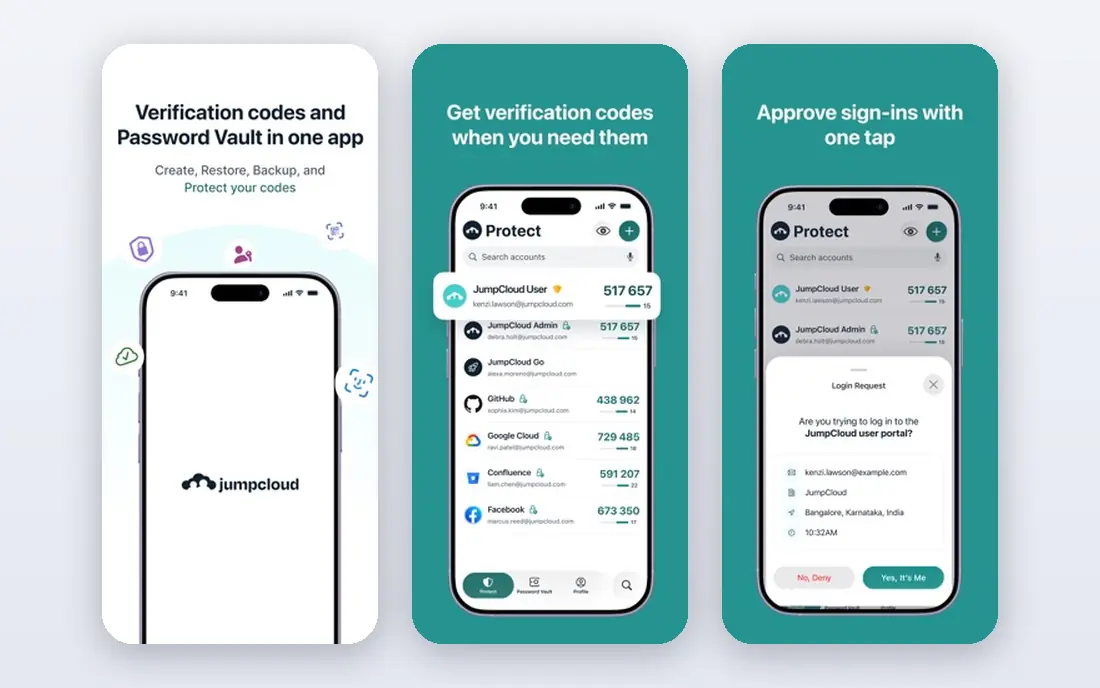
JumpCloud is the closest cloud directory to a traditional Active Directory replacement for smaller firms. It manages users and groups in the cloud, provides SSO and MFA for apps, and also manages devices, which means one console can handle identity and endpoint basics together. Support for LDAP and RADIUS helps with servers, Wi-Fi, and VPN access that pure SSO tools do not cover.
The catch is that JumpCloud does its best work when you use both sides. A firm that only needs SSO may find a simpler identity provider cheaper, while a firm that needs device management plus directory will see the value quickly. Trial it with a mixed fleet if you have one, since Windows, Mac, and Linux handling is where JumpCloud stands out from cloud-only identity tools.
- Cloud directory with SSO and MFA
- Device management across Windows, Mac, and Linux
- LDAP and RADIUS support for network and server access
- Published pricing has changed over time, so verify the current plan
- Full platform value needs both identity and device use
Ping Identity, through PingOne, suits large firms with hybrid estates that span on-premises directories, multiple clouds, and partner access. Federation depth matters here: connecting to partners, suppliers, and legacy systems without rebuilding every login flow is a core strength. It also covers workforce and customer identity, which helps firms that need both employee sign-in and customer login under one vendor.
Smaller firms will likely find Ping more complex and costly than they need. Pricing has included per-user rates with minimum user counts on some workforce plans, so get a quote on your real user count. For regulated enterprises with hybrid needs, though, Ping is one of the few options that handles scale, federation, and deployment choice together.
- Deep federation and hybrid deployment options
- Strong fit for regulated and large firms
- Workforce and customer identity in one family
- Enterprise pricing and minimums suit larger firms
- Setup needs identity expertise
OneLogin appeals to mid-market teams that want SSO and MFA working quickly without an enterprise project. It connects to common business apps, supports MFA, and can provision accounts from HR data, so joiners and leavers flow through one process. That simplicity helps lean IT teams that do not have a dedicated identity specialist.
The trade-off is depth. OneLogin does not replace a full device management platform, and larger firms with complex federation or governance needs may outgrow it. Get a clear quote that separates SSO, MFA, and lifecycle features, since bundle differences make list prices hard to compare. For a mid-size firm leaving Active Directory for cloud SSO, it is a practical shortlist option.
- Straightforward SSO and MFA setup
- HR-driven provisioning for common HR systems
- Lower complexity than enterprise platforms
- Pricing is quote based in many cases
- Device management is thinner than JumpCloud
Google Cloud Identity is the natural pick for Google Workspace firms. A free tier covers basic identity for up to 50 users in some configurations, with SSO, MFA, and user management that tie directly to Gmail, Drive, and other Google services. Paid Workspace editions add advanced endpoint management and security controls for larger teams.
Firms that run mainly on Microsoft 365 gain less here, since the tight integration points the other way. It also does not replace a full device management suite on its own for mixed fleets. If Google Workspace is your core, though, Cloud Identity gives you a cloud directory without adding a separate identity vendor, which keeps admin simple and costs low.
- Free tier for small teams
- Tight Google Workspace integration
- SSO and MFA for Google and third-party apps
- Value drops outside Google Workspace
- Advanced admin features need a paid Workspace edition
Keycloak suits engineering-led teams that want to own identity outright. It provides single sign-on, identity federation, user management, and customizable login flows, and it can connect to existing directories such as LDAP. Because it is open source, there is no per-user licence fee, and you can run it on your own servers or in your own cloud.
The cost is operational. Hosting, backups, upgrades, and security patches fall on your team, and a poorly maintained identity server is a security risk. We think Keycloak is a strong pick for product teams that need customer or workforce login inside their own app, and for firms with the engineering capacity to run it well. Teams without that capacity should choose a managed provider instead.
- Free open source software
- SSO, federation, and social login
- Full control over hosting and data
- Your team owns hosting, upgrades, and security patching
- Setup needs engineering skill
Cisco Duo is best understood as an MFA and device trust layer, not a complete directory replacement. It adds strong second-factor checks, push approvals, and device health checks to existing sign-ins, and its free tier covers up to 10 users, which makes it easy to pilot. Paid tiers add SSO, endpoint checks, and more admin controls.
Teams that need a full directory, lifecycle automation, and group policy replacement will need Duo plus another tool, such as Entra ID, Okta, or JumpCloud. That pairing is common, though: Duo secures sign-in, while the directory manages users and apps. If your main gap after leaving Active Directory is MFA and device trust, Duo is one of the fastest ways to close it.
- Simple MFA rollout
- Free tier for up to 10 users
- Device trust checks and SSO options
- Duo Directory for small cloud directory needs
- Not a full Active Directory replacement on its own
- Advanced features need higher tiers
Rippling takes a different angle: identity follows HR. When HR records a hire, a role change, or a departure, Rippling updates app access, devices, and payroll data together. That automation cuts the manual work that causes stale accounts, which is a common security gap when identity and HR live in separate systems.
The trade-off is scope. Rippling delivers the most value when you adopt its HR and IT modules together, which is a bigger change than swapping a directory alone. Pricing is quote based, so ask for a breakdown that separates identity from HR and payroll. For firms that already plan an HR system change, Rippling identity is a strong reason to shortlist the wider platform.
- Identity driven directly by HR data
- Combines HR, payroll, IT, and device management
- Strong automation for joiners and leavers
- Quote based pricing
- Best value when you also use Rippling HR, which may mean a larger platform change
How we picked these
We compared official product and pricing pages for cloud identity providers, directory services, and MFA tools that cover a meaningful part of what Active Directory does, from sign-in and MFA to lifecycle, device, and network access. We kept tools that are live in October 2026, that serve workforce identity, and that fit a clear situation, whether that is a Microsoft shop, a Google shop, a mixed fleet, or a self-hosted team. We excluded customer-only login tools that do not manage employee access, since that is a different purchase.
How to replace Active Directory without breaking sign-in
Start by listing what Active Directory actually does for you today. Most firms use it for user accounts, group membership, sign-in to apps, MFA, device policy, and access to files, Wi-Fi, or VPN. A cloud identity tool may cover the first three well and leave device policy or network access to another tool. Mapping those jobs first stops you from buying an SSO tool and discovering later that no one can log into the Wi-Fi.
Next, pilot with a small group before a full migration. Move one department, test SSO for their top apps, test MFA on phones and hardware keys, and test joiner and leaver flows with HR. Keep the old directory running in parallel until the pilot group has worked through a full week, including password resets and new hire setup. Finally, plan device management separately if you have a mixed fleet, since identity alone does not patch machines, enforce disk encryption, or manage software updates.
Frequently asked questions
What are the best Azure AD alternatives?
Microsoft Entra ID is the successor to Azure AD itself, so firms already on Microsoft should start there. Okta, Ping Identity, and JumpCloud are the leading vendor-neutral and cloud directory alternatives, while Google Cloud Identity suits Google Workspace firms and Keycloak suits self-hosted teams. The best pick follows your cloud, your device fleet, and your governance needs.
Is Entra ID the same as Active Directory?
No. Active Directory is the on-premises directory many firms run on their own servers, while Entra ID is Microsoft cloud identity service, formerly called Azure AD. Entra ID handles cloud sign-in, MFA, and Conditional Access, and it can sync with or replace on-premises Active Directory, depending on how you configure hybrid identity.
Can JumpCloud fully replace Active Directory?
For many smaller firms, yes, since JumpCloud combines a cloud directory, SSO, MFA, device management, and LDAP and RADIUS support. Larger firms with complex group policy, legacy app, or deep hybrid needs may still need additional tools. Test JumpCloud against your specific directory jobs, including server access and network login, before you retire Active Directory.
Is there a free Active Directory alternative?
Keycloak is free open source software, though you pay for hosting and upkeep. Google Cloud Identity and Microsoft Entra ID both offer free tiers, and Cisco Duo offers a free tier for up to 10 users. Free tiers suit small teams and pilots, while larger firms usually need a paid tier for advanced controls, support, and governance.
Do I still need MFA if I move to a cloud directory?
Yes. A cloud directory centralizes sign-in, which makes MFA even more important, since one compromised account can reach many apps. Choose a directory or MFA tool that supports app push, hardware keys, and Conditional Access policies, and require MFA for admin accounts first, then for all users.
How long does an Active Directory migration take?
It depends on user count, app count, and device fleet, but a phased migration often takes weeks to a few months. A small firm with a handful of SaaS apps can move in weeks, while a larger firm with legacy apps, servers, and hybrid needs should plan for a longer pilot and parallel run. Do not retire the old directory until the new sign-in, MFA, and leaver flows have been tested in production.
Sources
See where you really rank - block by block
ProMapRanker scans Google Maps across a grid of your service area. Simple monthly plans from $19, white-label on every plan.
Start freeKeep reading
 who has best internet service
Who Has the Best Internet Service in 2026
Who has best internet service for US homes? We compare fiber, cable, fixed wireless and satellite providers on speed, price, availability and terms today.
Read → which survey tool has the best analytics
Which Survey Tool Has the Best Analytics in 2026
Find which survey tool has the best analytics in 2026, comparing Qualtrics, SurveyMonkey, Typeform, Alchemer, and more on reports, text, and stats today.
Read → which streaming service has the best movies
Which Streaming Service Has the Best Movies in 2026
Answering which streaming service has the best movies, with Netflix, Max, Criterion and more compared on libraries, prices and free options in this guide.
Read →