 ProMapRanker
JotForm Alternatives in 2026

Key takeaways
- Google Forms is the best free alternative for simple forms, with unlimited responses and no cost for Google account holders.
- Typeform suits conversational, design led forms where completion rate matters more than low cost, while Paperform suits landing page style forms with payments.
- Tally and Fillout offer generous free plans, with Tally allowing unlimited forms and responses on its free tier in recent listings.
- Formstack and Cognito Forms suit regulated or calculation heavy work, with Formstack stronger on compliance workflows and Cognito stronger on formulas.
- JotForm itself is not listed here, since this guide covers replacements only. Check submission caps, user seats and payment support before you switch.
Quick comparison
| Pick | Great for | Pricing starts at | Free tier | |
|---|---|---|---|---|
 Google Forms | Simple free forms | Free | Yes | Visit |
 Typeform | Conversational design led forms | $25 per month | Yes | Visit |
 Tally | Generous free forms for creators | $29 per month | Yes | Visit |
 Fillout | Database connected workflows | $15 per month | Yes | Visit |
 Paperform | Landing page forms with payments | $24 per month | Yes | Visit |
 Formstack | Regulated industries and approvals | $83 per month | No | Visit |
 Microsoft Forms | Microsoft 365 users | See website | Yes | Visit |
 Zoho Forms | Zoho ecosystem teams | $10 per month | Yes | Visit |
 Cognito Forms | Calculations and affordable compliance | $19 per month | Yes | Visit |
The best JotForm alternatives
We compared official pricing pages, free plan limits, question types, payment options and integrations to find the best JotForm alternatives for different needs. Alternatives to JotForm range from free simple builders to enterprise workflow tools, so the right pick depends on volume, design and compliance needs.

Google Forms is the obvious first alternative if cost and simplicity matter most. You can build a form in minutes, share a link, and collect unlimited responses without a paid plan. Responses land in Sheets, which makes basic analysis easy, and sharing works with any Google account.
The trade off is polish and power. Design options are limited, logic is basic, and there is no native payment or advanced workflow engine. For internal surveys, signups, quizzes and simple feedback, that is enough. For a branded landing page form with payments, look at Paperform or Typeform instead.
- Completely free for Google account holders
- Unlimited responses
- Results flow straight into Google Sheets
- Limited design control
- No built in payment collection
- Branding options are basic
Typeform is built around the respondent experience. Showing one question at a time, with clean design and smooth transitions, can improve completion on surveys and lead forms compared with a long scrolling form. Paid plans add logic, drop off analytics and integrations that help teams learn where respondents stop.
The free plan is very limited, so Typeform is not a free replacement for high volume use. It suits teams that care about brand and completion rate and can justify the cost for lead generation, research or customer feedback forms where each response matters.
- One question at a time flow that can lift completion
- Polished design
- Drop off analytics on paid plans
- Free plan is limited to 10 responses per month in recent listings
- Paid entry price is higher than rivals
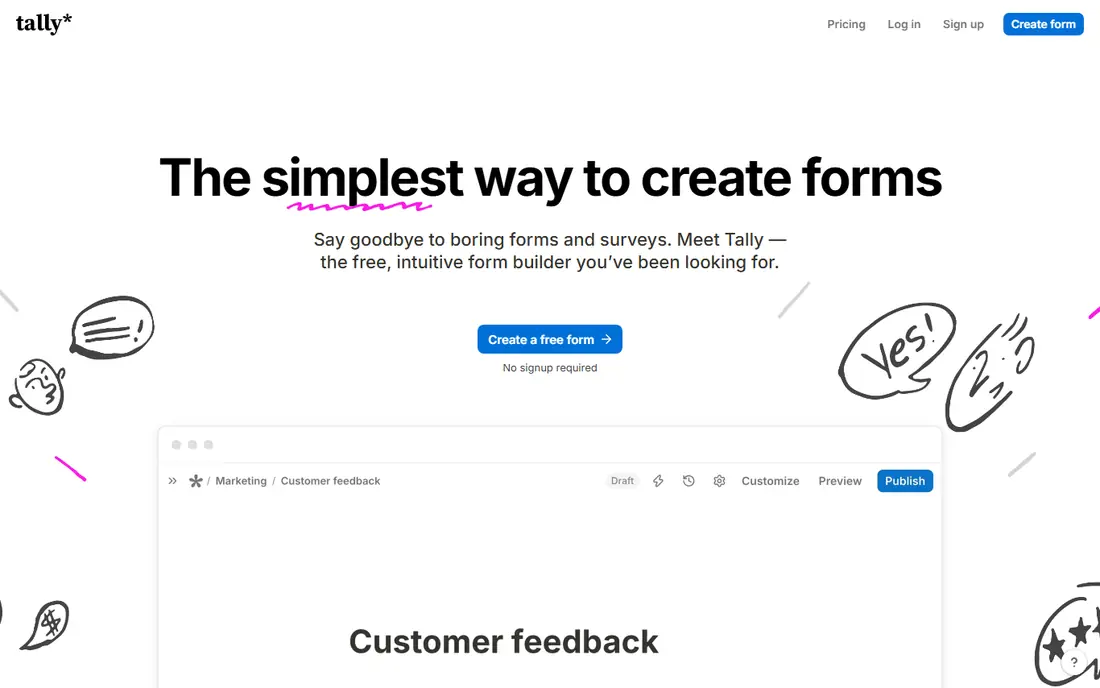
Tally is one of the most generous free form builders available. Its editor feels like writing a document, which makes form building fast, and its free tier allows unlimited forms and responses in recent listings. That makes it a strong pick for creators, startups and small teams that need volume without a monthly fee.
Enterprise features such as advanced approvals, deep compliance workflows and complex integrations are thinner than in Formstack or Microsoft Forms. If you need a clean, free, high volume form builder and can live without enterprise extras, Tally is hard to beat.
- Unlimited forms and responses on the free tier in recent listings
- Notion style editor
- Simple and fast to use
- Fewer enterprise workflow features than Formstack
- Advanced branding and domains sit on paid plans
Fillout bridges simple forms and internal tools. Forms can connect to databases, update records and trigger workflows, which suits teams that want submissions to feed directly into operations rather than sitting in a spreadsheet. The free plan is generous, and unlimited users on plans help teams that collaborate on forms.
It is newer and less familiar than the big names, so check its integrations for your exact stack before migrating. For teams that want forms plus light app building without per seat costs, Fillout offers a practical middle ground.
- Free plan with 1,000 submissions per month in recent listings
- Unlimited users on plans
- Database and workflow features
- Less well known than Google Forms or Typeform
- Some advanced features need a paid plan
Paperform treats a form as a page, not just a questionnaire. You can add rich media, custom branding, calculations, bookings and payments, which makes it ideal for order forms, booking forms and lead pages that need to look like part of your website. That design freedom is its main advantage over plainer builders.
The cost is higher than free tools, and free trial terms vary, so confirm the current plan before you build a high volume form on it. If design and payments matter more than lowest cost, Paperform is a strong JotForm alternative.
- Design led landing page style forms
- Payment integrations
- Calculations and bookings built in
- No fully free ongoing plan in some comparisons
- Entry price is higher than Tally or Google Forms
Formstack is the enterprise pick in this list. It supports regulated workflows, approval chains, document generation and e signatures, which suits healthcare, finance and other compliance heavy teams. Forms can route through several approvers and feed data into other systems with less manual handling.
Small teams will find the price hard to justify, and there is no ongoing free plan. Formstack makes sense when compliance, approvals or document workflows are core requirements, not when you simply need a contact form. Check HIPAA and BAA coverage at your exact plan tier before you commit.
- HIPAA ready workflows on eligible plans
- Multi step approvals
- Document generation and integrations
- No free plan, only a trial in recent listings
- Entry price is high for small teams
Microsoft Forms is the natural alternative for teams already paying for Microsoft 365. It is included with many business plans, integrates with Teams and Excel, and handles internal surveys, quizzes and polls without extra cost. Setup is quick, and sharing inside an organisation is simple.
Outside Microsoft 365, its appeal drops, since design, payments and advanced logic are limited compared with dedicated builders. If your team lives in Teams and Outlook, Microsoft Forms is a sensible, low friction switch. If you need branded public forms with payments, look elsewhere.
- Included with Microsoft 365 plans
- Unlimited submissions for licensed users in recent listings
- Native Teams and Excel integration
- Design and logic are more basic than Typeform or Paperform
- Best value only inside Microsoft 365
Zoho Forms suits teams already using Zoho CRM, Books or other Zoho apps. Form submissions can feed directly into CRM records and workflows, which saves manual data entry and keeps customer data in one system. The entry price is low, which helps small teams that need CRM integration on a budget.
The free plan covers only a few forms, so growing teams will need a paid plan sooner than with Tally. Design options are functional rather than striking. For Zoho users, the native connection outweighs those limits. For others, a more general builder may be simpler.
- Low entry price
- Native Zoho CRM workflows
- Free plan for basic use
- Free plan is limited to a small number of forms in recent listings
- Design is less polished than Typeform
Cognito Forms is a good pick when your forms need real math. Price calculators, order forms with complex totals, and applications with conditional calculations work well with its formula engine. It also offers e signatures and compliance features at a lower price point than Formstack for many small teams.
The design experience is more functional than beautiful, so brand led landing pages may look better in Paperform. If your main need is accurate calculations, payment totals or structured applications, Cognito Forms delivers that power without enterprise pricing.
- Excel style formulas for complex calculations
- E signatures
- Affordable plans with compliance options
- Interface is less modern than Typeform or Paperform
- Advanced features need higher plans
How we picked these
We compared official pricing pages, free plan submission limits, payment and calculation features, and integration options for form builders that can replace JotForm. We kept only tools that are still available in 2026 and that support online forms with sharing, responses and exports. We ranked them by fit for simple, design led, high volume, regulated and calculation heavy use, rather than by price alone.
We did not claim hands on testing that did not happen. Free plan limits and prices change, and some listings differ by billing period, so confirm the current free tier, submission cap and paid price on the vendor site before you migrate a live form.
How to switch form builders without losing responses
Start by auditing your live forms. List each form, its monthly submissions, its integrations, its payment processor and any logic or calculations it uses. That audit tells you which alternative must support payments, which must support calculations, and which can be a simple free builder. Do not pick a tool until that list is clear.
Next, rebuild one high value form in the new tool and test it end to end. Submit test responses, check notifications, exports and integrations, and confirm that payments and calculations match the old form. Run the new form in parallel for a week on a low risk page, so you can compare response quality and catch missing fields before a full switch.
Finally, plan the cutover carefully. Keep old embedded forms live until the new links are tested, update every page and email that links to a form, and export old responses for backup. Tell your team where new responses land, and who owns each form, so submissions do not sit unread after the move.
Frequently asked questions
What are the best JotForm alternatives for free?
Google Forms and Tally are the strongest free options, with Google Forms offering unlimited responses and Tally offering unlimited forms and responses on its free tier in recent listings. Fillout is also generous, with 1,000 submissions per month on its free plan. Pick Google Forms for simplicity, Tally for design and volume, and Fillout for database workflows.
Which JotForm alternative is best for payments?
Paperform and Cognito Forms both support payment forms, with Paperform stronger on landing page design and Cognito stronger on calculations. Wufoo, not listed here, also handles payments, but Paperform and Cognito cover most small business needs. Confirm your payment processor is supported before you rebuild a live order form.
Are JotForm alternatives free for high volume forms?
Some are, with limits. Tally allows unlimited responses on its free tier in recent listings, and Google Forms has no submission cap for Google account holders. Typeform free is limited to 10 responses per month, so it is not a high volume free choice. Always check the current cap against your real monthly volume, not just the headline price.
Which alternative is best for surveys and research?
Typeform suits conversational surveys where completion matters, while SurveyMonkey, not listed in the top nine here, suits research grade analysis. For simple internal surveys, Google Forms or Microsoft Forms are enough. Choose Typeform for public facing surveys, and a research tool if you need panels, cross tab analysis or sentiment tools.
Can I import JotForm forms into another tool?
Most builders support CSV import of responses, but form structure, logic and design rarely transfer exactly. Expect to rebuild forms by hand in the new tool, and use the rebuild as a chance to clean up old fields. Test logic, calculations and integrations after rebuilding, rather than assuming an import preserved them.
Which JotForm alternative is best for regulated industries?
Formstack is the strongest regulated pick here, with HIPAA ready workflows, approvals and document generation on eligible plans. Cognito Forms offers compliance options at a lower price for smaller teams. Confirm HIPAA, BAA and data residency terms at your exact plan tier, since coverage often differs by plan.
Sources
- https://www.typeform.com
- https://www.google.com
- https://www.tally.so
- https://www.fillout.com
- https://www.paperform.co
- https://www.formstack.com
- https://www.microsoft.com
- https://www.zoho.com
- https://www.cognitoforms.com
- https://www.purshology.com/2026/04/10-best-jotform-alternatives-in-2026/
- https://www.fillout.com/form-builder-comparison
See where you really rank - block by block
ProMapRanker scans Google Maps across a grid of your service area. Simple monthly plans from $19, white-label on every plan.
Start freeKeep reading
 top custom software development company
Top Custom Software Development Company in 2026
Looking for a top custom software development company? We compare 9 firms for web, mobile, and enterprise software, covering strengths and fit for 2026.
Read → tableau alternatives
Tableau Alternatives in 2026
Compare the best Tableau alternatives for 2026, from Power BI to Metabase, with prices, hosting options, and picks for small teams and enterprises today.
Read → microsoft teams alternatives
Best Microsoft Teams Alternatives in 2026
Looking for microsoft teams alternatives? We compare 9 chat and video tools for 2026, covering free plans, pricing, meetings, and integrations for teams.
Read →