 ProMapRanker
Best Jamboard Alternatives in 2026

Key takeaways
- Google retired Jamboard at the end of 2024, so any Jamboard search today is really a search for a replacement whiteboard.
- Miro, FigJam and Lucidspark were Google's named partners for Jamboard users, and they suit teams that need templates, integrations and admin controls.
- Microsoft Whiteboard, Excalidraw and Whiteboard.fi suit schools and simple brainstorming, with free or bundled access and less setup.
- Export any old Jam files as PDFs before choosing, since most replacements accept a PDF as a background image rather than an editable import.
Quick comparison
| Pick | Great for | Pricing starts at | Free tier | |
|---|---|---|---|---|
 Miro | All-round team whiteboarding | Free | Yes | Visit |
 FigJam | Design teams and Google Meet users | Free | Yes | Visit |
 Lucidspark | Diagrams plus brainstorming | Free | Yes | Visit |
 Mural | Facilitated workshops | Free | Yes | Visit |
 Microsoft Whiteboard | Microsoft 365 and Teams users | Free | Yes | Visit |
 Excalidraw | Free, no-account sketching | Free | Yes | Visit |
 Whiteboard.fi | Classroom whiteboards | Free | Yes | Visit |
 Whimsical | Fast flowcharts and wireframes | Free | Yes | Visit |
The best Jamboard alternatives
Jamboard was simple: sticky notes, sketches, images and frames for quick group work. The tools below range from that same simplicity to full workshop platforms, so pick by how much structure your sessions actually need.

Miro is the closest full replacement for most Jamboard teams. It offers an infinite canvas, sticky notes, shapes, frames, voting, timers and a template library covering brainstorming, retrospectives, mapping and planning. Google named Miro as one of its Jamboard partners, and Miro supports bringing Jam content across, which eases the move for teams with old boards.
Pricing starts free, with three editable boards on the free plan in recent summaries, then Starter at $8 per member per month billed annually, or $10 monthly, and Business higher. That per-member pricing matters for large teams, since viewers and editors are treated differently across plans, so check who counts as a paid member before rolling it out to a whole department.
Miro's breadth is also its drawback for classrooms that only need a quick board. A teacher running a ten-minute brainstorm may find the menus and permissions heavier than Jamboard ever was. For product teams, workshops and cross-functional planning, though, Miro is the most capable direct replacement here.
- Huge template library and infinite canvas
- Strong integrations with Google Workspace, Slack and project tools
- Named Google partner for Jamboard migration
- Free plan limits editable boards
- Paid plans charge per member
- Feature depth can overwhelm simple brainstorming
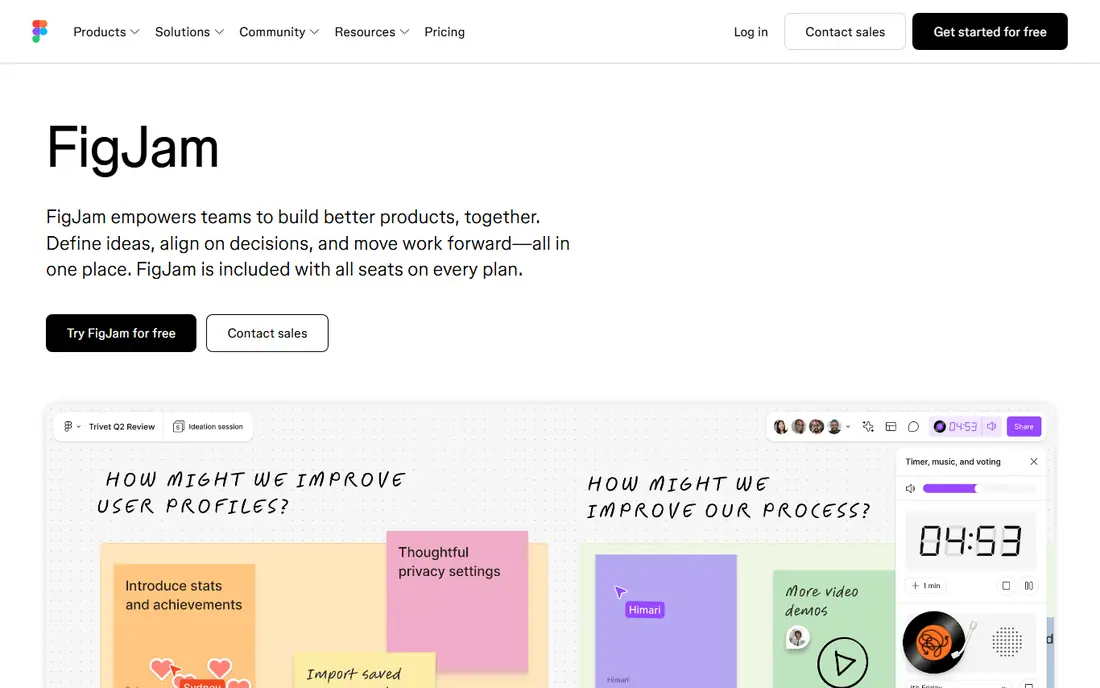
FigJam, from Figma, is the most Jamboard-like in feel among the partner tools. The canvas is friendly, sticky notes and shapes are quick to add, and sections help organize a session without the heavier project features of Miro. Google also pointed Jamboard users toward FigJam, and it can open inside Google Meet, which keeps a classroom or meeting workflow close to the old Jamboard pattern.
Pricing is a strength for small teams. FigJam offers a free Starter tier, with a Collab seat reported from $3 per editor per month, since viewers do not count as editors in that model. Design teams already on Figma get extra value, since a FigJam board can hand off directly to Figma design files.
The limit is scope. FigJam feels light once you leave brainstorming and early design work, and teams that need advanced diagramming, workshop facilitation controls or enterprise admin may prefer Miro, Lucidspark or Mural. For teachers and design teams who loved Jamboard's simplicity, FigJam is the natural first try.
- Simple, friendly canvas
- Opens inside Google Meet
- Strong Figma handoff for design teams
- Editors billed, not viewers, on paid seats
- Lighter outside design work
- Free plan limits files
- Full Figma plans cost more than FigJam alone
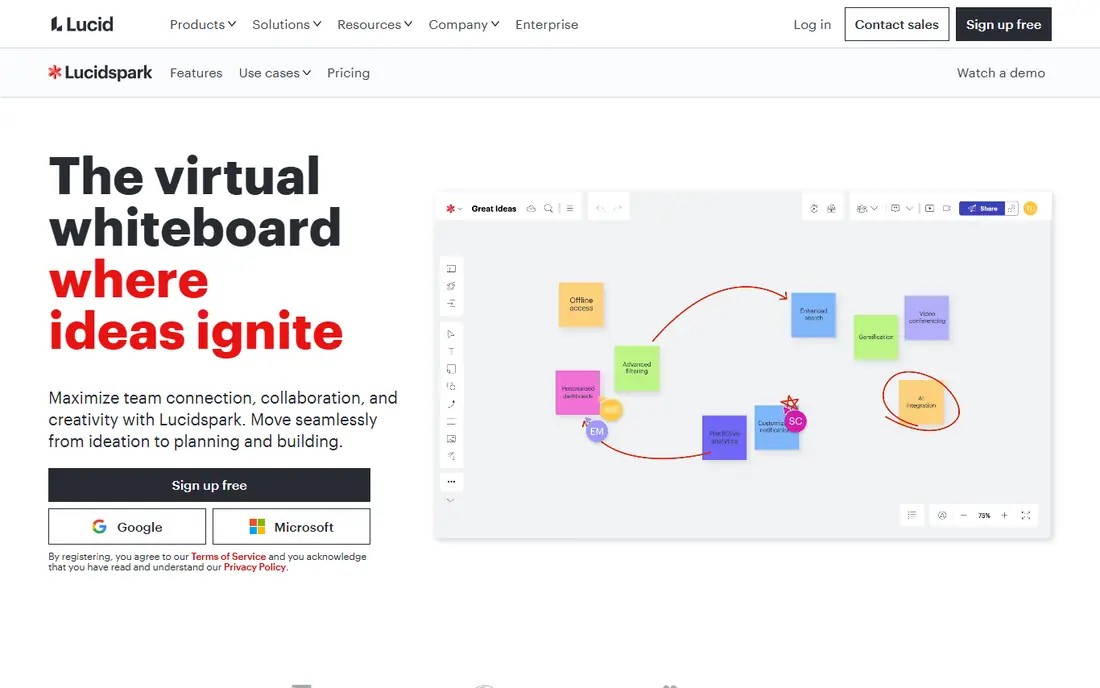
Lucidspark suits teams whose brainstorming needs to become a diagram. You can start with freeform sticky notes and sketches, then organize them into flows, frameworks and structured diagrams without switching tools. Its pairing with Lucidchart gives technical and process teams a path from rough ideas to exact diagrams, which Jamboard never offered.
Google named Lucidspark as a Jamboard partner, and it supports importing Jam content, which helps teams with archived boards. The free plan covers three editable documents with object limits in recent summaries, while paid plans start around $9 per user per month for Individual, with Team higher and a bundle option with Lucidchart.
The interface is heavier than FigJam or Excalidraw, and onboarding takes longer, so it fits teams that already diagram or plan to. For a quick classroom brainstorm, a simpler tool will be faster. For a team that brainstorms on Monday and needs a clean process diagram by Friday, Lucidspark is a strong pick.
- Brainstorming that becomes precise diagrams
- Pairs with Lucidchart
- Named Google partner for Jamboard users
- Interface feels heavier than FigJam
- Paid plans start around $9 per user per month in recent summaries
- Best value needs the Lucid bundle
Mural is built for facilitated sessions rather than casual sketching. Facilitators get timers, private mode so participants work without seeing each other's notes, voting, and structured frameworks for design thinking, retrospectives and planning. That control matters when a workshop has twenty participants and a tight agenda, since an open canvas can quickly become chaos.
Pricing starts free, with three murals on the free plan in recent summaries, and paid plans from about $9.99 to $12 per user per month depending on source and billing. Check the pricing page for the current plan, since Mural has changed its tiers, and confirm whether your facilitators and participants count differently.
Mural's diagramming is weaker than Lucidspark, and its price is higher than FigJam for casual use, so it is not the best general Jamboard replacement. For trainers, facilitators and design-thinking teams who run structured workshops, its facilitation tools justify the cost and the learning curve.
- Workshop facilitation tools including timers, private mode and voting
- Deep template library for design thinking
- Structured frameworks
- Paid plans are pricier than FigJam
- Diagramming trails dedicated diagram tools
- Free plan limits murals
Microsoft Whiteboard is the zero-extra-cost pick for schools and companies already on Microsoft 365. It is free with a Microsoft account, included in many Microsoft 365 plans, and runs inside Teams meetings, so a class or team can open a board without a new account, a new login or a new subscription. Sticky notes, inking, shapes and images cover the core Jamboard jobs.
The trade is depth. Microsoft Whiteboard has fewer templates and workshop controls than Miro or Mural, and it feels basic once you leave the Microsoft stack. Teams that use Google Workspace will also find its Google integrations weaker than FigJam, Miro or Lucidspark.
For a Microsoft-centered school or company, that trade is worth making, since the board is already paid for and already inside the meeting tool. For a Google-centered team, FigJam or Miro will fit the existing workflow better, even though they cost more at scale.
- Free with a Microsoft account and included in many Microsoft 365 plans
- Works inside Teams meetings
- Simple sticky notes and inking
- Basic outside the Microsoft stack
- Fewer templates than Miro
- Standalone experience feels light
Excalidraw is the fastest Jamboard replacement for a single sketch. Open the site, draw, add shapes and text, and share a link, with no account needed for a quick board. The hand-drawn style suits diagrams, wireframes and classroom explanations, and the tool stays fast because it does not load a large template or app ecosystem.
The open-source model is a further strength for technical teams and privacy-minded schools, since Excalidraw can be self-hosted. A paid Plus tier, reported at $6 per user per month billed annually, adds team features, but the free browser tool covers most solo and small-group sketching.
Excalidraw is not a workshop platform. It offers few templates, light facilitation controls and limited enterprise admin, so large facilitated sessions belong on Miro or Mural. For quick, free, no-signup whiteboarding, though, nothing here beats it for speed.
- Free in the browser with no account needed for quick boards
- Hand-drawn look
- Open source and self-hostable
- Fast and light
- Few templates
- Light collaboration and admin controls
- Paid Plus tier needed for some team features
Whiteboard.fi is designed for the classroom job Jamboard did well: a teacher leading a class where each student needs a board. The teacher creates a room, shares a code, and students join without an account, while the teacher can view every student board at once. That structure prevents the common shared-board problem where students draw over each other's work.
The free tier covers classroom use with limits, and paid plans add features for larger classes and schools. Check the pricing page for current limits against your class size, since free plans often cap simultaneous participants.
For general team brainstorming, Whiteboard.fi is too narrow, and Miro or FigJam will serve better. For teachers who need individual student boards, quick checks and no account friction, it is the most classroom-ready pick on this list, and it preserves the simplicity that made Jamboard popular in schools.
- Teacher creates a room and students join with a code
- Teacher sees every student board
- No student account needed
- Classroom-focused, not a general team tool
- Free tier limits apply
- Fewer templates than Miro
Whimsical suits teams whose whiteboard work quickly becomes a flowchart, wireframe or mind map. Its boards look clean by default, shapes snap into place, and the learning curve is short, which makes it a good fit for product teams documenting a flow after a brainstorm. It is faster than Miro for structured diagrams, and simpler than Lucidspark for everyday use.
Pricing starts free, with Pro reported at $10 per editor per month billed annually. That is higher than FigJam's editor price, so check whether your team needs Whimsical's diagram focus or would be served by FigJam's cheaper editor seat.
Whimsical is less freeform than Miro, and it lacks Mural's facilitation depth, so it is not the best pick for open brainstorming or large workshops. For teams that brainstorm to reach a diagram, and want that diagram to look presentable without extra formatting, Whimsical is a strong, focused alternative.
- Clean, fast boards for flowcharts, wireframes and mind maps
- Easy to learn
- Good for product and documentation work
- Less freeform than Miro
- Pro reported at $10 per editor per month billed annually
- Limited workshop facilitation tools
How we picked these
We compared official product pages, pricing pages and Jamboard migration guidance, and we kept only whiteboards that are live, usable in 2026, and genuinely usable as a Jamboard replacement for teams or classrooms. We favored Google's named partners alongside free and bundled options, so the list covers both migration paths and budget choices. We did not claim hands-on testing of every tool, and we note where free plans limit boards, files or participants, since those limits decide whether a tool works for a whole class or team.
Moving from Jamboard without losing work
First, check Google Drive for exported Jam files. Google converted remaining Jams to PDFs during the shutdown window, and those PDFs are the archive most teams still hold. They are static, not editable boards, so plan to rebuild important boards rather than expecting a one-click editable import everywhere.
Next, test your top two tools with one real session before migrating a whole team. Run a brainstorm, check how guests join, whether students need accounts, and how the board exports. A tool that looks good in a demo can fail on login friction with twenty students or on guest access for external clients.
Finally, match the tool to the session type, not just the brand. Use Whiteboard.fi or Excalidraw for quick classroom or solo sketching, FigJam for design-led brainstorming, Miro for cross-team planning, Lucidspark for diagram-heavy work, and Mural for facilitated workshops. One team can reasonably use two tools for different jobs, and that split often works better than forcing every session into one canvas.
Frequently asked questions
What happened to Google Jamboard?
Google retired Jamboard in stages, making it view-only on 1 October 2024 and retiring the app after 31 December 2024. Old Jams were exported or converted to PDFs in Google Drive, and Google pointed users toward FigJam, Lucidspark and Miro.
What is the best Jamboard alternative for teachers?
FigJam suits many teachers through its education plan and Google Meet integration, while Whiteboard.fi suits classes where students should join without accounts and teachers need to see each student board. Excalidraw is a good free backup for quick sketches.
What is the best free Jamboard alternative?
Excalidraw is the best free no-account option for quick boards, while Microsoft Whiteboard is free with a Microsoft account and Miro, FigJam and Lucidspark offer free tiers with board or file limits. Pick by whether you need templates, classroom controls or a simple sketch.
Can I import my old Jamboard files?
Most replacements accept a Jam PDF as a background image you can rebuild on top of, rather than a fully editable import. FigJam, Miro and Lucidspark, as Google's named partners, offered the clearest migration paths, so check their current import help pages for the latest steps.
Is Miro or FigJam better as a Jamboard replacement?
Miro suits broader team planning with more templates and integrations, while FigJam suits design teams and simpler brainstorming with a friendlier canvas and lower editor pricing. Try both with a real session, since the better fit depends on whether your work stays in brainstorming or moves into design files.
Do students need accounts for these whiteboards?
It depends on the tool. Whiteboard.fi and Excalidraw let participants join without an account for quick boards, while Miro, FigJam and Lucidspark generally require accounts for saving and full collaboration. Check each tool's guest and education options before a class session.
Sources
See where you really rank - block by block
ProMapRanker scans Google Maps across a grid of your service area. Simple monthly plans from $19, white-label on every plan.
Start freeKeep reading
 venmo alternatives
Venmo Alternatives in 2026: 8 Apps Compared
Venmo alternatives compared for sending money to friends, paying businesses and sending abroad, with fees, speed, limits and free plans explained here.
Read → splunk alternatives
Splunk Alternatives in 2026: 8 Tools Compared
Splunk alternatives compared for log search, observability and security analytics, with open source and managed options, free tiers and prices for teams.
Read → microsoft access alternatives
Microsoft Access Alternatives in 2026
Looking for microsoft access alternatives? We compare 8 database tools for teams that need web access, sharing, and apps without old desktop limits in 2026.
Read →