 ProMapRanker
Google Sheets Alternatives in 2026

Key takeaways
- Microsoft Excel is the best pick for heavy analysis, macros, and PivotTables, with a free web version for basic use.
- LibreOffice Calc and ONLYOFFICE are the best free desktop spreadsheets that open and save Excel files.
- Zoho Sheet is the best free online spreadsheet for real-time collaboration without a Google account.
- Airtable and Coda suit teams that need linked records, views, and workflows rather than a plain grid.
- Smartsheet suits project work in a grid, while Apple Numbers and WPS suit Apple users and Excel-compatible users respectively.
Quick comparison
| Pick | Great for | Pricing starts at | Free tier | |
|---|---|---|---|---|
 Microsoft Excel | Heavy analysis and macros | Free | Yes | Visit |
 LibreOffice Calc | Free desktop spreadsheet | Free | Yes | Visit |
 Zoho Sheet | Free online collaboration | Free | Yes | Visit |
 Airtable | Linked records and views | Free | Yes | Visit |
 Smartsheet | Project grids and work tracking | $9 per month | Free trial | Visit |
 Apple Numbers | Apple users and clean design | Free | Yes | Visit |
 WPS Spreadsheet | Excel-compatible free suite | Free | Yes | Visit |
 Coda | Docs plus databases | Free | Yes | Visit |
The best Google Sheets alternatives
These are alternatives only, and the product named in the keyword is not listed below. We focused on tools that handle real spreadsheet work, from simple budgets to linked databases and project grids, with a mix of free desktop, free online, and paid team options.
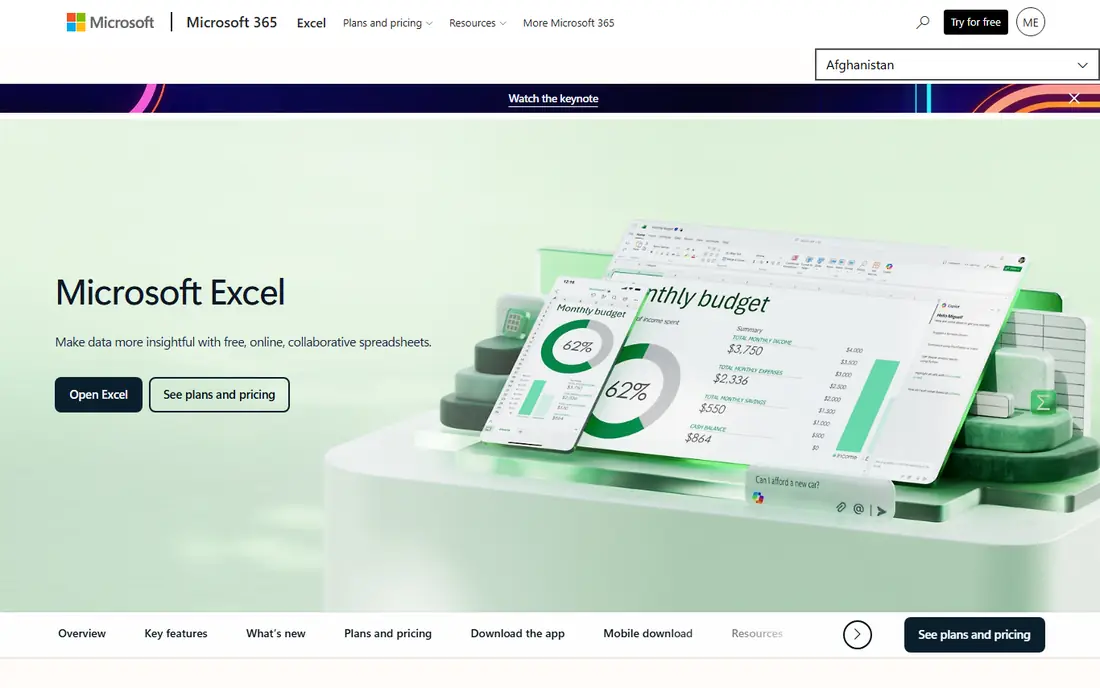
Microsoft Excel remains the standard for serious spreadsheet work. Its formulas, PivotTables, Power Query, charts, and macros handle models and reports that lighter tools struggle with, and its file format is the one most businesses expect. The web version is free with a Microsoft account, which covers basic editing and sharing.
The desktop version needs a Microsoft 365 plan, with personal plans around $99.99 per year in recent comparisons, and full co-authoring works best with files stored on OneDrive or SharePoint. If your work includes complex models, macros, or PivotTables, Excel is the safest replacement. Test your hardest workbook in the free web version first.
- Strongest formulas, PivotTables, and Power Query
- Free web version
- Widest file compatibility
- Desktop version needs a paid plan
- Co-authoring needs OneDrive or SharePoint
LibreOffice Calc is the best free desktop spreadsheet for users who want full control without a subscription. It opens and saves Excel files, supports macros and PivotTables, and runs offline on Windows, Mac, and Linux. For privacy-minded users and offline work, that combination is hard to beat.
Real-time collaboration is its weakness, since Calc is built for desktop work rather than simultaneous web editing. The interface also feels older than modern web apps. If you work alone or share files by email and cloud storage, Calc is excellent. If live co-editing is essential, pick Zoho Sheet or Excel on the web.
- Free and open source
- Opens and saves Excel files
- Works offline on all major systems
- Real-time collaboration is limited
- Interface feels older than web tools
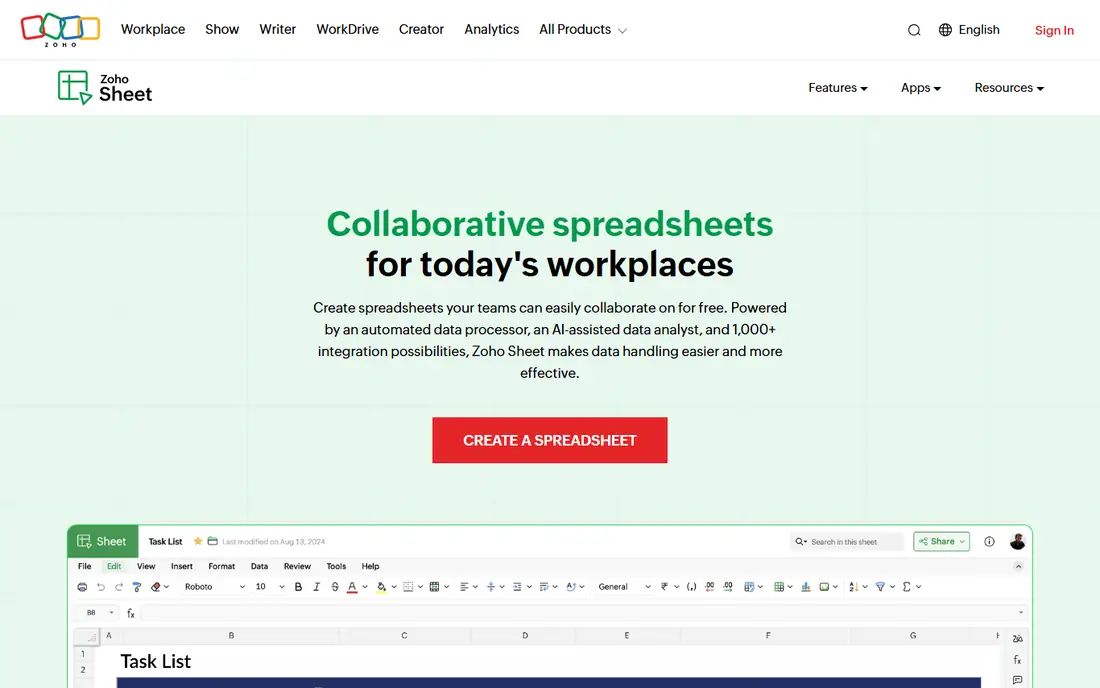
Zoho Sheet is the closest free online replacement for a simple shared spreadsheet. It supports real-time collaboration, comments, version history, cell locking, and more than 400 functions, plus AI help for charts, cleaning, and pattern detection. Desktop and mobile apps extend it beyond the browser.
The trade-off is ecosystem depth. Integrations outside Zoho are thinner than Microsoft's, and advanced analysis is lighter than Excel. Zoho Sheet is free on its own, and it is also part of Zoho Workplace from $3 per user per month. For free team sheets without a Google account, Zoho Sheet is the pick.
- Free online spreadsheet
- Real-time collaboration
- 400 plus functions and AI help
- Fewer third-party integrations than larger suites
- Best value inside Zoho Workplace
Airtable looks like a spreadsheet, but it works like a database, and that difference is its strength. Records link across tables, so a customer, an order, and a project stay connected without copy-paste formulas. Views, forms, automations, and interfaces turn a simple table into a small team app.
It is not a direct replacement for heavy spreadsheet math, and the free plan caps records at 1,000 per base in recent comparisons. Paid Team plans start at $20 per user per month on annual billing. If your sheet is really a tracker for people, orders, or jobs, Airtable will serve you better than a plain grid.
- Linked records
- Grid, kanban, calendar, and gallery views
- Automations and forms
- Not a full spreadsheet for complex formulas
- Record limits on free plan
- Offline use is limited
Smartsheet turns a grid into a project tool, with Gantt charts, card views, calendars, dashboards, and reports for work tracking. Teams use it to manage jobs with dates, owners, and status, and to roll work up into executive views. Pro plans start at $9 per member per month on annual billing.
For a simple budget, Smartsheet is overkill, and imports need care, since formulas can drop on import and only the first tab transfers in some cases. There is no free plan, only a trial. If your spreadsheet is really a project plan, Smartsheet is a strong upgrade. If it is a budget, a free spreadsheet will be simpler.
- Grid plus Gantt, card, and calendar views
- Dashboards and reports
- Strong project controls
- No free plan, only a trial
- Imports can drop formulas
- Overkill for simple budgets
Apple Numbers is free on Mac, iPhone, and iPad, and it is available on the web through iCloud. Its templates, charts, and layout options make budgets and reports look polished with little effort, and it imports and exports Excel files. For households and small teams on Apple devices, it is a natural fit.
Heavy spreadsheet users will hit limits. Complex models, advanced PivotTable features, and some Excel functions do not transfer cleanly, and large files can slow down. If your team is mostly on Apple devices and your sheets are budgets, invoices, and simple trackers, Numbers is excellent. If you share complex Excel files daily, Excel or LibreOffice will be safer.
- Free on Apple devices
- Clean templates and charts
- ICloud sharing and web access
- Weaker for heavy models
- Sharing outside Apple can need format conversion
WPS Spreadsheet is part of WPS Office, and it is one of the most Excel-compatible free options. It opens, edits, and saves Excel files, covers advanced formulas and charting, and runs on desktop and mobile. For users who need a full office suite without paying, the free version covers a lot.
The free version includes ads and upgrade prompts, and Pro features sit behind a paid plan around $5.83 per month on annual billing in recent comparisons. That trade is reasonable for many users, but it is worth knowing before you install it. If Excel compatibility matters and you want a free suite, WPS is a strong choice.
- Free version with many features
- Strong Excel file compatibility
- Desktop and mobile apps
- Free version includes ads and prompts
- Pro features need a paid plan
Coda blends documents and databases, so a plan, a table, and a workflow can live in one doc. Tables link to each other, buttons trigger actions, and packs connect to other apps. Operations teams use it for OKR tracking, project hubs, and playbooks where a plain sheet would need several separate files.
Pricing is based on Doc-Makers rather than simple per-seat billing, which can confuse first-time buyers, and complex docs take time to learn. The free plan covers basic use. If your sheet has grown into a team process with docs, tasks, and data, Coda is worth a trial. If you need a simple grid, a free spreadsheet will be faster.
- Tables inside documents
- Buttons and automations
- Packs for app connections
- Per Doc-Maker pricing can confuse
- Learning curve for complex docs
- Not a plain spreadsheet
How we picked these
We compared official pricing pages, file compatibility notes, and October 2026 spreadsheet roundups, and we kept only tools that handle real spreadsheet or database-grid work. We excluded the product named in the keyword itself, as required, and we mixed free desktop, free online, database, and project options. Where pricing varied by billing period, we used the annual figure.
How to switch without breaking your files
Start with your hardest workbook, not your simplest one. Open it in the new tool, check formulas, PivotTables, macros, and charts, and look for dropped features before you move anything else. Every tool here opens Excel files, but macros and some formulas do not travel cleanly, and Smartsheet drops formulas on import in some cases.
Match the tool to the job, not the file
A budget needs a spreadsheet, a tracker for customers and orders needs a database like Airtable, and a project plan needs a grid tool like Smartsheet. Choosing by job prevents a common mistake: forcing a database into a spreadsheet, or forcing a project plan into a budget tool. List the job first, then pick the tool that fits it.
Test collaboration before you commit
Share a test sheet with the people who will actually edit it, and check permissions, comments, version history, and mobile access. A tool that works well alone can fail when five people edit at once, and permission limits matter when a sheet holds pay, pricing, or client data. Run that live test during the free plan or trial.
Frequently asked questions
What is the best free Google Sheets alternative?
Zoho Sheet is the best free online alternative for real-time collaboration, and LibreOffice Calc is the best free desktop alternative for offline work. Microsoft Excel on the web is also free for basic editing with a Microsoft account.
Which alternative is best for Excel files?
LibreOffice Calc and WPS Spreadsheet both open and save Excel files well, and Microsoft Excel itself is the safest choice for complex files. Test macros, PivotTables, and charts in your hardest workbook before switching.
Is Airtable a spreadsheet replacement?
Airtable replaces spreadsheets for trackers, databases, and team workflows, with linked records and multiple views. It is not a full replacement for heavy spreadsheet math, PivotTables, or macros, so keep Excel or Calc for complex models.
Can I use these alternatives offline?
LibreOffice Calc, WPS Spreadsheet, and Apple Numbers work offline on desktop, while Zoho Sheet, Airtable, and Smartsheet are mainly online tools. Microsoft Excel desktop also works offline, while Excel on the web needs a connection.
What is the best Google Sheets alternative for teams?
Zoho Sheet is best for free team sheets, Airtable is best for linked team trackers, and Smartsheet is best for project work in a grid. Choose by job, and test live collaboration with your team before paying.
Sources
- https://www.microsoft.com/microsoft-365/excel
- https://www.libreoffice.org
- https://www.zoho.com/sheet
- https://www.airtable.com
- https://www.smartsheet.com
- https://www.apple.com/numbers
- https://www.wps.com
- https://coda.io
- https://goodtaco.ai/blog/excel-alternatives
- https://www.softr.io/blog/best-google-sheets-alternatives-in-2026
See where you really rank - block by block
ProMapRanker scans Google Maps across a grid of your service area. Simple monthly plans from $19, white-label on every plan.
Start freeKeep reading
 twitch alternatives
Twitch Alternatives in 2026
Explore the best Twitch alternatives in 2026 for live streaming, with free platforms, monetisation options, audiences, chat tools, and tips for new streamers.
Read → firebase alternatives
Best Firebase Alternatives in 2026
Looking for Firebase alternatives? We compare 9 backend platforms for auth, databases, realtime, storage, functions, self-hosting, and pricing for your app.
Read → companies with best work life balance
Companies With Best Work Life Balance in 2026
See companies with best work life balance in 2026, ranked by employee ratings, with flexible work options, benefits, and what to check before applying.
Read →