 ProMapRanker
Best GitHub Alternatives in 2026

Key takeaways
- GitLab is the strongest all-in-one GitHub alternative, with code, CI/CD, security scanning, and planning in one platform.
- Bitbucket is the obvious pick for teams already running Jira, thanks to its native Atlassian connection.
- Gitea and Forgejo suit self-hosted teams that want a light, low-cost Git server they control.
- Codeberg offers a free, community-run home for open source projects without a commercial owner.
- Moving repos is usually easy, but pipelines, actions, and access rules often need rewriting, so budget time for migration.
Quick comparison
| Pick | Great for | Pricing starts at | Free tier | |
|---|---|---|---|---|
 GitLab | All-in-one DevOps teams | Free | Yes | Visit |
 Bitbucket | Atlassian and Jira teams | Free | Yes | Visit |
 Azure DevOps | Microsoft and .NET teams | Free | Yes | Visit |
 Gitea | Light self-hosting | Free | Yes | Visit |
 Forgejo | Community self-hosting | Free | Yes | Visit |
 Codeberg | Open source projects | Free | Yes | Visit |
 SourceHut | Minimalist developers | See website | No | Visit |
 Radicle | Decentralized Git hosting | Free | Yes | Visit |
The best GitHub alternatives
GitHub remains the largest code host, but it is not the only serious option. Some teams want deeper DevOps integration, some want self-hosting, and some want a nonprofit home for open source. We compared official documentation, pricing pages, and public reviews for platforms that host Git repos and support collaboration in October 2026.

GitLab is the most complete GitHub alternative, and the one most teams should test first. It bundles repositories, issues, merge requests, built-in CI/CD, container registry, and security scanning into a single application, so a team does not need to stitch together separate tools for each stage of delivery. The free tier covers small teams, while Premium at $29 per user per month adds approval rules, advanced CI/CD, and enterprise planning features. Ultimate at $99 per user per month adds deeper security and compliance tools. Self-managed GitLab also lets larger organizations run the platform on their own infrastructure. The cost and weight are the trade-offs. Premium pricing is steep compared with GitHub Team or Bitbucket, and self-managed GitLab needs substantial memory and care to run well. If you want one platform for the full DevOps cycle and can pay for it, GitLab is the strongest pick here.
- Code, CI/CD, security scanning, and planning in one app
- Self-managed option
- Strong merge request workflows
- Premium costs $29 per user per month, which adds up
- Self-managed setup needs real server resources
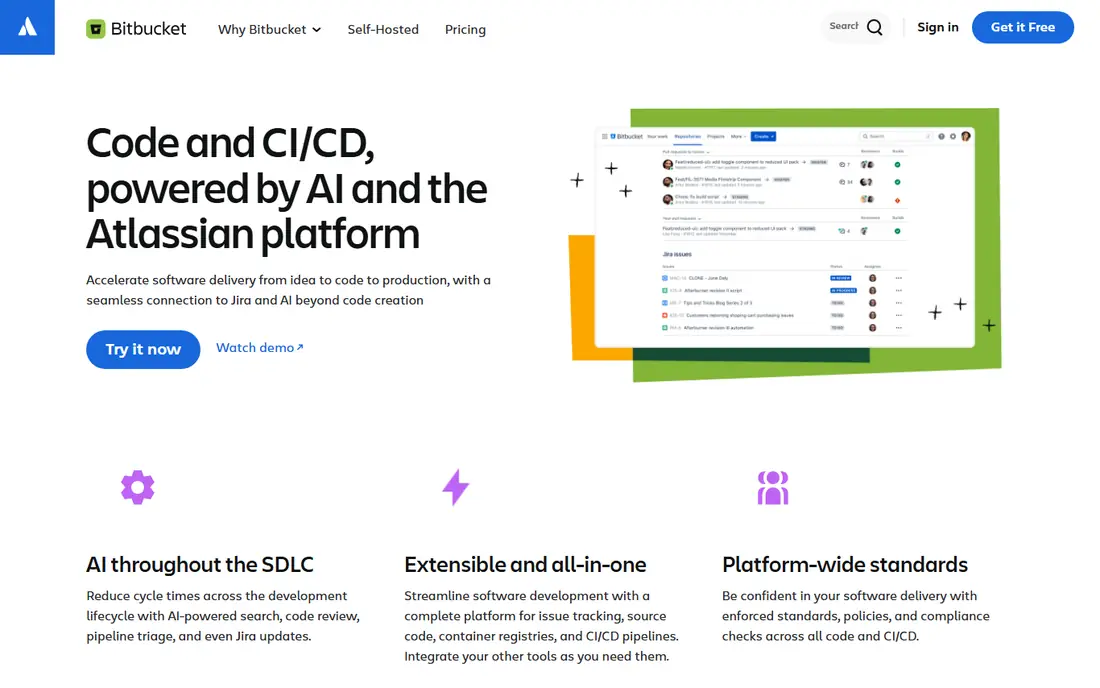
Bitbucket exists for one clear reason: Jira. If your team plans work in Jira and documents it in Confluence, Bitbucket connects commits, pull requests, and deployments to those tickets without extra integration work. That native link is genuinely useful day to day, and it is hard to replicate as cleanly with another host. Pricing is also friendly. A free plan covers up to five users, Standard costs about $3 per user per month, and Premium costs about $6 per user per month, with Pipelines build minutes included at each tier. For an Atlassian shop, that low price plus deep integration is a strong combination. Outside Atlassian teams, Bitbucket is less compelling. Its open source community is far smaller than GitHub, and it lacks GitLab breadth in security and planning. If Jira is central to your work, Bitbucket is the natural alternative. If it is not, look elsewhere first.
- Native Jira and Confluence connection
- Low per-user pricing
- Built-in Pipelines CI/CD
- Smaller open source community than GitHub
- Build minutes and advanced controls cost more at scale

Azure DevOps, from Microsoft, bundles Git repos, agile boards, CI/CD pipelines, test plans, and artifact storage into one service. For a team building .NET applications, deploying to Azure, or working inside Microsoft 365, that integration removes friction that a standalone Git host cannot. The free tier covers up to five users for most services, with paid Basic access at about $6 per user per month after that. Pipelines support Windows, Linux, and macOS builds, and Boards offers a full agile planning system that many Git hosts lack. The drawback is focus. Microsoft investment and attention now center on GitHub, and Azure DevOps can feel like the quieter sibling. For a Microsoft-heavy team that wants repos plus planning plus pipelines in one place, it still works well. For open source visibility, GitHub or Codeberg will serve you better.
- Repos, Boards, Pipelines, and Test Plans in one suite
- Strong Microsoft and .NET integration
- Free tier for small teams
- Interface feels dated next to GitHub
- Best value requires a Microsoft estate
Gitea is a lightweight, open source Git service that runs happily on modest hardware. A small team can install it on a virtual machine, a home server, or a cheap cloud instance, and get repos, issues, pull requests, and a web interface without the heavy resource demands of GitLab. That lightness is the point. Gitea uses far less memory than a full DevOps platform, setup is quick, and the interface stays fast even on limited hardware. Gitea Actions adds CI/CD, and a hosted cloud option exists for teams that want Gitea without running a server. Gitea lacks the deep security scanning, planning, and marketplace breadth of larger platforms, and its community is smaller. If your goal is a private Git server you control, with low cost and low maintenance, Gitea is one of the best choices available.
- Very light resource use
- Easy self-hosting on a small server
- Gitea Actions for CI/CD
- Smaller ecosystem than GitHub or GitLab
- Some enterprise features require paid cloud or support
Forgejo began as a community fork of Gitea, with governance by a nonprofit rather than a single company. For teams that care about who controls their Git platform, that governance matters: decisions are made in the open, and the project is not tied to a commercial roadmap. In daily use, Forgejo feels familiar to Gitea users, with repos, issues, pull requests, and Actions-style CI/CD. It runs on similarly light hardware, and Codeberg, a major public host, runs on Forgejo, which gives the project real-world scale. The trade-off is support. Forgejo has less commercial backing than GitLab or Bitbucket, so enterprise support options are thinner. For a self-hosted team that values community control and open governance, Forgejo is the principled pick, and a strong one on technical merit too.
- Community-governed fork of Gitea
- Light self-hosting
- Forgejo Actions for CI/CD
- Smaller commercial support ecosystem
- Migration from GitHub still needs pipeline rewrites
Codeberg is a nonprofit, community-run Git host for free and open source software, powered by Forgejo. It offers free public repositories, issues, and pull requests, with no commercial owner setting the roadmap or pricing. For open source maintainers who want an independent home, that independence is the appeal. The platform is funded by donations, which keeps it free for projects but also limits its scale compared with GitHub. CI/CD is available through Woodpecker CI rather than a built-in system as deep as GitHub Actions, so teams should plan that integration. Codeberg will not replace GitHub for commercial teams or for projects that need maximum contributor visibility. For open source work where values, independence, and community governance matter, it is the best free alternative on this list.
- Free hosting for open source projects
- Nonprofit and community-run
- Powered by Forgejo
- No private commercial hosting focus
- CI/CD relies on external Woodpecker CI
- Smaller audience than GitHub
SourceHut takes a different approach to collaboration: email-based patches, mailing lists, and a minimal web interface, instead of the pull request model most developers know. For developers who prefer that workflow, especially in Unix and open source circles, SourceHut feels fast and focused. The platform covers Git hosting, issue tracking, continuous integration, and mailing lists as separate but connected services. That modular design lets you use only what you need, and self-hosting is available for teams that want full control. The learning curve is real. Teams used to GitHub pull requests will need to learn patch-based workflows, and the plain interface will not appeal to everyone. If minimalism and email-driven development suit your team, SourceHut is a distinctive and capable alternative.
- Minimal, email-driven workflow
- Git hosting plus lists, builds, and tickets
- Self-hosting available
- Steep learning curve for teams used to pull requests
- Interface is plain by design
Radicle is a peer-to-peer code collaboration network built on Git, with no central server holding your repositories. You publish code from your own node, peers replicate it, and collaboration happens without a single company controlling access, uptime, or terms. For teams that want full sovereignty over their code, that model is unique. Because there is no central host, availability depends on peers running nodes. If no one keeps a node online, a repository can become hard to reach, which is a practical trade-off for decentralization. Tooling and community are also smaller than GitHub, GitLab, or Codeberg. Radicle is not the pick for a team that wants a simple hosted service today. It is the pick for developers exploring decentralized collaboration, or for projects where independence from any central platform is the top requirement.
- Peer-to-peer Git hosting with no central server
- Users control their own data
- Open source
- Requires running a node for availability
- Smaller community and tooling than centralized hosts
How we picked these
We compared official documentation, pricing pages, and public reviews for Git hosting platforms that support repositories, collaboration, and CI/CD in October 2026. We did not claim hands-on testing. Instead, we checked hosting models, free tier limits, CI/CD options, self-hosting availability, and migration tooling from GitHub. Platforms that had closed, lacked active maintenance, or offered only a code viewer without collaboration were left out.
Moving from GitHub without breaking your workflow
Audit what you actually use
List your repositories, actions, secrets, branch rules, and integrations before you move. Repos and issues usually migrate cleanly with official import tools, but workflows, marketplace actions, and access rules often need manual work. Knowing that list in advance prevents a migration that stalls halfway.
Test CI/CD early
Set up one representative repository on the new platform and run its full pipeline before migrating the rest. Check build minutes, runner options, secret handling, and deployment steps, since these differ most between hosts. A pipeline that works on GitHub may need a rewrite on GitLab, Bitbucket, or a self-hosted runner.
Keep GitHub read-only during the switch
Freeze the old repository, migrate, verify issues and pull requests, then switch the team over in one step. A read-only window avoids split history and lost comments. Keep the old repo archived, not deleted, until the new setup has run cleanly for a few weeks.
Frequently asked questions
What are the best GitHub alternatives?
GitLab is the best all-in-one alternative, Bitbucket suits Atlassian teams, and Azure DevOps suits Microsoft teams. For self-hosting, Gitea and Forgejo lead, while Codeberg is the best free community host for open source. The right pick depends on hosting, CI/CD, and planning needs.
What is the best alternative to GitHub for open source?
Codeberg is our pick for open source projects that want a nonprofit, community-run home. GitLab also offers strong free tiers for open source. GitHub still has the largest contributor audience, so weigh visibility against independence before moving a public project.
Are there free GitHub alternatives?
Yes, Gitea, Forgejo, Codeberg, and Radicle are free and open source, and GitLab, Bitbucket, and Azure DevOps all offer free tiers for small teams. Free tiers usually limit users, build minutes, or storage, so check those limits against your team size and pipeline usage.
Can I self-host a GitHub alternative?
Yes, GitLab self-managed, Gitea, Forgejo, and SourceHut all support self-hosting, with Gitea and Forgejo needing the least hardware. Self-hosting gives you control over data and access, but you take on backups, updates, and security. Budget staff time, not just server cost.
Is GitLab better than GitHub?
GitLab is better for teams that want code, CI/CD, security scanning, and planning in one platform without extra tools. GitHub is better for open source visibility, marketplace breadth, and Copilot integration. Neither wins on every axis, so match the platform to your workflow, not to reputation alone.
How hard is it to migrate from GitHub?
Repository and issue migration is usually straightforward with official import tools. Pipelines, actions, branch protection rules, and integrations need more work and often a rewrite. Test one repository end to end before migrating a whole organization.
Sources
See where you really rank - block by block
ProMapRanker scans Google Maps across a grid of your service area. Simple monthly plans from $19, white-label on every plan.
Start freeKeep reading
 cineby alternatives
Cineby Alternatives in 2026
We compared legal cineby alternatives for licensed streaming, including Netflix, Hulu, Disney Plus, and free options, so you can watch without piracy sites.
Read → best visibility analysis software
Best Visibility Analysis Software in 2026
Compare the best visibility analysis software for search and AI answers. We review 8 tools that track brand mentions, citations, and rankings Updated for 2026.
Read → best tools for tracking llm brand visibility
Best Tools for Tracking LLM Brand Visibility in 2026
Compare the best tools for tracking llm brand visibility across ChatGPT, Gemini, Perplexity, and Google AI surfaces, with pricing, prompts, and rivals.
Read →