 ProMapRanker
Free Alternatives to Grok Video Generation in 2026

Key takeaways
- Google Flow gives the most useful free daily allowance for most people, with 50 credits a day for short Veo clips.
- Kling AI suits daily short clips for personal use, but free clips carry a watermark and are not licensed for commercial use.
- PixVerse and Dreamina suit fast social clips, while Wan 2.2 suits creators with a capable computer who want no credits or watermarks.
- Runway and Hailuo work best as a short test, since their free allowances do not refresh in the same way as daily credit tools.
- Free tiers change often, so check the current credit amount, watermark, and commercial terms before you plan a series around one tool.
Quick comparison
| Pick | Great for | Pricing starts at | Free tier | |
|---|---|---|---|---|
 Google Flow | Best overall free daily allowance | Free | Yes | Visit |
 Kling AI | Daily short clips | Free | Yes | Visit |
 PixVerse | Fast social clips | Free | Yes | Visit |
 Dreamina | Cinematic realistic shots | Free | Yes | Visit |
 Runway | Testing a pro editor before paying | Free | Yes | Visit |
 Vidu | Anime and character clips | Free | Yes | Visit |
 Hailuo AI | Faces and expressions test | Free | Yes | Visit |
 Wan 2.2 | Free local generation on your own computer | Free | Yes | Visit |
 Adobe Firefly | Daily generations for design work | Free | Yes | Visit |
The best free alternatives to Grok video generation
We compared tools that offer a real free tier for text-to-video or image-to-video generation in October 2026, and we left out tools with no free plan and tools whose consumer access has ended. Here are nine free options that actually let you generate video without paying first.

Google Flow is our pick for most people looking for a free alternative, because the free allowance refreshes every day. A Google account gets 50 Flow credits a day, which covers about five Veo 3.1 Lite clips at 10 credits each, or two Fast clips at 20 credits each. Clips run 4, 6, or 8 seconds, and Flow adds scene building, clip extension, and image-to-video tools around the core generation.
The limits matter. Unused daily credits do not carry over, a Quality clip costs 100 credits and is out of reach on the free tier alone, and non-subscribers may be unable to generate during peak hours. Still, for testing ideas, making short social clips, and learning prompt craft, a daily refresh beats a one-time credit bundle. Check the current terms before you use clips commercially.
- 50 free credits a day
- Veo clips plus scene building tools
- No visible watermark, with invisible SynthID marking
- Free users may be blocked during peak hours
- 1080p upscaling needs a paid plan
Kling AI suits creators who want to generate a few short clips every day without paying. The free plan refreshes credits daily, which supports a regular habit rather than a single test session. Motion quality is a real strength, especially for people moving through a scene and for camera moves, and clips typically run about five seconds on the free tier.
Free clips carry a watermark and are limited to personal use, so do not build a client project or a monetized channel on the free tier. Peak-hour queues can also be slow. If you want volume for personal practice and social tests, Kling AI gives more usable free footage over a month than most one-time credit tools.
- Daily free credits for regular use
- Strong human motion and camera movement
- Text and image to video
- Free clips carry a watermark
- Free plan does not allow commercial use
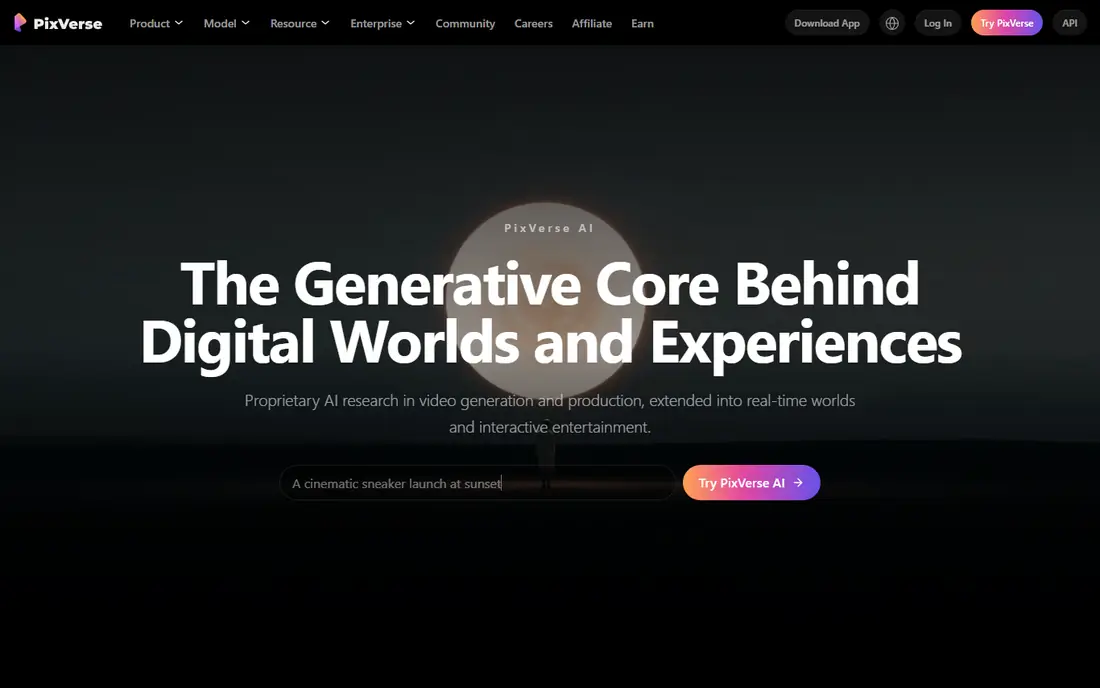
PixVerse is a good fit for social creators who want quick, short clips and do not mind a watermark. Sign-up credits plus a daily refresh give you a steady supply of short generations, and effects and templates help turn a simple prompt into a clip that fits short-form feeds. Generation is fast enough to test several ideas in one sitting.
The trade-off is quality and rights. Free clips are watermarked and capped at a lower resolution, and commercial use is restricted on the free plan. Treat PixVerse as a testing and personal-use tool, and move to a paid plan or a tool with clearer commercial terms when a clip is meant for a client or an ad.
- Daily free credits after sign-up
- Fast generation for short-form ideas
- Fun effects and templates
- Free clips carry a watermark
- Free resolution is capped below high definition
Dreamina, from the CapCut team, suits creators who want realistic, cinematic-looking shots from a text prompt or an image. Daily free credits let you test prompts over several days, and the Seedance model behind the video tools handles lighting and motion in a way that suits short scenic and product-style clips. Image-to-video support helps when you already have a still you want to animate.
Free clips carry a watermark and the daily allowance will not support a full production schedule. Use Dreamina to test a look, build a mood clip, or prototype a scene, then check the paid options if you need watermark-free, higher-resolution output for published work.
- Daily free credits
- Realistic and cinematic clip styles
- Image to video support
- Free clips carry a watermark
- Daily allowance is limited
Runway is worth a free test if you want pro-level editing controls around AI generation. The free plan includes a one-time bundle of 125 credits, which covers a small number of short clips, and the editor tools let you trim, extend, and combine clips in a way that simpler tools do not. That makes Runway a good place to learn whether its workflow fits your projects.
The free allowance is a trial, not a daily habit. Once the 125 credits are used, you need a paid plan to generate more, and free clips carry a watermark with no commercial use. Test Runway with a real project idea, save the best prompts and settings, and decide from that test whether the paid plan is worth it.
- One-time free credits to test generation
- Strong editing tools around generation
- Good motion and style control
- Free credits do not refresh
- Free clips carry a watermark
Vidu suits creators working in anime, 2D, and character-driven styles, where other tools can look stiff or generic. Recurring free credits support regular testing, and clips run up to about eight seconds with image-to-video support for character consistency. The style range is the reason to pick Vidu over a general tool for this kind of work.
Free clips are watermarked and capped at a lower resolution, and commercial use on the free plan is limited. Use Vidu to develop a character look, test a short scene, or build personal clips, and confirm the current credit amount and terms on the vendor site before you rely on it for a series.
- Recurring free credits
- Strong anime and 2D character styles
- Image to video support
- Free clips carry a watermark
- Free resolution is capped
Hailuo AI, from MiniMax, is worth testing for character close-ups, faces, and expressions, where it handles subtle movement well. Clips can run up to about ten seconds, which is longer than many free tools, and the prompt workflow is simple enough for a first-time user to get a usable clip quickly.
The free allowance is the catch. Recent checks describe a one-time trial credit bundle that expires within days, rather than a steady daily refresh, so Hailuo works best as a short test of the model. Free clips carry a watermark and are not licensed for commercial use. Test it, compare the face quality with Kling AI and Dreamina, and do not plan a series around the trial credits.
- Strong faces and expressions
- Short clips up to about ten seconds
- Simple prompt workflow
- Free credits are a one-time trial with no monthly refresh in many reports
- Free clips carry a watermark
Wan 2.2 is the only tool here that is truly free in the full sense, because it is open source software you run on your own computer. There are no credits, no daily caps, and no watermark, and the Apache 2.0 license permits commercial use. That makes it the best choice for creators who already own a capable graphics card and want to generate without a subscription or a cloud queue.
The cost is setup and hardware. You need a decent graphics card, patience for installation, and time for each generation, since speed depends entirely on your machine. Privacy is a bonus, since clips never leave your computer. If you have the hardware, Wan 2.2 beats every hosted free tier on freedom, even if it takes more effort to start.
- No credits, caps, or watermarks
- Open source with a permissive license
- Clips stay on your own computer
- Needs a capable graphics card and setup time
- Generation speed depends on your hardware
Adobe Firefly suits designers and marketers who already work in Adobe apps and want short video clips without leaving that workflow. The free tier offers daily generations that reset each day, with clips in five-second increments, and Adobe positions Firefly generation as commercially safe for use in its tools. That commercial positioning sets it apart from several rivals whose free tiers restrict commercial use.
Free video output is limited in length and features, and longer or higher-quality video work needs a paid plan. Use Firefly for short inserts, social clips, and design prototypes, and check the current daily generation limit on the Adobe site, since free allowances in this category change often.
- Free daily generations
- Designed for commercial use in Adobe tools
- Simple integration with Adobe apps
- Free video clips are short
- Advanced video features need a paid plan
How we picked these
We checked free tiers reported on vendor pricing and help pages in October 2026, and kept only tools with a real free allowance for video generation. We left out tools with no free plan, tools whose free tier had dropped to zero credits, and Sora, whose consumer app and website ended in 2026. We compared daily versus one-time credits, watermarks, clip length, and commercial terms, since those four limits decide whether a free tier is useful or just a demo.
What to check before you build on a free video tier
Start with the credit math. A daily refresh supports a habit, while a one-time bundle supports a test. Count how many clips you need per week, check the credit cost per clip, and see whether unused credits carry over. A tool that looks generous on sign-up can run out fast if each clip costs many credits.
Next, check watermarks and commercial terms before you publish anything. Many free tiers watermark clips and restrict them to personal use, which rules them out for client work, ads, and monetized channels. If you plan to publish for business, pick a tool whose free terms allow it, or budget for the cheapest paid plan that removes the watermark.
Finally, think about consent and safety with any video tool. Only animate people and faces you have permission to use, and avoid generating realistic clips of real people without their consent. Free tools make generation easy, and that ease raises the responsibility to use them for creative work, not for misleading or harmful clips.
Frequently asked questions
What are the best free alternatives to Grok video generation?
Google Flow, Kling AI, PixVerse, and Dreamina are the strongest free alternatives for most people, with Google Flow offering the most useful daily allowance and Kling AI offering strong daily volume for personal clips. Wan 2.2 is the best choice if you have a capable computer and want no credits or watermarks.
Is Grok video generation free?
Grok video generation sits inside a paid product ecosystem, and this guide focuses on tools that let you generate video without paying first. Google Flow, Kling AI, PixVerse, Dreamina, and the other tools here all offer a free tier, though each one limits credits, resolution, watermarks, or commercial use.
Can I use free AI video clips commercially?
It depends on the tool. Adobe Firefly and Wan 2.2 are positioned for commercial use, while Kling AI, PixVerse, Hailuo, and Runway restrict free clips to personal use or add a watermark. Always read the current terms on the vendor site before you use a free clip in an ad, a client project, or a monetized video.
How long are free AI video clips?
Most free clips run about five to eight seconds, with Hailuo reaching about ten seconds and Wan 2.2 depending on your hardware and settings. Longer videos are built by chaining short clips together in an editor or a scene tool such as Google Flow Scenebuilder.
Why do free video tools add watermarks?
Watermarks mark a clip as free-tier output and push creators toward a paid plan for clean, publishable video. Some tools also use invisible marking, such as SynthID in Google Flow, to identify AI-generated content. If a clean clip matters, budget for a paid plan or use Wan 2.2 locally.
Do free credits refresh every day?
Some do and some do not. Google Flow, Kling AI, PixVerse, Dreamina, and Adobe Firefly refresh on a daily cycle, while Runway and Hailuo offer one-time trial credits in recent reports. Check the vendor pricing page for the current refresh rule, since free tiers in this category change often.
Sources
See where you really rank - block by block
ProMapRanker scans Google Maps across a grid of your service area. Simple monthly plans from $19, white-label on every plan.
Start freeKeep reading
 best tour operator software
Best Tour Operator Software in 2026
Compare the best tour operator software for bookings, channel management, waivers and payments, with pricing models for day tours and multi-day trips.
Read → best time clock app for small business
Best Time Clock App for Small Business in 2026
We compare the best time clock app for small business options, with free plans, GPS clock ins, scheduling and payroll links for hourly teams and payroll help.
Read → best test automation tools
Best Test Automation Tools in 2026
Compare the best test automation tools, from Playwright and Selenium to Cypress, Katalon and BrowserStack, with prices, languages and best uses explained.
Read →