 ProMapRanker
Free Alternatives to Adobe Illustrator in 2026

Key takeaways
- Inkscape is the most complete free replacement for desktop vector work, with full editing, layers, and export options at no cost.
- Vectr, SVG-Edit, and Method Draw are the fastest browser options for simple logos, icons, and quick SVG fixes.
- Figma and Penpot suit teams that need collaboration and interface design, though neither is a direct print-focused Illustrator clone.
- Gravit Designer is not listed here, because Corel retired it in August 2025, so older guides that still recommend it are out of date.
Quick comparison
| Pick | Great for | Pricing starts at | Free tier | |
|---|---|---|---|---|
 Inkscape | Complete free vector production | Free | Yes | Visit |
 Vectr | Beginners making web graphics in a browser | Free | Yes | Visit |
 Boxy SVG | Clean SVG work for websites and icons | Free | Yes | Visit |
 SVG-Edit | Quick SVG corrections without an account | Free | Yes | Visit |
 Figma | Collaborative interface and web design | Free | Yes | Visit |
 Linearity Curve | Vector design on Mac, iPad, and iPhone | Free | Yes | Visit |
 Method Draw | Simple browser SVG editing with no setup | Free | Yes | Visit |
 Penpot | Open-source collaborative design | Free | Yes | Visit |
The best free alternatives to Adobe Illustrator
We compared only tools with a genuine free option, and we left out Illustrator itself and paid-only tools. Each pick below can be used without paying, though some free tiers have limits.
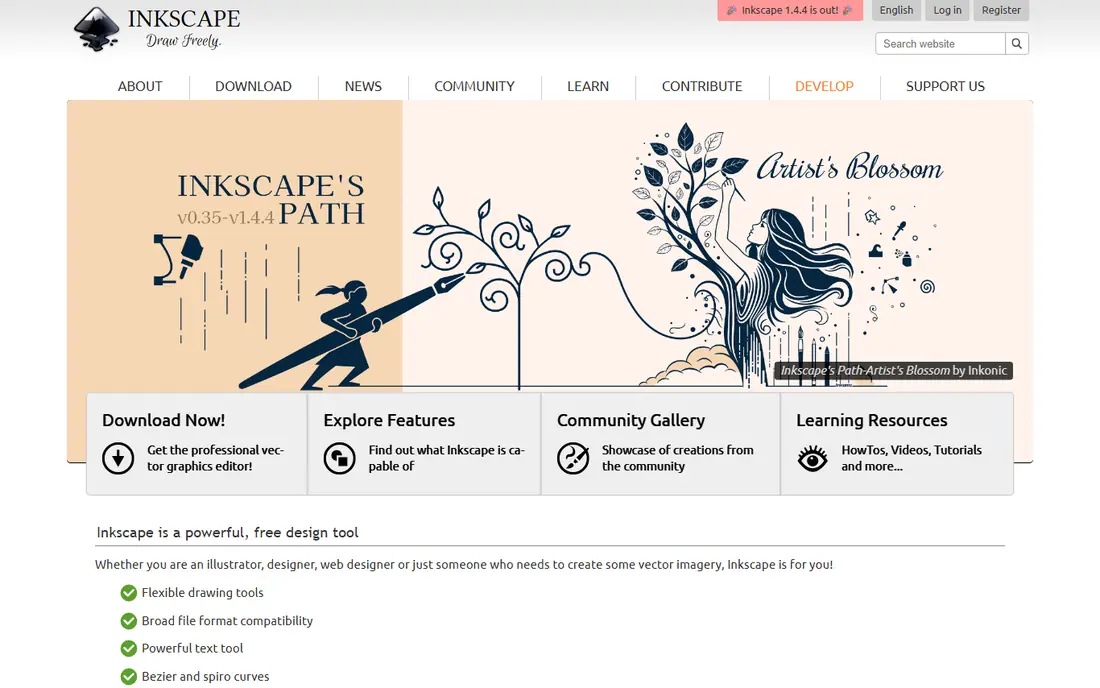
Inkscape is the closest free match to Illustrator for desktop work. It covers logos, illustrations, diagrams, and print-ready files, with layers, gradients, path operations, and extensions that extend its range. Because it is open source, there is no subscription, no watermark, and no trial clock.
The learning curve is real. Menus hold many options, and colour management for print needs a careful check before sending files to a printer. For most digital work and many print jobs, though, Inkscape delivers professional results at zero cost, and it is the first tool to try in this list.
- Fully free and open source
- Pen, shape, text, and path tools
- SVG, PDF, and PNG export
- Interface feels busy for beginners
- Print colour tools need care and checking
Vectr suits users who want a logo or social graphic without installing software or learning a large desktop app. The browser editor covers shapes, paths, text, and layers, and shared editing helps small teams review a design together. Export to SVG, PNG, and JPG covers common web needs.
Advanced illustrators will hit limits quickly, especially for complex paths, effects, and print preparation. Vectr is best for simple, clean graphics and first projects, with Inkscape waiting when a design grows more complex.
- Free browser editor
- Simple shapes, text, and layers
- Real-time sharing
- Fewer advanced tools than Inkscape
- Needs an internet connection for the web editor
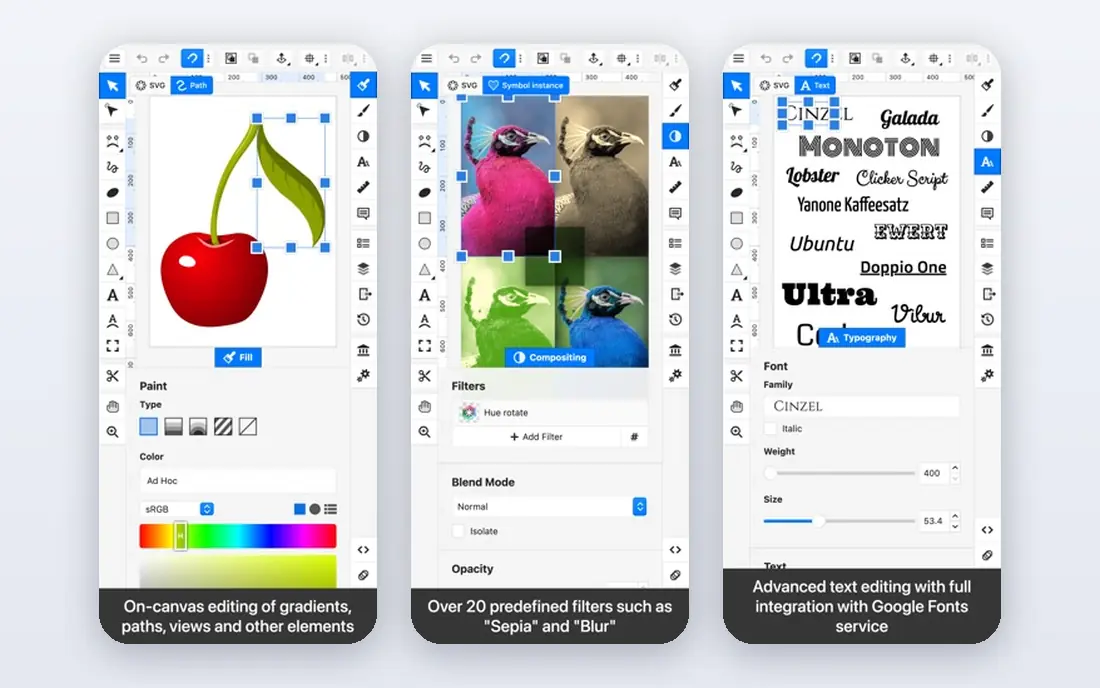
Boxy SVG is a focused choice for web designers who care about tidy SVG code. The interface stays close to the SVG structure, which helps when an icon or illustration must load fast and scale cleanly. It works in a browser and on desktop platforms, with layers, shapes, and path tools for everyday icon work.
The free web version does not include every feature, and the desktop app is a paid product, so users should check which features sit in each version. For web-first SVG work, the free version still covers a great deal, and it pairs well with Inkscape for larger projects.
- Free web version
- Clean SVG output
- Good for icons and web assets
- Free version is limited
- Desktop app is paid
- Fewer print tools
SVG-Edit fits a narrow but useful job: open an SVG, fix a shape, change a colour, adjust ordering, and save it again. It loads fast, needs no account, and avoids the setup of a larger editor. Developers and designers who need a quick correction will appreciate its direct approach.
It is not a full illustration studio. There is no large template library, no team workflow, and no advanced effects set. Use SVG-Edit for edits and small graphics, and move to Inkscape or Figma when a project needs deeper design work.
- Fully free and open source
- Runs in a browser
- No account or install needed
- Basic feature set
- No collaboration or asset library
Figma is the best free pick for teams designing websites, apps, and social graphics together. Real-time editing, comments, and shared libraries make review fast, and its vector tools handle icons, layouts, and illustrations for screens well. The free tier allows personal projects and small team work without paying.
Print designers should note the limits. Figma is screen-focused, and CMYK print preparation is weaker than in Inkscape or Illustrator. For digital products, marketing graphics, and interface work, however, Figma is a strong free alternative with collaboration that desktop-only tools lack.
- Generous free tier
- Real-time collaboration
- Strong vector and interface tools
- Not built for print production
- Free tier limits projects and features
Linearity Curve, formerly Vectornator, gives Apple users a polished free vector editor. It covers pen tools, shapes, text, and layers, with export formats that suit web and print workflows. The interface feels modern on Mac and iPad, and Apple Pencil support helps illustrators who sketch on tablet.
The main limits are platform and paid features. Windows and Android users need another pick, and some advanced tools sit behind paid tiers. Apple users who want a clean, capable free editor without a browser should start here.
- Free plan on Apple devices
- Professional vector tools
- SVG, PNG, and PDF export
- Apple-only
- Some features need a paid tier
- Smaller community than Inkscape
Method Draw is the simplest editor in this list, and that is its strength. Open the browser editor, draw shapes, edit paths, and save an SVG, with no account and no install. It suits students, quick icon drafts, and users who find larger editors overwhelming.
It will not handle complex illustration, text-heavy layouts, or team projects. Treat Method Draw as a sketchpad and quick-fix tool, and keep Inkscape or Boxy SVG ready for finished work that needs layers and finer control.
- Fully free
- No account needed
- Simple shapes and path editing
- Very basic toolset
- No layers in the same way as larger editors
- Web only
Penpot suits teams that want Figma-style collaboration without a paid plan or a closed platform. It offers vector design, prototyping, and shared workspaces, and its open-source code allows self-hosting for teams that want control. Designers can build interfaces, icons, and layouts in a browser.
Because Penpot is newer, its plugin and template range is smaller than Figma, and some users may miss familiar integrations. For open-source teams, schools, and small studios, Penpot still offers a strong free route to collaborative vector design.
- Fully free and open source
- Real-time collaboration
- Vector design and prototyping
- Newer than Figma, so fewer plugins and templates
- Needs an account for cloud use
How we picked these
We compared official sites, pricing pages, and recent free vector comparisons, and we kept only tools with a genuine free tier in October 2026. We excluded Gravit Designer because Corel retired it in August 2025, and we excluded paid-only tools such as Affinity Designer, even though they are good value. We did not claim hands-on testing that did not happen; our comparison rests on published features, free-tier limits, and export options.
Choosing the right free Illustrator alternative
Match the tool to the output. Inkscape fits full illustration and print preparation. Figma and Penpot fit screen design and team review. Boxy SVG, SVG-Edit, and Method Draw fit web icons and quick SVG work. Vectr and Linearity Curve fit beginners and Apple users who want a simpler start.
Test exports early. Open a finished file in the target format, check colours, fonts, and sizes, and confirm that text and paths survive the export. Free tools vary in print colour handling, so a test print or a PDF check can prevent a costly surprise. If one tool covers most of your work, keep a second tool for the jobs it handles poorly, such as collaboration or clean SVG code. Also check font licensing before sharing a logo or a client file, since a font that looks fine on your computer may be missing on another machine. Convert text to outlines for a final logo file when the tool allows it, and keep an editable master copy so later changes stay easy. That habit saves time when a client asks for a new size, colour, or format after delivery.
Frequently asked questions
What is the best free alternative to Adobe Illustrator?
Inkscape is the best overall free alternative for desktop vector work, thanks to its full toolset and zero cost. Figma is a better pick for collaborative screen design, while Vectr suits beginners.
Are there free Illustrator alternatives for the browser?
Yes. Vectr, Boxy SVG, SVG-Edit, Method Draw, Figma, and Penpot all run in a browser. Vectr and Method Draw are simplest, while Figma and Penpot add collaboration.
Is Inkscape really free?
Yes. Inkscape is open source and free to download and use, with no subscription or watermark. Donations support development, but payment is not required.
Can free tools open Illustrator files?
Many free tools can import SVG, PDF, and sometimes AI files, but complex Illustrator effects and fonts may not transfer perfectly. Save a copy in SVG or PDF for sharing, and check the imported file before editing.
What happened to Gravit Designer?
Corel retired Gravit Designer, under the Corel Vector name, on 31 August 2025. Older guides still list it, but it is no longer a live free option, so we left it out.
Which free alternative is best for icons?
Boxy SVG is a strong pick for clean web icons, thanks to its SVG focus. Inkscape also handles icons well, and Figma suits icon sets that need team review and shared libraries.
Sources
See where you really rank - block by block
ProMapRanker scans Google Maps across a grid of your service area. Simple monthly plans from $19, white-label on every plan.
Start freeKeep reading
 venmo alternatives
Venmo Alternatives in 2026: 8 Apps Compared
Venmo alternatives compared for sending money to friends, paying businesses and sending abroad, with fees, speed, limits and free plans explained here.
Read → splunk alternatives
Splunk Alternatives in 2026: 8 Tools Compared
Splunk alternatives compared for log search, observability and security analytics, with open source and managed options, free tiers and prices for teams.
Read → microsoft access alternatives
Microsoft Access Alternatives in 2026
Looking for microsoft access alternatives? We compare 8 database tools for teams that need web access, sharing, and apps without old desktop limits in 2026.
Read →