 ProMapRanker
Evernote Alternatives in 2026

Key takeaways
- Notion suits people who want notes, docs, and databases in one workspace, while Obsidian suits people who want local files and linked notes.
- OneNote and Apple Notes are strong free options, depending on whether you live in Microsoft or Apple tools.
- UpNote is the closest low-cost look-alike for Evernote users who want notebooks, tags, and a web clipper without a big learning curve.
- Bear suits Apple writers who want clean Markdown notes, while Joplin suits privacy-minded users who want open-source notes.
- Evernote itself is not listed here, because this article covers alternatives only, and each app below can replace part or all of its role.
Quick comparison
| Pick | Great for | Pricing starts at | Free tier | |
|---|---|---|---|---|
 Notion | Notes plus databases | Free | Yes | Visit |
 Obsidian | Local linked notes | Free | Yes | Visit |
 Microsoft OneNote | Free notebook replacement | Free | Yes | Visit |
 Apple Notes | Apple users | Free | Yes | Visit |
 Bear | Clean Apple writing | Free | Yes | Visit |
 Joplin | Open-source privacy | Free | Yes | Visit |
 UpNote | Low-cost Evernote look-alike | Free | Yes | Visit |
 Google Keep | Quick capture | Free | Yes | Visit |
 Standard Notes | Encrypted notes | Free | Yes | Visit |
The best Evernote alternatives
We compared official pricing pages, feature pages, and app store listings for note apps available to US users. Evernote users leave for different reasons, including price, speed, privacy, or a need for databases and linked notes, so this list covers each of those paths. Prices are starting prices, and free plans vary in limits, so check the vendor page before you migrate a large archive.
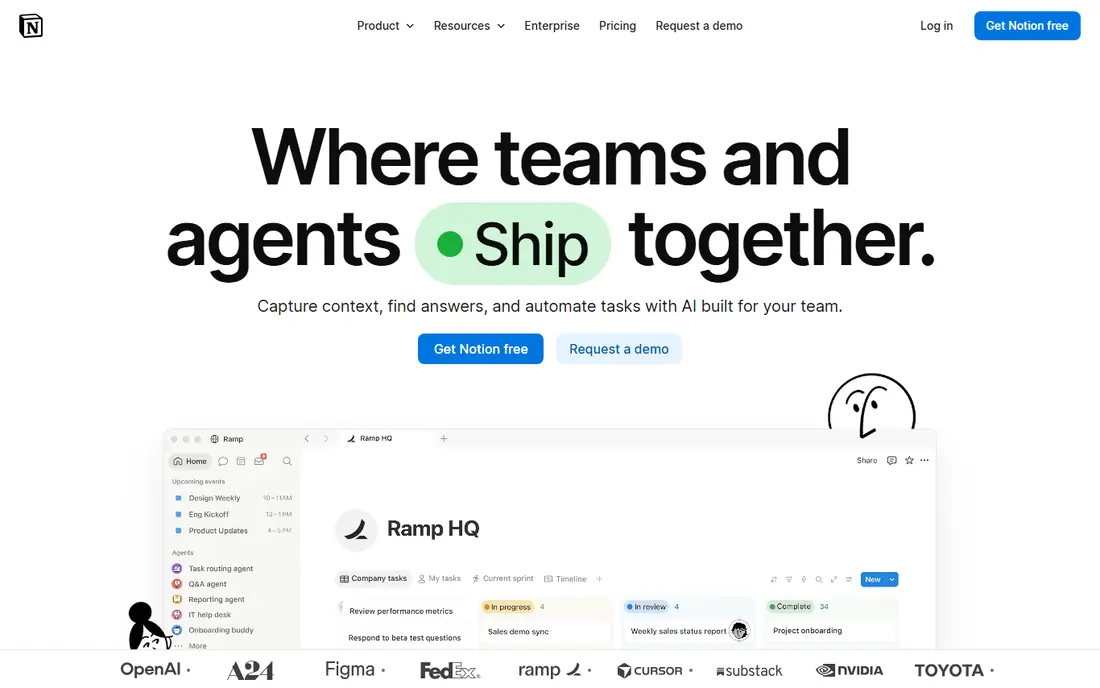
Notion is the most popular Evernote alternative for people who want more than a notebook, because it combines notes, docs, tasks, wikis, and databases in one workspace. You can build a personal wiki, a project tracker, and a reading list in the same tool, with templates that speed up setup. The free plan for individuals is generous, which makes it easy to test before paying.
The flexibility that makes Notion powerful also makes it slower for quick capture than a simple notes app. If you mainly want to clip a web page and find it later, Notion may feel like too much setup. For people who want a full workspace, though, Notion is our pick for most Evernote switchers.
- Notes, docs, wikis, and databases in one place
- Generous free plan for individuals
- Many templates
- Steep learning curve
- Can feel slow for quick capture
- Offline use is limited

Obsidian stores notes as plain Markdown files on your device, which gives you full ownership and long-term portability. You can link notes together, view connections in a graph, and extend the app with community plugins for tasks, calendars, and PDF annotation. That local-first design appeals to writers, researchers, and anyone worried about losing access to a cloud service.
Sync across devices is a paid add-on, and there is no native real-time collaboration like Notion or Google Docs. Beginners may also need time to learn Markdown and plugins. If privacy, ownership, and linked thinking matter most, Obsidian is our pick, and its free personal app makes it easy to try.
- Local Markdown files you own
- Linked notes and graph view
- Large plugin community
- Sync is paid
- No native real-time collaboration
- Setup takes time for beginners
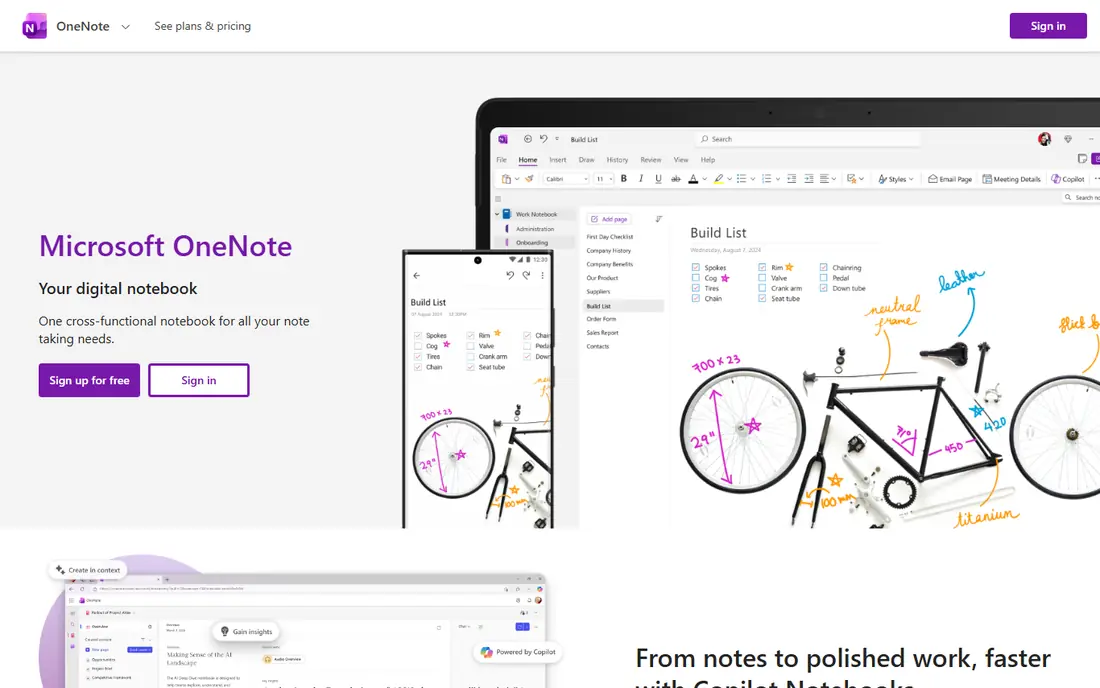
Microsoft OneNote is the closest free notebook-style replacement for Evernote, with sections, pages, and free-form canvas notes that suit students and meeting-heavy users. Handwriting, drawing, and audio notes work well, especially on tablets, and Microsoft 365 users get deep integration with Outlook, Teams, and Office docs. The app itself is free, with storage tied to your Microsoft account.
It does not offer Notion-style databases, and formatting can feel inconsistent across devices. Organization is also notebook-based, which suits some users and frustrates others who prefer tags and links. For a free, familiar notebook replacement, OneNote is a strong choice.
- Free notebooks on web and mobile
- Handwriting and drawing support
- Deep Microsoft integration
- Formatting can be inconsistent
- No true database features
- Organization is notebook-based
Apple Notes is the simplest Evernote alternative for Apple users, because it is already on every iPhone, iPad, and Mac. Capture is fast, sync through iCloud is reliable, and features for checklists, tables, handwriting, and document scanning cover most everyday needs. For quick notes, shopping lists, and short research notes, it is often all you need.
It is Apple only, so Android and Windows users should look elsewhere, and its structure is simpler than Notion or Obsidian for large archives. Web clipping is also more basic than Evernote. If you live in the Apple ecosystem and want a free, fast notes app, Apple Notes is the obvious pick.
- Fast capture on Apple devices
- ICloud sync
- Handwriting and scanning support
- Apple only
- Limited structure for large archives
- Web clipping is basic
Bear is a favorite among Apple writers because its Markdown editor is clean, fast, and pleasant to write in for long sessions. Tags replace folders, which suits writers who organize by topic rather than by notebook, and focus mode helps with drafting without distractions. The free version covers local notes, while Pro adds sync and export options.
The limit is platform. Bear is Apple only, with no Windows or Android app, so mixed-device users should choose a cross-platform app. If you write on a Mac or iPad and want beautiful, simple notes, Bear is our pick for Apple writers.
- Clean Markdown editor
- Tag-based organization
- Focus mode for writing
- Apple only
- Sync needs Pro
- No Windows or Android app
Joplin is an open-source note app that suits privacy-minded users who want control over their data. Notes are stored in Markdown, encryption options protect synced notes, and you can choose your own sync method or use Joplin Cloud. It runs on Windows, Mac, Linux, iOS, and Android, which makes it one of the most cross-platform options in this list.
The interface is less polished than Bear or Notion, and collaboration is manual rather than built-in. Setup, especially for self-hosted sync, takes more effort than a simple cloud app. If open source, privacy, and portability matter most, Joplin is a strong Evernote alternative.
- Open-source and free
- Markdown notes
- End-to-end encryption options
- Own sync choices
- Interface is less polished
- Collaboration is manual
- Setup takes more effort
UpNote is designed to feel familiar to Evernote users, with notebooks, tags, and a built-in web clipper, but at a much lower cost. It runs on all major platforms, which makes migration easier, and its lifetime purchase option appeals to people who dislike monthly subscriptions. For users who want Evernote-style organization without relearning a new system, UpNote is the most direct replacement.
The free plan limits the number of notes, so heavy users will need the paid plan, though its price is low compared with rivals. It also has fewer advanced features than Notion or Obsidian. If you want a cheap, clean Evernote look-alike, UpNote is our pick.
- Close to Evernote notebook and tag model
- Cross-platform
- Low lifetime price option
- Free plan has a note limit
- Smaller community than leaders
- Fewer advanced features
Google Keep suits people who mainly need quick capture, such as lists, reminders, and short notes, rather than a full research archive. It is fast, simple, and integrated with Google services, with color labels and reminders that help with daily tasks. For a phone-first user who wants to jot something down in seconds, Keep is hard to beat.
It is not a good archive tool for thousands of long notes, because organization and formatting are basic. Users with large Evernote libraries should choose Notion, Obsidian, or UpNote instead. For quick notes and lists, though, Google Keep is a free and reliable option.
- Very fast capture
- Reminders and labels
- Google integration
- Limited organization for large archives
- No rich databases
- Note formatting is basic
Standard Notes is built around privacy, with end-to-end encryption for notes by design and a focus on simple, durable text notes that will still be readable years later. It runs on major platforms, and its plain interface keeps the focus on writing rather than formatting. For users who store sensitive notes and want encryption as a default, not an add-on, that design matters.
It is not built for rich web clipping, heavy media archives, or visual research, so Evernote users who rely on those features may need another tool alongside it. Advanced editors and features need a paid plan. If encrypted, simple, long-lasting notes are your priority, Standard Notes is a strong pick.
- End-to-end encryption by design
- Simple, durable notes
- Cross-platform apps
- Rich clipping and media features are limited
- Paid plan needed for advanced editors
- Interface is plain
How we picked these
We compared official pricing pages, feature pages, and app store listings for note apps available to US users in October 2026. We included apps that can replace Evernote for capture, organization, or research, and we mixed free, low-cost, and workspace options. We did not claim hands-on testing, and we did not invent prices, storage limits, or feature lists. Where a price varied by plan or billing period, we listed the starting price shown on the vendor page and advised readers to confirm it before migrating.
What to check before you switch from Evernote
Start with what you actually use Evernote for. If you mainly clip web pages, test the clipper in UpNote, Notion, or Joplin before you move. If you mainly write, test Bear or Obsidian. If you need databases and team wikis, test Notion. A tool that looks good in a demo can fail on the one workflow you use every day.
Next, test migration with a small batch of notes, not your whole archive at once. Check tags, attachments, images, and formatting, and keep your Evernote export as a backup until you are sure the new app holds everything. Finally, check sync, offline access, and export options in the new app, because the ability to leave again matters as much as the ability to join. A good alternative should let you export your notes in a portable format.
Frequently asked questions
What are the best alternatives to Evernote?
Notion, Obsidian, OneNote, and UpNote are among the best Evernote alternatives, depending on your needs. Notion suits workspaces, Obsidian suits local linked notes, OneNote suits free notebooks, and UpNote suits a low-cost direct replacement.
What is the best alternative to Evernote for free?
OneNote and Apple Notes are strong free options, depending on your platform, while Notion and Obsidian also offer generous free plans. Google Keep is best for quick free capture, and Joplin is best for free open-source notes.
Is Notion better than Evernote?
Notion is better for databases, wikis, and team workspaces, while Evernote is simpler for clipping and quick capture. If you want a full workspace, Notion is a strong upgrade, but if you only want fast capture, a simpler app may suit you better.
Can I migrate my Evernote notes to another app?
Yes, most alternatives support import from Evernote export files, though formatting, tags, and attachments need checking after import. Test with a small batch first, and keep your original export as a backup until the migration is complete.
What is the best Evernote alternative for privacy?
Obsidian, Joplin, and Standard Notes are strong privacy picks, because they offer local storage, open-source code, or end-to-end encryption. Obsidian keeps notes as local files, Joplin offers encryption and own sync, and Standard Notes encrypts notes by design.
Is there an Evernote alternative that works on all platforms?
Yes, Notion, Obsidian, OneNote, Joplin, UpNote, and Google Keep all run on major desktop and mobile platforms. Bear and Apple Notes are Apple only, so avoid them if you use Windows or Android devices.
Sources
See where you really rank - block by block
ProMapRanker scans Google Maps across a grid of your service area. Simple monthly plans from $19, white-label on every plan.
Start freeKeep reading
 top custom software development company
Top Custom Software Development Company in 2026
Looking for a top custom software development company? We compare 9 firms for web, mobile, and enterprise software, covering strengths and fit for 2026.
Read → tableau alternatives
Tableau Alternatives in 2026
Compare the best Tableau alternatives for 2026, from Power BI to Metabase, with prices, hosting options, and picks for small teams and enterprises today.
Read → microsoft teams alternatives
Best Microsoft Teams Alternatives in 2026
Looking for microsoft teams alternatives? We compare 9 chat and video tools for 2026, covering free plans, pricing, meetings, and integrations for teams.
Read →