 ProMapRanker
Current Best Text-to-Video AI Tools in 2026


Cinematic clips with native audio · Pricing starts at: $19.99 per month
Key takeaways
- Google Veo leads on realism with native audio, while Runway leads on shot control and editing around the clip.
- Kling and Pika offer strong value for frequent short clips, but credit costs vary a lot by resolution and length.
- Avatar tools such as Synthesia and HeyGen suit training and marketing presenters, not cinematic footage.
- Check credit maths on a real prompt before paying, since a monthly allowance can cover far fewer clips than the headline suggests.
Quick comparison
| Pick | Great for | Pricing starts at | Free tier | |
|---|---|---|---|---|
| Google Veo | Cinematic clips with native audio | $19.99 per month | Yes | Visit |
 Runway | Directed shots and editing workflows | $15 per month | Yes | Visit |
 Kling | Value and realistic motion | $10 per month | Yes | Visit |
 Pika | Fast stylised social clips | $8 per month | Yes | Visit |
 Luma Dream Machine | Fast drafts and multi-model access | $30 per month | No | Visit |
 Adobe Firefly | Brand work where provenance matters | $9.99 per month | Yes | Visit |
 Hailuo | Expressive character motion | See website | Yes | Visit |
 Synthesia | Avatar training and explainer videos | $29 per month | Yes | Visit |
 HeyGen | Multilingual avatar marketing videos | $29 per month | Yes | Visit |
The best current text-to-video AI tools
This article covers what is current now, in October 2026, for text-to-video AI tools. That matters because this category changes fast: models are replaced, free tiers shrink, and some consumer apps close. We have only included tools that are live now, and we have left out tools reported as closed, including the consumer Sora app. Use only your own footage, images and likeness, or material you have clear permission to use, and get consent before generating video of any real person.
Google Veo is our pick for most people who want a short clip that looks and sounds like it was shot, not assembled. Veo 3.1 generates video with synchronised audio, including dialogue and ambient sound, which removes the need to add sound separately for many marketing and concept clips. Access through Google Flow also gives a workspace for building scenes, rather than just a single prompt box.
The limit is credit maths. Google AI Pro is listed at $19.99 per month in comparisons checked in October 2026, with a set number of Flow credits, and a high-quality clip can use a large share of that allowance. That means Veo suits careful, planned shots more than endless experimentation. Test prompts on the free or limited access first, and budget for retries, since few prompts land perfectly on the first try.
- Strong realism with dialogue, music and sound effects generated together
- Available through Flow and Gemini
- Watermarking for identification
- Credit costs mean a monthly plan covers a limited number of high-quality clips
- Best quality needs careful prompting
- Availability varies by plan and region
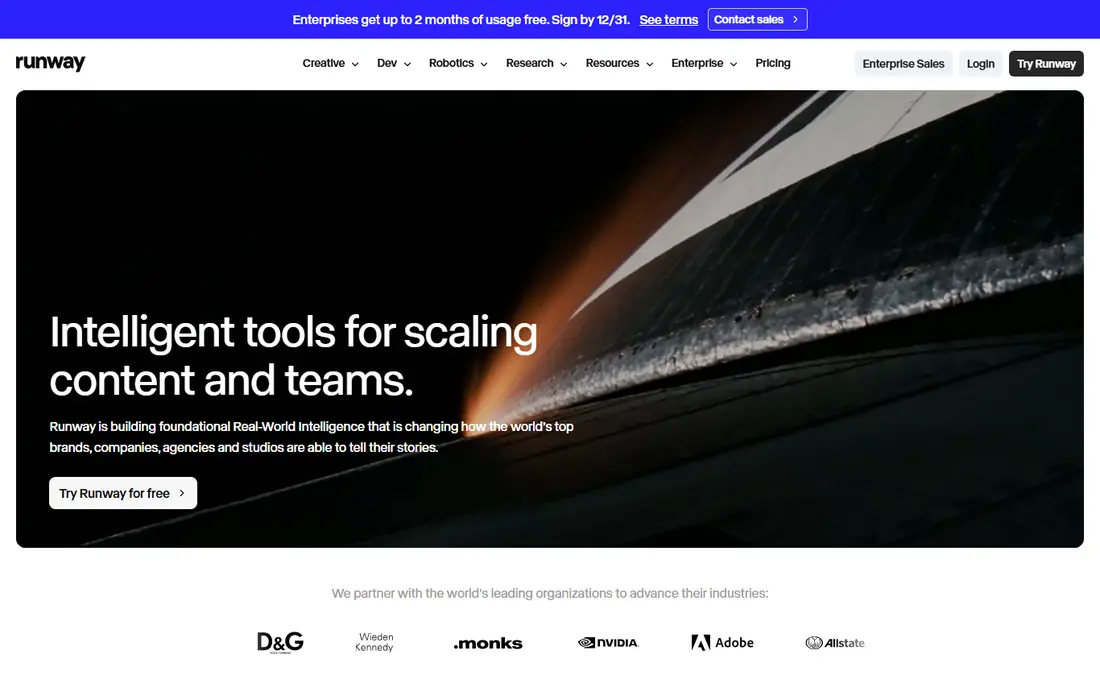
Runway appeals to creators who think in shots, not just prompts. Its Gen-4.5 model offers control over camera movement, style and scene elements, and the surrounding workspace lets you extend, restyle or clean up a clip without moving to another app. For a team that edits video already, that workflow saves time compared with a generator that only outputs raw clips.
Credit clarity is the weakness. Runway Standard is listed at $15 per month in recent comparisons, with 625 credits, but how many seconds that buys depends on model and settings, and published conversions differ between sources. The free plan also gives a one-time credit grant rather than a monthly refill. Use those free credits on a representative prompt, and check the cost of your exact settings before you buy.
- Gen-4.5 model with camera and style control
- Editing tools around generation
- API for developers
- Credit conversions vary by model and settings
- Free credits are one-time, not monthly
- Costs rise fast for longer clips

Kling has built a following among creators who generate a lot of clips and need a lower cost per clip. Its newer models handle realistic human motion well, and clip lengths can run longer than the five-second clips that were common a few years ago. A Standard plan listed from $10 per month, with daily free credits for testing, makes it easy to try before paying.
Costs still need checking. Sound, higher resolution and longer durations increase credit use, so a cheap plan can run out quickly on ambitious clips. Plan names and promotions also change often, which makes older reviews unreliable. For frequent, realistic short clips where you control length and resolution carefully, Kling offers strong value.
- Strong motion quality for the price
- Longer clips than many rivals
- Daily free credits reported for testing
- Audio and high-resolution output cost more credits
- Interface and plan names change often
- Support is less direct than larger vendors
Pika is the tool to reach for when you need a quick, stylised clip for social media rather than a cinematic scene. Its effects, fast generation and low entry price, listed from about $8 per month on annual billing, suit creators who post often and iterate quickly. Short, punchy clips with a clear visual idea tend to work best here.
Do not expect Pika to beat Veo or Runway on photorealism or long, complex scenes. Free exports carry a watermark and lower resolution, and the credit allowance on entry plans limits heavy use. For a social team that needs many short clips and can accept a stylised look, Pika is efficient and affordable.
- Fast generation for social formats
- Effects and stylised looks
- Low entry price
- Less suited to photorealistic long scenes
- Free exports are watermarked and lower resolution
- Credit limits cap heavy use
Luma Dream Machine suits creators who want to explore ideas quickly and compare looks. Its Ray models produce cinematic motion, and its pricing page now lists access to several outside models, which means one subscription can cover more than one style. For concept work, storyboards and early drafts, that breadth is useful.
The price needs a careful read. Recent pricing lists Plus at $30 per month, with no free individual plan, and a high-resolution five-second clip can use several hundred credits, so the monthly allowance covers fewer clips than many buyers expect. Luma is best for users who value speed and variety over the lowest cost per clip, and who test prompts before committing to a paid plan.
- Fast ideation with Ray models
- Pricing page now includes outside models
- Good for quick visual exploration
- No free individual plan listed in recent pricing
- Plus plan at $30 per month buys a limited number of high-resolution clips
- Text-to-video is one part of a wider platform
Adobe Firefly fits teams that already use Adobe tools and care about commercial safety and provenance. Firefly video generation is built for brand work, with content credentials that help identify AI-generated output, and it sits naturally alongside Photoshop, Premiere Pro and Express workflows. For a marketing team that must defend its assets, that positioning matters.
Video is still a newer part of Firefly than image generation, and plan details have shifted during 2026, so check the current Firefly plan page rather than an older review. Entry pricing listed from about $9.99 per month may not include the same video allowance as a wider Creative Cloud plan. For Adobe-centred teams, Firefly is a safe, integrated pick, but pure video creators may get more clips per dollar elsewhere.
- Designed for commercial use with content credentials
- Integrates with Creative Cloud workflows
- Free daily generations on some plans
- Video generation is newer than its image tools
- Plan details have changed often
- Best value sits inside wider Adobe plans
Hailuo, from MiniMax, stands out for expressive character movement and stylised scenes that other models can make stiff. Creators use it for animation-style clips, character-driven shorts and scenes where motion matters more than photorealism. Trial credits let you test that strength on your own prompts before paying.
The free tier is limited to a one-time trial grant, so it is not a long-term free option. Paid pricing has varied by promotion, with Standard plans reported around $10 to $15 per month, which is why we list it as See website here. Check the current plan page for your region, and confirm credit costs for the resolution and length you need, since those decide the real monthly output.
- Strong character and physics-driven motion
- Stylised and expressive looks
- Trial credits for testing
- Free tier is a one-time trial grant, not a lasting free plan
- Pricing varies by promotion and region
- English-language support can be thinner than larger vendors
Synthesia solves a different text-to-video job: turning a script into a presenter-led video without filming. That suits training, onboarding, product explainers and internal updates, where the same presenter, clear narration and translated versions matter more than cinematic footage. Its free Basic plan gives a few minutes a month to test the format.
It should not be judged as a rival to Veo or Runway for raw footage, because it does not generate open-ended cinematic scenes. Avatar videos also still read as synthetic on close viewing, so they suit instructional content better than advertising that needs a human feel. For teams that produce many training videos, Synthesia saves filming time and keeps presenters consistent.
- Large avatar library and many languages
- Good for training, onboarding and compliance videos
- Consistent presenter across videos
- Not a cinematic text-to-video generator
- Free plan exports are watermarked
- Avatar realism still reads as synthetic on close viewing
HeyGen fits marketing teams that need a presenter in several languages without hiring presenters in each market. Its avatars, voice cloning and translation tools let a short script become versions for different regions, and its Video Agent can turn a prompt or document into a draft video. Creator pricing listed at $29 per month makes it accessible for a small team.
Check the licence before you publish. The free plan gives three short videos a month but bars commercial use, and premium avatar rendering uses more credits, so a monthly allowance covers fewer finished minutes than the headline suggests. HeyGen is strongest for short, presenter-led marketing and sales videos, not for long cinematic footage or complex scenes.
- Realistic avatars with voice cloning and translation
- Free plan with a few short videos a month
- Video agent for script-to-video work
- Free plan bars commercial use
- Credit costs rise for premium avatars
- Long videos need higher tiers
How we picked these
We compared vendor pricing pages, model documentation, credit allowances and independent video generator comparisons checked in October 2026. We included only tools that are live now and that accept a text prompt as a core input, from cinematic models to avatar presenters. We left out tools reported as closed, and we marked prices as See website where pricing varies by promotion, region or credit tier. We did not claim hands-on testing; our comparison rests on official pages, pricing and public reviews.
How to choose a text-to-video tool without wasting credits
Start by naming the output you need. A cinematic clip for an advert needs a different model from an avatar explainer, a social clip or a storyboard draft, and no single tool leads on all of them. Write one test prompt that matches a real job, including subject, action, camera, setting and length, then run it on two or three tools before you pay. Judge motion, hands, faces, text in the scene and audio, since those are where models fail most often.
Next, do the credit maths for your real volume. Work out how many finished clips you need a month, how long each clip is, and what resolution and audio settings you will use, then divide the monthly credit allowance by the cost of one clip at those settings. That number, not the plan price, is the true cost. Also check export rights, watermark rules, commercial use terms and whether the tool trains on your uploads, since those matter for client work.
Finally, plan for retries. Most prompts need two or three attempts, and a plan that covers ten perfect clips may only cover four real ones once retries are counted. Keep a short prompt library of what worked, save successful settings, and avoid generating at maximum resolution until the motion and story are right. That discipline keeps a credit-based tool affordable.
Frequently asked questions
What are the current best text-to-video AI tools?
In October 2026, the current best text-to-video AI tools are Google Veo for cinematic realism with sound, Runway for directed shots and editing, Kling for value and realistic motion, and Pika for fast social clips. Synthesia and HeyGen lead for avatar presenters, while Adobe Firefly suits brand-safe creative work. The best pick depends on whether you need footage, a presenter, or a finished marketing video.
What are the current best AI text-to-video tools for beginners?
Pika and Kling are good beginner picks, because they offer free credits, low entry prices and fast results on short prompts. Google Veo and Runway offer higher quality but need more careful prompt and credit management. Start with a free tier, test one real prompt, and only upgrade when you know how many clips you need each month.
Is Sora still available as a text-to-video tool?
No, the consumer Sora web and app were reported closed in April 2026, so we have not listed Sora as a live option here. If you see older lists that rank Sora, treat them as out of date. Veo, Runway, Kling and Pika are the live cinematic alternatives to shortlist instead.
How much do text-to-video AI tools cost?
Most tools use credits, with entry plans from about $8 per month for Pika, $10 for Kling, $15 for Runway, $19.99 for Google AI Pro with Veo access, and $29 for Synthesia and HeyGen. Free plans exist on several tools but carry watermarks, lower resolution or small credit grants. Always divide the monthly credits by the cost of one clip at your settings to find the real price.
Can I use text-to-video AI for commercial work?
Often yes on a paid plan, but check the licence for each tool, since free plans may bar commercial use or add watermarks. Also check whether the tool trains on your uploads, whether exports carry content credentials, and whether you have rights to any likeness, logo or music in the prompt. For client work, keep records of the plan, licence and prompt used.
Do text-to-video tools generate audio as well?
Some do, and some do not. Google Veo generates dialogue, music and sound effects with the video, Kling offers audio on some settings, and avatar tools such as Synthesia and HeyGen generate narration. Runway, Pika and Luma focus mainly on visuals, so you may need to add voiceover or music separately. Check audio support before you buy if sound matters to your project.
Sources
- https://deepmind.google/models/veo/
- https://runwayml.com
- https://www.klingai.com
- https://pika.art
- https://lumalabs.ai
- https://www.adobe.com/products/firefly.html
- https://hailuoai.video
- https://www.synthesia.io
- https://www.heygen.com
- https://brightseotools.com/post/best-luma-ai-alternatives-for-text-to-video
- https://gauravtiwari.org/ai-video-generators/
See where you really rank - block by block
ProMapRanker scans Google Maps across a grid of your service area. Simple monthly plans from $19, white-label on every plan.
Start freeKeep reading
 best tour operator software
Best Tour Operator Software in 2026
Compare the best tour operator software for bookings, channel management, waivers and payments, with pricing models for day tours and multi-day trips.
Read → best time clock app for small business
Best Time Clock App for Small Business in 2026
We compare the best time clock app for small business options, with free plans, GPS clock ins, scheduling and payroll links for hourly teams and payroll help.
Read → best test automation tools
Best Test Automation Tools in 2026
Compare the best test automation tools, from Playwright and Selenium to Cypress, Katalon and BrowserStack, with prices, languages and best uses explained.
Read →