 ProMapRanker
Best Workout Plan Apps in 2026

Free guided workouts at home or in the gym · Pricing starts at: Free
Key takeaways
- Nike Training Club is the strongest free starting point, with guided workouts and no paid tier to hit.
- Fitbod suits gym lifters who want a plan built around the equipment they have and their recovery.
- Strong and Jefit suit people who already know their lifts and mainly want a clear log and routine builder.
- Peloton, Centr and Sweat cost more, but they add classes, coaching and meal ideas for people who want structure.
- The best app for weight loss is the one paired with steady food habits and a schedule you can repeat each week.
Quick comparison
| Pick | Great for | Pricing starts at | Free tier | |
|---|---|---|---|---|
| Nike Training Club | Free guided workouts at home or in the gym | Free | Yes | Visit |
 Fitbod | Adaptive strength plans in the gym | $15.99 per month | Free trial | Visit |
 Jefit | Gym routines with a large exercise database | $12.99 per month | Yes | Visit |
 Strong | Fast, simple strength logging | $4.99 per month | Yes | Visit |
 Freeletics | Bodyweight and HIIT training without a gym | See website | Yes | Visit |
 Centr | Fitness, meals and mindfulness in one app | $29.99 per month | Free trial | Visit |
 Peloton App | Live and on-demand classes | $15.99 per month | Free trial | Visit |
 Sweat | Trainer-led programs for home and gym | $24.99 per month | Free trial | Visit |
The best workout plan apps
We compared official feature pages, pricing pages and app store listings for apps that build a plan, not just count steps. The list below mixes free apps, cheap loggers and fuller coaching apps, so you can match the price to how much guidance you want.
Nike Training Club is our pick for most people who want to start without paying. It offers guided sessions with clear coaching cues, and you can filter by muscle group, equipment, time and level. That makes it easy to fit a session into a lunch break or a full gym visit.
The catch is that it works more like a strong library than a personal coach. It does not build a week-by-week lifting progression from your logged weights in the way Fitbod does. If you want free, varied training and you are happy to pick your own sessions, it is hard to beat. If you need a plan that changes as you get stronger, pair it with a logger or move to a paid option below.
- Fully free library
- Workouts for many levels
- Strength, cardio, yoga and mobility in one app
- No adaptive plan that adjusts to your lifting history
- Less depth for advanced powerlifting
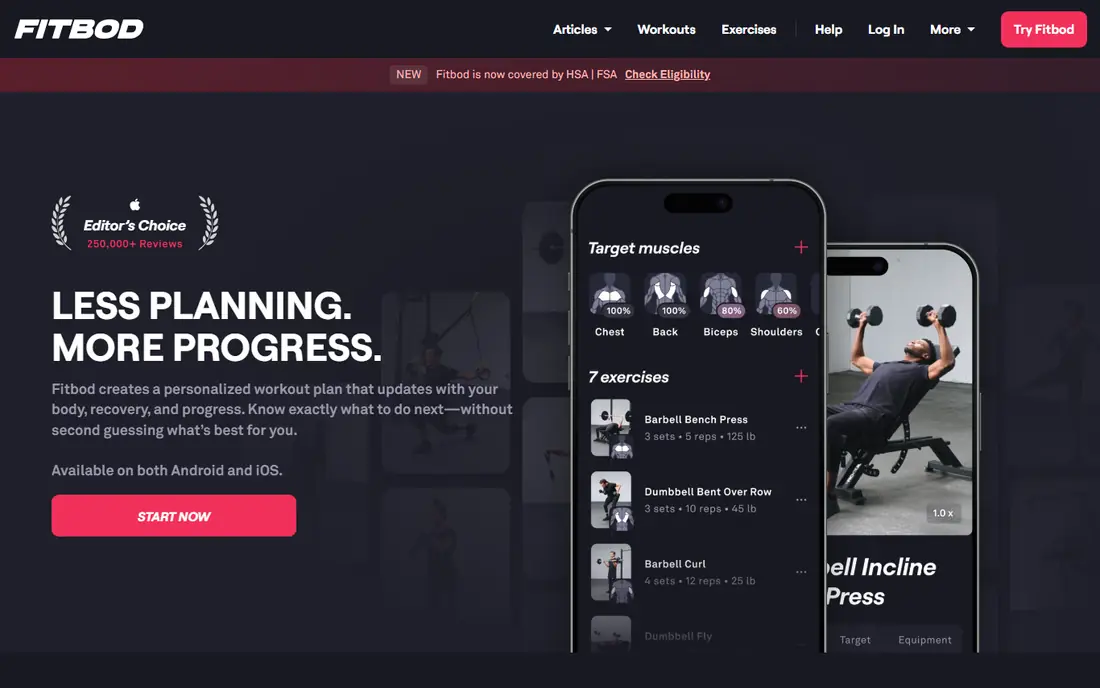
Fitbod asks about your goals, experience and available equipment, then builds each session around muscles that are ready to train. As you log sets, it adjusts weights and volume, which removes much of the guesswork from progression. That is a real benefit for lifters who stall when they repeat the same routine for months.
The price is the main barrier. After the trial, you need a subscription to keep using the full plan builder. Cardio fans may also find the strength focus too narrow. For a gym regular who wants a plan that updates itself, though, Fitbod is one of the most practical choices here.
- Plans adapt to equipment, muscle recovery and past sessions
- Large exercise library
- Apple Watch support
- Trial only, with no lasting free tier
- Best for strength, less suited to pure cardio plans
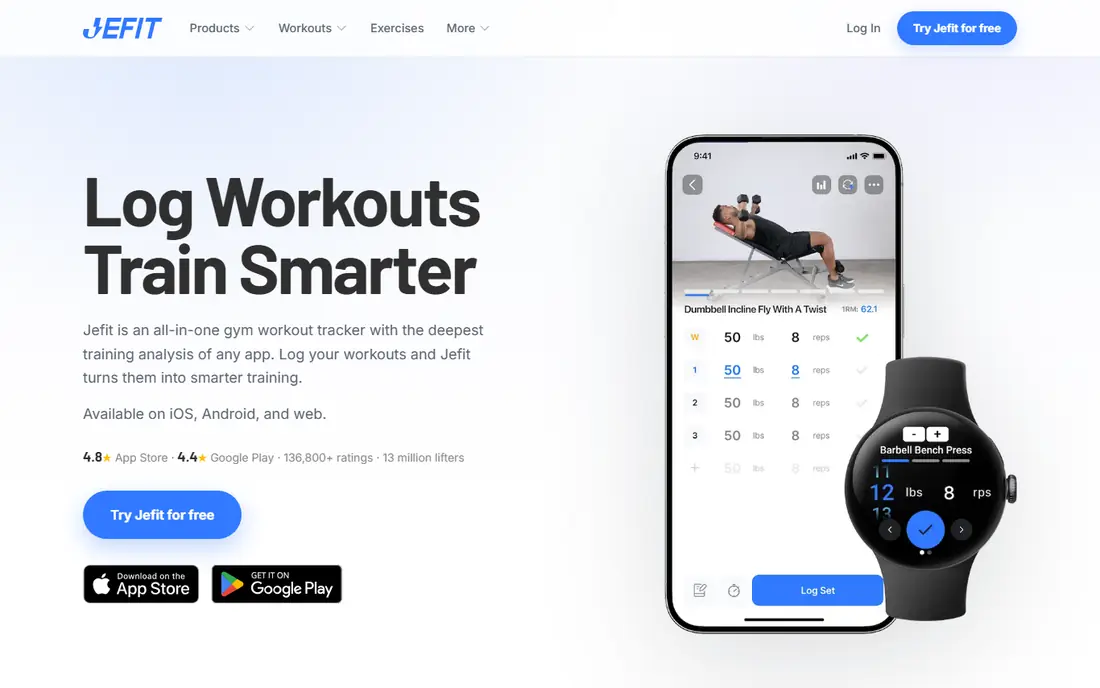
Jefit has been a gym staple for years because it does the basics well. You can build routines, log sets and rest times, and track progress over weeks. The exercise database helps when you want to swap a movement for one that suits your equipment or a sore joint.
Ads in the free tier are the trade-off, and the interface feels busier than Strong. Still, if you want a free plan builder with plenty of ready-made routines, Jefit gives you more depth than most free apps. Paid Elite removes ads and adds fuller video guidance.
- Free tier covers routines and logging
- Huge exercise library
- Community routines to copy and adapt
- Free version carries ads
- Some video demos sit behind the paid tier
Strong is for lifters who already know what they want to do and just want to record it well. Logging a set takes seconds, rest timers are built in, and the history view makes it easy to see whether your main lifts are moving. It stays out of your way in the gym, which matters when you are between sets.
What it does not do is teach or coach. There are no classes, no adaptive plan and no nutrition tools. If you want a plan handed to you, look at Fitbod or Sweat instead. If you want a cheap, dependable log that you will actually open, Strong is a strong fit.
- Clean, fast logging
- Unlimited workouts on the free tier
- Charts for progress over time
- Free tier limits custom routines to three
- No guided classes or meal plans
Freeletics built its name on bodyweight workouts you can do at home, in a park or in a hotel room. The coach feature sets a plan around your goal and feedback, and sessions stay short enough to fit around work. That combination suits people who skip the gym because travel or cost gets in the way.
Heavy lifters will miss barbell progression and detailed load tracking. Freeletics is also a case where you should confirm the exact term price on its own site, since offers differ by length. For home training and general fitness, it remains one of the most focused options in this list.
- Training plans that need little or no equipment
- Coach feature adapts sessions
- Works well in small spaces
- Pricing varies by term and region, so check before you buy
- Less suited to heavy barbell training
Centr tries to cover the whole routine, not just the workout. You get training programs, meal ideas and short mindfulness sessions, which helps if you want one subscription instead of three. The programs are led by coaches, and the range means you can switch from strength to yoga without changing apps.
The price is the clear downside, at nearly double some rivals here. It is also more than a pure lifter needs. If you value variety and you want food guidance alongside training, Centr can justify the cost. If you only need a gym plan, a cheaper logger will do the same job for less.
- Strength, HIIT, boxing, yoga and Pilates in one place
- Meal plans included
- Guided meditation sessions
- Higher monthly price than most rivals
- Trial only, with no lasting free tier
You do not need a Peloton bike or treadmill to use the Peloton App. The app version gives access to thousands of classes, from short strength sessions to longer cardio and mobility work. Live classes and leaderboards help people who train harder with a group, even a virtual one.
The style is not for everyone. If you prefer to follow your own program in silence, the instructor-led format can feel like too much talk. The subscription also only pays off if you take classes often. For class lovers, though, the breadth across cardio, strength and recovery is hard to match at this price.
- Large class library across strength, cardio, yoga and Pilates
- Live classes add motivation
- Works without Peloton hardware
- Class-led style suits some people more than self-directed lifting
- Full value needs regular class use
Sweat offers progressive programs rather than a loose library of workouts. Each program runs for weeks, with sessions that build on each other, which helps people who drift without a set plan. Home and gym versions of many programs make it easier to keep going when your setting changes.
The monthly cost sits above Fitbod and Peloton App, so it needs regular use to feel worth it. It is also geared toward guided programs, not free-form logging. If you want a trainer to set the plan and you like following a program to the end, Sweat is a good match.
- Structured programs from named trainers
- Home and gym options
- Meal and recovery content included
- Higher price than simpler apps
- Trial only, with no lasting free tier
How we picked these
We compared official feature pages, pricing pages and app store listings, and we kept only apps that are live and offer a real plan, routine builder or structured program. We looked for a mix of free and paid options, gym and home training, and logging versus coaching, and we left out apps that only track steps or calories. Prices here are starting monthly prices shown on vendor or store listings in October 2026, and they can change, so check the vendor site before you subscribe.
What to check before you subscribe
Start with your setting first. A gym lifter needs equipment filters and load tracking, while a home trainer needs bodyweight options and short sessions. Check whether the app needs a watch, a bike or other hardware, and whether it works offline for a garage or basement gym.
Next, test the free tier or trial properly. Use it for at least a full week of real sessions, not just a browse on day one. Watch for limits that matter to you, such as capped routines, ads or missing video demos, and set a reminder before any trial ends.
For weight loss, treat the app as one part of the plan. Training helps, but food, sleep and daily movement matter as much, and no app can do those parts for you. If you have a medical condition, an injury or you are new to exercise, talk to a clinician or qualified coach before starting a hard program. This article is general information, not medical advice.
Frequently asked questions
What is the best app for working out at home?
Nike Training Club is a good free start, and Freeletics suits bodyweight plans in small spaces. Sweat and Centr add fuller programs and meal ideas if you want more structure and are willing to pay.
What is the best fitness app for weight loss?
No single app guarantees weight loss. Pick an app you will use at least three times a week, and pair it with steady eating and walking habits. Fitbod, Sweat and Centr all offer structured plans, while Nike Training Club gives you a free way to build the habit first.
What is the best app to plan workouts for the gym?
Fitbod is the strongest choice for an adaptive gym plan, since it adjusts to your equipment and recovery. Jefit and Strong suit lifters who prefer to build and log their own routines.
Are free workout plan apps good enough?
Yes, for many people. Nike Training Club covers guided sessions at no cost, and the free tiers of Jefit and Strong cover logging well. Paid apps add adaptive plans, classes and coaching, which help if you stall or need more structure.
Do I need a smartwatch to use these apps?
No. Most of these apps work on a phone alone, and a watch is optional. Apple Watch support helps for heart rate and quick logging in Fitbod, Strong and Peloton App, but it is not required to follow a plan.
Sources
See where you really rank - block by block
ProMapRanker scans Google Maps across a grid of your service area. Simple monthly plans from $19, white-label on every plan.
Start freeKeep reading
 venmo alternatives
Venmo Alternatives in 2026: 8 Apps Compared
Venmo alternatives compared for sending money to friends, paying businesses and sending abroad, with fees, speed, limits and free plans explained here.
Read → splunk alternatives
Splunk Alternatives in 2026: 8 Tools Compared
Splunk alternatives compared for log search, observability and security analytics, with open source and managed options, free tiers and prices for teams.
Read → microsoft access alternatives
Microsoft Access Alternatives in 2026
Looking for microsoft access alternatives? We compare 8 database tools for teams that need web access, sharing, and apps without old desktop limits in 2026.
Read →