 ProMapRanker
Best Widget Apps in 2026: 8 Apps Compared

Key takeaways
- Widgetsmith is our pick for most iPhone users, with many widget types and a usable free tier.
- Color Widgets, ScreenKit, and iScreen suit people who want a ready-made theme rather than building widgets from scratch.
- Widgy and KWGT suit power users who want detailed control over layout, data, and design.
- Launcher and Photo Widget suit single jobs well: shortcuts and photos, without a heavy theme system.
Quick comparison
| Pick | Great for | Pricing starts at | Free tier | |
|---|---|---|---|---|
 Widgetsmith | Custom widgets for most iPhone users | Free | Yes | Visit |
 Color Widgets | Ready-made aesthetic themes | Free | Yes | Visit |
 Widgy | Detailed custom dashboards | Free | Yes | Visit |
 ScreenKit | Themes, icons, and widgets together | Free | Yes | Visit |
 iScreen | Coordinated widget and wallpaper themes | Free | Yes | Visit |
 KWGT Kustom Widget Maker | Android power users | See website | No | Visit |
 Launcher | Shortcut and contact widgets | Free | Yes | Visit |
 Photo Widget | Photo widgets from your own albums | Free | Yes | Visit |
The best widget apps
These eight apps cover the main ways people use widgets: custom information, a coordinated look, photos, and quick actions. Availability and pricing vary by platform, so check the app store listing for your device before you pay.
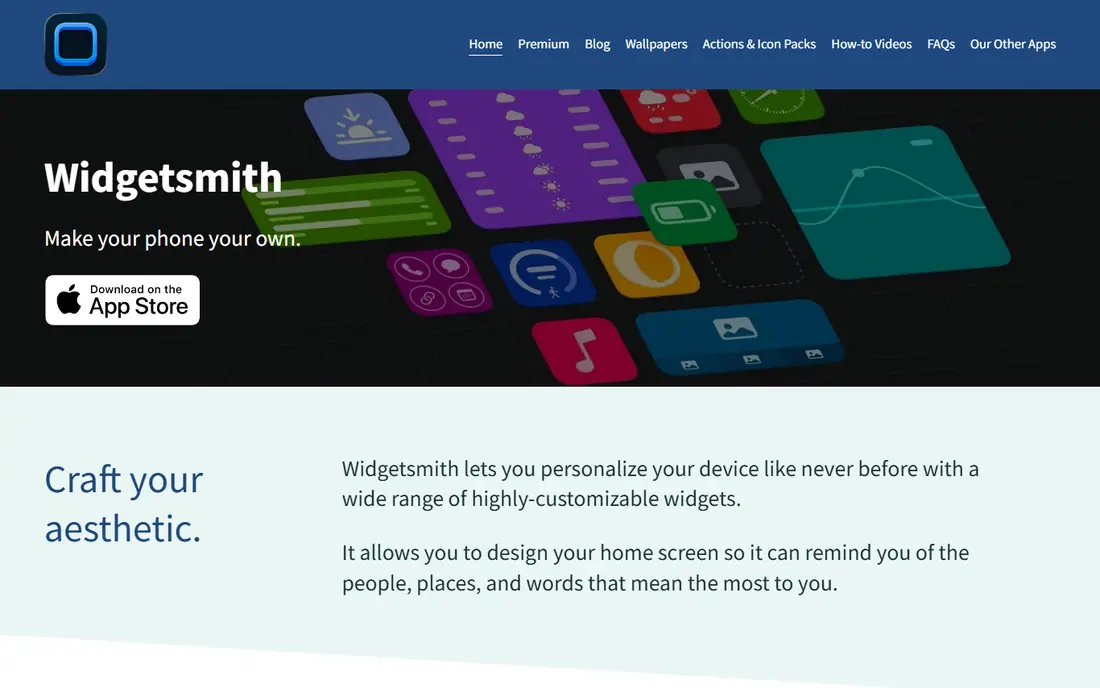
Widgetsmith is the default recommendation for a reason. It covers the widget types most people actually want, from photos and clocks to weather and calendar, and it lets you schedule different widgets to appear at different times of day. That scheduling is genuinely useful: a calendar widget in the morning and a photo widget in the evening can share the same slot.
The free tier covers the core experience, while Premium adds more data types and removes ads. If you only want one or two simple widgets, you may never need to pay. If you want weather data and deeper customisation, check what Premium adds on the current App Store listing before subscribing.
- Many widget types including photos, weather, calendar, and clocks
- Scheduling by time of day
- Home Screen and Lock Screen support
- Some data types and styles sit behind Premium
- Free tier includes ads
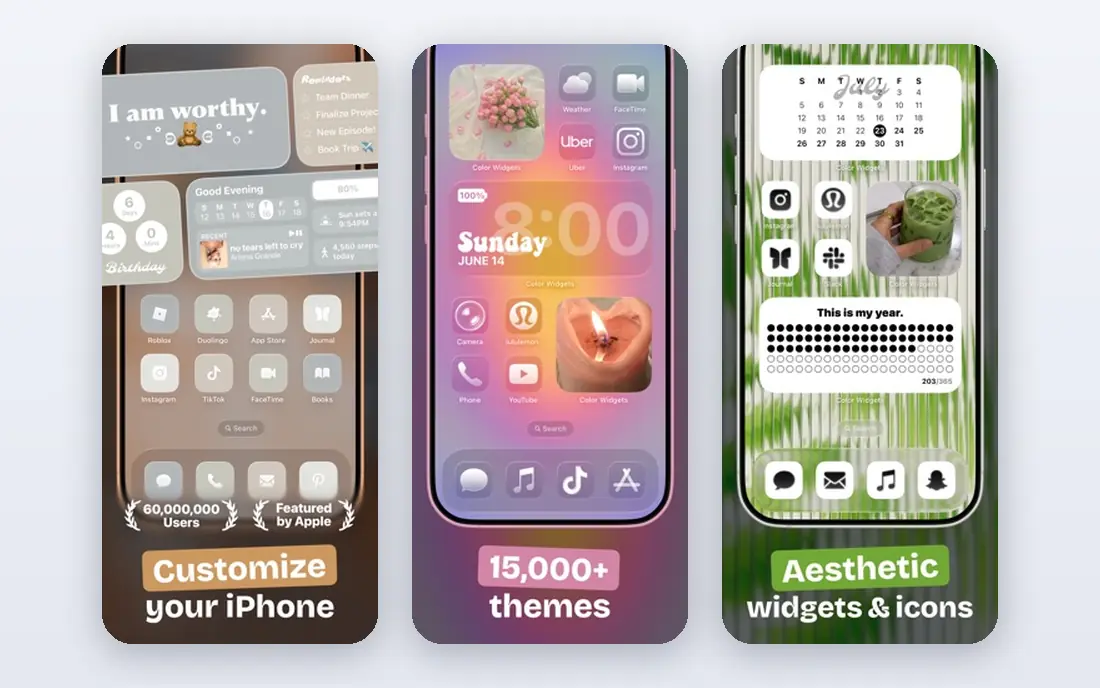
Color Widgets suits people who want a good-looking Home Screen today, not a weekend project. Its library of ready-made widgets, themes, and icon packs means you can pick a style and apply it quickly, rather than designing each widget by hand. That speed is the main appeal, especially for users who change themes often.
The trade-off is originality. Because the library is shared, your screen may look similar to other users of the same pack. Paid packs add more choice, so check the current Pro pricing in the app before you commit to a subscription for styles you may only use once.
- Large library of ready-made widgets and themes
- Matching icon packs
- Fast setup for a new look
- Best results come from its own theme packs
- Premium packs sit behind a paid tier
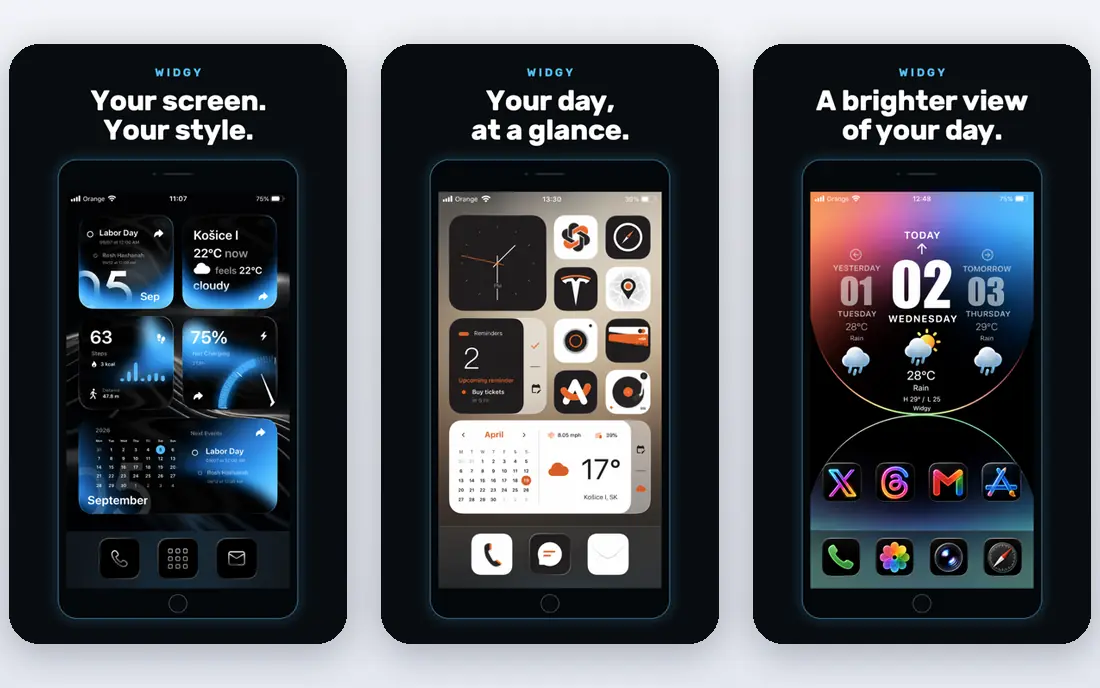
Widgy is the app for people who find basic widget builders limiting. Its layered editor lets you place text, images, charts, and data with fine control, so you can build a dashboard that shows exactly what you want and nothing else. Community templates help beginners start from a finished design instead of a blank canvas.
That power comes with effort. Expect to spend longer on your first Widgy widget than on a Widgetsmith widget, and expect some trial and error with sizing and data sources. If you enjoy that process, Widgy repays it. If you want a quick theme, Color Widgets or ScreenKit will feel faster.
- Layered editor for detailed widget design
- Community templates
- Apple Watch complications
- Steeper learning curve than Widgetsmith
- Some template packs are paid
ScreenKit treats the Home Screen as one package. Instead of building widgets one by one, you choose a theme and apply matching icons, wallpapers, and widgets together. That coordinated approach suits people who want a consistent look without hunting for separate icon packs and widget styles.
The downside is flexibility. If you only want a single calendar widget and prefer your existing icons, a theme app can feel like overkill. ScreenKit is best when you are happy to change the whole screen at once, and you should check which parts of a theme are free before you start.
- Curated themes with matching icons and widgets
- Batch apply for a full setup
- Many widget styles
- Theme-driven approach suits a full makeover more than one single widget
- Some content is paid
iScreen sits close to Color Widgets and ScreenKit, with a focus on widgets, wallpapers, and icons that match. Its library covers many colour schemes and styles, so it is easy to find a look that fits your wallpaper rather than forcing a widget to clash with it. Setup is quick, and the free tier gives a fair sense of the style range.
Data-heavy users may still prefer Widgetsmith or Widgy, since iScreen is built around looks first and live data second. For a clean, coordinated screen, though, it is a strong choice. Check the premium details in the app, since some of the most popular styles require payment.
- Themed widgets matched to wallpapers and icons
- Large style library
- Simple setup
- Premium upgrade needed for some styles
- Themed approach may feel restrictive for data-heavy widgets
KWGT is the Android answer to Widgy, with even deeper control. You can build widgets from layers, add variables and formulas, pull data from apps and sensors, and connect to automation through Tasker. The community preset library means you can also start from someone else's design and adjust it, which helps a lot at first.
Beginners should be honest about the learning curve. KWGT rewards patience and punishes guesswork, and its interface assumes you know what a layer, a formula, and a data source are. Android users who want that depth will find nothing else quite like it. iPhone users should look at Widgy instead.
- Very deep Android customisation with variables, formulas, and Tasker support
- Huge community preset library
- One-time Pro purchase model
- Android only
- Learning curve is high for beginners
Launcher takes a different angle from the theme apps. Its widgets are for doing things: calling a contact, opening an app, running a shortcut, or triggering a routine, all from the Home Screen. That focus makes it a practical second widget app even if you already use Widgetsmith or Color Widgets for looks.
It will not transform your screen on its own, and that is fine. Pair Launcher with a theme app if you want both looks and actions, or use it alone if speed matters more than style. Check the current premium options in the app, since some widget sizes and features require payment.
- Action widgets for apps, contacts, and shortcuts
- Transparent backgrounds
- Productivity focus
- Less suited to decorative themes
- Some extras require payment
Photo Widget does one job and does it well. It turns your own photos into Home Screen widgets, with albums that rotate so the screen changes through the day. For people who want family photos, travel memories, or a favourite image on display, that simplicity beats a complex builder.
The limit is scope. Photo Widget will not show your calendar, weather, or step count, so most users will pair it with another app from this list. Used that way, it is a pleasant, low-effort addition. Check the Pro pricing in the app if you want larger widgets or extra album options.
- Simple photo widgets from your own albums
- Album rotation
- Easy setup
- Limited to photos, so it does not replace a full widget builder
- Some features are paid
How we picked these
We compared official app pages and app store listings for widget apps that are available and maintained in 2026, and we favoured apps with a usable free tier, clear widget types, and a distinct strength. We included both iPhone and Android options, and we left out apps that only provide a single built-in widget from a larger service. We did not claim hands-on testing, and we based the write-ups on published features, pricing, and public reviews.
How to choose the best widget app for you
Start with the job, not the theme gallery. A widget that looks good but shows data you never check will be deleted within a week, while a plain widget that shows your next meeting or today's weather earns its place. Decide whether you want information, looks, photos, or actions, then pick the app that leads with that job.
Check platform and refresh behaviour
Most apps here are iPhone-first, while KWGT is Android-only, so platform support should be your first filter. Also check how often widgets refresh. System rules limit background refresh, so live data such as weather or sports scores may lag. If fresh data matters, the native app's own widget is often more current than a third-party widget.
Mind battery and clutter
Widgets use little battery on their own, but a screen full of frequently refreshing widgets can add up. Start with two or three widgets, live with them for a week, and remove any you stop glancing at. A tidy screen with a few useful widgets beats a crowded screen that you learn to ignore.
Frequently asked questions
What is the best widget app?
Widgetsmith is the best widget app for most iPhone users, thanks to its range of widget types and usable free tier. Color Widgets suits ready-made themes, Widgy suits detailed custom dashboards, and KWGT suits Android power users. The best app for widgets depends on your platform and whether you want looks, data, or actions.
What are the best apps with widgets for iPhone?
Widgetsmith, Color Widgets, Widgy, ScreenKit, iScreen, Launcher, and Photo Widget all offer strong iPhone widgets. Apple's own apps also provide solid widgets for weather, calendar, photos, and battery, so check those before paying for a third-party app that duplicates them.
What are the best apps for widgets on Android?
KWGT Kustom Widget Maker is the standout Android widget app for deep customisation, with a large community preset library. Many Android launchers and apps also include their own widgets, so check what your phone already offers before installing a separate builder.
Are widget apps free?
Most widget apps here offer a free tier with in-app purchases or a subscription for premium styles, data types, or larger widgets. Widgetsmith, Color Widgets, Widgy, ScreenKit, iScreen, Launcher, and Photo Widget can all be tried free, while KWGT uses a paid Pro model. Check the current store listing for exact pricing.
Do widgets drain battery?
Most widgets have a small effect on battery life, since the system controls how often they refresh. Widgets that update frequently, such as live weather or sports scores, use slightly more power than static photo or clock widgets. If battery life matters, favour widgets that refresh on a schedule rather than in real time.
Sources
See where you really rank - block by block
ProMapRanker scans Google Maps across a grid of your service area. Simple monthly plans from $19, white-label on every plan.
Start freeKeep reading
 bitly alternatives
Bitly Alternatives in 2026: 8 Tools Compared
Compare the best Bitly alternatives for branded short links, with free tiers, custom domains, analytics, and pricing that suits creators and small teams.
Read → bill.com alternatives
Best Bill.com Alternatives in 2026
Looking for bill.com alternatives? We compared 9 bill pay and AP automation tools on price, approvals, and accounting sync to help you switch with confidence.
Read → betterhelp alternatives
BetterHelp Alternatives in 2026
We compared BetterHelp alternatives for online therapy, covering Talkspace, Grow Therapy, Rula, Brightside and more on price, insurance and format in 2026.
Read →