 ProMapRanker
Best Weight Tracker App in 2026

Key takeaways
- Happy Scale and Libra are the best pure weight trackers, because they smooth daily fluctuations into a clear trend.
- Lose It, MyFitnessPal, and Cronometer suit users who want food logging alongside weight tracking.
- Scale-connected apps such as Renpho Health and Fitbit suit users who want automatic weigh-ins without manual entry.
- This article is general information only, not medical advice, and any health concern should be discussed with a clinician.
Quick comparison
| Pick | Great for | Pricing starts at | Free tier | |
|---|---|---|---|---|
 Happy Scale | Smoothed weight trends on iPhone | Free | Yes | Visit |
 Libra Weight Manager | Smoothed weight trends on Android | Free | Yes | Visit |
 Lose It | Simple food and weight logging | Free | Yes | Visit |
 MyFitnessPal | Largest food database | Free | Yes | Visit |
 Cronometer | Detailed nutrition tracking | Free | Yes | Visit |
 Fitbit app | Weight plus activity tracking | Free | Yes | Visit |
 Renpho Health | Smart scale sync | Free | Yes | Visit |
 Yazio | Food and weight in one app | See website | Yes | Visit |
 MacroFactor | Macro and weight trends | See website | Free trial | Visit |
The best weight tracker apps
We focused on apps that track weight well, not only apps that track food, and we weighed trend charts, scale sync, ease of logging, and free plan limits.
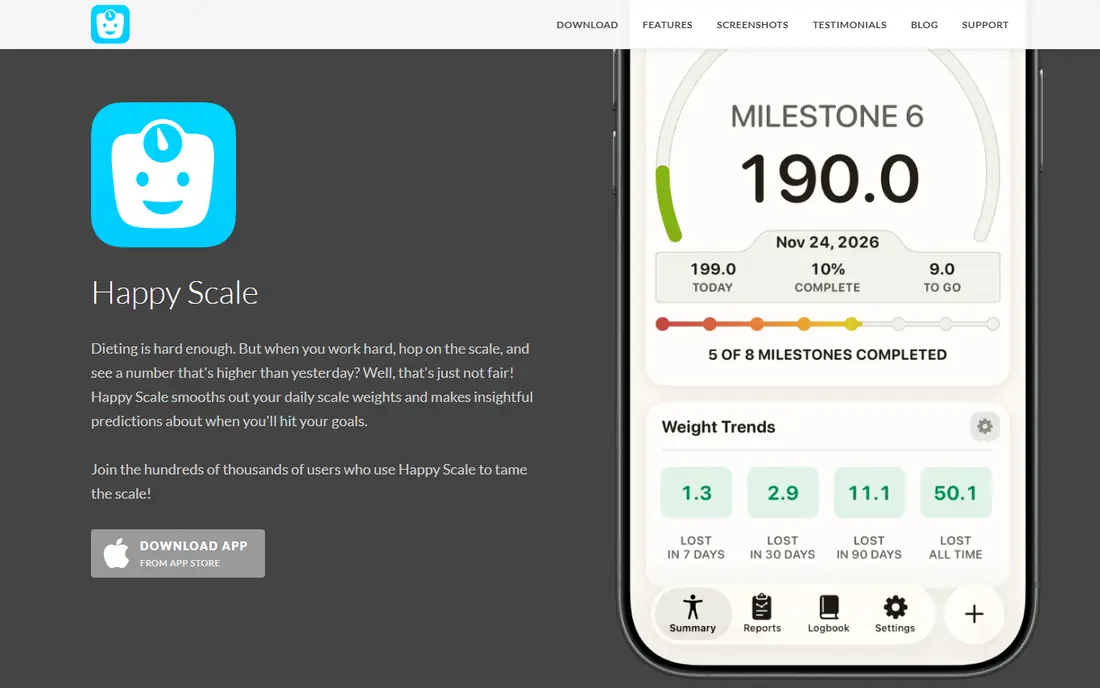
Happy Scale is our first pick for iPhone users who feel discouraged by daily scale jumps. It uses a moving average to show the trend behind the noise, so a salty meal or a heavy workout day does not hide real progress. Milestone goals break a large target into smaller steps, which helps motivation stay steady over months rather than weeks.
The free version covers core tracking and trend smoothing, while Premium adds deeper analytics and customization. Happy Scale works best alongside another app for food or activity, since its focus is weight itself. If daily weigh-ins frustrate you, Happy Scale is the calmest way to see what is actually happening.
- Moving-average trend removes daily noise
- Milestone goals break large goals into steps
- Syncs with Apple Health
- IPhone and iPad only
- Some analytics sit behind a subscription
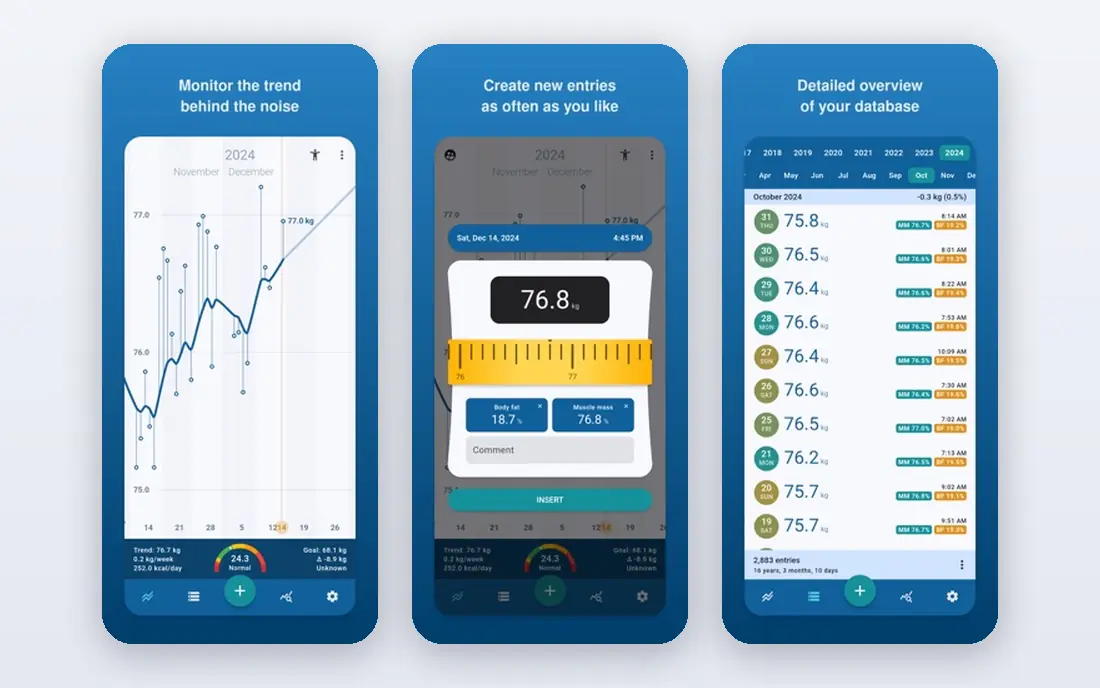
Libra is the Android counterpart to Happy Scale, and it has served Android users for many years. You enter a weight each day, and Libra charts the trend with smoothing, so you see direction rather than daily jumps. It also offers predictions based on your recent trend, which helps with planning without promising an exact result.
The app is lightweight and free, with ads in the free version, and it does not try to be a full food or fitness platform. That focus is a benefit for users who already track food elsewhere or who only care about weight. Libra suits an Android user who wants a simple, free, and honest trend chart.
- Free trend charts with smoothing
- Simple daily entry
- Lightweight Android app
- Android only
- Interface is plainer than newer rivals
- Ads in the free version
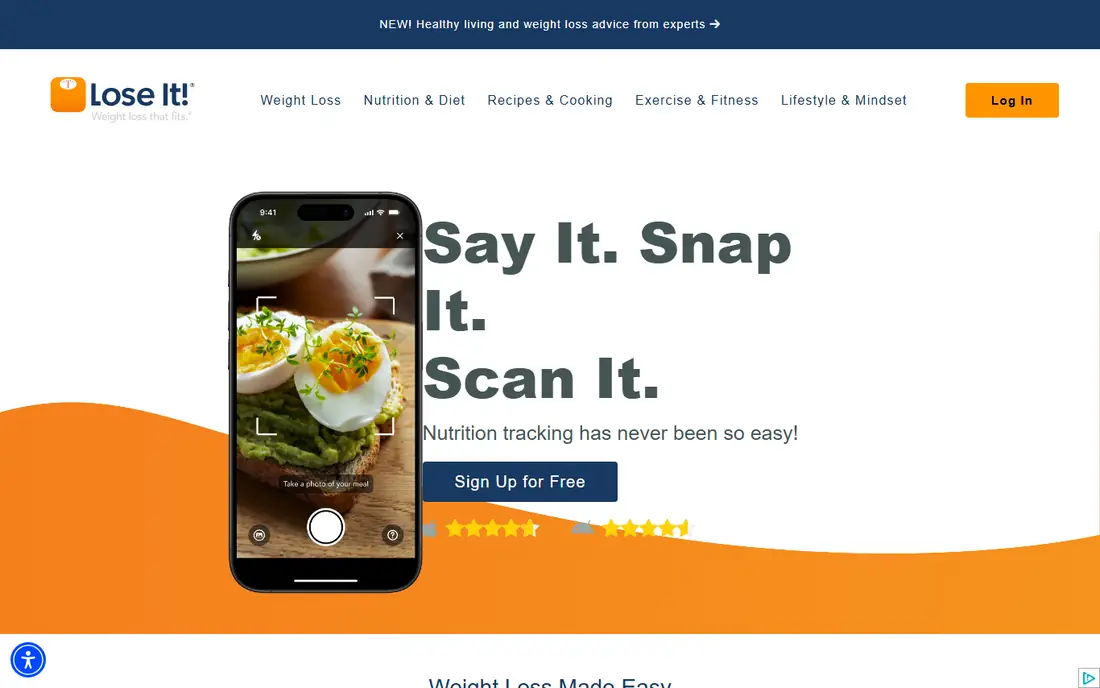
Lose It suits users who want weight tracking tied to a daily calorie budget. You set a goal and timeline, log meals by barcode, search, or photo, and see weight progress alongside food intake in one app. The interface is faster and less cluttered than some rivals, which matters when you log several meals a day.
The free tier covers basic logging and weight tracking, while Premium, priced at about $39.99 per year, adds full macros, meal planning, and an ad-free experience. Lose It is a good first app for a user who wants both food and weight in one place without a steep learning curve. This is general information only, not medical advice.
- Fast food logging with barcode and photo options
- Clear weight charts
- Premium adds macros and meal planning
- Free version includes ads
- Food database is smaller than MyFitnessPal
MyFitnessPal remains the default for food logging because its database covers branded, restaurant, and international foods that smaller apps miss. Weight tracking sits alongside food, exercise, and water logs, and the app syncs with Apple Health, Fitbit, Garmin, and many other platforms. That integration network makes it a useful hub if you already use a wearable or a smart scale.
The free tier still covers basic logging and weight tracking, while Premium, priced at about $79.99 per year, adds barcode scanning, macro targets, and meal planning features. The interface has grown busier, and some features that were once free now sit behind Premium. For a user who needs the widest food coverage, MyFitnessPal is still the strongest hub.
- Largest food database in this list
- Broad device and app integrations
- Weight charts alongside food and activity
- Free tier has become more limited over time
- Interface feels busy with upsells
Cronometer suits users who care about nutrition detail, not only calories. It tracks vitamins, minerals, and macros with a database that emphasizes verified entries, and it charts weight alongside body measurements such as waist or body fat estimates. That detail helps users who follow a specific eating pattern or who want to see more than a single calorie number.
The free version covers core food and weight tracking, while Gold adds more features and removes ads. The interface can feel dense for a casual user who only wants a quick log, so Cronometer is best for a detail-oriented tracker. If you want to know what your food actually contains, Cronometer is the most thorough free starting point.
- Detailed micronutrient tracking
- Weight charts with body measurements
- Verified food database entries
- Interface is more detailed than casual users need
- Some features require a subscription
The Fitbit app suits users who already wear a Fitbit or use a Fitbit scale, because weight, activity, sleep, and heart rate appear in one dashboard. Manual weight entry works without a device, and a Fitbit scale can sync weigh-ins automatically, which removes the habit of typing a number each morning. Trends are easy to read, and goals can be set for weight, activity, and sleep together.
Fitbit Premium adds deeper insights and programs, but the free app covers core weight and activity tracking. Users without a Fitbit device can still use the app, though the experience is thinner without wearable data. For a Fitbit owner, the app is the natural home for weight trends.
- Weight trends alongside steps, sleep, and activity
- Syncs with Fitbit scales and wearables
- Free core app
- Best with a Fitbit device
- Some insights sit behind Fitbit Premium
Renpho Health is the app behind Renpho smart scales, and it suits users who want weigh-ins to happen without manual entry. Step on the scale, and weight plus body composition estimates sync to the app, where trends and history are easy to review. The app also syncs with Apple Health, Google Fit, Fitbit, and MyFitnessPal, so data can flow to other tools you already use.
The app itself is free, but you need a Renpho scale for automatic sync, and scale prices vary by model. Body composition figures from a home scale are estimates, not medical measurements, and should be read as trends rather than exact values. For a household that already uses a Renpho scale, the app is the obvious tracker.
- Free app that syncs with Renpho smart scales
- Body composition estimates
- Syncs with Apple Health, Fitbit, and other platforms
- Needs a Renpho scale for automatic entry
- Body composition estimates are not medical measurements
Yazio suits users who want food, fasting, and weight tracking in a clean single app. You log meals, track water and activity, and see weight trends alongside nutrition, without the busier interface of some larger apps. A fasting tracker is included for users who follow time-restricted eating patterns, though fasting should be discussed with a clinician if you have a health condition.
The free version covers basic tracking, while Pro adds detailed nutrition, meal plans, and more analysis. Pricing varies by plan and region, so check the vendor site or app store listing for your current price. Yazio is a good middle option for a user who wants food and weight together in a tidy app.
- Clean food and weight tracking
- Fasting tracker included
- Large food database for European and US foods
- Full features require a subscription
- Pricing varies by plan and region
MacroFactor suits users who want their calorie targets to adjust as their weight trend changes. Instead of a fixed budget, the app uses your logged food and weight data to update targets over time, which helps when progress stalls or when activity changes. Weight trend charts are clear, and food logging is fast enough for daily use.
There is no free plan, only a trial, and pricing varies by billing period, so check the vendor site before you commit. MacroFactor is overkill for a user who only wants a simple weight chart, but it is a strong pick for a user who already tracks macros and wants targets that respond to real data. This is general information only, not medical advice.
- Adaptive calorie and macro targets based on weight trends
- Clear weight trend charts
- Strong food logging
- No free plan, only a trial
- Subscription cost is higher than simple trackers
How we picked these
We compared official app store listings, vendor pages, and public reviews, and we favored apps that are still available in October 2026 and that track weight as a core feature. We included pure weight trackers, food-plus-weight apps, and scale-connected apps, since different users need different levels of detail. We did not claim hands-on testing, and we left prices as See website where app store pricing varied by region or billing period.
How to track weight without getting discouraged
Weigh at the same time each day, ideally in the morning after using the bathroom and before eating, and use the trend rather than any single day. Daily weight moves with water, food, sleep, and training, so a smoothed trend from Happy Scale, Libra, or a similar app gives a fairer picture than a single weigh-in. Log consistently for at least four weeks before you judge a change, and note illness, travel, or medication changes that can shift the trend.
Next, choose one app as the home for weight data, even if you use other apps for food or activity. Syncing between apps helps, but a single trend chart avoids confusion when two apps show different averages. Set a realistic goal and a review date, and check the trend weekly rather than reacting to every daily move.
Finally, treat the app as a record, not a verdict. If tracking causes distress, disordered eating thoughts, or a fixation on daily numbers, pause tracking and talk with a clinician or a qualified professional. Weight is one health measure among many, and sleep, strength, energy, and blood markers also matter. This article is general information only, not medical advice.
Frequently asked questions
What is the best free weight tracking app?
Happy Scale is the best free pure tracker for iPhone, and Libra Weight Manager is the best free pure tracker for Android. Lose It and MyFitnessPal also offer free plans that combine weight tracking with food logging.
What is the best weight tracker app for trends?
Happy Scale and Libra are the strongest trend apps, because they smooth daily fluctuations into a moving average. MacroFactor also offers clear trend charts tied to calorie and macro targets.
Should I weigh myself every day?
Daily weighing works well if you use a trend chart, since the average smooths out daily noise. If daily numbers cause stress, weigh less often, such as three times a week, and still judge progress by the trend over weeks.
Do smart scales give accurate body fat readings?
Home smart scales give estimates, not medical-grade measurements, and results vary with hydration, food, and time of day. Use body composition figures as a trend over weeks, not as an exact daily value.
Can a weight tracker app replace medical advice?
No, a tracker app records data and shows trends, but it does not diagnose or treat health conditions. Talk with a clinician before starting a weight loss plan, a fasting plan, or a major diet change, especially if you have a health condition.
Sources
See where you really rank - block by block
ProMapRanker scans Google Maps across a grid of your service area. Simple monthly plans from $19, white-label on every plan.
Start freeKeep reading
 bitly alternatives
Bitly Alternatives in 2026: 8 Tools Compared
Compare the best Bitly alternatives for branded short links, with free tiers, custom domains, analytics, and pricing that suits creators and small teams.
Read → bill.com alternatives
Best Bill.com Alternatives in 2026
Looking for bill.com alternatives? We compared 9 bill pay and AP automation tools on price, approvals, and accounting sync to help you switch with confidence.
Read → betterhelp alternatives
BetterHelp Alternatives in 2026
We compared BetterHelp alternatives for online therapy, covering Talkspace, Grow Therapy, Rula, Brightside and more on price, insurance and format in 2026.
Read →