 ProMapRanker
Best Web Scraping Software for Beginners in 2026

Key takeaways
- Octoparse and ParseHub are the easiest starting points for visual, no-code scraping.
- Apify suits beginners who want a ready-made scraper for a known site, rather than building one from scratch.
- The best web scraping tools for beginners include a free tier, templates, and simple exports to CSV or sheets.
- Only collect data you have a lawful right to collect, and respect site terms, robots rules, and applicable law.
Quick comparison
| Pick | Great for | Pricing starts at | Free tier | |
|---|---|---|---|---|
 Octoparse | Visual no-code scraping | Free | Yes | Visit |
 ParseHub | Complex pages without code | Free | Yes | Visit |
 Apify | Ready-made scrapers | Free | Yes | Visit |
 Browse AI | Monitoring pages without code | Free | Yes | Visit |
 WebHarvy | One-time desktop scraping | $99 one-time | Free trial | Visit |
 DataMiner | Browser extension scraping | See website | Yes | Visit |
 Axiom.ai | Browser automation and scraping | Free | Yes | Visit |
 Web Scraper | Chrome extension plus cloud | See website | Yes | Visit |
 Oxylabs AI Studio | Prompt-based scraping | See website | Free trial | Visit |
The best web scraping software for beginners
Web scraping software turns public web pages into structured data, such as lists, prices, or job posts, without copying by hand. This list is framed only for lawful collection: use your own data, public data you are allowed to collect, or data covered by a site's terms and applicable law. We compared official pricing pages, feature pages, and documentation, and we favored tools with visual builders, templates, and clear exports.
Octoparse is the first tool many beginners try, because you build a task by clicking the data you want on a page. It handles pagination, login flows for sites you are allowed to access, and scheduled cloud runs on paid plans. Templates for job boards, shopping pages, and directories give a new user a working starting point instead of a blank screen.
The free tier covers local runs with limits, which is enough to learn the tool and run small jobs. Paid plans add cloud execution, scheduling, and automatic export. Before you scale, test your hardest target page on the free tier, and price any proxy add-ons, since protected sites can raise the total cost.
- Point-and-click task builder
- Templates for common sites
- Cloud scheduling on paid plans
- Proxies and add-ons cost extra
- Complex sites still need careful setup
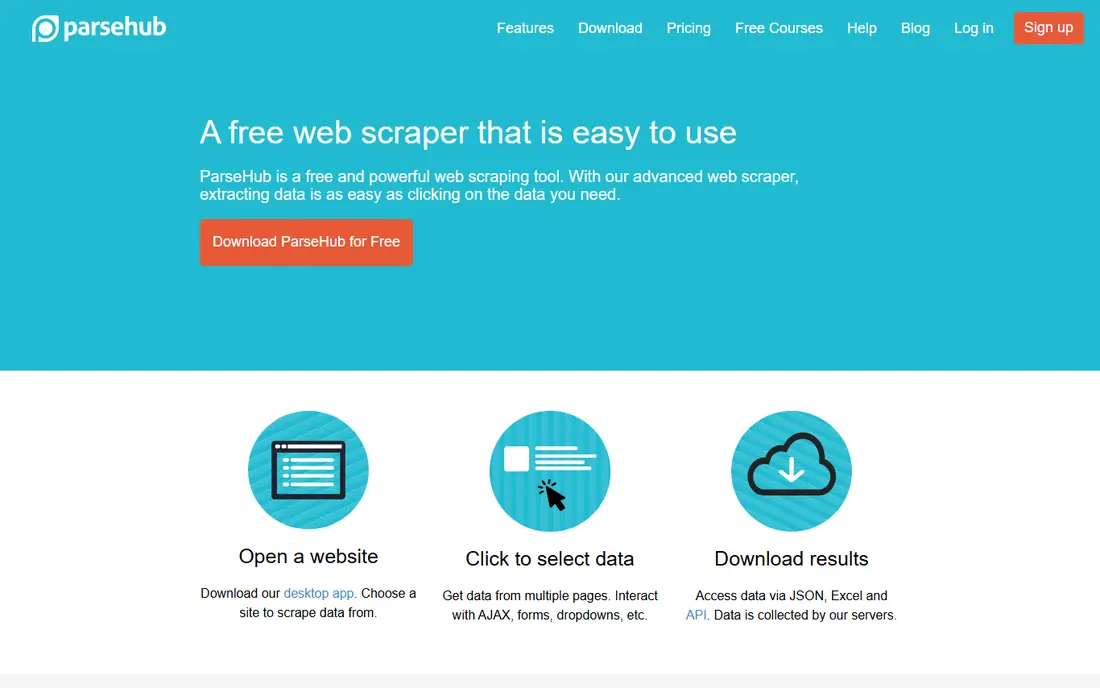
ParseHub is a desktop visual scraper that handles pages with nested lists, maps, and dynamic content better than many simple extensions. You click elements, follow links, and build a data flow without writing code. That makes it a good fit for research projects where a page has detail pages behind a list, such as directories or catalogs.
The free tier is useful for learning and small runs, but paid plans are costly compared with other beginner tools. Scheduling and larger runs sit behind those plans. Choose ParseHub when a simpler tool fails on a complex page, not as a first pick for a basic list.
- Visual builder for nested and dynamic pages
- Free tier for learning
- API and exports on paid plans
- Paid plans start at a higher monthly price
- Scheduling needs a paid plan
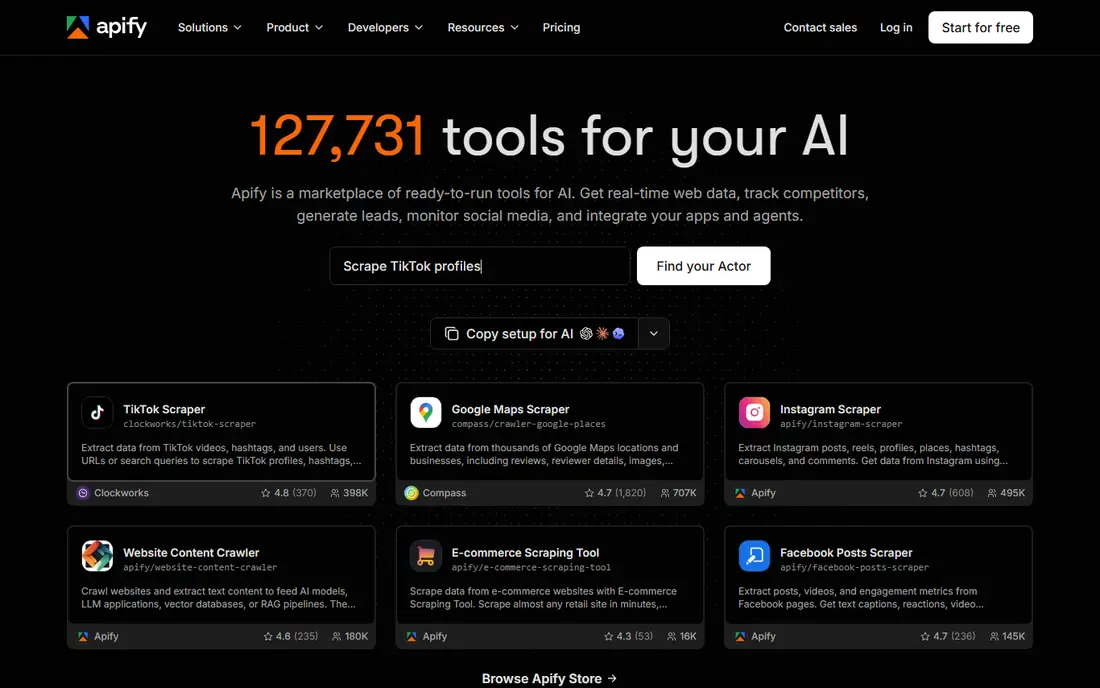
Apify is a cloud platform where ready-made programs, called Actors, collect data from known sources. A beginner can often pick an Actor for a directory, search results, or social profile, set the inputs, and schedule runs without building a scraper. Results can be exported or sent to sheets and other tools through integrations.
Billing is usage based, with a free monthly credit and paid plans that add more credit. That model is flexible, but you must watch compute, proxy, and Actor charges together. Start with the free credit, run a small test, and check the run cost before scheduling a large job.
- Large store of ready-made Actors
- Scheduling and storage built in
- Free usage credit each month
- Usage-based billing can confuse beginners
- Some Actors have their own charges
Browse AI lets you train a robot by showing it what to collect on a page, then it repeats that task on a schedule. That approach suits price monitoring, list tracking, and lead research where the same pages must be checked again and again. When a site changes its layout, you can retrain the robot rather than rewriting code.
The free plan covers a small number of robots and runs, which is enough to learn the flow. Paid plans add more robots, faster checks, and more capacity. As with all tools here, only monitor pages you are allowed to collect, and check the output for accuracy before using it in a report.
- Trains a robot by recording your clicks
- Monitors pages for changes
- Simple spreadsheet exports
- Heavy or protected pages can need paid capacity
- Robot setup still needs checking on each target
WebHarvy is desktop software for Windows users who prefer a one-time purchase to a monthly fee. You click the data on a page, set pagination and detail-page rules, and export to CSV, Excel, or a database. It suits analysts who run occasional jobs from their own computer and do not want an ongoing subscription.
The trade-off is that it is not a cloud platform, so scheduled team workflows are weaker than Apify or Octoparse cloud plans. It also runs on Windows only. If you scrape on a Windows machine and want predictable cost, WebHarvy is a solid pick.
- One-time license instead of a subscription
- Visual point-and-click setup
- Runs on Windows
- Windows only
- Cloud scheduling and team features are limited
DataMiner is a browser extension that lets you scrape the page you are viewing, or use a shared recipe for a known site. That makes it easy to start: install the extension, open a list page, and extract rows without setting up a separate app. Exports to Google Sheets and CSV keep the workflow simple for a researcher or marketer.
Free use covers basic recipes and small jobs, while paid plans add more rows, recipes, and features. Because it runs in your browser, very large jobs can be slower than a cloud tool. Use DataMiner for quick, small collections, and move to a cloud tool when volume grows.
- Works inside the browser
- Recipes for common sites
- Quick exports to sheets and CSV
- Large or complex jobs need paid plans
- Browser-based runs are tied to your machine
Axiom.ai goes beyond scraping: it can click, fill forms, and move data between web apps without code. A beginner can build a bot that opens a list, collects fields, and writes them to a sheet, then schedule it. That breadth helps when a task mixes collection with routine browser work, such as updating a sheet from a portal you are authorized to use.
The free tier covers a limited number of runs, which is enough to learn the builder. Paid plans add more run time and features. The learning curve is steeper than a single-purpose extension, so start with one simple bot and test it on a small set of pages.
- No-code browser automation
- Combines scraping with form filling and data entry
- Chrome extension
- Automation logic takes practice
- Larger runs need paid credits
Web Scraper is a Chrome extension with a sitemap approach: you define a site map of list pages and detail pages, then run it in the browser. That structure helps beginners understand how a scrape works, and it handles many common directory and catalog layouts. A cloud version adds scheduled runs and larger capacity for teams.
The extension itself is free to try, while cloud plans are paid. Beginners should expect some trial and error on sites with unusual layouts. For learning the basics of structured collection, Web Scraper is one of the clearest free starting points.
- Popular Chrome extension
- Sitemap builder for lists and detail pages
- Cloud scraping on paid plans
- Cloud features need a paid plan
- Complex sites may need manual sitemap tuning
Oxylabs AI Studio lets you describe the data you want in plain language, and it builds the extraction for you. That lowers the barrier for a beginner who knows what fields they need but does not want to learn selectors or sitemap rules. It also handles proxy and browser work behind the scenes, which helps on sites that block simple requests.
As with any AI-built extraction, you must check the output against the source pages before trusting it. Pricing is usage based, so run a small test and review the cost. For a beginner who wants a fast first result, AI Studio is worth trying alongside a visual tool.
- Describe the data in plain language
- Handles many site layouts
- Built-in proxy handling
- Newer prompt workflow still needs output checks
- Pricing depends on usage
How we picked these
We compared official pricing pages, feature pages, and documentation, and we kept only tools that a beginner can use without writing code for most tasks. We favored visual builders, templates, free tiers, and simple exports. We excluded developer-only APIs and tools that require code as the main workflow, since those do not fit a beginner list. We also framed every pick for lawful collection only.
What to check before you collect data
Start with permission and terms. Check the site's terms of use, robots file, and any API or data license, and use an official API when one is offered. Collect only the fields you need, avoid personal data you have no right to process, and do not bypass login walls, paywalls, or technical blocks to reach data you are not allowed to collect.
Next, test on a small sample. Run your scraper on a few pages, compare the output field by field, and check for missing rows, wrong prices, or duplicated records. Then think about load: keep request rates low, schedule runs at sensible times, and stop if a site blocks you. A blocked run is a signal to review permission, not to push harder.
Frequently asked questions
What is the best web scraping software for beginners?
Octoparse is our pick for most beginners, because its visual builder and templates make a first scrape easy to build. ParseHub suits complex pages, while Apify suits a beginner who wants a ready-made scraper. Try the free tier of two tools on your own target pages before paying.
What are the best web scraping tools for beginners that are free?
Octoparse, ParseHub, Apify, Browse AI, DataMiner, Axiom.ai, and Web Scraper all offer free tiers or free trials. Free tiers limit rows, runs, or robots, so they suit learning and small jobs. For regular larger jobs, a paid plan or a one-time tool such as WebHarvy may cost less over time.
Is web scraping legal?
It depends on what you collect, how you collect it, and where you operate. Public data, your own data, and data covered by a site's terms are very different from data behind a login, paywall, or technical block. This article is not legal advice. When in doubt, seek permission, use an official API, or ask a lawyer before collecting at scale.
Do I need to know code to use these tools?
No, not for the tasks in this list. Visual builders, recipes, and prompt-based tools cover most list and detail-page jobs. Code helps for very large or unusual sites, but a beginner can start with no code and learn the concepts of selectors, pagination, and exports from the tool itself.
How do I export scraped data?
Most tools here export to CSV, Excel, or Google Sheets, and many offer an API or direct integrations. Start with CSV for a first test, because it is easy to inspect. Check for encoding issues, date formats, and currency symbols before you load the data into another system.
Why does my scraper break when a site changes?
Sites change layouts, class names, and page structure, which breaks the rules a scraper was built on. Visual tools let you retrain or rebuild the task, while ready-made Actors are updated by their makers. Budget time for maintenance, and check output quality after any major site change.
Sources
See where you really rank - block by block
ProMapRanker scans Google Maps across a grid of your service area. Simple monthly plans from $19, white-label on every plan.
Start freeKeep reading
 who has best internet service
Who Has the Best Internet Service in 2026
Who has best internet service for US homes? We compare fiber, cable, fixed wireless and satellite providers on speed, price, availability and terms today.
Read → which survey tool has the best analytics
Which Survey Tool Has the Best Analytics in 2026
Find which survey tool has the best analytics in 2026, comparing Qualtrics, SurveyMonkey, Typeform, Alchemer, and more on reports, text, and stats today.
Read → which streaming service has the best movies
Which Streaming Service Has the Best Movies in 2026
Answering which streaming service has the best movies, with Netflix, Max, Criterion and more compared on libraries, prices and free options in this guide.
Read →