 ProMapRanker
Best Web Data Extraction Tools in 2026


No-code scraping without writing code · Pricing starts at: $69 per month
Key takeaways
- Octoparse and Browse AI suit non-developers, while Apify, Firecrawl, and Zyte suit teams that want an API or a custom pipeline.
- Credit and usage pricing decides the real cost, so model your pages, rows, or records before choosing a plan.
- Bright Data and Diffbot fit large scale or protected site work, but their pricing and setup are heavier than a simple scraper.
- Free tiers are useful for testing one target site, not for ongoing production, since limits and add-ons apply quickly.
- Only collect data lawfully, respect site terms and robots rules, and avoid personal data you do not have a lawful basis to hold.
Quick comparison
| Pick | Great for | Pricing starts at | Free tier | |
|---|---|---|---|---|
| Octoparse | No-code scraping without writing code | $69 per month | Yes | Visit |
 Apify | Developers using ready-made scrapers | See website | Yes | Visit |
 Firecrawl | AI and language-model data pipelines | $16 per month | Yes | Visit |
 Browse AI | Monitoring prices and lists without code | $19 per month | Yes | Visit |
 ParseHub | Visual scraping for complex pages | $189 per month | Yes | Visit |
 ScrapingBee | Simple scraping API for developers | $49 per month | Free trial | Visit |
 Bright Data | Large-scale collection on protected sites | See website | Free trial | Visit |
 Diffbot | Structured data from any page by AI | See website | Free trial | Visit |
 Zyte | Pay-per-success extraction at scale | See website | Free trial | Visit |
The best web data extraction tools
Web data extraction tools pull structured records from web pages, such as prices, listings, job posts, or product details, and turn them into tables or feeds you can use. The best software for web data extraction depends on skill level: a visual builder for analysts, an API for developers, or a managed platform for large jobs. We kept only tools that are still sold and supported in October 2026, and we note where pricing is usage based rather than a flat fee.
Octoparse remains the first tool many non-developers try, because you build a task by clicking the data you want on a page instead of writing selectors. It handles pagination, login flows, and scheduled cloud runs, and it ships with templates for common sites such as job boards and shopping pages. The free tier, with local runs and a monthly row limit, is enough to learn the tool and to run small, occasional jobs.
The cost story needs care. The Standard plan is listed at $69 per month on annual billing, but proxies and other add-ons are billed separately, so a job on a protected site can cost more than the subscription suggests. Octoparse also runs as desktop software with a cloud option, which suits analysts who want control, but it is not the cheapest path for a developer who only needs an API. Test your hardest target site on the free tier first, and price the add-ons before you promise a budget.
- Point-and-click task builder
- Cloud scheduling and templates
- Local free tier for learning
- Add-ons for proxies raise costs
- Complex sites still need patience to configure
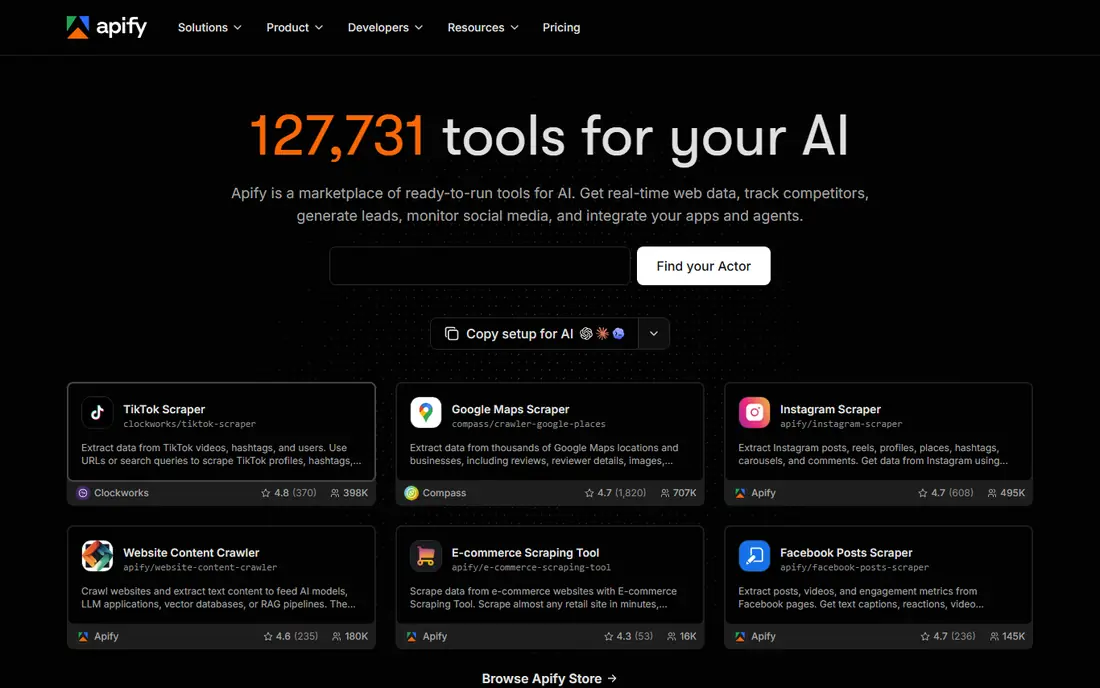
Apify calls itself a marketplace of ready-to-run tools for the web, and its Store lists tens of thousands of ready-made scrapers called Actors. For many sites, someone has already built and published an actor, so you fill in the input, run it, and get structured output. Developers can also deploy their own code on the platform, schedule runs, rotate IPs through Apify Proxy, and connect results to other tools.
The free plan includes a small monthly usage allowance, and paid plans start with a low monthly fee plus pay-as-you-go use, so the total depends on the actors and volume you run. Actor quality varies, since many come from independent creators, so check recent runs and reviews for the actor you plan to use. Apify is the strongest pick when you want a ready-made scraper for a specific target plus a place to run custom code.
- Large marketplace of ready-made scrapers
- Hosted runtime for custom code
- Scheduled runs and API access
- Actor quality and cost vary
- Pricing combines platform use and actor charges
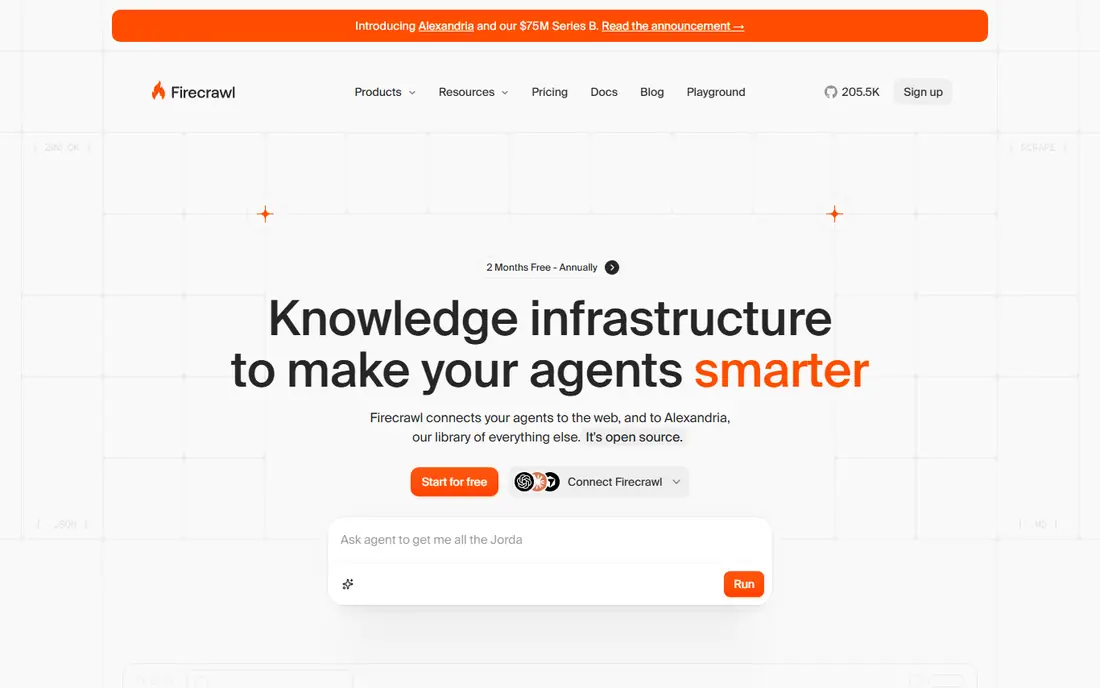
Firecrawl turns pages into clean Markdown or structured JSON that language models and search tools can use without extra parsing. It offers scrape, crawl, map, and search endpoints, so a developer can fetch one page, walk a whole site, or find pages that match a query. That focus on AI ready output is why many teams use it as the web layer for assistants, research tools, and retrieval pipelines.
Pricing is credit based, with a free monthly allowance and a Hobby plan at $16 per month on annual billing. Basic scrapes cost fewer credits than structured extraction, so model your output format, not just your page count. Firecrawl is less suited to a non-developer who wants a visual builder, and it may not solve the hardest protected sites on its own. For AI pipelines, though, it is one of the cleanest options here.
- Clean Markdown or JSON output for AI tools
- Crawl, map, and search APIs
- Generous free credit allowance
- API-first, so non-developers get less guidance
- Protected sites may still need other tools
Browse AI lets you train a robot by clicking the data you want, then it watches the page and alerts you when values change. That monitoring angle makes it a natural fit for price tracking, listing checks, and competitor pages that update often. Robots can run on a schedule, export to sheets and other tools, and handle basic pagination without code.
The free plan includes a small monthly credit allowance and a limited number of domains, while the Personal plan is $19 per month on annual billing. Credits are based on pages or rows, whichever costs more, so a long list page can use credits faster than expected. Browse AI is best for a small set of pages that you need to watch closely, not for crawling thousands of pages at once.
- Point-and-click robots
- Change monitoring and alerts
- No code needed
- Credits burn fast on large pages
- Website caps need modelling
ParseHub is a visual scraper that handles complex, interactive sites with clicks, forms, and dynamic content. You select data in a desktop app, build a workflow with logic for pages that change as you interact, and run it locally or in the cloud on paid plans. That control helps when a target site needs several steps before the data appears.
The free tier covers a limited number of public projects and pages per run, which is enough to test a workflow. The paid Standard plan is $189 per month, which is high compared with Octoparse or Browse AI, and scheduling plus IP rotation are paid features. ParseHub earns its place for analysts with a tricky site and a budget for it, but most simple jobs will be cheaper elsewhere.
- Visual builder for complex and interactive pages
- Handles JavaScript sites
- Desktop app with cloud runs
- Paid plan is costly
- Scheduling and IP rotation sit on paid tiers
ScrapingBee is an API-first tool: send a URL, and it returns HTML or JSON while handling proxies, headless browsers, and access checks for you. That simplicity suits a developer who already owns the parsing code and only wants reliable fetching. You can turn on JavaScript rendering, choose proxy options, and set the output format through API parameters.
Pricing starts at $49 per month on the Freelance plan, with a free trial credit allowance rather than a recurring free tier. Rendering and premium proxies use extra credits, so a JavaScript heavy job costs more than a plain HTML fetch. ScrapingBee is a good middle ground between writing your own fetcher and buying a full enterprise platform, especially for small to mid-size developer jobs.
- Simple request API
- Rendering and proxy handling built in
- Predictable credit model for basic jobs
- No visual builder
- Rendering and premium proxies cost extra credits
Bright Data combines a large proxy network with web scraper APIs, unblocking tools, and ready-made datasets for large data teams. It offers hundreds of pre-built scrapers, and its Scraper API is priced per thousand records, while residential proxies are priced per gigabyte. That scale suits price monitoring, market research, and data products that need many pages from many sites.
The downside is complexity and cost. Bright Data has several products with separate pricing, and a small job can be cheaper on Apify or Firecrawl. There is a free tier for some products and a trial for others, so confirm which product your quote covers. Choose Bright Data when volume, coverage, and access handling matter more than a simple monthly fee.
- Very large proxy network
- Many pre-built scrapers
- Enterprise scale and datasets
- Complex product and pricing surfaces
- Costly for small jobs
Diffbot uses AI to turn a page into structured data without a site-specific template. Its extraction API can pull article, product, image, and discussion fields from many pages, and its knowledge graph links entities such as companies and people. That general approach helps when you need data from a wide range of sites, not just one well known target.
Pricing is quoted and usage based, with a free trial for evaluation. Diffbot is not a visual builder for beginners, and its value shows most in developer pipelines that need consistent fields across varied pages. If your job is one site with a stable layout, a visual tool may be cheaper. If your job is many sites with varied layouts, Diffbot is worth a trial.
- AI extraction into structured fields
- Knowledge graph for entities
- API for articles, products, and discussions
- Pricing is quoted
- Less suited to simple no-code users
Zyte offers one API that handles fetching, rendering, and access handling, and it charges only for successful responses. Pricing varies by site difficulty and by HTTP or browser mode, with a small trial credit for evaluation. That pay-per-success model helps engineering teams predict cost for large crawls, since failed requests do not carry the same charge as a successful extraction.
Zyte suits teams that already run their own crawlers or data pipelines and want access handling without managing proxies themselves. It is not a no-code tool, and site difficulty can change the unit price, so test your hardest targets early. For large, developer owned collection where reliability matters, Zyte is a strong, if less simple, choice.
- One API with ban handling
- Billed per successful response
- Strong for engineering teams
- No visual builder
- Pricing varies by site difficulty and browser mode
How we picked these
We compared vendor pricing pages, API documentation, and recent web scraping comparisons from October 2026, and we kept only tools that are still sold and that produce structured web data. We favoured a mix of visual builders, APIs, and enterprise platforms, and we noted where pricing is usage based. We did not claim hands-on testing, and we listed pricing as See website where the vendor does not publish a simple starting price.
What to check before you buy
Start with the target site, not the tool. Test extraction on your hardest page, including pagination, login, and dynamic content, before you commit to a plan. Then model cost in the vendor's billing unit, whether that is pages, rows, records, credits, or successful responses, using your real monthly volume.
Check the legal side with the same care. Read the site terms, respect robots rules, and collect only data you have a lawful basis to use, especially when personal data is involved. Confirm export formats, scheduling, and how failed runs are reported, since a silent failure can leave a dataset stale. Finally, start small, watch the first production runs, and scale only when the output quality and cost are both stable.
Frequently asked questions
What is the best software for web data extraction if I cannot code?
Octoparse and Browse AI are the best starting points, since both let you select data by clicking and schedule runs without code. Octoparse suits larger visual jobs, while Browse AI suits monitoring a small set of pages for changes.
How much do web data extraction tools cost?
Prices range from free tiers with small limits to hundreds of dollars per month for large jobs, and many tools add usage charges on top of a subscription. Model your pages, rows, or records first, since credit pricing can make a low monthly fee misleading.
Is web scraping legal?
It depends on the site, the data, and the law that applies, so treat it as a legal question for your specific use. Respect site terms and robots rules, avoid personal data you do not have a basis to hold, and get legal advice before collecting at scale.
What is the difference between a scraper and an extraction API?
A visual scraper lets you build a workflow by clicking, while an extraction API lets your code send a URL and receive structured data. APIs suit developers and AI pipelines, while visual tools suit analysts who want to see and adjust the workflow.
Can these tools handle JavaScript heavy sites?
Many can, through browser rendering or a visual workflow, but success varies by site and by plan. Test your target site on a free tier or trial, and check whether rendering or premium proxies add extra credits.
Which tool is best for feeding data to an AI application?
Firecrawl is a strong pick for AI pipelines because it returns clean Markdown or JSON and offers crawl, map, and search APIs. Apify and Diffbot also suit AI work when you need ready-made scrapers or structured fields across many sites.
Sources
- https://www.octoparse.com
- https://www.apify.com
- https://www.firecrawl.dev
- https://www.browse.ai
- https://www.parsehub.com
- https://www.scrapingbee.com
- https://www.brightdata.com
- https://www.diffbot.com
- https://www.zyte.com
- https://anysite.io/blog/apify-alternatives/
- https://omidsaffari.com/blog/best-web-scraping-tools
See where you really rank - block by block
ProMapRanker scans Google Maps across a grid of your service area. Simple monthly plans from $19, white-label on every plan.
Start freeKeep reading
 who has best internet service
Who Has the Best Internet Service in 2026
Who has best internet service for US homes? We compare fiber, cable, fixed wireless and satellite providers on speed, price, availability and terms today.
Read → which survey tool has the best analytics
Which Survey Tool Has the Best Analytics in 2026
Find which survey tool has the best analytics in 2026, comparing Qualtrics, SurveyMonkey, Typeform, Alchemer, and more on reports, text, and stats today.
Read → which streaming service has the best movies
Which Streaming Service Has the Best Movies in 2026
Answering which streaming service has the best movies, with Netflix, Max, Criterion and more compared on libraries, prices and free options in this guide.
Read →