 ProMapRanker
Best Weather Alert App in 2026

Key takeaways
- WeatherBug and The Weather Channel are strong for fast severe weather alerts, while MyRadar is best for quick radar checks.
- AccuWeather adds minute-by-minute rain timing, which helps with short trips and outdoor plans.
- Windy suits users who want model maps and wind detail, but it is less simple than a daily forecast app.
- No app replaces official warnings in a severe weather emergency. Follow local emergency guidance and official alerts when safety is at stake.
Quick comparison
| Pick | Great for | Pricing starts at | Free tier | |
|---|---|---|---|---|
 AccuWeather | Rain timing and daily forecasts | Free | Yes | Visit |
 The Weather Channel | Everyday alerts and radar | Free | Yes | Visit |
 WeatherBug | Storm and lightning alerts | Free | Yes | Visit |
 MyRadar | Fast radar checks | Free | Yes | Visit |
 Windy | Model maps and wind detail | Free | Yes | Visit |
 Weather Underground | Local station data | Free | Yes | Visit |
 CARROT Weather | Custom alerts with personality | Free | Yes | Visit |
 Storm Shield | Dedicated severe alerts | Free | Yes | Visit |
 Weather and Radar | Free radar and rain alerts | Free | Yes | Visit |
The best weather alert apps
We compared official feature pages, pricing pages and app store listings for weather apps with alert features live in October 2026. We kept apps that send push alerts for severe weather, rain or lightning, and we favored a mix of everyday forecast apps, radar apps and dedicated alert apps. No app replaces official warnings in a severe weather emergency.
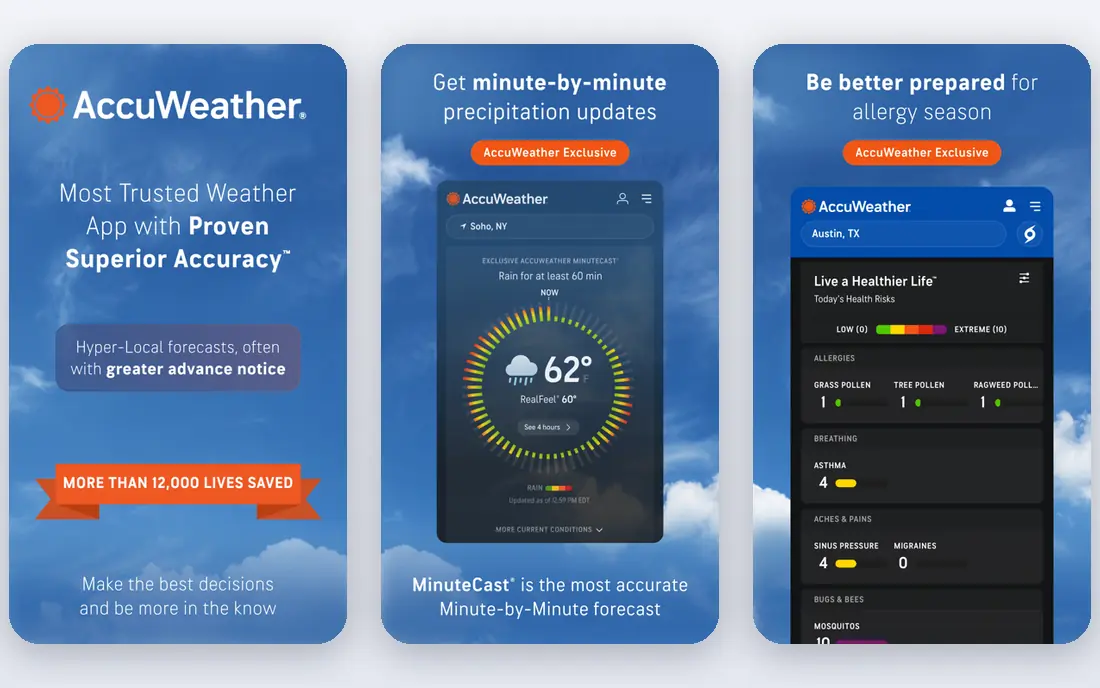
AccuWeather is a strong everyday pick because it combines forecasts, radar and alerts in one app. Its MinuteCast feature gives minute-by-minute rain timing for the next few hours, which helps you decide if a walk, drive or outdoor job can wait. Severe weather alerts, hourly forecasts and health outlooks add useful context in one place.
The free tier includes ads, and removing them requires a paid plan. MinuteCast accuracy can also vary in rural areas where station coverage is thinner. Use AccuWeather as your daily app, and keep a radar app handy when a storm is actually approaching.
- MinuteCast rain timing
- Severe weather alerts
- Health outlooks for allergy and air quality
- Ads in the free tier
- Some advanced features sit behind a paid plan
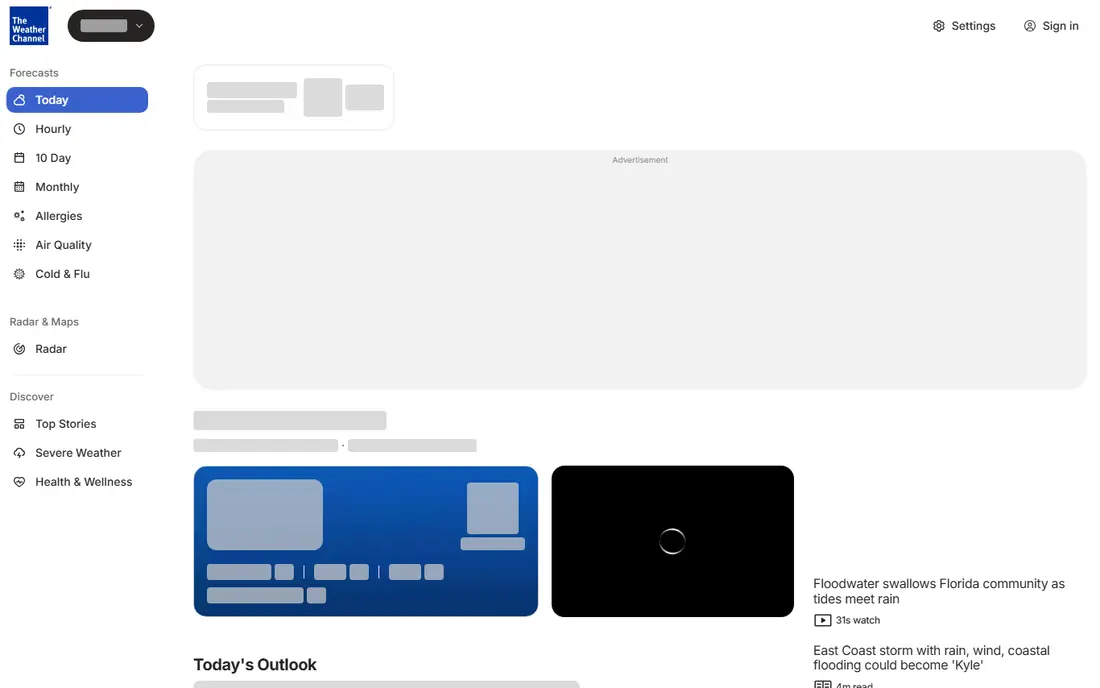
The Weather Channel app is a reliable all-rounder for US users. It sends severe weather alerts, shows radar, and adds video forecasts and news that help you understand a developing storm. Its broad coverage makes it a safe default if you only want one weather app installed.
The app can feel busy, with news and video mixed into forecasts. If you want a quiet radar-only check, MyRadar will feel cleaner. For most households, though, The Weather Channel covers daily forecasts and alerts well enough that a second app is optional.
- Severe weather alerts
- Radar and video forecasts
- Broad US coverage
- Ads in the free tier
- App can feel busy with news and video content
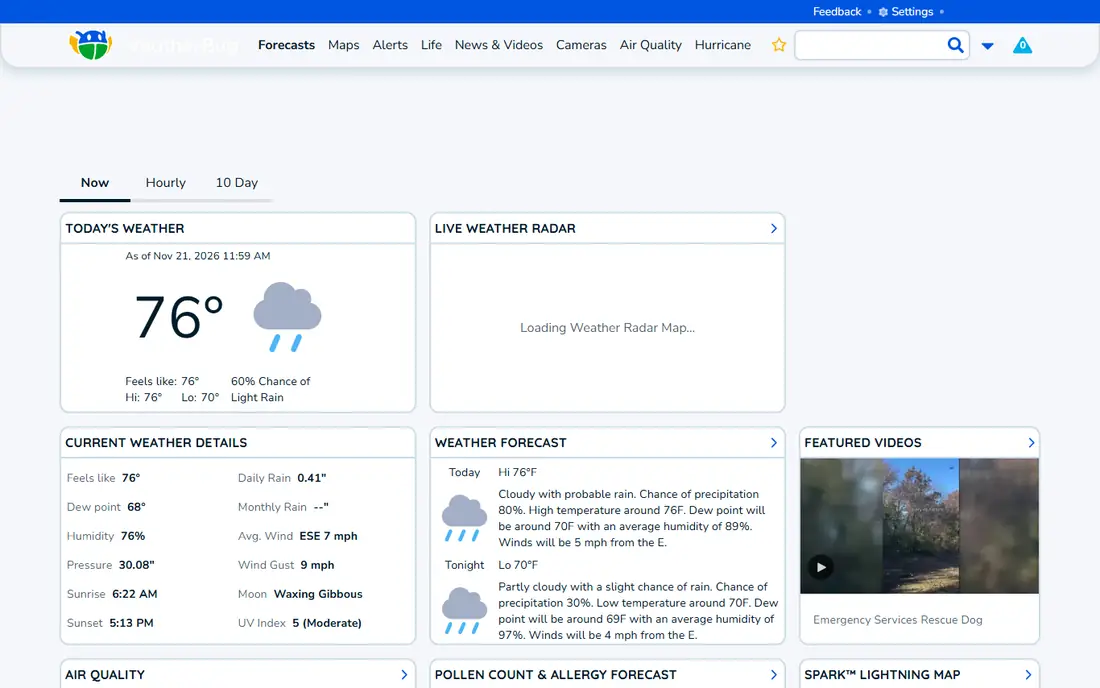
WeatherBug earns its place for safety-focused users. Its lightning detection and storm alerts are fast, and its network of personal weather stations adds hyperlocal detail that national forecasts can miss. Air quality, pollen and traffic weather impacts are useful extras for daily planning.
Ads are the main annoyance in the free tier, and the interface is less polished than some rivals. Those limits matter less when a storm is near, since alert speed and lightning data are the features that count. Keep location permissions on for the places you care about, so alerts reach you in time.
- Fast severe weather and lightning alerts
- Live radar
- Hyperlocal station data
- Ads in the free tier
- Interface can feel dated in places
MyRadar is the app to open when you want to see a storm, not just read about it. Radar loads quickly, layers cover wind, fronts, wildfire and hurricane tracking, and rain alerts can warn you up to an hour before rain reaches your location. That speed makes it ideal for checking if a storm is moving toward you.
It is not a full daily forecast app, so you will still want a forecast service for temperature, hourly detail and multi-day planning. Use MyRadar as your radar companion: check it when alerts fire, when rain is near, or when you need to see storm movement at a glance.
- Very fast radar loading
- Many data layers
- Rain alerts up to an hour ahead
- Mainly a radar app, not a full forecast app
- Some advanced features are paid
Windy suits users who want to see the models behind a forecast. You can compare model outputs, view wind at different heights, and check rain, waves and temperature on detailed maps. That depth helps sailors, pilots, hikers and outdoor workers who need more than a simple icon forecast.
Casual users may find Windy overwhelming at first. Start with one model and one layer, such as rain, and ignore the rest until you are comfortable. Windy is best as a second app for detail, paired with a simpler alert app for push warnings.
- Multiple weather models
- Detailed wind, wave and rain maps
- Global coverage
- Steeper learning curve
- Less simple for casual daily forecasts
Weather Underground draws on a large network of personal weather stations, which can give more local detail than a single national forecast. That local data helps when microclimates matter, such as in hilly areas or near large bodies of water. Its maps and forecasts cover daily planning as well as storm tracking.
The app experience is less consistent than AccuWeather or The Weather Channel, and some features require a paid plan. Use Weather Underground when local station data matters to you, and keep a dedicated alert app for severe warnings.
- Local personal station data
- Detailed maps and forecasts
- Long history in weather data
- App experience varies by device
- Some features sit behind a paid plan
CARROT Weather stands out for customization. You can set alerts for rain, snow, lightning and other conditions, choose how much detail you want, and adjust the tone of its messages. Its radar, forecasts and widget support make it a capable daily app, not just a novelty.
The personality is a matter of taste. Some users enjoy it, while others prefer a plain forecast. Advanced features and full customization sit behind a paid plan, so test the free tier first to see if the alert style fits your household.
- Highly custom alerts
- Radar and forecasts
- Apple Watch and widget support
- Personality and humor are not for everyone
- Advanced features require a paid plan
Storm Shield is built for one job: warning you about severe weather near you. It sends location-based alerts for storms, floods and other severe conditions, with voice alerts that can wake or warn you when you are not looking at your phone. That focus makes it a good second app for households in storm-prone areas.
It does not replace a full forecast app, since its daily forecasts and radar are more limited. Use Storm Shield alongside a daily app, and make sure location permissions and notification settings allow alerts to reach you even when the phone is locked.
- Dedicated severe weather alerts
- Location-based warnings
- Voice alerts
- Narrower focus than full forecast apps
- Needs location access to work best
Weather and Radar gives a large amount of free radar, which is why many users keep it as a backup app. Its maps are clean, rain alerts are useful for outdoor plans, and the free tier covers the core radar checks most people need. That makes it a good choice if you want radar without paying.
Forecast depth is less than AccuWeather or The Weather Channel, and ads appear in the free tier. Use Weather and Radar for quick radar checks and rain alerts, and keep a full forecast app for multi-day planning and severe warnings.
- Strong free radar
- Rain alerts
- Clean map views
- Paid plan removes ads and adds features
- Forecast depth is less than larger rivals
How we picked these
We compared official feature pages, pricing pages and app store listings for weather apps with alert features live in October 2026. We kept apps that send push alerts for severe weather, rain or lightning, and we favored a mix of everyday forecast apps, radar apps and dedicated alert apps. We left out apps that only show forecasts without alerts, and apps that had closed or stopped offering alert features.
How to set alerts so they actually protect you
Turn on alerts for every place that matters, not just your home. Add work, school, a relative home and any travel route you use often, since a storm can affect family even when it misses you. Check that notifications are allowed, that battery settings do not silence the app, and that voice alerts are on if the app offers them.
Use two apps for severe weather, not one. A forecast app gives context, while a radar or dedicated alert app gives speed and location detail. When an alert fires, check radar to see movement, then follow local emergency guidance. Do not rely on a single app, a social media post or a forecast icon alone when safety is at stake.
Remember the limit of every app on this list. No app replaces official warnings in a severe weather emergency. Official alerts, local emergency services and broadcast warnings remain the authority when a tornado, flood or other severe event threatens. If you are told to shelter or evacuate, follow that guidance first and check apps second.
Frequently asked questions
What is the best weather alert app for severe storms?
WeatherBug and Storm Shield are strong for fast severe alerts, with lightning and location-based warnings. The Weather Channel is a strong everyday choice with alerts plus forecasts and radar. For storm-prone areas, use one forecast app plus one dedicated alert app.
Do weather apps replace official warnings?
No. No app replaces official warnings in a severe weather emergency. Apps can alert you quickly and show radar, but official warnings and local emergency guidance are the authority for shelter, evacuation and safety decisions.
Which app is best for rain alerts?
AccuWeather MinuteCast gives minute-by-minute rain timing for the next few hours, which helps with short trips. MyRadar and Weather and Radar also give useful rain alerts with radar views. Test one app on your daily route to see which timing fits your area best.
Why do two apps show different forecasts?
Apps use different models, data sources and update times, and local terrain can affect accuracy. No app is perfect everywhere. When weather could affect travel or safety, compare two apps and check official forecasts as well.
Can I get weather alerts without paying?
Yes. All apps on this list offer a free tier with alerts, though ads and some advanced features sit behind paid plans. Free alerts cover severe weather, rain and lightning in most cases. Paid plans mainly remove ads or add advanced radar and customization.
Sources
See where you really rank - block by block
ProMapRanker scans Google Maps across a grid of your service area. Simple monthly plans from $19, white-label on every plan.
Start freeKeep reading
 who has best internet service
Who Has the Best Internet Service in 2026
Who has best internet service for US homes? We compare fiber, cable, fixed wireless and satellite providers on speed, price, availability and terms today.
Read → which survey tool has the best analytics
Which Survey Tool Has the Best Analytics in 2026
Find which survey tool has the best analytics in 2026, comparing Qualtrics, SurveyMonkey, Typeform, Alchemer, and more on reports, text, and stats today.
Read → which streaming service has the best movies
Which Streaming Service Has the Best Movies in 2026
Answering which streaming service has the best movies, with Netflix, Max, Criterion and more compared on libraries, prices and free options in this guide.
Read →