 ProMapRanker
Best Water Tracker App in 2026

Key takeaways
- WaterMinder is the strongest all-around pick for fast logging, custom reminders, and clear history.
- Waterllama suits people who like a playful design and watch logging.
- Plant Nanny helps visual users who stay motivated by growing a virtual plant.
- Hydro Coach and Aqualert are good low-cost options for Android users who want simple tracking.
- Most apps here are free to start, with paid plans adding deeper stats or more reminder controls.
Quick comparison
| Pick | Great for | Pricing starts at | Free tier | |
|---|---|---|---|---|
 WaterMinder | Fast logging and reminders | Free | Yes | Visit |
 Waterllama | Playful tracking and watch use | Free | Yes | Visit |
 Plant Nanny | Gamified plant growing | Free | Yes | Visit |
 Hydro Coach | Simple Android tracking | Free | Yes | Visit |
 Aqualert | Flexible reminders and stats | Free | Yes | Visit |
 My Water | Minimal daily logging | Free | Yes | Visit |
 Water Drink Reminder | Simple Android reminders | Free | Yes | Visit |
 Water Reminder Daily Tracker | iPhone reminders and tracking | Free | Yes | Visit |
 Apple Health | Built-in iPhone tracking | Free | Yes | Visit |
The best water tracker apps
A water tracker only helps if logging takes seconds. The apps below range from one-tap counters to playful games, and all of them send reminders so you do not have to remember on your own. We compared official app pages, feature lists, and app store listings for apps live in October 2026, and we note where pricing varies by store.
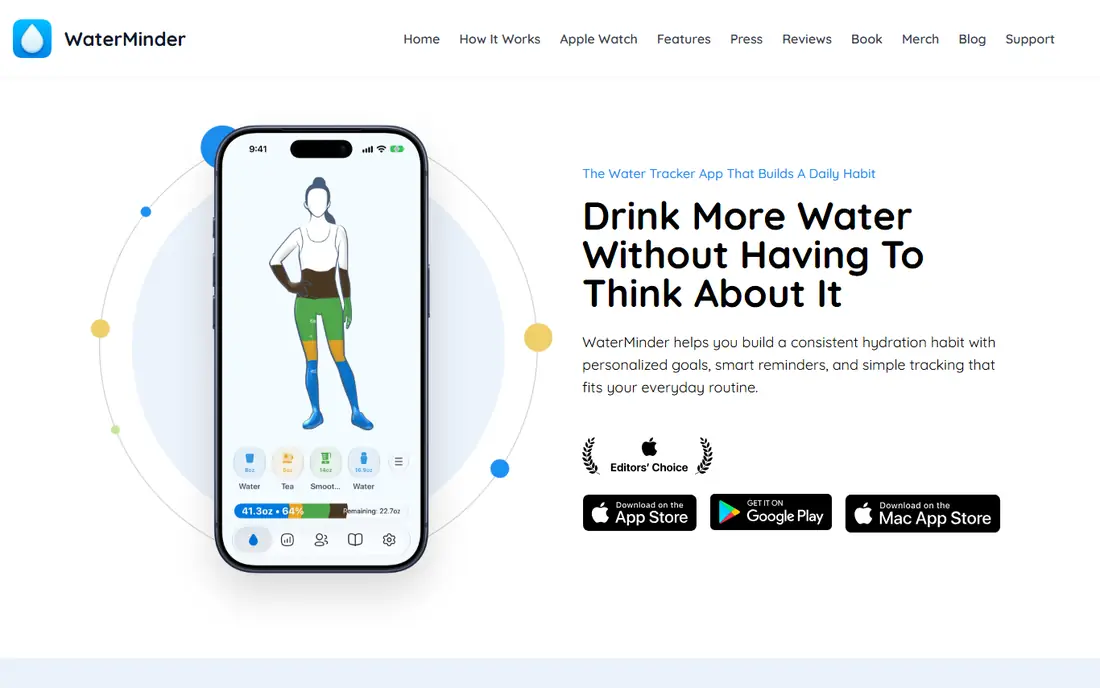
WaterMinder is our pick for most people because logging is fast. Tap a preset drink size from a widget, lock screen, or watch, and the daily ring fills without opening a full app. Reminders can be set around your schedule, and the daily goal adjusts from your weight, with manual changes if the default feels too high or too low.
The core app is free, with Premium adding deeper statistics and finer reminder controls, with monthly and yearly prices that vary by store, so check the current plan before upgrading. The main drawback is that the richest history views need that paid tier. If you want a tracker that stays out of the way and still shows a clear trend, start here.
- One-tap logging from widgets and watch
- Custom reminders
- Weight-based daily goal
- Deepest stats sit behind Premium
- Most polished on Apple devices
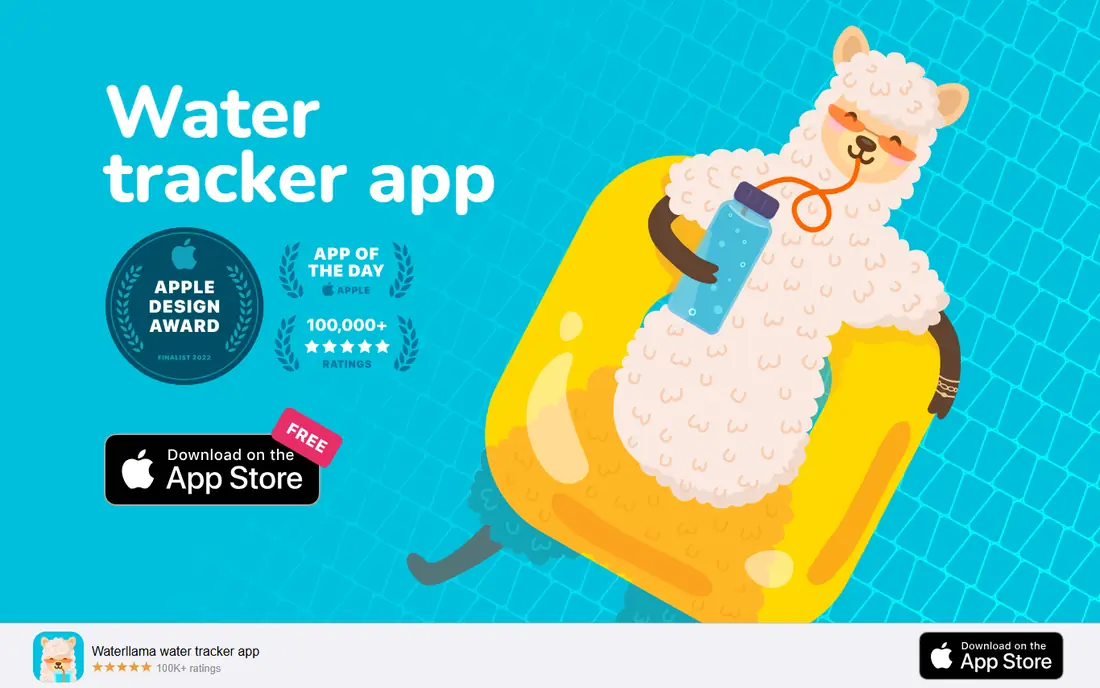
Waterllama pairs water tracking with a light, friendly design. A llama character grows as you meet goals, streaks reward consistency, and challenges give a reason to keep going on busy days. Logging from an Apple Watch is quick, and the app syncs with Apple Health so steps and activity can sit beside intake data.
The app is free to start, with a Pro subscription that adds more features, with prices that vary by store listing, so confirm the current offer in the app. The playful look is a strength for some users and a distraction for others, especially at work. If plain charts bore you and a little character helps you remember, Waterllama is a strong second choice.
- Friendly design
- Streaks and challenges
- Apple Watch logging
- Playful style is not for everyone
- Some features need Pro
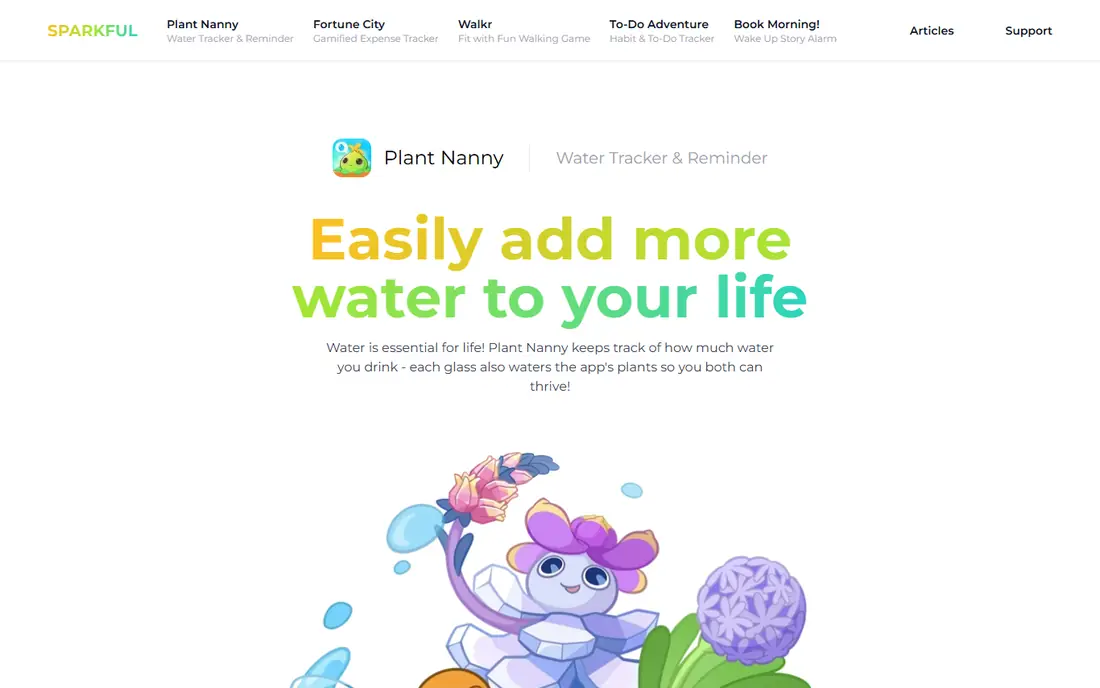
Plant Nanny turns each glass of water into care for a virtual plant. Drink on schedule, and the plant grows; miss drinks, and it droops. That simple cause-and-effect loop works well for visual users and families, and challenges let friends grow plants side by side. The daily schedule is easy to set, with reminders timed around waking and bedtime hours.
The app is free with ads and in-app purchases, and a subscription adds more plants and features, with prices that vary by store. The game layer is the trade-off: if you just want a counter, growing a plant can feel like overhead. If reminders alone have never worked for you, the plant may be the nudge that finally sticks.
- Plants grow as you drink
- Social sharing and challenges
- Clear daily schedule
- Game layer can feel like extra work
- Some plants and features need payment
Hydro Coach is a straightforward Android tracker with a clear goal system. It calculates a daily target from your weight and activity, lets you log common drink sizes in a tap or two, and shows stats that reveal patterns across days and weeks. A gradual progression option raises the goal slowly, which suits people who want to build the habit rather than hit a high target on day one.
The app is free with ads, and a Pro upgrade removes ads and adds more features, with a one-time or yearly price depending on the store listing. The main limit is platform: Hydro Coach is primarily an Android app, so iPhone users should look at WaterMinder or Waterllama instead. For Android users who want simple, data-led tracking, it is a solid pick.
- Clear goal calculation
- Detailed stats
- Gradual goal progression
- Android focus
- Free version includes ads
Aqualert focuses on reminders you can shape around real life. Set custom reminder times, use bedtime mode to pause alerts at night, and log drinks from a simple home screen. Trend charts show intake across days, and the app supports different drink types and container sizes, so a coffee or a large bottle does not have to be forced into a single glass size.
The app is free, with a Premium upgrade for extra features, with prices that vary by store. The design is plainer than WaterMinder or Waterllama, and that may matter if you open the app many times a day. If flexible reminders matter more than looks, Aqualert is a practical and low-cost choice.
- Flexible reminder schedules
- Bedtime mode
- Trend charts
- Interface looks older than rivals
- Some features need Premium
My Water is for people who want a calm tracker without games or clutter. The daily view shows a simple goal ring, logging takes a tap, and calendar views make it easy to check past days. It syncs with health platforms on supported devices, and reminders can be set without a long setup process. That restraint is the appeal: nothing competes with the one job of logging water.
The app is free, with a Premium subscription for deeper features, with prices that vary by store. It will not motivate through plants, characters, or challenges, so self-driven users will like it most. If you have tried playful trackers and abandoned them, a minimal app such as My Water may last longer.
- Minimal design
- Calendar views
- Quick logging
- Fewer playful features
- Premium needed for deeper history
Water Drink Reminder from Leap Fitness Group is a simple Android option for people who mainly need a nudge. Set a daily goal and reminder interval, log drinks as you go, and check a basic history view. There is no game layer, no social feed, and little to learn, which makes it easy to start on a busy day.
The app is free with ads and in-app purchases. Analytics are basic compared with WaterMinder or Hydro Coach, and the design is functional rather than polished. If your main problem is forgetting to drink, rather than analyzing intake, this app solves that problem with the least friction.
- Simple reminder setup
- Drink history
- No complex setup
- Ads in the free version
- Fewer analytics than WaterMinder
Water Reminder Daily Tracker, from VGFIT, is an iPhone-focused tracker built around reminders and simple daily goals. You set a target, choose reminder times, and log drinks from the phone or watch. The history view shows whether you met the goal across the week, which helps you spot days when intake drops, such as travel days or long meeting days.
The app is free, with a Premium subscription for extra features, with prices that vary by store. It lacks the large community and character features of bigger rivals, but that simplicity suits users who want reminders without extras. If you use an iPhone and want a dedicated reminder app, it is worth trying beside WaterMinder.
- Clear reminder controls
- Daily tracking on iPhone and watch
- Goal adjustment
- Some features need Premium
- Less known than larger rivals
Apple Health is the free baseline every iPhone owner already has. It records water intake when you log it or when another app writes data to it, and it keeps that data beside steps, sleep, and other health measures. There is no extra download, no subscription, and no new account to manage, which makes it a good backup even if you use another tracker.
The limits are real: Apple Health does not send water reminders or set a daily water goal on its own, and manual logging is easy to forget. Use it alone only if you already log reliably, or use it as the hub that collects data from WaterMinder, Waterllama, or Plant Nanny. For Android users, the closest free baseline is the health app built into your phone or watch platform.
- Already on every iPhone
- No extra account
- Syncs with many health apps
- No reminders or goals by default
- Manual logging is easy to forget
How we picked these
We compared official app pages, feature lists, and app store listings for water tracker apps live in October 2026. We kept apps that log water intake, send reminders, and set or adjust a daily goal, and we covered a range of styles from minimal counters to playful games. We left out smart bottle hardware on its own, since this article covers apps, and we used store-based pricing where a vendor price could not be confirmed.
How to choose a water tracker that you will keep using
Start with logging speed. If logging takes more than a few seconds, you will stop on busy days, so favor widgets, watch logging, and preset drink sizes. WaterMinder and Waterllama are strong here, while Apple Health alone is slower because it needs manual entry or another app feeding it data.
Next, match the motivation style to your habits. Playful apps such as Plant Nanny and Waterllama help if reminders alone have failed. Minimal apps such as My Water and Hydro Coach suit people who find games distracting. Set reminders around your real schedule, not every hour: a reminder during a meeting or commute is easy to dismiss and teaches you to ignore the next one.
Finally, treat the daily goal as a starting point, not a medical target. Goals in these apps are estimates from weight and activity, and needs vary with weather, exercise, and health conditions. This article is general information only and is not medical advice. If you have a condition that affects fluid intake, talk with a clinician about a suitable target before following an app goal closely.
Frequently asked questions
What is the best water reminder app?
WaterMinder is the best all-around water reminder app for fast logging and custom reminders. Waterllama suits playful users, and Plant Nanny suits visual users who like growing a plant. Try the free version of two apps for a week and keep the one whose reminders you actually follow.
What is the best water drinking app?
The best water drinking app depends on style: WaterMinder for speed, Waterllama for fun, Hydro Coach for simple Android tracking, and My Water for minimal design. All of them log intake and send reminders, so pick the interface you enjoy opening each day.
What is the best water tracking app for iPhone?
WaterMinder and Waterllama are both strong on iPhone, with watch logging and Apple Health sync. Plant Nanny also works well on iPhone for gamified tracking. Apple Health alone works as a free hub, but it does not send reminders on its own.
Are water tracker apps free?
Most apps on this list are free to start, with paid plans for deeper stats, more reminder controls, or extra content. WaterMinder, Waterllama, Plant Nanny, Hydro Coach, and Aqualert all have free versions. Check the store price before upgrading, since prices vary by region.
Do water apps work without a smart bottle?
Yes, all the apps here work by manual logging from your phone or watch, with preset drink sizes for speed. Some apps can also sync with smart bottles, but a bottle is not required. A regular bottle with markings can make manual logging more accurate.
Sources
See where you really rank - block by block
ProMapRanker scans Google Maps across a grid of your service area. Simple monthly plans from $19, white-label on every plan.
Start freeKeep reading
 bitly alternatives
Bitly Alternatives in 2026: 8 Tools Compared
Compare the best Bitly alternatives for branded short links, with free tiers, custom domains, analytics, and pricing that suits creators and small teams.
Read → bill.com alternatives
Best Bill.com Alternatives in 2026
Looking for bill.com alternatives? We compared 9 bill pay and AP automation tools on price, approvals, and accounting sync to help you switch with confidence.
Read → betterhelp alternatives
BetterHelp Alternatives in 2026
We compared BetterHelp alternatives for online therapy, covering Talkspace, Grow Therapy, Rula, Brightside and more on price, insurance and format in 2026.
Read →