 ProMapRanker
Best Video Chat App With Strangers in 2026

Key takeaways
- OmeTV and Chatroulette are the closest to the classic one-tap format, and both are free to start.
- Emerald Chat and Camsurf put more weight on moderation tools, reporting, and blocking than most rivals.
- Azar and Monkey are app-first, so they suit phone users who want short, fast matches.
- No stranger chat service is fully safe by default, so keep personal details private and end any chat that feels wrong.
Quick comparison
| Pick | Great for | Pricing starts at | Free tier | |
|---|---|---|---|---|
 OmeTV | classic free random video chat | Free | Yes | Visit |
 Chatroulette | simple browser-based roulette | Free | Yes | Visit |
 Emerald Chat | interest matching with stronger moderation | Free | Yes | Visit |
 Monkey | fast short matches on a phone | Free | Yes | Visit |
 Chatspin | filters, masks, and a polished interface | Free | Yes | Visit |
 Camsurf | language and location filters | Free | Yes | Visit |
 Azar | interest-based matching on mobile | Free | Yes | Visit |
 Chatrandom | random chat plus group rooms | Free | Yes | Visit |
The best video chat apps with strangers
These picks are for adults only. Every service here offers random video matching, and each one differs mainly on moderation, filters, and how it works on phones.
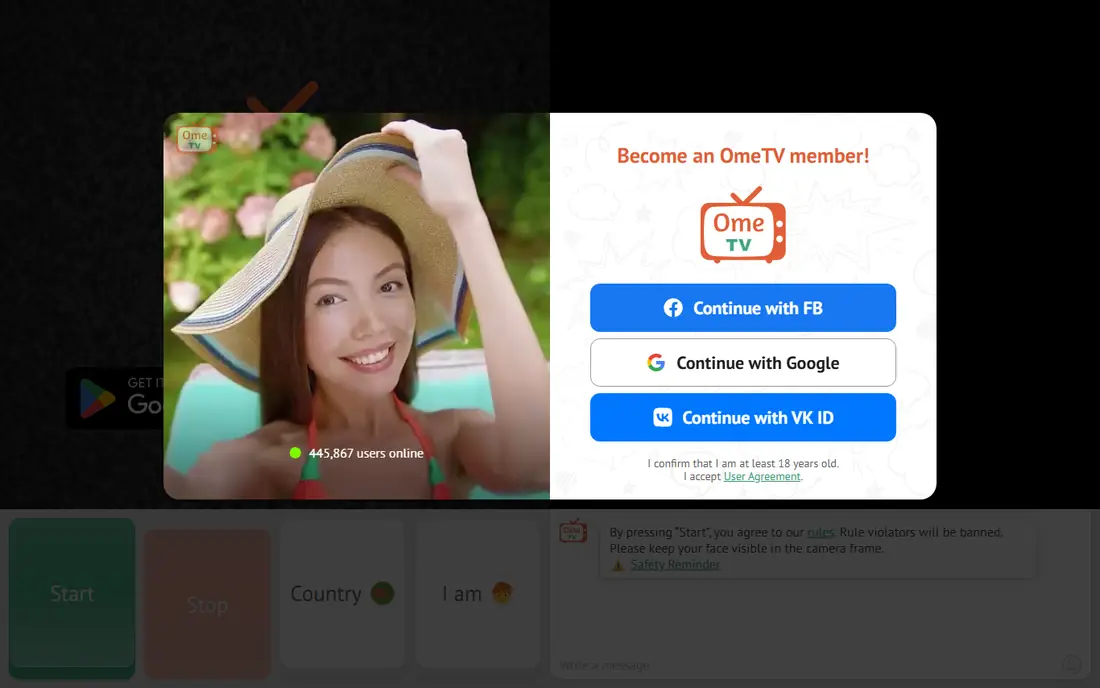
OmeTV is our pick for most people who want the familiar random chat format without paying first. You press start, a stranger appears on video, and you move on with one tap when the conversation ends. The country filter helps if you want to practice a language or talk with people from one place.
Safety matters more here than on a normal social app, and OmeTV states a minimum age of 18 in its terms. It offers reporting tools, and its rules describe moderator review and bans for repeat complaints. We still advise keeping your full name, address, workplace, and social accounts off camera and out of chat.
- Free to start
- Country filter
- Web and mobile apps
- Ads on the free version
- No gender filter
- Match quality varies
Chatroulette is the original name in this category, and it still works in a browser with very little setup. That simplicity is the whole point. There is no long profile to build and no feed to scroll, so you are talking to a real person within seconds of starting.
The trade-off is control. You cannot shape matches as much as on interest-based apps, and some features cost extra inside the app. Treat every match as a public moment in a private room: stay in a well-lit space, keep personal items out of view, and use the report and skip controls without hesitation.
- No app download needed
- Fast matching
- Region filtering
- In-app purchases for extras
- Limited control over who appears
- Camera stays on during video chat
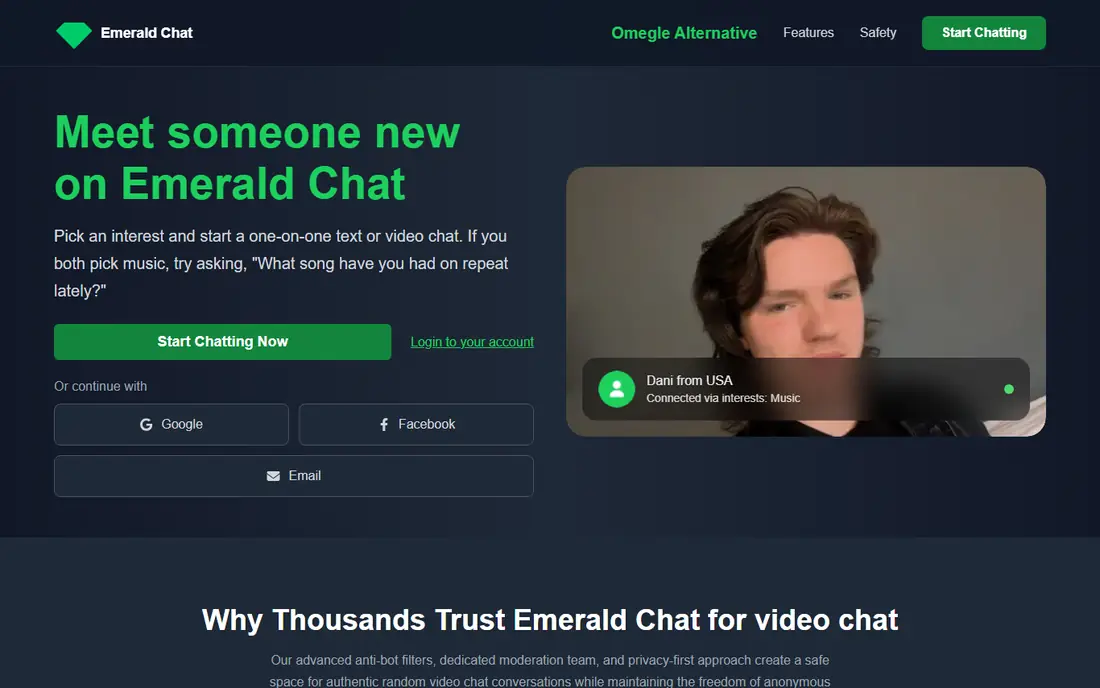
Emerald Chat suits people who want random chat with a bit more structure. You pick interests when you set up an account, and the service uses those interests to shape matches. That small step often leads to longer talks than pure chance matching, because you start with at least one shared topic.
Moderation is the other reason to consider it. Emerald Chat describes a moderation team, a report feature, and a karma system that rewards good behavior. Paid Gold and Platinum tiers add filters for gender, karma, country, and language, but the free version is enough to test the format first.
- Interest-based matching
- Karma system
- Anti-bot measures
- Many useful filters sit behind paid tiers
- Profile setup takes longer
- Smaller pool than the biggest rivals
Monkey is built for phones and for speed. Matches arrive quickly, and the short-form rhythm makes it easy to try several conversations in a few minutes. If you like the pace of short video apps, this format will feel familiar from the first match.
That pace is also its limit. Deep conversation is harder when both people expect a quick next match, so Monkey works best for casual hellos and light talk. The app is free to download with optional in-app purchases, and adults should still use blocking and reporting tools when a match turns unpleasant.
- Quick mobile matching
- Short-form feel
- In-app purchases are optional
- Fast pace suits short talks, not long chats
- Paid items add up
- Age controls need checking by parents and guardians
Chatspin is a good middle ground between pure roulette and a full social app. The free version covers basic random video chat, while paid plans add the filters that many people actually want, including country and gender options. Face masks add a layer of privacy for people who do not want to appear on camera unfiltered at first.
The interface is clean and light, which helps on slower connections and older phones. We would start free, test the match quality at the times you normally chat, and only pay if a specific filter changes the experience for you.
- Country and gender filters
- Face masks
- Web, iOS, and Android
- Best filters are paid
- Free version is basic
- Match pool varies by time of day
Camsurf is a strong choice for language practice, because its filters let you narrow matches by language and location. That makes it easier to find people you can actually talk with, rather than cycling through matches where neither side shares a language.
The service is free to start and runs in a browser, so there is no install step on a computer. Keep expectations modest: this is still random chat, so some matches will end in seconds. The filters improve the odds, but they do not remove the need for basic caution.
- Language and location filters
- Simple start
- Works in a browser
- Paid features for fuller control
- Moderation quality varies by hour
- Fewer social features than app-first rivals
Azar is one of the largest app-first options in this list, and its size shows in match speed. Interest matching and translation tools help when you talk with people in other countries, and the app is designed around quick swipes and short video calls.
The catch is spending. Azar is free to start, but gems and other in-app purchases pay for extra features and visibility. You can enjoy the core matching without paying, so set a firm limit before you buy anything, and treat paid extras as optional.
- Interest-based matching
- Translation features
- Large global pool
- In-app purchases for gems and extras
- App-first, so desktop use is limited
- Some features feel geared to spending
Chatrandom adds something the other picks mostly lack: group chat rooms alongside one-on-one video. If one-on-one roulette feels too intense, a group room can be a gentler way in, because you can watch the tone of a room before you join the conversation.
Free access covers the basics, with paid options for filters and extra control. As with every service here, use the report and block tools early, keep personal details private, and leave any room where the tone turns hostile.
- One-on-one and group rooms
- Free to start
- Browser access
- Group rooms change the feel
- Paid tiers for filters
- Quality varies across rooms
How we picked these
We compared official feature pages, terms and age rules, app store listings, and public reviews for services that still work in October 2026. We kept only services with clear reporting or blocking tools, an 18-plus age rule in their terms or store listing, and a free way to start. We left out services known mainly for explicit content, and we did not list any service that markets itself to minors.
Staying safe on stranger video chat
A short safety plan makes random chat far less stressful. Decide before you start what you will never share: your full name, home address, school or workplace, phone number, and social media handles all belong off camera and out of chat. Use a plain background, keep valuables and documents out of view, and remember that screenshots can outlast a chat that felt private in the moment.
If a match makes you uncomfortable, skip, block, and report in that order, and do not argue with the other person first. Most services here offer those three controls within a tap or two, and using them early protects your time as well as your privacy. Adults should also check the age and privacy settings on any shared device, since random chat is not a suitable activity for children, and some apps are rated for older teens in app stores despite their own 18-plus terms.
Paid filters deserve a second look before you buy. A gender or country filter can improve match quality, but it does not make a stranger safe, and it does not guarantee good conversation. Start free on two or three services, compare match quality at your usual hours, and only pay for the one you actually return to.
Picking the right format
Browser services suit people who want to try random chat without installing anything, while app-first services suit phone users who chat in short bursts. Interest matching suits people who want longer talks, and group rooms suit people who prefer to observe before speaking. Match the format to your habits, not to the loudest marketing claim, and drop any service where moderation feels absent.
Frequently asked questions
What is the best free video chat app with strangers?
OmeTV is our pick for most people, because it is free to start, works on web and mobile, and keeps the classic one-tap format. Chatroulette is the simpler browser alternative, while Emerald Chat is better if you want interest matching and stronger moderation tools.
Is video chat with strangers safe for adults?
It carries real risks, even on moderated services, because you meet people you do not know on live video. Keep personal details private, use skip, block, and report controls early, and end any chat that feels wrong. No service can promise that every match will be respectful.
What is the best live video chat app for language practice?
Camsurf is a strong choice, because its language and location filters help you find people you can talk with. Azar also offers translation tools and a large global pool, which helps when you chat across languages.
Are these apps free?
All eight are free to start, and basic random matching costs nothing on most of them. Paid tiers, gems, or in-app purchases usually pay for filters, masks, or extra visibility, and none of them are required to try the core chat.
Do I need an account to chat with strangers?
It depends on the service. Some browser services let you start with little or no signup, while app-first services and interest-based services usually ask for an account. An account can also help moderation, since reports can be tied to an account rather than an anonymous session.
Sources
See where you really rank - block by block
ProMapRanker scans Google Maps across a grid of your service area. Simple monthly plans from $19, white-label on every plan.
Start freeKeep reading
 bitly alternatives
Bitly Alternatives in 2026: 8 Tools Compared
Compare the best Bitly alternatives for branded short links, with free tiers, custom domains, analytics, and pricing that suits creators and small teams.
Read → bill.com alternatives
Best Bill.com Alternatives in 2026
Looking for bill.com alternatives? We compared 9 bill pay and AP automation tools on price, approvals, and accounting sync to help you switch with confidence.
Read → betterhelp alternatives
BetterHelp Alternatives in 2026
We compared BetterHelp alternatives for online therapy, covering Talkspace, Grow Therapy, Rula, Brightside and more on price, insurance and format in 2026.
Read →