 ProMapRanker
Best Trip Planning App in 2026

Key takeaways
- Wanderlog is our pick for most trips, because it combines map based itineraries, day planning, collaboration, and expense tools in one place.
- TripIt suits trips that are already booked, because it turns confirmation emails into a single organized itinerary.
- Roadtrippers is the best road trip planner, with route tools, stops, and fuel estimates for driving trips.
- Lambus suits group trips that need shared plans and expense splitting, while Tripadvisor suits idea gathering and reviews.
- Google Travel and Polarsteps cover useful gaps, for free trip research and for tracking a trip as it happens.
Quick comparison
| Pick | Great for | Pricing starts at | Free tier | |
|---|---|---|---|---|
 Wanderlog Wanderlog | Day by day itineraries and collaboration | Free | Yes | Visit |
 TripIt TripIt | Organizing booked reservations | Free | Yes | Visit |
 Roadtrippers Roadtrippers | Road trips and driving routes | Free | Yes | Visit |
 Lambus Lambus | Group trips and shared expenses | See website | Yes | Visit |
 Tripadvisor Tripadvisor | Ideas, reviews, and trip lists | Free | Yes | Visit |
 Google Travel Google Travel | Free trip research and flight tracking | Free | Yes | Visit |
 Polarsteps Polarsteps | Tracking and sharing a trip live | Free | Yes | Visit |
The best trip planning apps
Trip planning apps solve different problems. Some help you build an itinerary before you book, some organize bookings after you book, and some handle road routes or group costs. We compared itinerary building, maps, collaboration, booking import, offline use, and pricing, and we kept only apps that are still active in 2026 and free to start. The best app for planning trips depends on whether your trip is a city break, a road trip, a group holiday, or a business trip with many bookings.
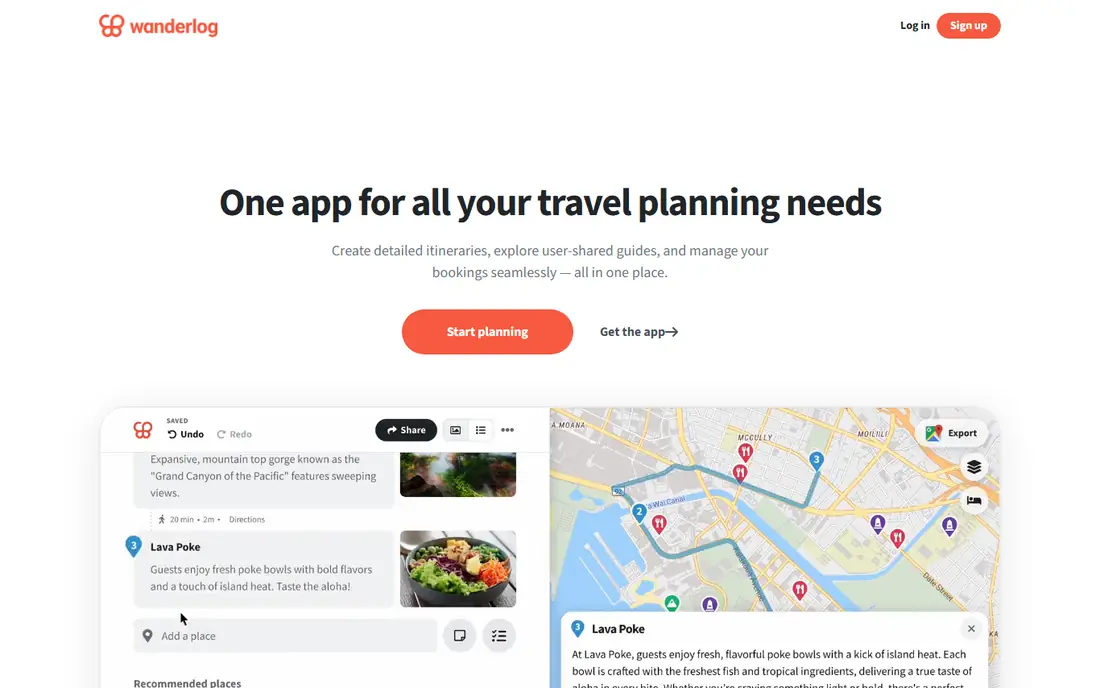
Wanderlog is our pick for most vacation planning because it starts where planning actually starts: with places. You save sights, restaurants, and hotels to a map, sort them into days, and see a sensible route for each day. Travel companions can edit the same plan live, which avoids the usual problem of plans scattered across group chats and documents.
The free plan covers core planning well, while Pro adds offline access, automatic Gmail import, and extra AI help. That split is fair, because casual planners can plan a full trip free, and frequent travelers can pay for convenience. If you want one app for routes, days, places, and group input, Wanderlog is the best place to start.
- Map based day planning with place lists
- Live collaboration for groups
- Expense tracking and booking imports on paid plans
- Offline access and automatic email import need Pro
- Hotel recommendations can feel promotional
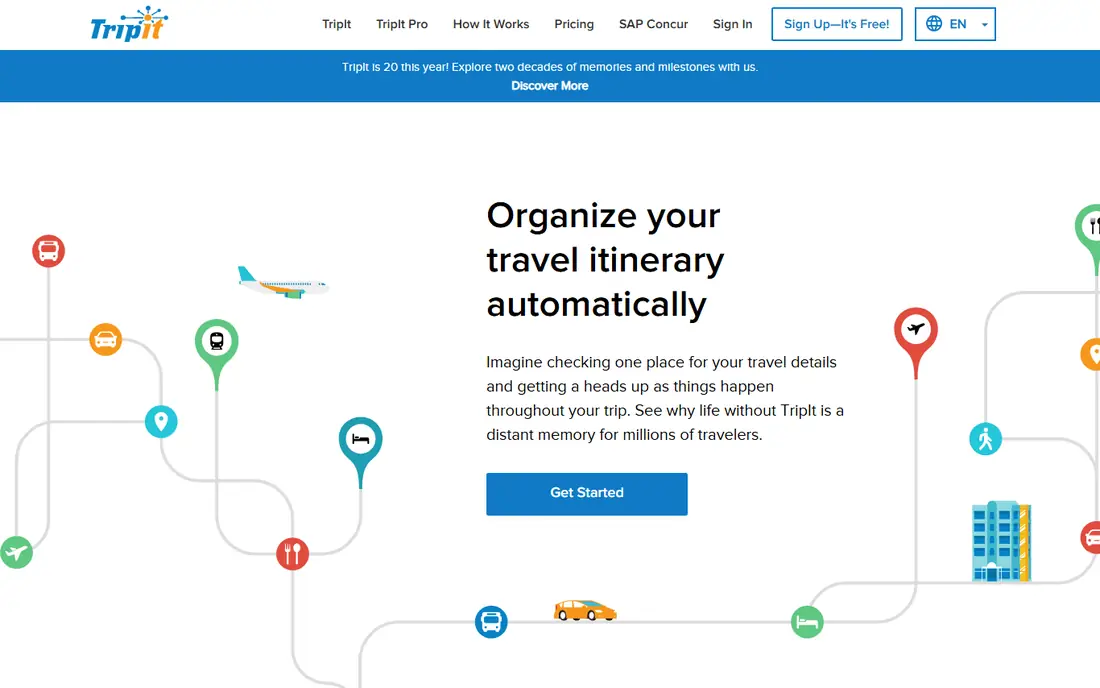
TripIt suits a different stage of travel. Forward flight, hotel, and car confirmation emails, and TripIt builds a single itinerary with times, confirmation numbers, and addresses. That is invaluable for business trips and multi stop holidays where bookings arrive from different sites over weeks, because everything lands in one timeline you can share or sync to a calendar.
It is less useful before you book, because it does not help you choose places or build day plans in the way Wanderlog does. Pro adds real time flight alerts, seat tracking, and other travel day tools for frequent flyers. Use TripIt when bookings are the problem, and Wanderlog when the itinerary itself is the problem, and many travelers will benefit from both.
- Turns confirmation emails into one itinerary
- Calendar sync and sharing
- Pro adds flight alerts and travel day tools
- Weak for building a trip from scratch
- Map and day planning tools are limited
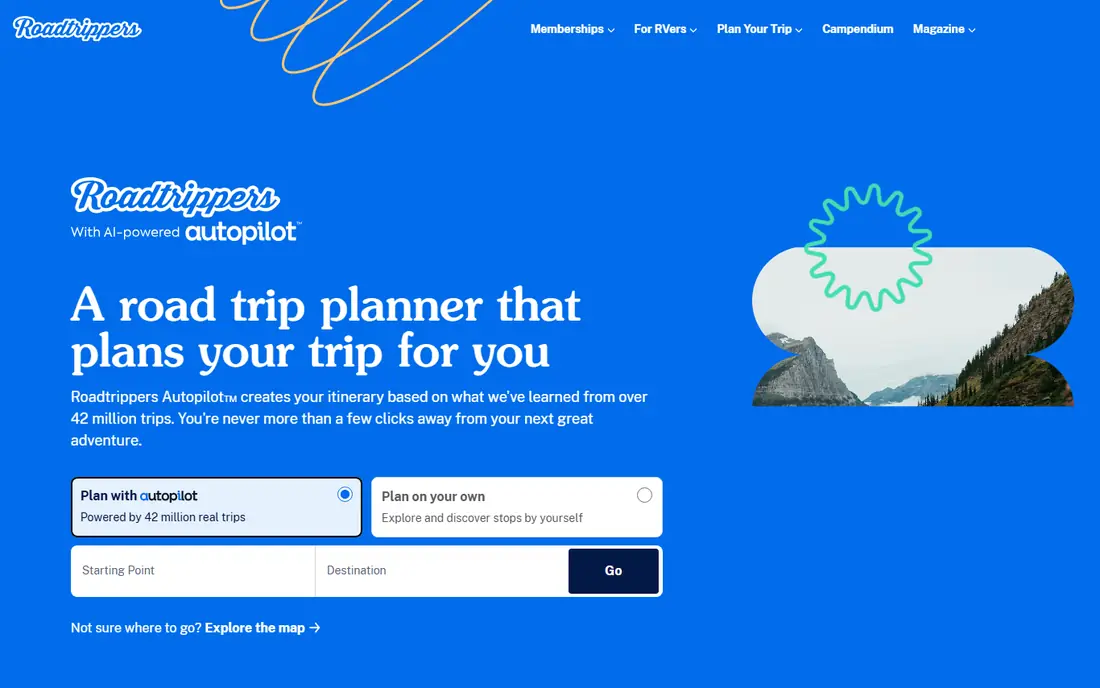
Roadtrippers is built for driving holidays, and it shows in the route tools. You enter a start and end point, add stops for sights, food, fuel, and stays, and the app adjusts the route and estimates driving time and fuel costs. It also highlights attractions along the way that you might otherwise miss, which turns a long drive into part of the holiday rather than just transit.
The free plan limits the number of stops, so longer trips usually need a paid plan. Coverage is strongest in the United States, Canada, Australia, and New Zealand, and RV safe routing is mainly a United States feature. For a United States road trip, especially with camping or RV travel, Roadtrippers is the clear pick. For city trips without a car, Wanderlog will suit you better.
- Route planning with stops, attractions, and campgrounds
- Fuel and cost estimates
- RV and camping features on higher plans
- Free plan limits stops
- Coverage and RV routing are strongest in the United States and Canada
Lambus suits group travel where money and decisions cause as much friction as the itinerary itself. Everyone can add places, vote on options, store documents such as tickets and insurance, and track shared expenses with settlement at the end. That combination reduces the usual group trip problems: who paid for what, where the plan lives, and which version is current.
It has a smaller community than the larger apps, and paid features and pricing vary, so check the app store listing before you commit a whole group. For a friends trip, family holiday, or bachelor style weekend where splitting costs matters, Lambus is worth trying first, because its group and expense tools are central rather than added on.
- Shared itineraries, documents, and expenses in one app
- Group voting and chat style planning
- Offline friendly design
- Smaller user base than Wanderlog or TripIt
- Paid pricing varies by store and plan
Tripadvisor is best used at the idea stage. Search a destination, read reviews for hotels and restaurants, save favorites to trip lists, and use its trip builder to sketch an outline. That breadth helps when you do not yet know what is worth seeing, and the review volume can reveal practical details such as opening times, crowds, and neighborhood safety notes.
It is not a full itinerary planner. Day planning, maps, and collaboration are lighter than Wanderlog, and you will likely move your final plan into another app. Use Tripadvisor to research and shortlist, then build the day by day plan in Wanderlog or Lambus. That two step workflow gives you both discovery and a usable itinerary.
- Huge review base for hotels, restaurants, and attractions
- Trip lists and AI trip builder
- Booking links in one place
- Planning tools are lighter than Wanderlog
- Reviews vary in quality and recency
Google Travel is a useful free layer for research and tracking, especially if you already use Gmail and Google Maps. It can surface trips from your bookings, track flight and hotel prices, show destination guides, and help you compare options without a new account. For travelers who want a light, free tool rather than a dedicated planner, it covers a lot of ground.
It does not replace a dedicated itinerary app for complex trips, because collaborative day planning and expense tools are limited. Use Google Travel to watch prices, check flight options, and keep a simple overview, and use Wanderlog or TripIt for detailed planning and booking organization. As a free starting point, it is hard to fault.
- Free flight and hotel price tracking
- Integrates with Gmail bookings and Maps
- Useful destination guides
- No full collaborative itinerary builder
- Features vary by country and booking source
Polarsteps shines once you are traveling. It tracks your route automatically, lets you add photos and notes to each stop, and creates a shareable travel journal that family and friends can follow. After the trip, you can turn that journal into a printed book, which makes it a nice record for longer holidays and backpacking trips.
Before a trip, its planning tools are lighter than Wanderlog or Roadtrippers, so it works best as a companion app rather than a sole planner. Plan in Wanderlog, then let Polarsteps record the journey as it happens. For travelers who want to share a trip live without constant social media posts, Polarsteps is a thoughtful, free option.
- Automatic route tracking and travel journal
- Easy sharing with family and friends
- Printed travel books as an option
- Planning tools are lighter than Wanderlog
- Best value comes during and after a trip, not before it
How we picked these
We compared official feature pages, free plans and paid tiers, itinerary and map tools, collaboration, booking import, offline support, and group features, and we favored apps that are still active in 2026 and free to start. We included itinerary builders, booking organizers, road trip planners, group tools, and a live tracker, because trip planning is not one job. Where pricing varies by plan or store, we used See website rather than guessing a single figure.
How to plan a trip with these apps
Start with research in Tripadvisor and Google Travel, then build the day plan in Wanderlog for a city trip or Roadtrippers for a driving trip. Move bookings into TripIt once you start reserving flights and hotels, and use Lambus for group costs if you travel with others. Let Polarsteps track the trip itself, so you have a record without extra work during the holiday.
Keep the plan flexible
A good itinerary leaves room for weather, delays, and discoveries. Plan one or two anchor activities per day, keep a list of backup places nearby, and share the plan with your group so everyone knows the meeting points. Download offline maps and key confirmations before you travel, especially for road trips and areas with weak signal, because a plan you cannot open is not a plan.
Frequently asked questions
What is the best app for planning trips?
Wanderlog is our pick for most trips, because it combines maps, day planning, collaboration, and expense tools in one free to start app. TripIt is better for organizing bookings, Roadtrippers is better for road trips, and Lambus is better for group costs. The best app for travel itinerary planning depends on your trip type, not on one overall winner.
What is the best free road trip planner app?
Roadtrippers offers a free tier for basic road trip planning, with route tools and stop suggestions, though longer trips need a paid plan for more stops. Wanderlog also works free for road trip days and places, especially when the trip includes cities as well as driving. For United States road trips with camping or RV needs, Roadtrippers paid plans add the most value.
Is Wanderlog better than TripIt?
Wanderlog is better for building an itinerary before you book, with maps, days, and collaboration. TripIt is better for organizing bookings after you book, with email import and a single timeline. Many travelers use both, with Wanderlog for planning and TripIt for travel day organization, because they solve different parts of a trip.
Can I plan a group trip in one app?
Yes, Wanderlog and Lambus both support group planning, with Wanderlog stronger on itineraries and Lambus stronger on shared expenses and documents. Choose Wanderlog if the day plan is the main challenge, and Lambus if splitting costs and storing documents matter just as much. Make sure everyone can use the same app on their phone before you commit the group to it.
Do trip planning apps work offline?
Some do, but offline features often sit behind paid plans. Wanderlog Pro and TripIt Pro offer offline access, while Roadtrippers premium plans add offline route features. Download maps, itineraries, and confirmations before you leave, and keep a backup in email or a notes app for areas with weak signal.
What is the best vacation planning app for families?
Wanderlog suits families well, because parents can build days, share the plan, and track expenses in one place. Lambus also suits families that need to split costs or store documents for several travelers. For families with many bookings, add TripIt to keep flights, hotels, and car reservations in a single timeline that everyone can see.
Sources
See where you really rank - block by block
ProMapRanker scans Google Maps across a grid of your service area. Simple monthly plans from $19, white-label on every plan.
Start freeKeep reading
 zoominfo alternatives
ZoomInfo Alternatives in 2026
Compare the best ZoomInfo alternatives in 2026 for B2B contact data, enrichment, and prospecting, including Apollo, Lusha, and Clay tools, with pricing.
Read → best recruiting tools
Best Recruiting Tools in 2026
Compare the best recruiting tools in 2026, from Greenhouse and Lever to Workable and Ashby, for hiring, sourcing, and candidate tracking today, with pricing.
Read → best photo editing software for beginners
Best Photo Editing Software for Beginners in 2026
Compare the best photo editing software for beginners in 2026, from Lightroom and Photoshop Elements to free options like Snapseed and GIMP today, with pricing.
Read →