 ProMapRanker
Best Transactional Email Service in 2026


Fast, reliable transactional delivery · Pricing starts at: $15 per month
Key takeaways
- Postmark is our pick when delivery speed matters, starting at $15 per month, because it separates transactional mail from marketing mail.
- Resend offers 3,000 free emails a month with a modern API, which makes it a strong starting point for developers and small products.
- Amazon SES costs about $0.10 per 1,000 emails, which is far cheaper at scale, but setup and reputation management need more work.
- SendGrid no longer offers a permanent free plan, offering a 60-day trial instead, so budget on its paid Essentials plan from $19.95 per month.
- Brevo and Mailjet suit teams that also need marketing email, since both handle transactional and campaign mail in one account.
Quick comparison
| Pick | Great for | Pricing starts at | Free tier | |
|---|---|---|---|---|
| Postmark | Fast, reliable transactional delivery | $15 per month | Free trial | Visit |
 Resend | Developers and modern product teams | $20 per month | Yes | Visit |
 SendGrid | High-volume teams on Twilio | $19.95 per month | Free trial (60 days) | Visit |
 Mailgun | Developer infrastructure and inbound mail | $15 per month | Yes | Visit |
 Amazon SES | Lowest cost at high volume | $0.10 per 1,000 emails | Free trial | Visit |
 Brevo | Marketing plus transactional in one account | $9 per month | Yes | Visit |
 Mailjet | European teams and collaborative templates | $9 per month | Yes | Visit |
 Mailtrap | Testing plus production sending | $15 per month | Yes | Visit |
 SparkPost | High-volume analytics and deliverability | See website | Free trial | Visit |
The best transactional email services
We compared the best transactional email services on deliverability, speed, API quality, free tiers, and cost at realistic volumes. Our pick for most product teams is Postmark, because it keeps transactional mail on separate streams and has a strong record for fast delivery. Developers on a budget should start with Resend, while high-volume senders should price Amazon SES before choosing anything else.
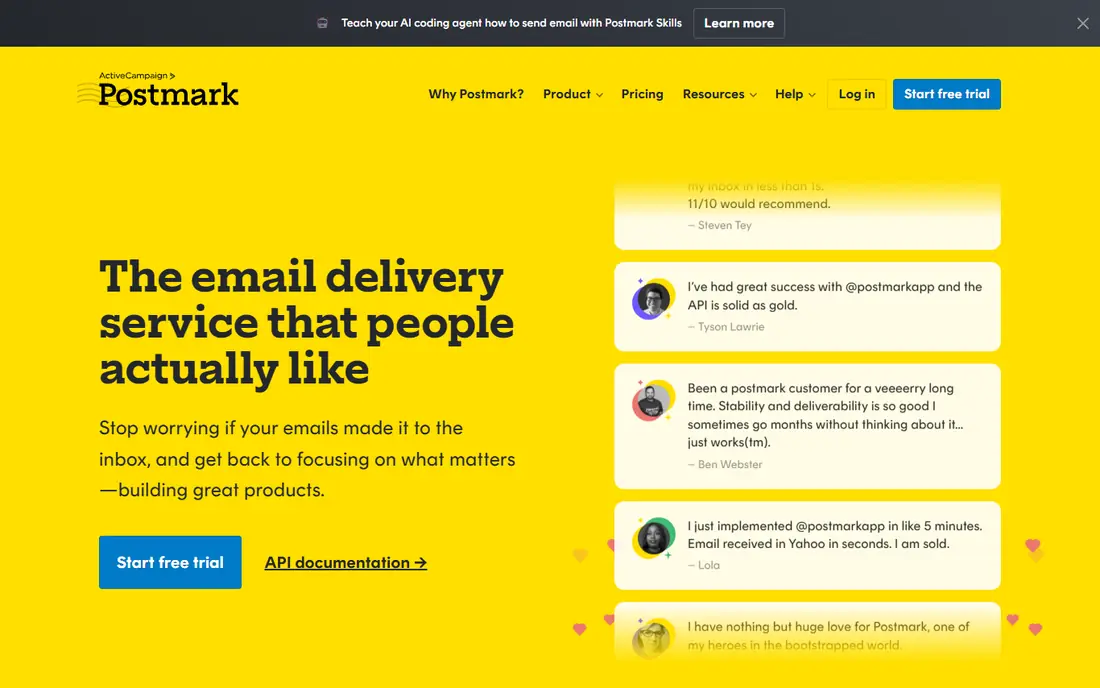
Start here if you want a short answer. Postmark focuses only on transactional mail, which is its main advantage for password resets, receipts, and notifications. Separate streams for transactional, broadcast, and inbound mail keep a marketing issue from blocking critical messages.
The catch is the free tier, which allows only 100 emails a month for testing, so production use starts at $15 per month for 10,000 emails. Check the current plan limits before you pay, since limits on users, invoices, or contacts decide the real cost.
- Separate transactional streams
- Fast delivery
- Clear message activity logs
- Only 100 free emails a month
- No marketing mail on the same streams

This one earns its place for a clear reason. Resend appeals to developers because its API, SDKs, and React Email templates feel modern and well documented. You can build templates as components, send through API or SMTP, and track delivery from a clean dashboard.
The catch is the free daily cap, since 100 emails a day can run out during a busy signup day, even within the monthly total. Run a trial with your own data before you commit, and export a sample so you can see how leaving would work.
- Modern API and React Email templates
- 3,000 free emails a month
- Clear docs
- Free tier caps at 100 emails a day
- Dedicated IP needs a higher plan
Consider this option when the basics matter more than extras. SendGrid remains one of the largest senders, and it suits teams already using Twilio for SMS or verification. Essentials covers 50,000 emails a month, and higher plans add dedicated IPs and advanced analytics.
The catch is the end of its permanent free plan, since new users get a 60-day trial instead, so budget on paid pricing from the start. Compare the total monthly cost, including add-ons and processing fees, rather than the headline price alone.
- Huge scale and track record
- Email API plus marketing campaigns
- Twilio ecosystem fit
- No permanent free plan
- Dashboard feels complex for small teams
This pick suits buyers who know what they need and want it done well. Mailgun suits developers who need both sending and receiving, since inbound routing and parsing are core strengths. You can validate addresses, route inbound mail to webhooks, and manage multiple domains from one account.
The catch is add-on pricing, since validation and some deliverability features cost extra, so check the full plan before you compare totals. If the entry plan covers your daily work, stay there for a few months before paying for a higher tier.
- Strong API and SMTP options
- Inbound routing and parsing
- Deliverability tools
- Email validation is a paid add-on
- Pricing steps up quickly with volume
Put this on the shortlist if fit matters more than fame. Amazon SES is the cheapest option at scale by a wide margin, at about $0.10 per 1,000 emails plus data charges. It fits teams already on AWS who can manage sending limits, authentication, and bounce handling themselves.
The catch is effort, since new accounts start in a sandbox with sending limits, and you build much of the tooling that other services include. Ask support a hard question during the trial, since the answer tells you a lot about help when something breaks.
- Lowest unit cost at scale
- AWS infrastructure
- Flexible sending options
- Most setup friction here
- Reputation and monitoring are your job
This is a practical choice for a specific kind of buyer. Brevo suits small businesses that want marketing campaigns and transactional mail in one account. The free tier allows 300 emails a day, and paid plans add higher volumes, templates, and automation.
The catch is mixing streams, since you must keep transactional and marketing sending cleanly separated in your own setup to protect inbox placement. Check the current plan limits before you pay, since limits on users, invoices, or contacts decide the real cost.
- Free tier of 300 emails a day
- Marketing and transactional mail together
- CRM tools
- Transactional limits tie to marketing plan tiers
- Deliverability needs care at scale
We include this one because it solves a real problem well. Mailjet suits teams that design templates together, since its builder supports collaboration and shared templates. It handles transactional mail through API or SMTP, and its free tier covers small products getting started.
The catch is plan detail, since Mailjet pricing and limits vary by volume band, so confirm your band before you rely on an entry price. Run a trial with your own data before you commit, and export a sample so you can see how leaving would work.
- Free tier with daily sends
- Collaborative template builder
- EU data options
- Entry paid pricing varies by volume
- Advanced features sit on higher tiers
This option stands out for a different reason than the leaders. Mailtrap began as an email testing tool, and it now pairs safe testing inboxes with production sending. Separate streams, automatic authentication handling, and mailbox-level analytics help teams catch delivery problems early.
The catch is positioning, since buyers who only need production mail should compare its sending plans directly against Postmark and Resend. Compare the total monthly cost, including add-ons and processing fees, rather than the headline price alone.
- Email testing inboxes
- Separate transactional and bulk streams
- Detailed analytics
- Testing heritage can confuse buyers who only need production sending
Do not overlook this one if your needs are narrower than most guides assume. SparkPost suits high-volume senders that want deep analytics on delivery, engagement, and reputation. Its analytics help larger teams spot inbox problems by provider and domain before they become outages.
The catch is transparency, since smaller senders may need a sales conversation for a firm price, so use See website pricing as your starting point. If the entry plan covers your daily work, stay there for a few months before paying for a higher tier.
- Deep deliverability analytics
- High-volume sending
- Predictive tools
- Pricing is less transparent for small senders
- Enterprise focus
How we picked these
We checked current pricing pages and free tier limits for each service, and we compared API and SMTP options, separate sending streams, webhook and analytics tools, and support. We kept only services that send real transactional mail today, such as password resets, receipts, and order confirmations, and we left out pure marketing platforms. Prices change often, so confirm the current plan on the vendor page before you send production mail.
How to choose a transactional email service that lands in the inbox
Start with volume and message type. A password reset must arrive in seconds, while a weekly receipt can wait a little longer, so speed matters more for login and payment mail than for notifications. Count your monthly sends, then price each service at that volume, including overage rates, not just the entry plan.
Protect your domain reputation from day one
Set up SPF, DKIM, and DMARC before you send to real users, and warm up a new sending domain gradually rather than blasting a full list on day one. Keep transactional and marketing mail on separate streams or subdomains, since a marketing problem should never block password resets. Postmark enforces this separation by design, while other services let you configure it yourself.
Compare free tiers on daily caps, not monthly totals
A monthly total can hide a daily cap that breaks your launch day. Resend allows 3,000 emails a month but caps free sends at 100 a day, and Mailgun allows 100 a day on its free tier. If your product sends bursts, such as signup spikes or sale days, pick a plan whose daily and monthly limits both fit your peak.
Test delivery before you trust a dashboard
Send test messages to major mailbox providers, check spam folder placement, and review bounce and complaint handling during a trial. Look for clear webhook events for delivery, bounces, and opens, plus suppression lists that stop repeat sends to bad addresses. A clean API matters less than a clean inbox record, so weigh delivery evidence above dashboard polish.
Frequently asked questions
What is the best transactional email service?
Postmark is a strong default for transactional mail, because it separates transactional streams from marketing mail and focuses on fast, reliable delivery. Resend suits developers who want a modern API and a useful free tier. Amazon SES suits high-volume teams that can manage setup and reputation themselves.
What are the best transactional email services for a small startup?
Resend is a good starting point for a small startup, with 3,000 free emails a month and a paid Pro plan at $20 per month for 50,000 emails. Brevo also works well if you need marketing email in the same account, with a free tier of 300 emails a day. Watch daily caps on free tiers during signup spikes.
What is the best email sending service for high volume?
Amazon SES is usually cheapest at high volume, at about $0.10 per 1,000 emails, but you manage reputation, templates, and monitoring yourself. SendGrid and Mailgun suit teams that want more managed tooling at higher volumes. Price each option at your real monthly volume, including overage and dedicated IP costs.
What is the best email delivery service for password resets and receipts?
Postmark suits password resets, receipts, and other time-sensitive mail, since it focuses on transactional streams and fast delivery. Keep these messages on a separate stream from marketing mail, and set up authentication records before launch. Test delivery to major mailbox providers during your trial.
Is there a good free transactional email service?
Resend, Brevo, and Mailgun all offer free tiers, but each has limits that matter. Resend allows 3,000 a month with a 100-a-day cap, Brevo allows 300 a day, and Mailgun allows 100 a day. Postmark allows only 100 a month for testing, and SendGrid offers a 60-day trial rather than a permanent free plan.
Sources
See where you really rank - block by block
ProMapRanker scans Google Maps across a grid of your service area. Simple monthly plans from $19, white-label on every plan.
Start freeKeep reading
 top custom software development company
Top Custom Software Development Company in 2026
Looking for a top custom software development company? We compare 9 firms for web, mobile, and enterprise software, covering strengths and fit for 2026.
Read → tableau alternatives
Tableau Alternatives in 2026
Compare the best Tableau alternatives for 2026, from Power BI to Metabase, with prices, hosting options, and picks for small teams and enterprises today.
Read → microsoft teams alternatives
Best Microsoft Teams Alternatives in 2026
Looking for microsoft teams alternatives? We compare 9 chat and video tools for 2026, covering free plans, pricing, meetings, and integrations for teams.
Read →