 ProMapRanker
Best Tool to Colorize Photos Online in 2026

Key takeaways
- Palette.fm is our pick for most people because its filters and prompts give control over the look, with a free preview to test first.
- MyHeritage In Color suits family historians who want enhance, repair and colorize in one browser workflow.
- DeepAI Colorizer is the simplest free option for a single quick colorization with no sign-up for basic use.
- No colorizer recovers true original colors, since black-and-white film never recorded them, so treat every result as a plausible interpretation.
Quick comparison
| Pick | Great for | Pricing starts at | Free tier | |
|---|---|---|---|---|
 Palette.fm | Filter control and realistic color | Free | Yes | Visit |
 MyHeritage In Color | Family photo restoration | See website | Yes | Visit |
 DeepAI Colorizer | Quick free single images | Free | Yes | Visit |
 Hotpot AI Colorizer | Fast free colorization | See website | Yes | Visit |
 VanceAI Photo Colorizer | High-resolution paid work | $99.90 per year | Yes | Visit |
 ImageColorizer | Batch colorization | $6.90 per month | Yes | Visit |
 Cutout.pro | Color plus photo tools | See website | Yes | Visit |
 Pixelbin Colorizer | One-click clarity and color | See website | Yes | Visit |
 Remini | Face clarity plus color | See website | Yes | Visit |
The best tools to colorize photos online
These nine tools all colorize black-and-white photos in a browser or app, with free options for testing and paid options for higher resolution or batch work.
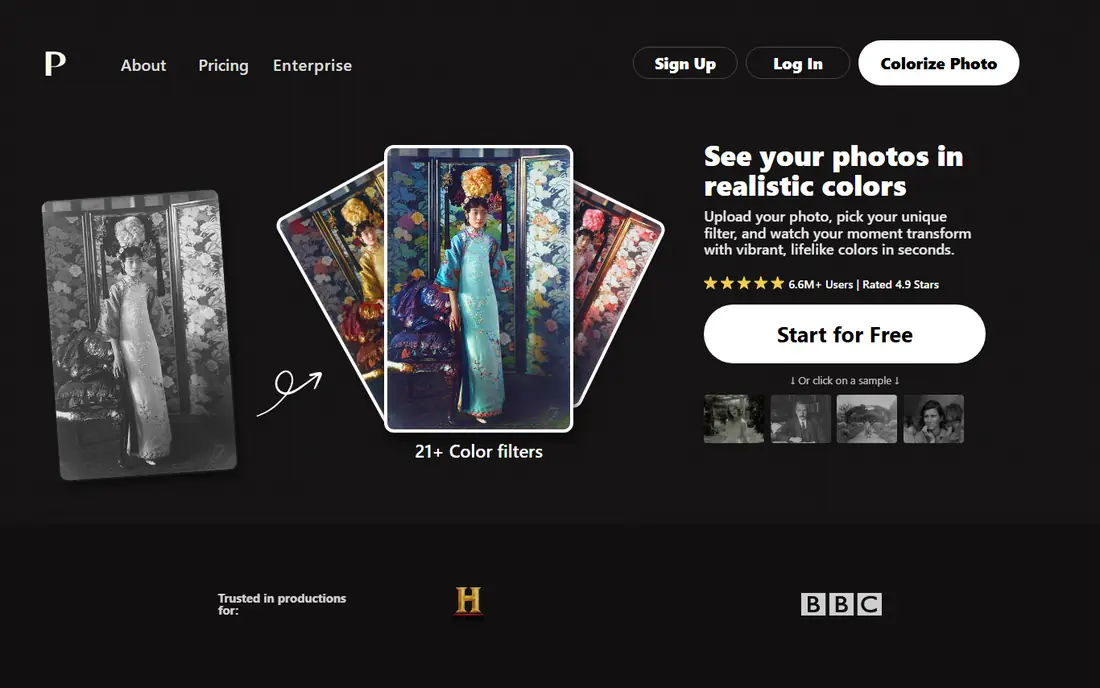
Palette.fm is the most controllable colorizer in this list, because you can pick a filter, add a text prompt for mood or lighting, and compare looks before you spend a credit. That control helps with portraits, where skin tone and clothing color make or break the result, and with outdoor scenes, where a prompt can steer the mood of sky and foliage. Batch processing helps when you have a whole album to work through.
The free tier is for testing, not for final prints. Previews are watermarked and capped at low resolution, and you get limited free HD credits. Paid options in current coverage include an annual plan at $72 per year for 480 credits and a one-time purchase at $49 for 75 credits. For a handful of important photos, the one-time credits make sense, while the annual plan suits larger archives.
- More than 21 filters and text prompts
- Batch processing
- High-resolution exports with credits
- Free previews are watermarked and low resolution
- Credit system needs care for large batches
MyHeritage turned photo restoration into a consumer feature, and its colorizer sits alongside an enhancer that sharpens faded portraits and a repair tool for creases. That combination matters for old family photos, where color alone does not fix blur or damage. The workflow is one click per tool in the browser, with no editing skill needed, and results are easy to share with family members.
The free allowance is limited. Current coverage puts it at ten free photo enhancements, with free results watermarked, and unlimited watermark-free use requires a MyHeritage subscription whose price is not published on a simple pricing page. For a dozen meaningful photos, the free tier plus patience may be enough. For a full archive, check the subscription cost in your account before you start.
- Enhance, colorize and repair in one place
- Tuned for family portraits
- Easy sharing with relatives
- Free results carry a watermark and a strict cap
- Unlimited use needs a subscription

DeepAI Colorizer is the simplest tool here: upload a black-and-white photo, wait a few seconds and download the colorized result. There is no filter panel to learn and no account needed for basic use, which makes it ideal for a single curiosity test or for checking whether a photo colorizes well at all. Developers can also use its API to process folders of scans without handling each image by hand.
The simplicity is also the limit. You get one result per run, with no filters to steer skin tones or mood, and free resolution is limited. Colors can look flat on some faces compared with filter-based tools. Use DeepAI first to test a photo, then move to Palette.fm or MyHeritage when the photo deserves more control.
- No sign-up for basic use
- Very simple upload and download flow
- API available for developers
- Free output resolution is limited
- One result per run with no filter choices
Hotpot AI Colorizer is a fast, browser-based option for users who want a quick color result without learning an editor. Upload a photo, run the colorizer and download the result, then use other Hotpot tools for background removal or enhancement if needed. That all-in-one site layout helps when a photo needs more than color alone.
Control is limited compared with Palette.fm, since you cannot steer the result with filters or prompts in the same way. Pricing for higher volumes is credit-based, so check the current credit terms before a large batch. Hotpot suits quick, low-stakes colorization, such as a social post or a first look at an old scan.
- Fast one-click colorization
- Simple browser workflow
- Other AI photo tools on the same site
- Less control than filter-based tools
- Credit and pricing details need checking on the site
VanceAI Photo Colorizer targets users who need higher resolution and batch handling, with paid plans in current coverage starting at $99.90 per year. The tool colorizes black-and-white photos in the browser and supports batch uploads, which helps archives and small studios that process many images. Paid plans also list commercial use, which matters if the colorized photos will appear in published work.
The annual price makes VanceAI a poor pick for one or two family photos, where a free tool or a one-time credit pack is cheaper. The free tier lets you test quality, but it will not cover a large project. Choose VanceAI when resolution, batch speed and commercial terms justify the yearly cost.
- High-resolution colorization
- Batch processing
- Commercial use options on paid plans
- Annual price is high for casual use
- Free tier is limited
ImageColorizer is built for batch work, with support for multiple uploads and controls for color strength and style. That makes it useful when you have a folder of scans from one album and want a consistent look across them, rather than tuning each photo by hand. The tool is easy to use, with a simple upload flow and clear download options.
Pricing in current coverage starts at $6.90 per month for paid use, with a limited free tier for testing. Like all colorizers, it works best on clean scans, and heavily damaged or very low-resolution originals will give softer results. Use the free tier on your best five photos first, then decide whether the monthly plan fits your batch size.
- Batch uploads
- Adjustable strength and style
- Good for old family photos with mild damage
- Free tier is limited
- Results vary with scan quality
Cutout.pro offers a photo colorizer alongside a wider set of photo tools, including background removal, enhancement and face cutout features. That range helps when an old photo needs more than color, such as a background cleanup before printing or sharing. The colorizer itself is simple to run, with a free tier that includes limits and paid plans that remove watermarks and allow batch processing.
The breadth is also a small drawback, since the site presents many tools at once and the colorizer is one among them. Paid pricing should be checked on the site, since plans and limits change. Cutout.pro suits users who want color plus cleanup in one account, rather than a color-only tool.
- Colorizer plus background removal and enhancement tools
- Simple interface
- Batch options on paid plans
- Interface carries many tools, so finding the colorizer takes a moment
- Paid plans remove limits
Pixelbin Colorizer turns a black-and-white image into color in seconds, while also cleaning up artifacts so the result often looks clearer than the original scan. You can upload a JPG, JPEG or PNG file or paste an image URL, and the tool detects faces, hair, clothing, sky and backgrounds before assigning colors. Free starter credits let you test it before paying for higher-resolution exports.
For bigger jobs, Pixelbin offers paid plans that open up HD output and bulk edits, and an API for automated workflows. The free tier will not cover a large archive. Pixelbin suits quick family restores where clarity matters as much as color, and where you want to test a tool in the browser before spending anything.
- One-click colorization with clarity improvement
- Browser based with API support
- Free starter credits
- Paid plans needed for HD and bulk work
- Results depend on original scan quality
Remini is known for face enhancement, and its color work benefits from that strength when the photo is a portrait. The app sharpens faces and adds color in the same pass, which can rescue a faded grandparent portrait that other colorizers leave soft. It runs as a mobile app with a free tier that includes ads or limited credits, plus subscription options.
Pricing varies by platform and promotion, with historical ranges reported widely, so check the price in your app store before subscribing. Remini is less of an outdoor-scene or group-shot specialist than Palette.fm, and its subscription model suits users who will enhance many portraits. For a single portrait, the free tier is a good first test.
- Strong face enhancement alongside color
- Mobile app workflow
- Free tier with ads or limited credits
- Subscription pricing varies by platform and promotion
- Best for faces, less for outdoor scenes
How we picked these
We compared vendor pages, pricing coverage and tool features for browser colorization, free tier limits, resolution, batch support and filter control, and we only included tools that are available and working in October 2026. We favored tools with a real free path for testing, and we noted where pricing comes from third-party coverage rather than a vendor pricing page. We did not claim hands-on testing, and we treated all color results as interpretations, not as recovered original colors.
How to get a good colorization
Start with the best scan you can make. Scan at high resolution, clean dust from the original, and avoid colorizing a photo of a photo on a phone screen if you can. Run the same photo through two free tools and compare skin tones, clothing and backgrounds, because each model guesses differently. Pick the version that looks plausible, not the most saturated one.
Then fix damage before color, not after. Repair tears, creases and heavy fading with a restoration tool first, since color will not hide physical damage. Check privacy before uploading sensitive photos, read the provider policy on retention and training use, and avoid uploading photos you would not want stored on a third-party server. Finally, keep the original scan untouched, and save the colorized version as a separate file.
Frequently asked questions
What is the best free tool to colorize photos?
Palette.fm is the best free starting point, because its free previews let you test filters before you pay, and DeepAI is the simplest fully free option for a single image. MyHeritage gives a small free allowance that suits a few family portraits. For final prints without a watermark, you will usually need credits or a subscription.
Does colorization show the true original colors?
No. Black-and-white film never recorded color information, so every colorizer makes an educated guess based on patterns learned from color photos. Skin tones, clothing and sky colors are plausible, not recovered facts. Treat colorized photos as interpretations, especially for historical or family history use.
Which tool is best for old family portraits?
MyHeritage is the best fit for family portraits, because it combines enhancement, repair and color in one workflow tuned for faces. Palette.fm is the better pick if you want filter control over the look, and Remini helps when the face itself is faded or blurry. Try the free tier of each on the same portrait and compare.
Can I colorize photos in bulk?
Yes. Palette.fm, VanceAI, ImageColorizer and Pixelbin all support batch processing on paid plans, and some free tiers allow small batches. Check credit costs per image before a large batch, since credit math adds up fast. For a whole album, an annual or one-time credit pack is usually cheaper than a monthly plan you only need once.
Is it safe to upload old photos to a colorizer?
It depends on the provider. Read the privacy policy for retention, training use and deletion options before uploading sensitive or private photos. Avoid uploading photos of other people without permission, and keep originals backed up locally. For private family photos, a tool with a clear deletion policy is worth more than a slightly better color result.
Sources
See where you really rank - block by block
ProMapRanker scans Google Maps across a grid of your service area. Simple monthly plans from $19, white-label on every plan.
Start freeKeep reading
 top custom software development company
Top Custom Software Development Company in 2026
Looking for a top custom software development company? We compare 9 firms for web, mobile, and enterprise software, covering strengths and fit for 2026.
Read → tableau alternatives
Tableau Alternatives in 2026
Compare the best Tableau alternatives for 2026, from Power BI to Metabase, with prices, hosting options, and picks for small teams and enterprises today.
Read → microsoft teams alternatives
Best Microsoft Teams Alternatives in 2026
Looking for microsoft teams alternatives? We compare 9 chat and video tools for 2026, covering free plans, pricing, meetings, and integrations for teams.
Read →