 ProMapRanker
Best Text Analytics Software in 2026


No-code text models for feedback teams · Pricing starts at: $299 per month
Key takeaways
- MonkeyLearn suits teams that want no-code models, while Lexalytics fits larger firms that need deeper language analysis.
- MeaningCloud is the low-cost API option in this set, with a free tier for small volumes.
- Cloud APIs from Google and Amazon suit developers, but they need more setup than a ready-made dashboard tool.
- No tool here reads minds: results still need a human check, especially for sarcasm, slang and mixed topics.
Quick comparison
| Pick | Great for | Pricing starts at | Free tier | |
|---|---|---|---|---|
| MonkeyLearn | No-code text models for feedback teams | $299 per month | Free trial | Visit |
 Lexalytics | Enterprise language analysis | See website | No | Visit |
 MeaningCloud | Low-cost API text extraction | $99 per month | Yes | Visit |
 Kapiche | Customer feedback analysis at scale | See website | No | Visit |
 Thematic | Theme analysis across feedback sources | See website | No | Visit |
 Keatext | Small teams analysing reviews and surveys | $100 per month | Free trial | Visit |
 Google Cloud Natural Language | Developers building custom pipelines | See website | Free trial | Visit |
 Amazon Comprehend | AWS teams analysing large text sets | See website | No | Visit |
The best text analytics software
We compared official feature pages, pricing pages, app store listings where available, privacy policies and public reviews for these tools. The list mixes no-code dashboards with developer APIs, because buyers in this category split clearly into those two groups.
MonkeyLearn starts with the job most buyers actually have: turning piles of support tickets, reviews and survey answers into themes they can act on. Its ready-made models cover sentiment, topic detection and extraction, and teams can train a custom model by labelling examples rather than writing code. That approach suits product and support teams that do not have a data scientist on staff.
The catch is cost and volume. The entry tier is priced for a working team, not for a casual trial, and heavy text volumes will need a larger plan. Teams should test with a real sample of their own messy feedback, including short replies and misspellings, before they commit to an annual term.
- Ready-made models for sentiment and topics
- Custom models without coding
- Dashboards for feedback trends
- Entry price is high for a small team
- Usage limits can push larger teams to a higher tier
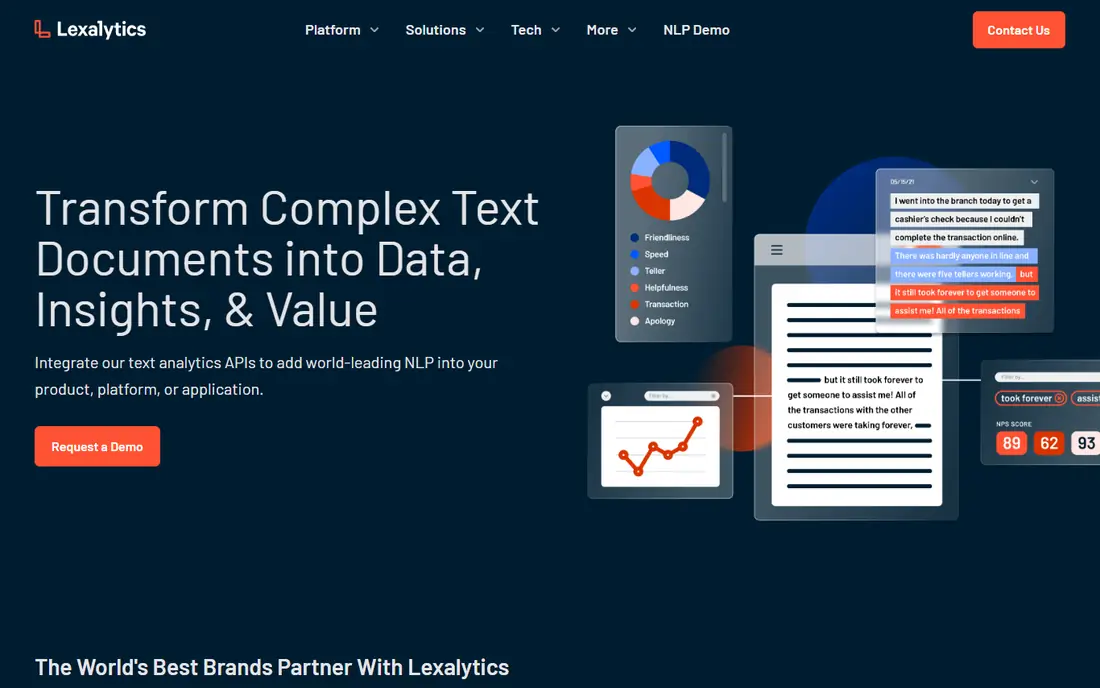
Lexalytics, now part of InMoment, is aimed at firms that treat text as a core data source rather than a side project. Its Semantria API covers sentiment, categorisation, entity recognition, theme analysis and summarisation, and it can run in cloud or private deployments. That flexibility matters for regulated firms that cannot send every document to a public service.
The trade-off is that this is not a quick sign-up product. Pricing is by quote, and getting full value usually means developer time and a clear plan for how scores will feed into reports or other systems. Smaller teams may find a dashboard tool faster, even if it is less deep.
- Deep sentiment, categorisation and entity work
- Many languages supported
- API and on-premises options
- Pricing is quote-based
- Setup is heavier than a dashboard tool
MeaningCloud takes a different route from the dashboard tools: it sells text analysis as an API that pulls topics, sentiment, entities and classification out of documents, articles and social text. Developers can call it from their own product or workflow, and the free tier lets a small project test real content before paying. For a team that already builds software, that simplicity is a strength.
The weakness is presentation. MeaningCloud does less hand-holding on charts and team workflows than MonkeyLearn or Kapiche, so a non-technical team will need someone to build the front end. Check the language coverage for your market too, since accuracy varies by language and content type.
- Pay-as-you-go style pricing
- Many languages
- Free tier for testing
- API-first, so non-developers need help
- Dashboards are lighter than rivals
Kapiche is built for insight teams that pull feedback from surveys, support, reviews and other channels and need one consistent view. It finds themes across those sources without requiring analysts to code every response by hand, which saves weeks on a large feedback set. The product also helps teams trace a theme back to the original comments, so a claim in a report can be checked.
The honest limit is fit. Kapiche is priced and set up for organisations with steady, high-volume feedback, so a team with only a few hundred responses a month may not see the same return. Ask for a demo on your own data, and ask what happens to pricing if volume grows or falls.
- Combines many feedback sources in one view
- Theme discovery without manual coding
- Built for insight teams
- Pricing is quote-based
- Best value shows at larger feedback volumes
Thematic focuses on one clear problem: finding the themes inside customer feedback and showing how they change over time. It connects to common support and survey tools, so feedback does not have to be exported by hand each week. Product teams can then see which themes are rising, which are linked to complaints, and which deserve a fix first.
The downside is that Thematic is a serious purchase, not a quick self-serve trial for most buyers. Pricing is by quote, and the setup works best when a team has a named owner for feedback. Teams without that owner may struggle to keep the analysis current.
- Clear theme reports for product teams
- Connects common feedback tools
- Human-in-the-loop review options
- Pricing is quote-based
- Smaller teams may find setup slow
Keatext suits a smaller team that wants theme and sentiment analysis without an enterprise contract. It handles reviews, surveys and support text, and its reporting is pitched at managers who need a clear summary rather than a research project. The entry price sits well below MonkeyLearn, which makes it easier to justify for a first text analytics purchase.
The limit is scale and depth. Keatext is not the pick for a firm that needs complex multilingual pipelines or heavy custom modelling. Teams that outgrow it will likely move to an API platform or an enterprise feedback tool, so check export options before building long-term reports on it.
- Lower entry price than many rivals
- Sentiment and theme analysis for reviews
- Straightforward reporting
- Less depth for enterprise language work
- Integrations are narrower than larger platforms
Google Cloud Natural Language is a building block, not a finished feedback product. Developers can send text to the API and get back sentiment scores, entities, syntax and content classification, then store those results wherever their reports live. That makes it a good fit for teams that already run on Google Cloud and want text analysis inside their own app.
The catch is that every dashboard, alert and workflow has to be built by the buyer. A team without developers will get little from this API on its own, and usage-based pricing means a sudden spike in text volume changes the bill. Start with a small, measured pilot and set usage alerts early.
- Sentiment, entity and syntax analysis in one API
- Strong documentation
- Scales with Google Cloud
- Needs developer time
- No ready-made feedback dashboard
- Costs vary with usage
Amazon Comprehend gives AWS teams a managed way to extract sentiment, entities, key phrases, topics and custom classes from text, including support for custom models trained on a team's own labels. It fits naturally into pipelines that already store documents in AWS, and it can process large batches without the buyer running servers. That is a real advantage for firms with heavy document loads.
The weakness mirrors Google's API: Comprehend is a component, not a finished insight tool. Teams need AWS skills, a plan for storing results, and a way to present them to non-technical readers. Pricing also varies by feature and volume, so get a written estimate for a realistic monthly text count before launch.
- Sentiment, entities, topics and custom classification
- Fits AWS data pipelines
- Handles large volumes
- AWS knowledge is needed
- Pricing depends on volume and features
- No built-in feedback dashboard
How we picked these
We compared official feature pages, pricing pages, app store listings where available, privacy policies and public reviews, and we kept only tools that exist and work in October 2026 and truly fit text analysis or text mining. We favoured a mix of no-code dashboards, feedback platforms and developer APIs, because buyers arrive with very different skills. Where a vendor did not publish a price, we wrote See website rather than guessing.
What to check before you pay
Start with your own text, not a vendor demo set. A tool that looks sharp on clean survey answers can struggle with short support chats, slang, mixed languages and sarcasm, so run a sample that includes all of those. Check how themes are explained: can you click from a theme back to the original comments, and can you correct a wrong label?
Next, check volume and language maths. API tools charge by use, dashboard tools charge by seats or volume, and both can rise fast once a team adds new feedback sources. Ask about data handling too, including where text is stored, how long it is kept, and whether it is used to train shared models. Those answers matter more than a long feature list, especially for customer and employee feedback.
Frequently asked questions
What is the best text analytics software for beginners?
MonkeyLearn or Keatext are the easiest starts in this list, because they offer ready-made models and dashboards rather than an API alone. Pick MonkeyLearn if you want custom no-code models, and Keatext if budget is the main limit.
What is the difference between text analytics and text mining tools?
The terms overlap a lot in practice. Text mining often means finding patterns in large text sets, while text analytics often means measuring sentiment, topics and entities for business decisions. Most tools here do both, so judge them by your task, not the label.
Do I need a developer to use these tools?
Not for MonkeyLearn, Kapiche, Thematic or Keatext, which are built for business teams. Google Cloud Natural Language and Amazon Comprehend do need developers, since they are APIs that must be built into another product or workflow.
Can text analytics handle sarcasm and slang?
Only partly. Modern models handle common slang better than older keyword tools, but sarcasm, irony and mixed sentiment in one message still cause errors. Keep a human review step for high-stakes decisions, such as product changes or public claims.
How much does text analytics software cost?
Entry prices here run from $99 to $299 per month for published plans, with several enterprise tools priced by quote. API tools charge by volume instead, so total cost depends on how much text you process each month.
Sources
See where you really rank - block by block
ProMapRanker scans Google Maps across a grid of your service area. Simple monthly plans from $19, white-label on every plan.
Start freeKeep reading
 who has best internet service
Who Has the Best Internet Service in 2026
Who has best internet service for US homes? We compare fiber, cable, fixed wireless and satellite providers on speed, price, availability and terms today.
Read → which survey tool has the best analytics
Which Survey Tool Has the Best Analytics in 2026
Find which survey tool has the best analytics in 2026, comparing Qualtrics, SurveyMonkey, Typeform, Alchemer, and more on reports, text, and stats today.
Read → which streaming service has the best movies
Which Streaming Service Has the Best Movies in 2026
Answering which streaming service has the best movies, with Netflix, Max, Criterion and more compared on libraries, prices and free options in this guide.
Read →