 ProMapRanker
Best Tax Practice Management Software in 2026


Email-driven firm collaboration · Pricing starts at: $59 per user per month
Key takeaways
- Karbon, TaxDome, and Canopy cover the full firm workflow, but they price very differently, so compare annual cost per seat, not just the headline tier.
- TaxDome at $800 per seat per year suits portal-first tax firms, while Karbon at $59 per user per month suits email-driven team collaboration.
- Financial Cents and Uku both start at $19 per month, which makes them the most accessible entry points for solo and small firms.
- Canopy pricing is modular, so the real total can exceed the starting tier once workflow, documents, and billing add-ons are included.
- TaxDome bills annually upfront with no monthly option on its main plans, which matters for cash flow and seasonal hiring.
Quick comparison
| Pick | Great for | Pricing starts at | Free tier | |
|---|---|---|---|---|
| Karbon | Email-driven firm collaboration | $59 per user per month | Free trial | Visit |
 TaxDome | Portal-first tax firms | $800 per seat per year | Free trial | Visit |
 Canopy | Tax-heavy practices | $74 per user per month | Free trial | Visit |
 Financial Cents | Small firms getting started fast | $19 per month | Free trial | Visit |
 Jetpack Workflow | Recurring task tracking | $40 per user per month | Free trial | Visit |
 Uku | Profitability-focused small firms | $19 per member per month | Free trial | Visit |
 Tidyflow | Karbon-style depth at lower cost | $39 per user per month | Free trial | Visit |
 Pixie | Lightweight UK and small-firm workflows | See website | Free trial | Visit |
 Firm360 | All-in-one US firms | $49 per month | Free trial | Visit |
The best tax practice management software
We compared official pricing pages, workflow features, client portals, billing tools, and tax-specific functions for firms that prepare returns and advise clients. This is general information about software, not tax or financial advice, and firms should confirm compliance and data handling with their own professional advisers.

Karbon is built around how accounting work actually arrives, which is often by email. Client emails, tasks, and jobs sit in one workflow, so a team can see who owns each return, what is waiting on a client, and what is overdue. That visibility helps larger firms during tax season, when handoffs and bottlenecks decide whether deadlines hold.
The Team plan at $59 per user per month billed annually covers core workflow, but firms that need automatic client reminders, API access, or deeper automation often move to Business at $89 per user per month. E-signatures also need a separate add-on. Karbon fits growing firms that want one shared workflow, provided they budget for the tier that matches their automation needs.
- Strong team workflow and email integration
- Clear work visibility
- Good template library
- Team tier lacks some automation and API access
- E-signatures need an add-on
- Cost rises with headcount
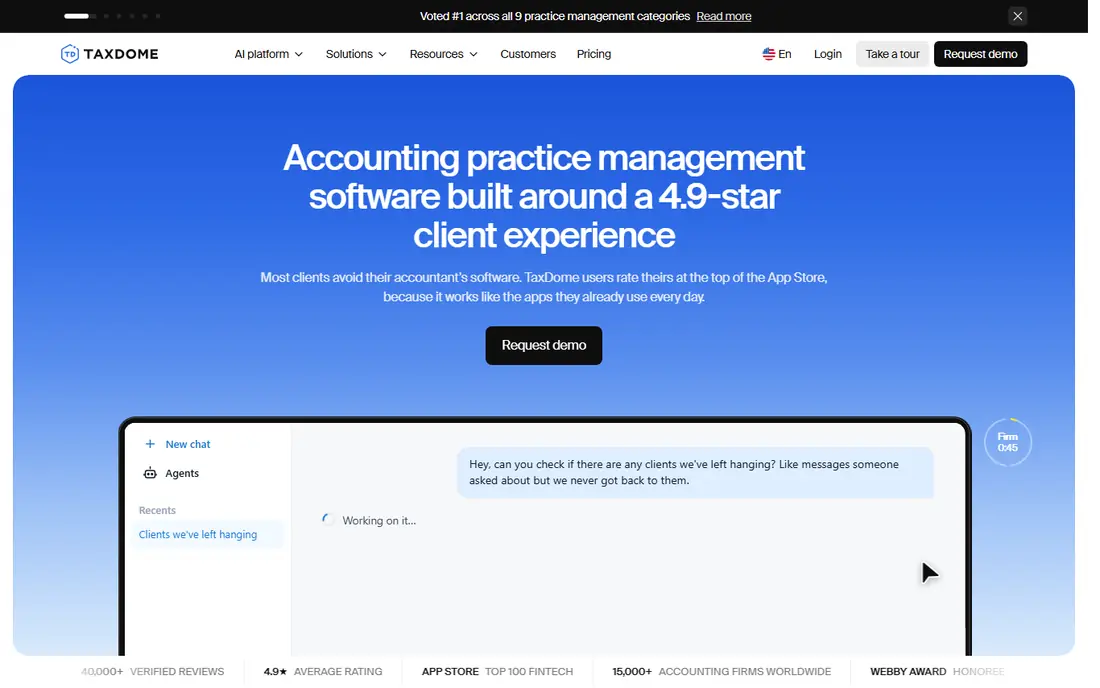
TaxDome gives tax and accounting firms a single system for client management, a branded portal, documents, e-signatures, workflows, proposals, and payments. Clients get one place to upload documents, sign forms, and pay, which reduces email chasing during busy season. For portal-first firms, that completeness is the main draw.
Pricing is per seat per year, starting at $800 for Essentials, with Pro at $1,000 per seat per year. All plans bill annually upfront, so seasonal staff and cash flow need planning. TaxDome suits firms that want one vendor for the client journey, rather than stitching together separate portal, workflow, and billing tools.
- All-in-one portal, CRM, workflows, and billing
- Strong client experience
- Predictable per-seat pricing
- Annual upfront billing only
- Onboarding packages are extra
- Pro tier at $1,000 per seat suits many firms better

Canopy is designed for tax practices, with client management, document handling, e-signatures, billing, and workflow tools, plus tax resolution features for firms that handle IRS cases. Its portal and communication tools help firms keep client documents and messages in one place, which matters when a case involves many forms and deadlines.
The starting Standard tier at $74 per user per month billed annually is only part of the picture, since workflow, document, and billing functions can sit in separate modules. Firms should request a full quote for every module they need, not just the headline tier. Canopy fits tax-heavy firms that will use its specialist features, but a general bookkeeping firm may pay for depth it does not need.
- Strong tax focus including tax resolution tools
- Good client portal
- AI-assisted prep features
- Modular pricing raises the real total
- Training costs reported by some firms
- Quote needed for full suite
Financial Cents focuses on workflow first, with templates, recurring tasks, client tracking, and team visibility. The Solo plan at $19 per month suits a single practitioner, while the Team plan at $49 per user per month billed annually suits small firms that need collaboration and capacity planning. Setup is quick, which helps firms that want to move off spreadsheets before tax season.
It is less of an all-in-one portal than TaxDome, so firms that need deep client portal, billing, and proposal tools may pair it with other software. For a small firm whose main pain is missed deadlines and unclear ownership, Financial Cents offers strong value. Trial it with a real client workflow, including recurring monthly work, to judge fit.
- Low entry price
- Fast setup
- Clear workflow templates
- Team plan costs more than Solo
- Fewer portal features than TaxDome
- Larger firms may outgrow it
Jetpack Workflow does one job well: tracking recurring firm work so nothing slips. Firms can set up monthly, quarterly, and annual jobs, assign owners, track due dates, and see capacity across the team. That focus suits firms that already have a portal or billing tool and mainly need reliable deadline control.
The Starter plan starts at $40 per user per month billed annually. Jetpack Workflow will not replace a client portal, e-signature tool, or billing system, so firms should budget for those separately if needed. It is a good pick for firms that want a stable, simple workflow core without the complexity of a full suite.
- Simple recurring workflow tracking
- Good deadline visibility
- Quick to learn
- Workflow only, not a full portal or billing suite
- Fewer automation features than Karbon
- Per-user cost adds up
Uku combines workflow, time tracking, client management, and profitability reporting, which helps small firms see which clients and services actually make money. The Solo plan at $19 per member per month billed annually gives a low-cost entry point, with higher tiers adding team and automation features. That focus on margin suits advisory-led firms that want to price work properly.
Uku is less established in the US market than Karbon or TaxDome, so firms should check integrations with their tax and accounting stack, plus support hours. Its portal and billing depth is also lighter than a full suite. For a small firm that wants workflow plus profitability insight at a low price, Uku is worth a trial.
- Low entry price
- Profitability and time tracking
- Modular plan structure
- Smaller US presence than rivals
- Some features need higher tiers
- Portal depth is lighter than TaxDome
Tidyflow positions itself as a lower-cost alternative to Karbon, with practice management, client portal, workflows, time tracking, and billing in one platform. At $39 per user per month, it undercuts Karbon Team and Business tiers while covering much of the same ground. For growing firms that like Karbon-style workflow but not its price, that gap matters.
As a newer vendor, Tidyflow has a smaller public track record, so firms should test integrations, migration support, and response times during a trial. The transparent price is a genuine advantage, since many rivals hide the full cost behind modules. Tidyflow suits firms that want suite depth without enterprise pricing, provided the trial confirms the features they rely on.
- Transparent per-user pricing
- All-in-one workflow, portal, and billing
- No user minimum reported
- Newer vendor than Karbon
- Smaller template and integration library
- Support scale is less proven
Pixie is a lightweight practice tool for small teams, with task management, automation, email tracking, and client workflows. It suits firms that want to reduce admin without adopting a heavy suite, and its per-workspace pricing can suit a small team better than per-user pricing. UK firms in particular have used Pixie for streamlined monthly workflows.
US tax firms should check tax-specific features, integrations, and support coverage before choosing Pixie, since its roots are in the UK market. Pricing is workspace-based, so get a quote for your team size and client count. Pixie fits small firms that want simple automation and clear task ownership, rather than a full portal and billing suite.
- Lightweight and automation-focused
- Per-workspace pricing
- Good for small teams
- Pricing varies by workspace size
- Less suited to large US tax firms
- Portal depth is modest
Firm360 is a US practice platform that combines CRM, client portal, workflows, documents, time tracking, and billing. Plans start at $49 per month and rise to $99 per user per month on higher tiers, which gives firms a path from small-team use to fuller suite use. The all-in-one design suits firms that want one vendor for client work and billing.
The range matters, since the starting tier does not include every feature, so firms should map their must-have functions to tiers before signing. Firm360 has a smaller user community than the largest rivals, which can affect template availability and peer advice. For a US firm that wants a single suite at a mid-market price, it is a credible shortlist option.
- US-focused all-in-one suite
- CRM, portal, workflows, and billing
- Clear tier range
- Higher tiers reach $99 per user per month
- Smaller community than Karbon or TaxDome
- Migration effort varies
How we picked these
We compared official pricing pages, workflow and portal features, and tax-specific functions, and we favoured tools built for accounting and tax firms rather than general project software. We included suite options and workflow-only options, so firms can compare full cost and scope. Where pricing was modular or quote-based, we used the published starting figure and noted the extra cost risk, rather than presenting a single tier as the full price.
What to check before you buy
Start with your service mix. A tax-preparation firm needs document collection, e-signatures, and deadline tracking, while an advisory firm needs time tracking, billing, and profitability reporting. A bookkeeping firm needs recurring monthly workflows and client communication. List your top ten workflows, then check each tool against that list, not against a generic feature page.
Next, price the full year. Include every seat, including seasonal staff, plus modules, e-signature add-ons, onboarding, and payment fees. Annual upfront billing, as with TaxDome, changes cash flow, while per-user monthly billing, as with Karbon, changes cost as headcount grows. Ask each vendor for a written quote that covers your peak team size, not just your current team.
Finally, test client onboarding. Send a test client through document upload, signature, payment, and message flows, and check how much staff time each step needs. A portal that clients ignore will not save time, no matter how strong the internal workflow looks. A two-week trial with real clients, timed around a deadline, gives the clearest verdict.
Frequently asked questions
What is the best tax practice management software?
There is no single best pick for every firm. Karbon suits email-driven collaboration, TaxDome suits portal-first tax firms, Canopy suits tax-heavy practices, and Financial Cents suits small firms that want fast setup at a low price.
How much does tax practice management software cost?
Most firms pay from $19 per month for a solo plan to $59 to $89 per user per month for mid-market suites, or $800 to $1,000 per seat per year for TaxDome. Modular pricing, add-ons, and seasonal seats can raise the total, so request a full-year quote.
Is TaxDome billed monthly?
TaxDome main plans bill annually upfront, with no monthly billing option on Essentials and Pro. Firms should plan cash flow and seasonal hiring around that annual payment, and confirm current terms on the vendor pricing page.
What is the difference between Karbon and Financial Cents?
Karbon offers deeper team collaboration and email-driven workflow for larger firms, while Financial Cents offers simpler, faster workflow setup for small firms at a lower entry price. The right pick depends on team size, automation needs, and portal requirements.
Can practice software handle tax resolution work?
Canopy offers tax resolution features for firms that handle IRS cases, while other tools cover general client management and workflows. If resolution work is a core service, check case tracking, document handling, and deadline tools for that workflow specifically.
Do I need a client portal, or is workflow software enough?
A portal helps when clients must upload documents, sign forms, and pay online, especially during tax season. Workflow-only tools suit firms that already have a portal or handle most client contact by email and phone, but they leave document chasing to staff.
Sources
See where you really rank - block by block
ProMapRanker scans Google Maps across a grid of your service area. Simple monthly plans from $19, white-label on every plan.
Start freeKeep reading
 who has best internet service
Who Has the Best Internet Service in 2026
Who has best internet service for US homes? We compare fiber, cable, fixed wireless and satellite providers on speed, price, availability and terms today.
Read → which survey tool has the best analytics
Which Survey Tool Has the Best Analytics in 2026
Find which survey tool has the best analytics in 2026, comparing Qualtrics, SurveyMonkey, Typeform, Alchemer, and more on reports, text, and stats today.
Read → which streaming service has the best movies
Which Streaming Service Has the Best Movies in 2026
Answering which streaming service has the best movies, with Netflix, Max, Criterion and more compared on libraries, prices and free options in this guide.
Read →