 ProMapRanker
Best Subscription Cancellation App in 2026

Key takeaways
- Rocket Money is the strongest done-for-you option, since Premium can cancel eligible subscriptions on your behalf.
- OneMain MyMoney, formerly Trim, offers done-for-you cancellation mainly to OneMain and Brightway customers, while others get tracking plus DIY steps.
- Manual trackers like Bobby and Subby cannot cancel for you, but they avoid bank linking and suit privacy-minded users.
- Bank-linked apps find subscriptions you forgot, while manual apps only show what you enter, so the best choice depends on how much access you will grant.
- This is not financial advice, and no app can cancel every service, since some providers require you to cancel directly with them.
Quick comparison
| Pick | Great for | Pricing starts at | Free tier | |
|---|---|---|---|---|
 Rocket Money | Done-for-you cancellation | Free | Yes | Visit |
 OneMain MyMoney | Free tracking plus customer cancellation help | Free | Yes | Visit |
 Hiatus | Subscription tracking with cancellation help | See website | Yes | Visit |
 PocketGuard | Budgeting with subscription visibility | Free | Yes | Visit |
 Bobby | Private manual tracking on iPhone | Free | Yes | Visit |
 Subby | Simple manual tracking on Android | Free | Yes | Visit |
 Monarch Money | Shared household subscription tracking | $99.99 per year | Free trial | Visit |
 Finny | Private manual tracking without bank linking | Free | Yes | Visit |
 TrackMySubs | Manual tracking with renewal reminders | See website | Yes | Visit |
The best subscription cancellation apps
A subscription cancellation app should do one of two jobs well: find recurring charges you forgot, or help you cancel the ones you no longer want. Some apps do both, some only track, and some only help with supported services. We compared official app pages and recent tracker guides, and we kept apps that are available in October 2026 and truly fit subscription tracking or cancellation. Check each app for your country, since several options in this list are US-focused.
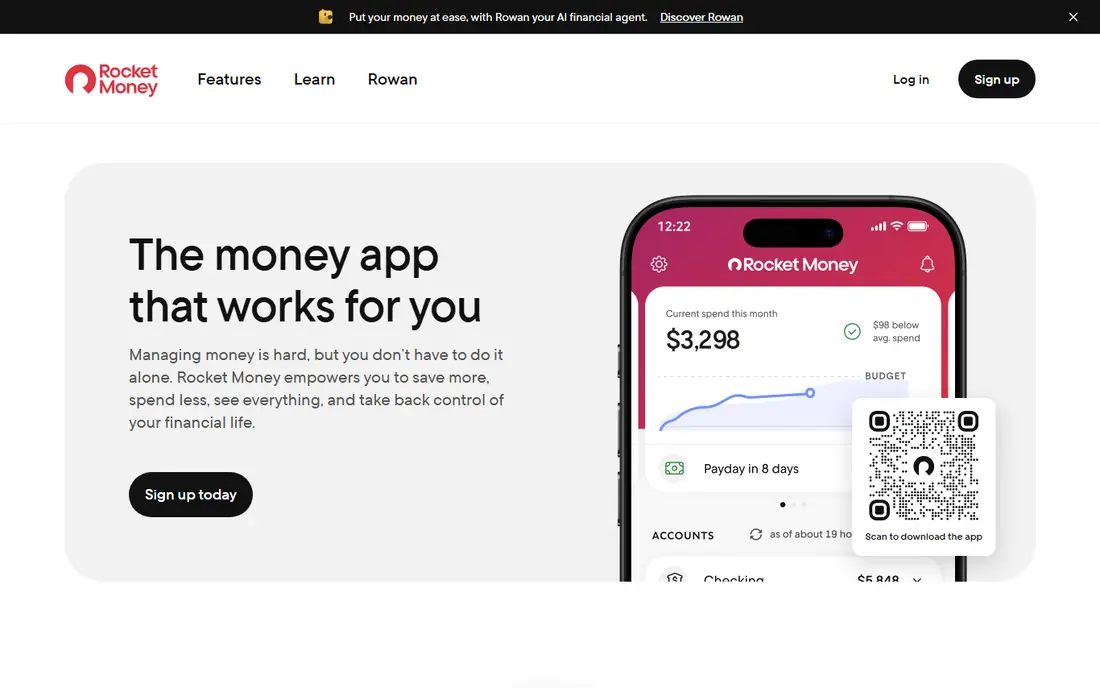
Rocket Money, formerly Truebill, is the best subscription cancellation app for most people because it covers both discovery and action. Link your accounts and it lists recurring charges in one place, including trials that rolled into paid plans and services you forgot. The free plan covers tracking, budgeting basics and reminders, which is enough to see the full monthly total. Premium adds the part most people want: Rocket Money cancels eligible subscriptions on your behalf.
The catch is price and limits. Premium is listed in recent guides at $7 to $14 per month on a pay-what-you-think-is-fair scale, with a 7-day trial, and bill negotiation has separate terms that changed in late 2026, with Premium+ described at $15 per month plus tax from November 2, 2026. Not every service can be cancelled by a third party, so some cancellations still need your direct action. Start free, see what it finds, and upgrade only if done-for-you cancellation is worth the monthly cost to you.
- Finds recurring charges in linked accounts
- Premium can cancel eligible subscriptions for you
- Bill negotiation for some bills
- Cancellation help needs Premium
- Bill negotiation fees and terms change, so check the current plan page
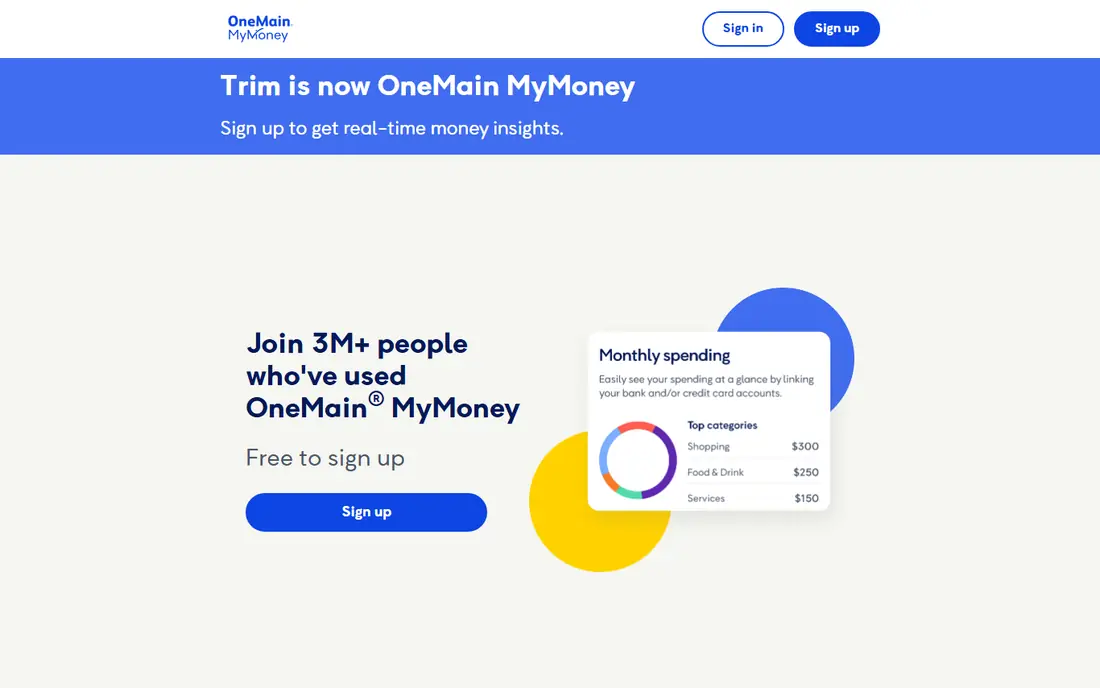
OneMain MyMoney is the current form of Trim, which joined OneMain Financial in 2021. Its help pages list subscription tracking, transaction alerts, budgeting and car insurance comparison as free features, and the old Trim address now forwards to this service. For OneMain and Brightway customers, bill negotiation and done-for-you subscription cancellation are also free, covering many wireless, internet, phone, cable and home security bills plus SiriusXM in guides.
For everyone else, the value is tracking plus guidance. MyMoney finds subscriptions and shows how to contact the merchant, but you cancel yourself. That split matters, so do not choose it expecting Rocket Money style cancellation unless you are a OneMain or Brightway customer. As a free tracker with a clear history, it is still useful, especially if you already bank with OneMain.
- Free subscription tracking and budgeting tools
- Done-for-you cancellation for OneMain and Brightway customers
- Bill negotiation for those customers
- Done-for-you cancellation is limited to OneMain and Brightway customers
- Others must cancel themselves
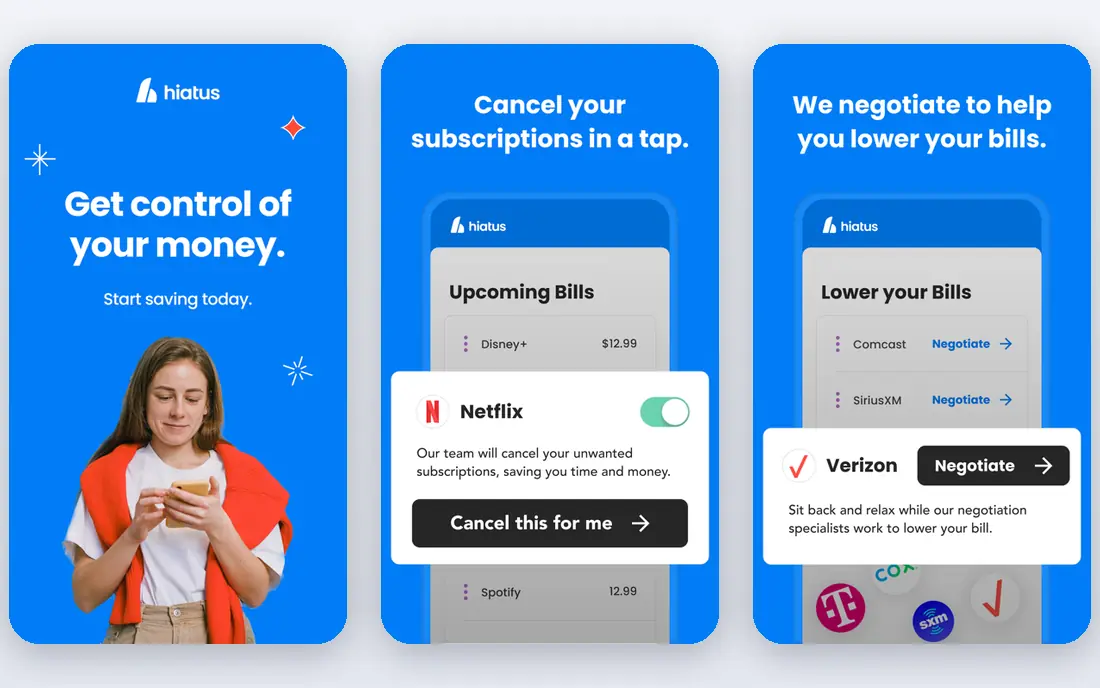
Hiatus looks at subscriptions inside a wider financial picture. It connects to bank accounts, groups subscriptions by status, and flags charges that have risen in price, which is often the first sign of a plan change you did not notice. Alerts for low balances and upcoming charges add a practical layer, since a subscription is easier to cancel before it renews than after it charges.
Cancellation help is partial, which is the honest limit. Hiatus Premium can help with supported services, but for other providers it may redirect you to the provider or suggest steps instead of cancelling directly. Pricing is also less clearly published than Rocket Money, so we list it as See website. Hiatus suits users who want subscription tracking plus broader money alerts, with some cancellation help rather than a promise to cancel everything.
- Groups subscriptions by active, inactive and rising cost
- Cancellation help for supported services
- Low-balance and upcoming-charge alerts
- Cancellation help does not cover every provider
- Some cancellations redirect you to the provider or give steps instead
PocketGuard is a budgeting app first and a subscription tool second, which suits people whose real problem is overspending rather than one forgotten trial. Once linked to bank and card accounts, it flags recurring payments and shows them inside your monthly budget, so you can see how subscriptions fit beside rent, groceries and goals. Its In My Pocket figure, which shows money left after bills and goals, makes the cost of small subscriptions feel concrete.
The limit is action. PocketGuard points out the cost and offers guidance on cancelling, but it does not cancel subscriptions directly for you in the way Rocket Money Premium does. Paid plans are listed in recent guides at $12.99 per month or $74.99 per year after a 7-day trial. Choose PocketGuard if budgeting is the main job and subscription visibility is a bonus, not if you want someone else to do the cancelling.
- Surfaces recurring bills inside a full budget
- In My Pocket figure shows money left after bills
- Bill negotiation described in guides
- Does not cancel subscriptions directly for you
- Paid plan needed for full features
Bobby is the privacy pick. It is an iPhone app that tracks subscriptions through manual entry, with a library of over 1,000 services in guides, renewal reminders and monthly and annual cost totals. Data stays on your device unless you enable iCloud backup, so you never hand a company your bank login or transaction history. The free version covers a limited number of subscriptions, with a one-time $1.99 purchase described in guides for more.
Manual entry is both the strength and the weakness. Bobby cannot find a subscription you forgot to add, and it cannot cancel anything for you. It suits users who know their subscriptions, want a clear total and prefer privacy over automation. If you suspect forgotten charges, pair Bobby with a bank statement review, or choose a bank-linked tracker instead.
- No bank linking needed
- Local-first data on your phone
- Large service library with renewal reminders
- IOS only in guides
- Manual entry means forgotten subscriptions stay hidden
- Cannot cancel for you
Subby is the Android counterpart to Bobby in spirit: a simple app that lists subscriptions, shows the monthly total and alerts you before bills renew. You add each subscription, choose the billing cycle and card, and Subby totals the cost so you can see the monthly burn at a glance. Cloud backup via Google Drive is described in guides, which helps if you change phones.
Subby shares the manual tracker limit. It will not discover a charge you forgot, and it will not cancel a service for you. It also lacks the budgeting depth of PocketGuard or Monarch Money. For Android users who want a cheap, private, no-bank-linking tracker, Subby is a clean fit. For discovery and done-for-you cancellation, look at Rocket Money instead.
- Simple manual subscription list with totals
- Renewal alerts
- Cloud backup described via Google Drive in guides
- Manual entry only
- Cannot cancel subscriptions for you
- Fewer budgeting features than bank-linked apps
Monarch Money suits couples and households that want one shared view of subscriptions, budgets and net worth. It tracks recurring transactions from linked accounts, lets you add manual subscriptions, and shows the household total in a dashboard both partners can use. That shared view helps when subscriptions are split across two people and neither sees the full total alone.
Monarch does not cancel subscriptions for you, so it is a tracking and budgeting tool rather than a cancellation service. At $99.99 per year in recent guides, it is also expensive if subscription tracking is the only job. Choose Monarch when household budgeting and net worth tracking matter as much as subscriptions, and pair it with direct cancellation or Rocket Money Premium if you want done-for-you help.
- Recurring transaction tracking beside budgets and net worth
- Shared household view
- Manual additions beside linked accounts
- Does not cancel subscriptions for you
- Annual price is high if subscription tracking is the only job
Finny is a privacy-first tracker that avoids bank linking altogether. You add subscriptions manually, or use AI-assisted entry from text, voice or a billing email screenshot as described in guides, and Finny logs them on schedule with reminders before each charge. The free tier covers unlimited manual tracking with custom categories and charts in guides, while a low-cost Pro plan adds AI input, receipt scanning and cloud sync.
The trade-off is discovery. Without bank access, Finny cannot find a charge you never entered, and it cannot cancel a service for you. It suits users who distrust bank linking, want a clean subscription calendar and are willing to enter their own list. If forgotten charges are your main worry, a bank-linked app will find more, even though it asks for more access.
- No bank access needed
- Manual and AI-assisted entry from text, voice or screenshots in guides
- Renewal reminders and custom categories
- Cannot auto-discover bank charges
- Cannot cancel subscriptions for you
- Newer app with less long-term track record
TrackMySubs is a straightforward web tracker for users who prefer a browser over another phone app. You enter subscriptions, set renewal dates and get reminders before charges hit, with monthly totals that show the real cost of a long list. That simplicity suits small business owners and households that want a shared list without linking bank accounts.
As with other manual trackers, TrackMySubs cannot discover forgotten charges or cancel services for you. Pricing details vary in guides, so we list it as See website and advise checking the current plan page. Choose it if you want a simple, private list with reminders. Choose a bank-linked canceller if discovery and done-for-you cancellation are the main goals.
- Manual subscription list with renewal reminders
- Useful for web-based tracking without an app install
- Clear monthly totals
- Manual entry only
- Cannot cancel subscriptions for you
- Pricing and plan details should be checked on the current site
How we picked these
We compared official app pages and recent subscription tracker guides, and we kept apps that track subscriptions, help cancel them or both in October 2026. We favoured a mix of done-for-you cancellers, bank-linked trackers and private manual trackers, so readers can choose by access comfort as well as by price. Where a service limits done-for-you cancellation to certain customers or providers, we stated that limit plainly rather than presenting tracking as cancellation.
How to cancel subscriptions without missing one
Start with three months of bank and card statements, not just the app list. Mark every recurring charge, including annual charges that hide for eleven months, app-store bundles that group several services, and free trials that rolled into paid plans. Add any subscriptions paid through PayPal, Apple or Google separately, since bank-linked apps can miss charges grouped inside those wallets.
Next, cancel in the right order. Cancel the services you never use first, then the duplicates, such as two music apps or two cloud storage plans, then the nice-to-have services you can live without for a month. For each cancellation, save the confirmation email or screenshot, and set a reminder for the renewal date to confirm the charge stopped. Some providers offer a pause or a cheaper plan when you cancel, so decide in advance whether a discount would change your mind.
Finally, decide how much access a tracker should have. Bank-linked apps find more, but they see your transaction history, so link only the accounts you need, use a strong password and two-factor authentication, and unlink accounts when your audit is done. Manual trackers protect privacy but need discipline. Either way, repeat the audit every three months, since new trials and annual renewals creep back in quietly.
Frequently asked questions
What is the best app for canceling subscriptions?
Rocket Money is the best done-for-you option for most people, since Premium can cancel eligible subscriptions on your behalf. OneMain MyMoney offers similar help mainly to OneMain and Brightway customers. If you only need tracking, Bobby, PocketGuard and Monarch Money are strong alternatives, but you will cancel services yourself.
What is the best app to find and cancel subscriptions?
Rocket Money covers both jobs best in this list, since it finds recurring charges in linked accounts and, on Premium, cancels eligible ones. Hiatus also finds subscriptions and helps with supported services. Manual trackers like Bobby and Subby only show what you enter, so they cannot find a subscription you forgot.
What is the best app to get rid of subscriptions?
Start with Rocket Money Premium if you want the app to cancel for you, and work through the list it finds from highest cost to lowest. Save every cancellation confirmation and check the next statement for each service. For services the app cannot cancel, use the provider site directly and keep the confirmation as proof.
Is there a free app for subscription cancellation?
Yes. Rocket Money, OneMain MyMoney, PocketGuard, Bobby, Subby and Finny all offer free tiers in this list. Free tiers generally cover tracking and reminders, while done-for-you cancellation usually needs a paid plan, except for OneMain and Brightway customers on MyMoney. Check the current plan page, since free limits change.
Can an app cancel every subscription for me?
No. Some providers require you to cancel directly on their site or by phone, and some services sit inside app-store or PayPal bundles that a third party cannot cancel cleanly. A good app cancels eligible services and gives clear steps for the rest. Always confirm the charge stopped on your next statement.
Is it safe to link my bank to a subscription app?
Bank-linked apps generally use read-only connectors and encryption, but you are still sharing transaction history with a third party. Link only the accounts you need, use a strong password and two-factor authentication, and unlink accounts when your audit is done. If that access worries you, use a manual tracker like Bobby, Subby or Finny instead.
Sources
- https://www.rocketmoney.com
- https://www.onemainmymoney.com
- https://www.hiatus.com
- https://www.pocketguard.com
- https://bobbyapp.co
- https://subby.app
- https://www.monarchmoney.com
- https://getfinny.app
- https://www.trackmysubs.com
- https://editorialge.com/subscription-tracker-apps/
- https://www.mymillennialguide.com/trim-review/
See where you really rank - block by block
ProMapRanker scans Google Maps across a grid of your service area. Simple monthly plans from $19, white-label on every plan.
Start freeKeep reading
 bitly alternatives
Bitly Alternatives in 2026: 8 Tools Compared
Compare the best Bitly alternatives for branded short links, with free tiers, custom domains, analytics, and pricing that suits creators and small teams.
Read → bill.com alternatives
Best Bill.com Alternatives in 2026
Looking for bill.com alternatives? We compared 9 bill pay and AP automation tools on price, approvals, and accounting sync to help you switch with confidence.
Read → betterhelp alternatives
BetterHelp Alternatives in 2026
We compared BetterHelp alternatives for online therapy, covering Talkspace, Grow Therapy, Rula, Brightside and more on price, insurance and format in 2026.
Read →