 ProMapRanker
Best Stock Tracking App in 2026

Key takeaways
- Yahoo Finance is the best free starting point for most investors, with quotes, news, and simple portfolio tracking in one place.
- TradingView leads for charts and alerts, while Stock Rover and Koyfin lead for deep fundamental data and screening.
- Sharesight is the strongest pick for investors who need tax reporting and dividend records across brokers.
- This article is general information only, not financial advice, and tracking a stock well does not remove investment risk.
Quick comparison
| Pick | Great for | Pricing starts at | Free tier | |
|---|---|---|---|---|
 Yahoo Finance | Free all round tracking | Free | Yes | Visit |
 TradingView | Charts and price alerts | Free | Yes | Visit |
 Seeking Alpha | Research and analyst ratings | $299 per year | Yes | Visit |
 Stock Rover | Deep screening and portfolios | Free | Yes | Visit |
 Koyfin | Terminal style dashboards | Free | Yes | Visit |
 Sharesight | Tax and dividend records | Free | Yes | Visit |
 Delta | Mobile portfolio tracking | Free | Yes | Visit |
 Simply Wall St | Visual company summaries | Free | Yes | Visit |
 Morningstar Investor | Independent ratings and funds | $34.95 per month | No | Visit |
The best stock tracking app
We compared official pricing pages, feature pages, and app store listings for these tools, looking at portfolio tracking, alerts, charting, research depth, and how easy it is to add holdings by hand or by linking a broker. Prices change often, so check the vendor page before you buy. This is not financial advice, and past performance shown in any tracker does not predict future returns.
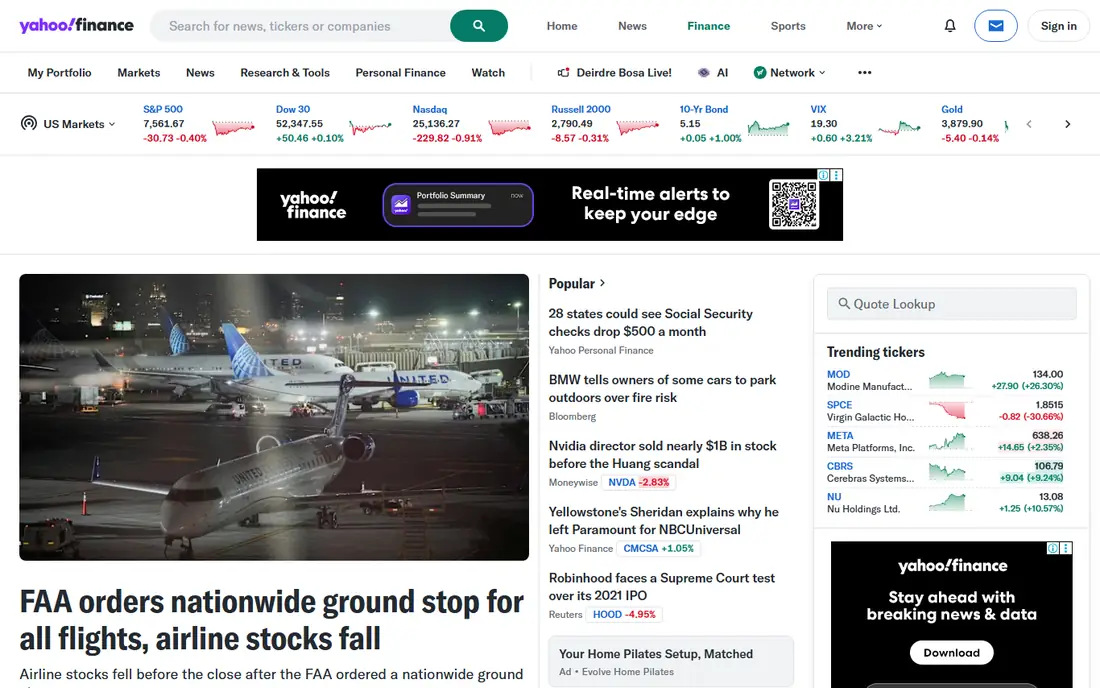
Yahoo Finance remains the default for many investors because it covers the basics so well for free. You can build watchlists, track a portfolio by hand, read company news, and set price alerts without paying. The mobile app is fast for a morning check, and the web version adds more charting and screening tools.
The limit shows up when you want deeper research. Fair value estimates, detailed research reports, and longer financial histories sit in paid tiers, with Bronze, Silver, and Gold plans listed at annual rates. For everyday tracking, though, the free tier is hard to beat, and it is our pick for most people who just want to follow holdings and news.
- Free quotes, news, and portfolios
- Large market coverage
- Simple watchlists and alerts
- Paid tiers are needed for deeper research reports
- Ads can clutter the free experience

TradingView is the charting standard for active investors. Its charts load quickly, support many indicators and drawing tools, and work across stocks, funds, crypto, and other markets. Alerts can trigger on price, indicator values, or a custom condition, which makes it useful for people who do not watch screens all day.
Portfolio tracking is present, but TradingView is at its best as a chart and alert tool paired with a research source. Paid plans start from around $12.95 per month billed annually and add more charts per layout, more alerts, and faster data. If charts drive your decisions, start here.
- Strong charting across many exchanges
- Flexible alerts
- Active community ideas and scripts
- Fundamental research is thinner than dedicated research tools
- Best chart layouts need a paid plan
Seeking Alpha pairs tracking with research. Its Quant ratings score stocks on value, growth, momentum, and other factors, and its contributor articles give a range of views on the same company. That mix helps if you want a second opinion before you buy, sell, or hold.
The free tier covers basic tracking and some articles, while Premium, listed at $299 per year, opens the full ratings, screeners, and research tools. The catch is volume: there is a lot to read, and not every article will suit your time horizon. Use the ratings as a starting point for your own checks, not as a buy signal on their own.
- Quant ratings and contributor analysis
- Screeners and portfolio tools
- Broad stock and fund coverage
- Premium price is steep for casual investors
- Contributor views can conflict and need your own judgment
Stock Rover is built for investors who screen by numbers. It offers hundreds of metrics, from valuation and growth to balance sheet strength, and lets you save custom screens and compare portfolios in detail. Correlation, risk, and rebalancing tools add value once you hold more than a handful of positions.
The free plan is genuinely useful for screening and basic tracking. Paid plans start with Premium and rise through higher tiers for more metrics and features, so check the current annual rates on the vendor page. New users should expect a learning curve, but patient value investors often find Stock Rover worth the effort.
- Hundreds of screening metrics
- Portfolio analytics and correlation tools
- Brokerage linking on paid plans
- Interface feels dated
- Learning curve is steep for new investors
Koyfin feels like a lighter professional terminal. You can build dashboards that mix price charts, financial statements, estimates, and macro indicators, then save them for daily use. Global coverage is a real plus for investors who hold stocks outside the United States.
The free plan covers a useful set of dashboards and portfolios. Plus, listed at $39 per month billed annually, and Premium, at $79 per month billed annually, add longer histories, filings, and transcripts. Koyfin suits investors who like to see the whole picture on one screen and who will use the dashboards daily.
- Clean dashboards with charts, financials, and macro data
- Global coverage
- Watchlists and portfolios
- Paid plans are pricey for casual users
- Some advanced data sits on the higher tier
Sharesight solves a problem many trackers ignore: record keeping. It handles splits, consolidations, dividends, and other corporate actions, and it can produce tax reports that save hours at year end. That makes it popular with dividend investors and with people who hold shares across several brokers.
The free plan covers a small portfolio, while paid plans start at a modest monthly rate billed annually and rise with holdings and reports. If your main need is a clean performance record and tax paperwork, Sharesight is the pick. If you mainly want charts and news, pair it with Yahoo Finance or TradingView.
- Automatic corporate actions and dividend tracking
- Tax reports on paid plans
- Multi currency portfolios
- Free plan limits the number of holdings
- Charting is simpler than TradingView
Delta is the mobile first option on this list. Its app is clean, fast, and easy to read at a glance, and it tracks stocks, exchange traded funds, and crypto in one portfolio. Connections to exchanges and wallets reduce manual entry, which is a big plus for people with holdings in several places.
Pro adds more connections, deeper analytics, and extra alerts, with pricing shown in the app stores. Delta is less suited to deep fundamental research, so many users pair it with a research tool. For a daily mobile check of what you own and how it moved, Delta is one of the easiest apps to live with.
- Clean mobile design
- Stocks, funds, and crypto in one portfolio
- Exchange and wallet connections
- Web and research tools are thinner than desktop rivals
- Some features need Pro
Simply Wall St turns dense financial data into a visual summary that new investors can grasp quickly. Its snowflake style report shows value, growth, income, and risk at a glance, and it flags items that deserve a closer look. Portfolio tracking, alerts, and stock notes round out a friendly package.
The trade off is simplification. A visual score can hide debt, dilution, or a weak competitive position, so use it as a first pass, then read the financial statements before acting. The free plan covers a limited set of companies, and paid plans open wider coverage. Check the vendor pricing page for current rates, since they vary by plan and region.
- Clear visual summaries of strengths and risks
- Portfolio tracking and alerts
- Beginner friendly language
- Visual scores simplify complex companies
- Paid plans are needed for full company coverage
Morningstar Investor is the research heavyweight here, especially for funds. Its analyst ratings, portfolio X Ray tools, and fund comparisons help investors who want an independent view rather than a crowd view. Stock coverage is solid too, with ratings, fair value estimates, and detailed reports.
There is no full free plan for Investor, and the listed price is $34.95 per month or $249 per year, so it suits committed investors more than casual watchers. If you hold many funds, or you want one trusted research source to check your portfolio against, Morningstar earns its price. For simple price tracking alone, a free tool will do.
- Independent analyst ratings
- Strong fund and portfolio tools
- Long research history
- No free plan for full Investor access
- Monthly price is high for casual tracking
How we picked these
We compared official pricing pages, feature pages, and app store listings, and we kept only tools that work in October 2026 for tracking stocks, funds, or a full portfolio. We favored tools with a real free tier or a clear published price, broad market coverage, and a distinct strength, from charts to tax reports. We left out pure broker apps, since the topic is tracking and research, and we left out tools that had shut down or that only covered one niche market.
How to choose the right tracker
Start by naming your main job. A daily price check needs a fast mobile app. A research heavy process needs screening and ratings. A tax conscious investor needs clean records and reports. Most investors do best with two tools: one for tracking and alerts, and one for research, rather than expecting one app to do everything well.
Portfolios, alerts, and data quality
Check how you will add holdings. Manual entry works for a small portfolio, while broker links save time for a larger one, but they also need your login trust. Set alerts for price moves, earnings dates, and dividend dates, and test them before you rely on them. Watch for delayed quotes on free tiers, since a 15 minute delay matters for active traders and matters little for long term holders.
Cost and the free tier trap
Free tiers are generous in this category, but they often cap holdings, alerts, or history. Add up the cost of the tools you will actually use daily, and cancel any paid tier you open only for a trial. Remember that a tracker shows you what happened, not what will happen, and no alert or rating removes the risk of loss. Diversify, keep cash needs in mind, and seek independent financial advice for large decisions.
Frequently asked questions
What is the best stock tracking app for free?
Yahoo Finance is our free pick for most people, with quotes, news, watchlists, and portfolio tracking at no cost. TradingView is the best free pick if charts and alerts matter most, and Stock Rover is the best free pick for deep screening.
What is the best app for tracking stocks across brokers?
Sharesight is strong for multi broker record keeping, thanks to corporate actions and tax reports. Delta also handles several accounts and asset types in a clean mobile view, while Stock Rover and Koyfin suit investors who link a broker for portfolio analysis.
Do stock tracking apps give real time prices?
Some do on paid plans, while many free tiers show delayed quotes. TradingView paid plans and broker linked tools are more likely to offer faster data, so check the data delay note on the pricing page if timing matters to your strategy.
Can I track dividends and taxes with these apps?
Yes, and Sharesight is the clearest pick for that job, with dividend tracking and tax reports on paid plans. Yahoo Finance, Stock Rover, and Koyfin also track dividends and income, but their tax reporting is less complete.
Is Seeking Alpha worth $299 per year?
It can be, if you read research often and use Quant ratings, screeners, and portfolio tools several times a week. Casual investors who check prices once a week will get more value from a free tracker plus occasional reading.
Are these apps financial advice?
No. They provide data, ratings, and opinions from analysts or contributors, but they do not know your goals, tax position, or risk tolerance. Treat every rating as research, not as a recommendation, and consider licensed advice for major decisions.
Sources
See where you really rank - block by block
ProMapRanker scans Google Maps across a grid of your service area. Simple monthly plans from $19, white-label on every plan.
Start freeKeep reading
 bitly alternatives
Bitly Alternatives in 2026: 8 Tools Compared
Compare the best Bitly alternatives for branded short links, with free tiers, custom domains, analytics, and pricing that suits creators and small teams.
Read → bill.com alternatives
Best Bill.com Alternatives in 2026
Looking for bill.com alternatives? We compared 9 bill pay and AP automation tools on price, approvals, and accounting sync to help you switch with confidence.
Read → betterhelp alternatives
BetterHelp Alternatives in 2026
We compared BetterHelp alternatives for online therapy, covering Talkspace, Grow Therapy, Rula, Brightside and more on price, insurance and format in 2026.
Read →