 ProMapRanker
Best Step Counter Apps in 2026

Key takeaways
- Apple Health, Samsung Health and Google Fit are the best free starting points, since they already run on most phones.
- Pacer and StepsApp add goals, trends and community features that built-in apps keep simple.
- Pedometer++ and Accupedo suit users who want a single number and little else.
- Phone step counts are estimates, so wear your phone consistently and treat small daily differences as noise.
Quick comparison
| Pick | Great for | Pricing starts at | Free tier | |
|---|---|---|---|---|
 Pacer | Guided programs and community challenges | Free | Yes | Visit |
 StepsApp | Clean trends and readable progress | Free | Yes | Visit |
 Apple Health | Built-in iPhone tracking with no extra app | Free | Yes | Visit |
 Samsung Health | Built-in tracking on Samsung and Android phones | Free | Yes | Visit |
 Google Fit | Simple Android tracking tied to Google | Free | Yes | Visit |
 Fitbit | Wearable-based step tracking | Free | Yes | Visit |
 Pedometer++ | Minimal iPhone counting with no clutter | Free | Yes | Visit |
 Accupedo | Simple Android counting with a home screen widget | Free | Yes | Visit |
 Steps | Apple Watch power users | Free | Yes | Visit |
 MapMyWalk | GPS walking routes with step counts | Free | Yes | Visit |
The best step counter apps
A good step counter should count without fuss, show trends clearly, and stay out of your way. We compared official app pages, app store listings and health platform pages, and we note where a subscription locks useful features.
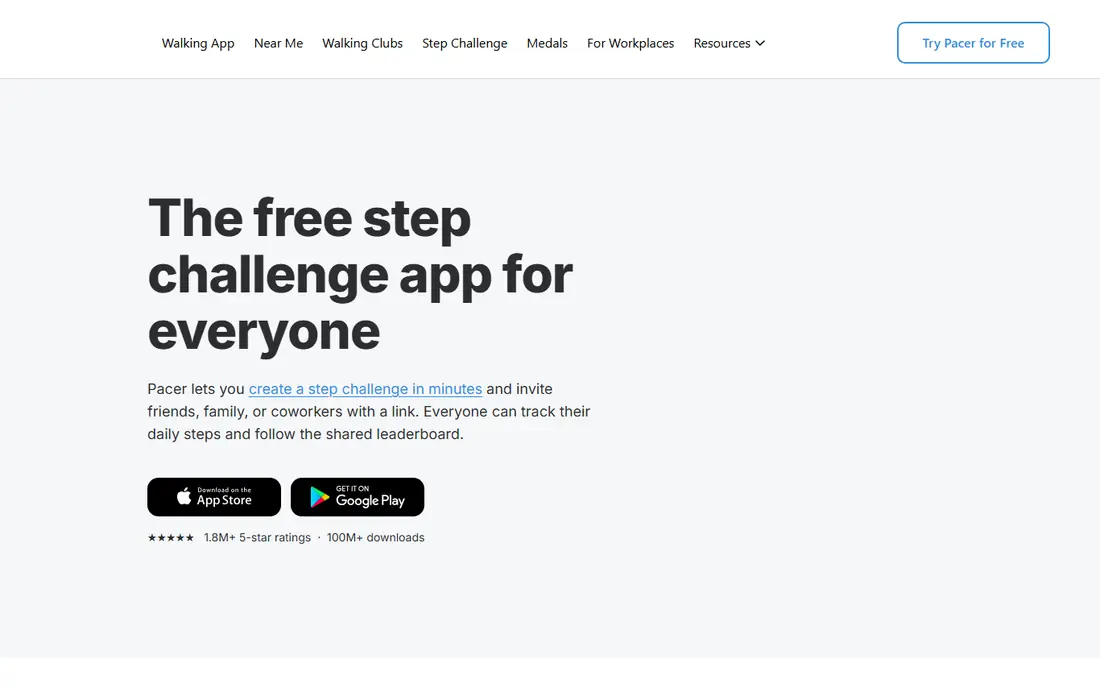
Pacer is the most complete phone-first step counter here. It counts from your phone, shows trends over days and weeks, and adds clubs and challenges that give walking a social pull. Guided programs walk you through building a habit, which helps if a bare number alone does not keep you moving.
The free tier covers counting, trends and community challenges. Premium, listed around 9.99 dollars per month, adds custom goals and fuller plans. If you want motivation features rather than just a tally, Pacer is our pick for most people.
- Phone-only counting with no wearable required
- Clubs, challenges and guided plans
- Syncs with Apple Health, Fitbit and Garmin
- Custom step goals sit behind Premium
- Free tier shows ads
- Premium pricing is higher than simpler rivals
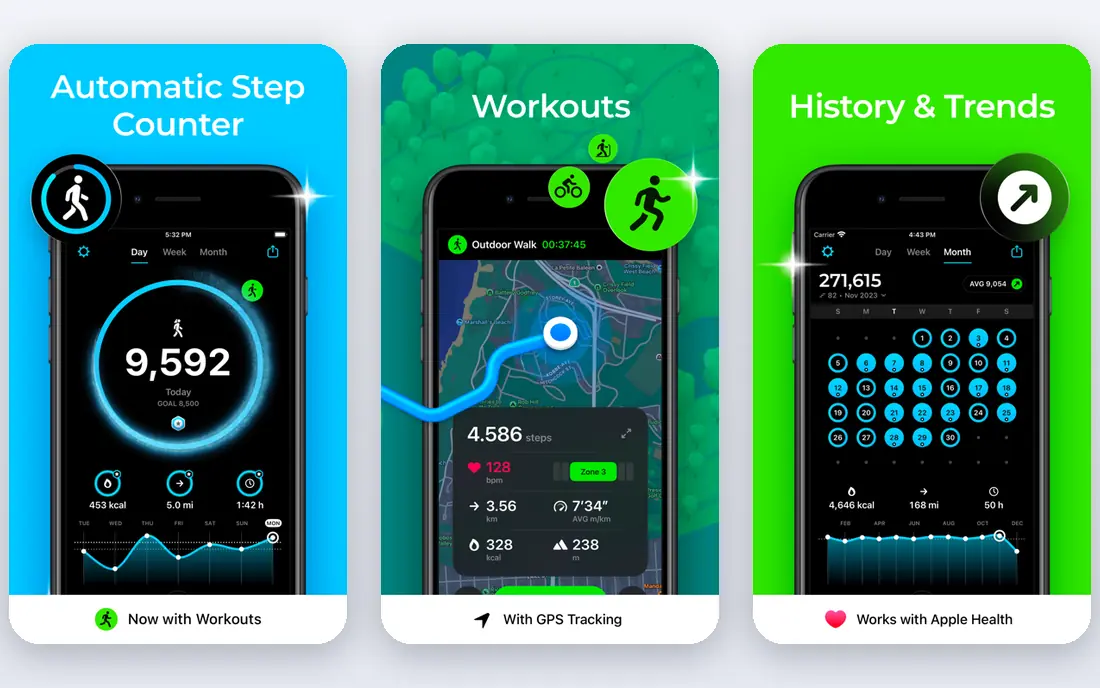
StepsApp wins on design. Daily progress reads at a glance, and the calendar view makes streaks and gaps obvious without opening a report. It pulls steps from the health platforms most people already use, so a watch or tracker feeds the same view as the phone.
The honest catch is the paywall split by platform. iOS users get a strong free core, while Android users see ads unless they upgrade. Pro removes ads and adds customization. If you want a step counter that looks good and stays simple, StepsApp is the cleanest choice here.
- Clear color-coded rings and calendar views
- Syncs with Apple Health, Google Fit, Garmin, Oura and Fitbit
- Free core works well on iOS
- Android free tier includes ads
- Pro pricing varies by store
- Social features are thinner than Pacer

Apple Health is the step counter most iPhone users already own. It records steps from the phone motion sensor and from Apple Watch, and it shows daily, weekly and yearly trends. Other apps can read and write to it, which makes it a useful hub even if you later add a dedicated counter.
What it lacks is motivation. There are no clubs, challenges or guided plans, and the charts stay plain. That is fine if you just want a reliable number. If you need nudges and goals, pair it with Pacer or StepsApp and let Apple Health hold the data.
- Already on every iPhone
- No account or subscription needed
- Data stays in the Apple ecosystem with HealthKit sync
- No challenges or coaching built in
- Charts are basic
- Step counting depends on carrying your iPhone or Apple Watch
Samsung Health is the Android counterpart to Apple Health for Samsung owners. Steps, distance and calories sit beside sleep, heart rate and workout tracking, and a Galaxy Watch feeds the same dashboard. Challenges and community features add a light social layer.
The catch is that the experience is richest inside Samsung hardware. Other Android phones can use it, but some features differ. Still, as a free built-in starting point, it beats installing a separate counter for most Samsung users.
- Already on many Samsung phones
- Tracks steps, sleep and workouts in one place
- Works with Galaxy Watch
- Fullest experience needs a Samsung account and device
- Some features vary by phone model
- Interface packs in a lot
Google Fit keeps step tracking plain and free. Steps and Heart Points give you two numbers to watch, and the app syncs with a wide range of Android fitness apps and Wear OS devices. There are no ads and no premium tier pushing at you.
Simplicity is also the limit. There are no guided programs or rich challenges, and Google has moved much of its health work into Health Connect. If you want a free, quiet counter on Android, Google Fit still does the job well.
- Free with no subscription
- Heart Points add a simple activity target
- Syncs with many Android apps and Wear OS watches
- Features are basic beside Pacer
- Development focus has shifted toward Health Connect
- IOS experience is thinner
Fitbit makes sense if you already wear one of its trackers or a Pixel Watch. Steps are counted all day, even when your phone sits on a desk, and the app shows sleep and heart rate beside activity. Community challenges and friends add motivation without a separate app.
Without a wearable, the app loses much of its edge, since phone-only counting is less steady. Fitbit Premium adds deeper insights and programs, but basic step tracking stays free. For wearable owners, Fitbit is the natural hub for daily steps.
- All-day wearable counting is more consistent than phone-only counts
- Free app dashboard covers steps, sleep and heart rate
- Community challenges included
- Best results need a Fitbit device or Pixel Watch
- Premium costs around 9.99 dollars per month
- Phone-only counting is less accurate
Pedometer++ does one job and does it cleanly. Open it and you see steps, distance and a simple history, with nothing else competing for attention. It reads HealthKit data, so it agrees with Apple Health, and it offers widgets and watch complications for a quick glance.
Users who want challenges, programs or social features should look at Pacer instead. Pedometer++ suits people who find fitness apps noisy and just want a trustworthy number. Its restraint is the feature.
- Single-purpose design with a clear daily count
- HealthKit data stays on device
- Widgets and Apple Watch support
- IPhone only
- No community or coaching features
- History views are simple
Accupedo has been around for years, and its appeal has not changed: count steps, show them clearly, and stay light on battery. The home screen widget means you never need to open the app to check progress, and its motion filtering aims to ignore shakes that are not steps.
It does not try to be a health hub. There is no sleep, heart rate or social layer, and syncing with other platforms is limited. If you want a widget and a number, Accupedo delivers. If you want trends across many metrics, pick a broader app.
- Focused step counting with 3D motion filtering
- Home screen widget shows progress at a glance
- Low battery impact
- Step tracking only, with little health context
- Design feels dated
- Integration with other apps is limited
Steps, from getsteps.app, is built for people who live on Apple Watch. The watch app runs on its own, complications show progress on the watch face, and the iPhone app adds widgets and yearly summaries. Streaks and goal tracking give it more structure than Apple Health alone.
The obvious limit is platform. Android users get nothing here, and iPhone users without a watch get less value. Paid features add depth, but the free tier covers core counting. For Apple Watch owners who want a better step face, Steps is worth a look.
- Native watch app with many complications
- IPhone widgets in several styles
- Yearly insights and streak tracking
- Apple only
- Some features need a paid upgrade
- Best value requires an Apple Watch
MapMyWalk suits walkers who care where they went, not just how many steps they took. GPS mapping shows route, pace and elevation, and the app logs each walk as a workout you can revisit. Community features and challenges add a social layer for regular walkers.
GPS is also the drawback. Continuous location tracking uses more battery than a motion-sensor counter, so it suits planned walks better than all-day counting. Premium adds coaching and removes ads. Use MapMyWalk for walks, and a plain counter for the rest of the day.
- Maps your route, pace and distance beside steps
- Community and challenges
- Syncs with Garmin, Apple Watch and other devices
- GPS use drains battery faster than a plain counter
- Free tier shows ads
- Premium coaching costs extra
How we picked these
We compared official app pages, app store listings and platform documentation, and we kept only apps that count steps on a phone or a common wearable without requiring a purchase. We weighed counting method, free features, battery impact, device fit and how clearly trends are shown. Apps that hid basic step counts behind a subscription did not make the list.
How to get a count you can trust
Carry your phone in the same place each day, such as a pocket, since step counts shift with placement. A wrist device counts more steadily because it stays on your body, while a phone left on a desk misses steps. Compare week to week rather than day to day, since a single day can swing with routine alone.
Set a goal you can actually reach most days, then raise it slowly. A round 10,000 target suits some people and frustrates others, so a personal baseline from your first two weeks is a better start. This guide is general information only and is not medical advice, so talk to a clinician about activity targets if you have a health condition.
Frequently asked questions
What is the best step counter app?
For most people, Pacer is the best all-round choice, since it counts from the phone and adds goals and community. iPhone users who want simplicity can start with Apple Health or Pedometer++, while Samsung users can start with Samsung Health. The best app is the one you keep using.
Can I count steps without a wearable?
Yes. Pacer, StepsApp, Accupedo and the built-in health apps count steps from your phone motion sensor. Counts are less steady than a wrist device, since a phone left on a desk misses steps, but they are good enough for daily trends and goals.
Are free step counter apps accurate?
Phone counters are estimates, and accuracy varies with placement, walking speed and phone model. Wearables tend to be steadier because they stay on your body. Treat small daily differences as noise and judge progress over weeks.
Does a step counter drain battery?
Plain motion-sensor counters use little battery. GPS route apps such as MapMyWalk use more, since location tracking runs during a walk. If battery matters, use a plain counter for all-day tracking and GPS only for planned walks.
Which step counter app has no ads?
Apple Health, Samsung Health and Google Fit have no ads, since they are built-in platform apps. Pedometer++ is also light on clutter. Most free third-party counters show ads or offer a paid tier to remove them.
Sources
See where you really rank - block by block
ProMapRanker scans Google Maps across a grid of your service area. Simple monthly plans from $19, white-label on every plan.
Start freeKeep reading
 who has best internet service
Who Has the Best Internet Service in 2026
Who has best internet service for US homes? We compare fiber, cable, fixed wireless and satellite providers on speed, price, availability and terms today.
Read → which survey tool has the best analytics
Which Survey Tool Has the Best Analytics in 2026
Find which survey tool has the best analytics in 2026, comparing Qualtrics, SurveyMonkey, Typeform, Alchemer, and more on reports, text, and stats today.
Read → which streaming service has the best movies
Which Streaming Service Has the Best Movies in 2026
Answering which streaming service has the best movies, with Netflix, Max, Criterion and more compared on libraries, prices and free options in this guide.
Read →