 ProMapRanker
Best Speed Reading Apps in 2026

Key takeaways
- Spreeder and Outread suit readers who want to work through articles and books faster, while AceReader and Reading Trainer focus on guided drills.
- RSVP apps that flash words one at a time can raise speed, but they can also hurt comprehension, especially for dense or technical text.
- Reedy and Readsy are good low-cost browser and mobile options for web articles, while full training apps cost more.
- Measure both speed and understanding, and use speed reading for skimming and review, not for text you must master in detail.
Quick comparison
| Pick | Great for | Pricing starts at | Free tier | |
|---|---|---|---|---|
 Spreeder | RSVP reading plus training | Free | Yes | Visit |
 Outread | Guided highlighting reader | See website | Yes | Visit |
 AccelaReader | Simple browser RSVP | Free | Yes | Visit |
 Reedy | Browser speed reading | Free | Yes | Visit |
 Readsy | Spritz-style mobile reading | Free | Yes | Visit |
 AceReader | Structured speed training | See website | Free trial | Visit |
 Reading Trainer | Eye and brain drills | Free | Yes | Visit |
 FastReadi | Mixed pacing and drills | See website | Yes | Visit |
The best speed reading apps
We compared pacing methods, content import, comprehension checks, guided training and pricing for speed reading apps live in October 2026. Two main styles appear: RSVP apps that flash words at a set speed, and paced readers that highlight or guide your eyes across a page. Both can help, and neither replaces careful reading for complex material.

Spreeder is the longest-running name in this category, and it pairs an RSVP reader with structured training. You paste text, upload a file or import an article, then read it word by word or in small chunks at a speed you set. Built-in courses and drills target common habits such as re-reading lines and subvocalizing every word.
The free tier lets you test the core reader, while the full version adds more training and features for a fee. The reader itself is flexible, but the design shows its age next to newer apps. Use Spreeder for drills and for skimming articles you already understand well, and slow down for anything you need to learn in depth.
- RSVP reader with adjustable speed and chunk size
- Training courses and drills
- Imports text, files and web articles
- Interface feels dated in places
- Full version needs a paid plan
- RSVP can hurt comprehension on dense text
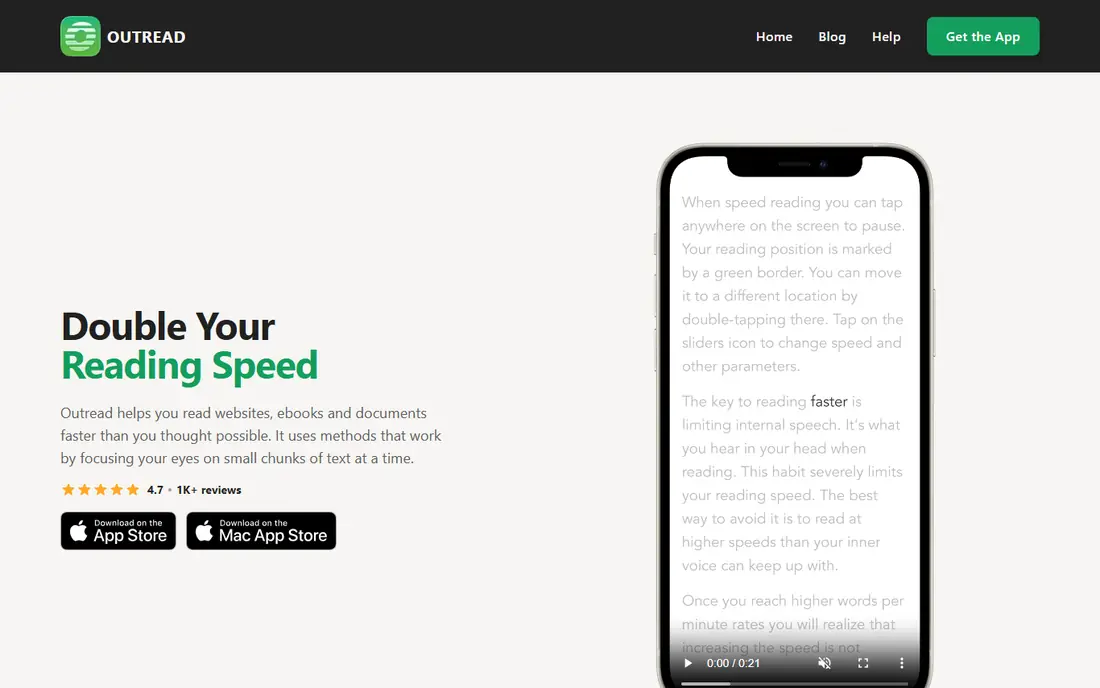
Outread takes a gentler approach than pure RSVP. It highlights text in a moving guide as you read, pacing your eyes across the page instead of flashing one word at a time. Many readers find that style easier for longer articles, since you can still glance back, see sentence structure and keep your place in a paragraph.
The app imports articles and books, and the reading view stays clean, which helps focus. The downside is cost and platform range: Outread is a paid app, and its free access is limited compared with browser tools. If single-word flashing feels tiring, Outread is the best paced alternative to try first.
- Paced highlighting guides the eye without flashing single words
- Imports articles and books
- Clean reading view
- Paid app with limited free access
- Platform support is narrower than web-based rivals
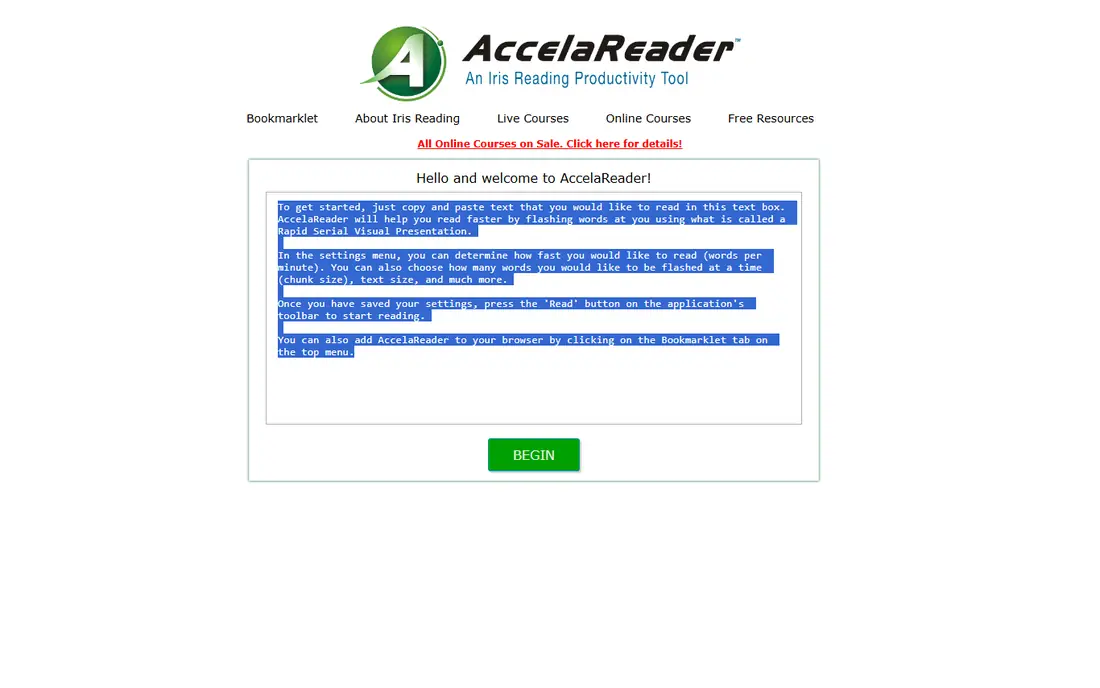
AccelaReader is a free, browser-based RSVP tool that does one job well: it flashes pasted text at a speed you choose. Controls for words per minute and chunk size are simple, and you can start reading without installing an app or creating a heavy account. That simplicity suits a quick test of whether RSVP reading suits you at all.
The limits are scope and training. AccelaReader has no guided course, no comprehension drills and no library system for tracking a long book over weeks. Treat it as a free trial of the RSVP method, then move to Spreeder or AceReader if you want structured training. For a single article, it is often all you need.
- Free browser-based RSVP reader
- Simple speed and chunk controls
- Works without an install
- Few training features
- No full library or progress system for long books
Reedy is a browser extension that speed-reads the web page or article you already have open. It offers RSVP flashing plus paced modes, so you can test both styles without copying text into another app. For students and professionals who read news, research summaries and blog posts online, that in-browser flow is a real time saver.
The trade-off is scope. Reedy is tied to the browser, so it is not a library for novels or long books you return to over weeks. File import is also more limited than in Spreeder or Outread. Use Reedy for daily web reading, and keep a full app for books and training.
- Free browser extension for web articles
- RSVP and paced modes
- Works on the page you are already reading
- Browser-only, so no standalone book library
- File support is limited compared with full apps
Readsy uses a Spritz-style display, where each word appears with a highlighted focal letter in the same spot, so your eye stays still while words change. That fixed point can feel smoother than a plain flashing word, and the mobile app is simple to start with. A free tier covers basic reading, which makes it easy to test.
Book import and saved progress are thinner than in Spreeder or Outread, so Readsy suits articles and short texts better than a long novel. Support and updates also come from a smaller team, so check the current store listing before relying on it daily. For a free taste of Spritz-style reading, it is a good pick.
- Spritz-style display with a fixed focal point
- Simple mobile reading
- Free tier for basic use
- Limited book import and progress tracking
- Small team and narrower support than big rivals
AceReader is a training program rather than a simple reader. It offers leveled reading tests, eye pacing drills, comprehension checks and progress tracking, built from an education edition used in schools. That structure suits readers who want a measured program, not just a faster way to flash through text.
The price reflects that structure, with a yearly plan that costs more than free RSVP tools. AceReader is also web-based, so it is less handy as a pocket book reader. If your goal is to train reading skill over weeks, with tests to prove progress, AceReader is the most structured option here. If you only want to skim articles faster, a free RSVP tool will do.
- Leveled comprehension tests and eye pacing drills
- Progress tracking
- Used by schools and training programs
- Subscription cost is higher than free RSVP tools
- Web-based, so no native mobile reading app for books
Reading Trainer focuses on drills rather than reading whole books. Short exercises train eye movement, focus, peripheral vision and memory, with sessions designed to fit into a few minutes a day. That drill format suits readers who want a daily habit without committing to a long course.
The limit is transfer. Drills alone do not guarantee faster comprehension of dense work material, and the app is not a full reader for books or articles. Pair it with a reader such as Spreeder or Outread, using drills to warm up and the reader for real text. The free tier covers core exercises, so you can test the habit before paying for more.
- Short drills for eye movement, focus and memory
- Simple daily sessions
- Free tier for core exercises
- Not a full book reader
- Drill quality matters more than the app alone for real gains
FastReadi mixes RSVP flashing with paced reading and adds comprehension exercises, which puts it between a simple flasher and a full training program. You can import articles, set a pace, and check understanding after a passage, rather than only chasing a higher words-per-minute number. A free tier lets you test the core reader first.
The smaller user base means fewer public reviews and guides than Spreeder enjoys, so check the current pricing and platform support before committing. For readers who want both speed and a comprehension check in one app, FastReadi is a useful middle option. Use its tests honestly: a high speed with low understanding is not progress.
- Mixed RSVP and paced reading
- Comprehension exercises
- Content import for articles
- Smaller user base than Spreeder
- Pricing and plan details vary by platform
How we picked these
We compared official product pages, app store listings and speed reading guides for apps live in October 2026. We favored tools with a clear pacing method, current support and a free tier or trial, and we mixed RSVP readers, paced readers and training programs. We left out tools that are no longer maintained, and we did not repeat marketing speed claims as facts, since comprehension matters as much as speed.
How to use speed reading without fooling yourself
Start with a baseline: time yourself on a normal article, then answer a few questions about it from memory. That gives you a speed and a comprehension score to beat, rather than a single number that flatters you. Increase speed in small steps, and retest understanding each time, since a jump in speed with a drop in recall is a warning, not a win.
Use speed tools for the right material. Skimming news, review notes and familiar topics suits RSVP and paced reading well. Dense textbooks, legal text and anything you must quote or apply needs slower, careful reading with notes. Finally, practice in short sessions and rest your eyes, since fatigue cuts both speed and understanding faster than any app setting can fix.
Frequently asked questions
What is the best speed reading app?
Spreeder is the best all-round pick for RSVP reading plus training, while Outread suits readers who prefer paced highlighting. AceReader leads for structured training with comprehension tests. Try a free tool first to learn which pacing style feels natural to you.
Do speed reading apps really work?
They can raise reading speed for skimming and familiar material, but research on RSVP suggests comprehension can drop, especially for dense text. Measure both speed and understanding, and do not trust a speed claim alone. The best use is faster review, not replacing careful study.
What is RSVP reading?
RSVP stands for rapid serial visual presentation, where words appear one at a time or in small chunks at a set speed. It cuts eye movement and re-reading, which can raise speed. The trade-off is that you cannot easily glance back, so it suits simpler text better than complex arguments.
Can I speed read a full book with these apps?
Yes, with limits. Spreeder and Outread handle book imports better than browser tools such as Reedy, which suit articles. For a long novel, a paced reader often feels more comfortable than single-word flashing over many hours. Test a chapter before committing to a whole book.
Are speed reading apps free?
Several offer free tiers, including Spreeder, AccelaReader, Reedy, Readsy and Reading Trainer. Full training programs such as AceReader need a paid plan, and some paid apps offer only a limited trial. Check current pricing, since free limits change.
Sources
See where you really rank - block by block
ProMapRanker scans Google Maps across a grid of your service area. Simple monthly plans from $19, white-label on every plan.
Start freeKeep reading
 who has best internet service
Who Has the Best Internet Service in 2026
Who has best internet service for US homes? We compare fiber, cable, fixed wireless and satellite providers on speed, price, availability and terms today.
Read → which survey tool has the best analytics
Which Survey Tool Has the Best Analytics in 2026
Find which survey tool has the best analytics in 2026, comparing Qualtrics, SurveyMonkey, Typeform, Alchemer, and more on reports, text, and stats today.
Read → which streaming service has the best movies
Which Streaming Service Has the Best Movies in 2026
Answering which streaming service has the best movies, with Netflix, Max, Criterion and more compared on libraries, prices and free options in this guide.
Read →