 ProMapRanker
Best Small Law Firm Billing Software in 2026


Billing inside a full practice platform · Pricing starts at: $49 per user per month
Key takeaways
- Clio and MyCase are the safest starting points for a small firm that wants billing inside a wider practice system.
- Bill4Time and TimeSolv suit firms that want billing first and do not need a full case management suite.
- Trust accounting is the feature to check first if your firm holds client funds, since state rules differ and not every plan handles it the same way.
- Published starting prices help with a shortlist, but payment processing fees and higher tier prices can change the total cost.
Quick comparison
| Pick | Great for | Pricing starts at | Free tier | |
|---|---|---|---|---|
| Clio | Billing inside a full practice platform | $49 per user per month | Free trial | Visit |
 MyCase | Clear tiers for small firms | $50 per user per month | Free trial | Visit |
 PracticePanther | Automation for small firms | $59 per user per month | Free trial | Visit |
 Bill4Time | Simple time and billing | $27 per user per month | Free trial | Visit |
 TimeSolv | Complex billing arrangements | See website | Free trial | Visit |
 CosmoLex | Built-in accounting and trust handling | See website | Free trial | Visit |
 LeanLaw | Firms that use QuickBooks Online | See website | No | Visit |
 Smokeball | Firms with heavy document work | See website | Free trial | Visit |
The best small law firm billing software
We compared official pricing pages, feature pages and public documentation for tools that handle time, invoicing, payments and trust accounting for small firms.

Clio works well as a default choice because billing does not sit apart from the rest of the firm. Time entries, expenses, invoices and payments connect to matters and client records, which cuts down on retyping and missed entries. The entry plan covers the core billing work, while higher plans add more automation and client portal tools. The catch is cost clarity. A small firm can confirm the starting price, but it will need a conversation with sales to price the full setup it actually wants. Firms that bill in more than one currency or split bills across payers should check which tier covers that work before they commit.
- Time tracking, invoicing and payments in one system
- Trust and operating account tools
- Large integration list
- Only the entry price is published
- Higher tiers need a sales quote
- Some advanced billing tools sit on higher plans
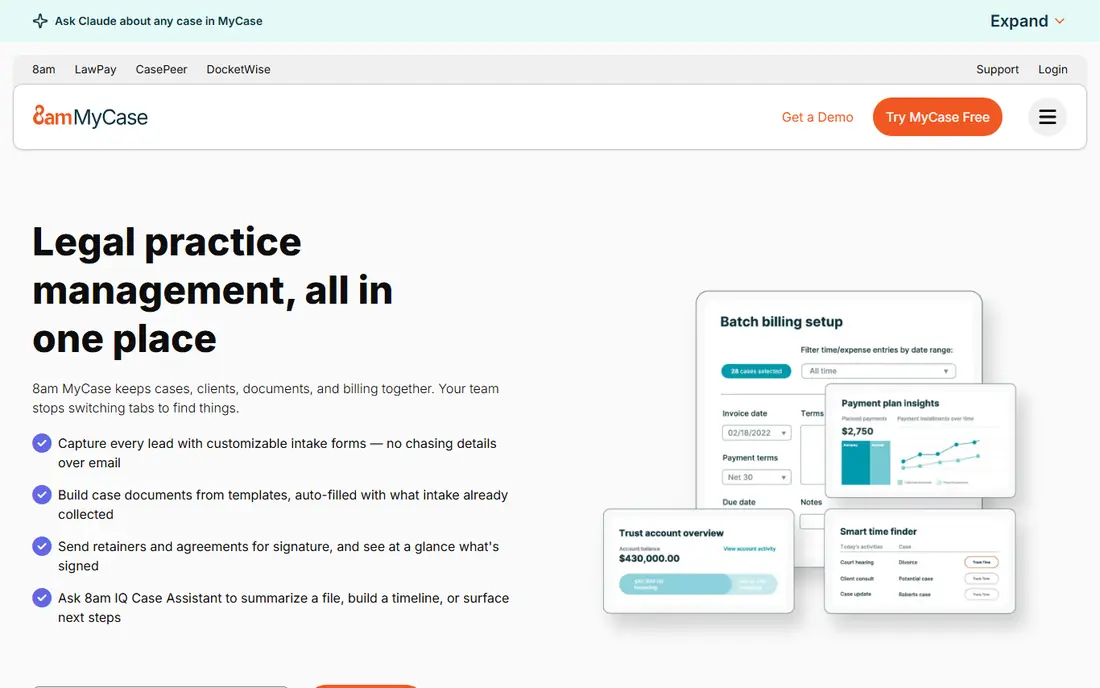
MyCase suits a small firm that wants to compare plans without a long sales process. The platform pairs case management with time tracking, invoicing, online payments and client communication, so a two or three lawyer firm can run most daily work from one place. Its pricing pages make it easier to see what changes as you move up a tier. The trade-off is that the cheapest plan is a starting point, not the full product. Firms should map their must-have features, such as advanced reporting or automation, against the tier list, and ask about payment processing costs before they judge the monthly total.
- Published tier pricing
- Case, billing and payments in one login
- Client portal included on paid plans
- Some advanced features sit on higher tiers
- Payment processing fees apply on top of the subscription
PracticePanther appeals to firms that want routine billing steps to run with less manual chasing. Automated reminders, recurring invoices and task links help a small team keep billing moving when everyone is also handling cases. The interface is direct, which matters when staff time is tight. The weakness is price for a firm that only needs billing. If you do not use the case management and automation side, a billing-only tool may cost less. Check the trial with your real invoice format and payment flow, not just a demo matter.
- Strong workflow automation
- Invoicing and payments built in
- Clean interface for small teams
- Entry price is higher than some billing-only tools
- Trust accounting depth should be checked against state rules
Bill4Time is a good fit when billing is the main problem to solve. It keeps time entry, expenses, invoicing and payments close together, without asking a small firm to adopt a large practice platform at the same time. That focus can shorten setup and training. The limit shows up if the firm later wants deep case management, document automation or a client portal as part of the same system. It can still work alongside other tools, but firms should be clear about which system holds the matter record before they buy.
- Lower entry price
- Focused time and invoicing tools
- Useful reporting for productivity
- Less full practice management than Clio or MyCase
- Some trust features depend on the plan
TimeSolv suits firms with billing rules that do not fit a simple hourly template. Split billing, varied rates, budgets and detailed invoice layouts are its strength, and firms that handle insurance, corporate or multi-party matters often value that control. Time capture is detailed, which helps when a client asks for a breakdown. The downside is that it is a billing specialist, not a full practice suite. A firm that also needs case management, intake or document tools will need another system or an integration. Get a written quote and test an invoice with your most complex matter during the trial.
- Detailed time tracking and billing rules
- Flexible invoice formats
- Good fit for varied fee arrangements
- Price is not published as a simple starting figure
- Interface feels more functional than modern
CosmoLex is distinct because it includes accounting rather than only billing. For a small firm, that can mean one system for invoicing, trust accounting, operating accounts and reporting, instead of reconciling two systems at month end. That matters most for firms that hold client funds and need clear trust records. The trade-off is ecosystem fit. A firm whose accountant works mainly in QuickBooks, or that already runs payroll and reporting there, may find the switch harder to justify. Ask how data exports work and how your accountant will access reports before you move.
- General ledger built in, so no separate accounting tool is needed
- Trust accounting included
- Practice and billing in one system
- Pricing needs a quote for a full comparison
- Firms tied to QuickBooks may prefer a QuickBooks-based tool
LeanLaw makes sense only if QuickBooks Online is already the firm's book of record. It adds legal time tracking, invoicing and trust tools on top of QuickBooks, so billing and accounting stay in step instead of drifting apart. For firms with that setup, it avoids duplicate entry and month-end cleanup. For everyone else, it is the wrong starting point. If you do not use QuickBooks Online, you would be buying two systems to solve one problem. Confirm the combined cost of LeanLaw plus QuickBooks, and check that your QuickBooks plan supports the sync you need.
- Legal billing built around QuickBooks Online
- Real-time sync for accounting data
- Trust reconciliation tools
- Requires QuickBooks Online, so it is not a standalone choice
- Pricing varies and should be confirmed in writing
Smokeball targets firms that lose billable time in documents and email. Its automatic activity capture can surface work that a lawyer might forget to log, which is a real gain for high-volume practices. Billing, documents and matters sit together, so the invoice trail is easier to follow. The catch is judgment. Captured time still needs review before it goes on an invoice, and firms should set clear rules for what counts as billable. Pricing also needs a quote, so compare the total against a published-price rival before deciding.
- Automatic time capture from documents and emails
- Matter and billing tools in one platform
- Useful for high-volume practices
- Pricing is quote-based
- Automatic time capture needs review, since not every captured minute is billable
How we picked these
We compared official feature and pricing pages, app store listings and public documentation, and we left out tools that had no clear billing function for a small law firm. We favored tools that are live in October 2026, that publish at least some pricing or trial terms, and that cover time tracking, invoicing and payments. Where a vendor does not publish a starting price, we wrote See website rather than repeating a third-party estimate as fact.
What to check before you buy billing software
Start with trust accounting if your firm holds client money. Ask the vendor to show three-way reconciliation, trust ledger reports and how it handles a trust payment that is short or misapplied. This is general information only, not legal advice, and software alone does not make a practice compliant with state rules. Your state bar rules and your accountant still govern how trust funds must be handled. Next, test your real billing cycle. Run a matter from time entry to invoice to payment, including a split bill, a discount and a partial payment if your firm uses them. Check invoice templates, late fee handling, and how clients pay online. A tool that looks clean in a demo can still slow you down if its invoice format does not match what your clients expect.
Pricing and payments
Compare the subscription, payment processing fees, user count and any add-ons for trust, reporting or integrations. A lower monthly price can cost more once processing fees and extra seats are added. Ask for the total for your firm size in writing.
Setup and migration
Ask how long setup takes, what data can be imported, and who helps with the move. A small firm should budget staff time for cleaning old time entries and testing invoices, even with vendor help. A short trial with real matters tells you more than a sales call.
Frequently asked questions
What is the best billing software for small law firms?
For most small firms, Clio or MyCase is the safest starting point, because billing sits inside a wider practice system. Bill4Time is a strong lower-cost choice if billing alone is the priority. The right pick depends on trust accounting needs, invoice complexity and the tools your firm already uses.
How much does small law firm billing software cost?
Entry prices in this list start around $27 to $59 per user per month where published, with other vendors quoting on request. Payment processing fees, extra users and higher tiers can raise the total, so ask for a full written quote for your firm size.
Does billing software handle trust accounting?
Some tools include trust accounting and reconciliation, while others offer it only on certain plans or as a limited add-on. If your firm holds client funds, confirm the exact trust features, reports and state-rule support before you buy, and check the setup with your accountant.
Can I use billing software without full practice management?
Yes. Bill4Time and TimeSolv focus on time and billing, and LeanLaw adds billing to QuickBooks Online. That route can cost less and be faster to adopt, but you will need a clear plan for where matter and document records live.
Is there a free plan for law firm billing software?
None of the tools in this list offers a permanent free plan for a working firm, though most offer a free trial. A trial is useful, but test it with real matters and invoices rather than demo data.
What should I check about online payments?
Check which payment methods clients can use, what processing fees apply, how trust and operating payments are separated, and how refunds are handled. Confirm that payment records flow into invoices and trust ledgers without manual retyping.
Sources
See where you really rank - block by block
ProMapRanker scans Google Maps across a grid of your service area. Simple monthly plans from $19, white-label on every plan.
Start freeKeep reading
 who has best internet service
Who Has the Best Internet Service in 2026
Who has best internet service for US homes? We compare fiber, cable, fixed wireless and satellite providers on speed, price, availability and terms today.
Read → which survey tool has the best analytics
Which Survey Tool Has the Best Analytics in 2026
Find which survey tool has the best analytics in 2026, comparing Qualtrics, SurveyMonkey, Typeform, Alchemer, and more on reports, text, and stats today.
Read → which streaming service has the best movies
Which Streaming Service Has the Best Movies in 2026
Answering which streaming service has the best movies, with Netflix, Max, Criterion and more compared on libraries, prices and free options in this guide.
Read →