 ProMapRanker
Best Review Request Software for Recording Studios in 2026

Calls, texts and review requests in one inbox · Pricing starts at: See website
Direct answer
Weave is my first pick for most recording studios because it sends review requests by text and email from the same place you handle client calls and reminders, which fits how sessions actually get booked. Pricing is quote-based, so check its pricing page. Reviewshake suits studios that want more control over multi-channel campaigns, and Signpost fits small studios that want a done-for-you setup.
I compared these tools from vendor documentation and public sources, not from hands-on tests. I looked at how each one sends review requests, which channels it uses, how it handles contact lists, and whether the workflow matches how a recording studio finishes a project and follows up with a client.
Key takeaways
- Recording studios get reviews when the request lands right after the final mix or master is delivered, not weeks later.
- Text message requests usually suit musicians and bands better than email because they are already on their phones in the studio.
- A good tool lets you ask the engineer or producer by name, so the review mentions the person the client actually worked with.
- Never offer discounts, free studio hours or gear perks in exchange for a review, because Google's policies prohibit it.
- Keep the request list clean and send one reminder at most, so you do not annoy repeat clients who book every few months.
Quick comparison
| Pick | Great for | Pricing starts at | Free tier | |
|---|---|---|---|---|
| Weave | Calls, texts and review requests in one inbox | See website | Not stated | Visit |
 Reviewshake | Multi-channel review campaigns with control | See website | Free trial | Visit |
 Signpost | Done-for-you review requests for small studios | See website | Not stated | Visit |
 Podium | Messaging, payments and reviews in one platform | See website | Not stated | Visit |
 NiceJob | Simple review requests tied to a contact list | See website | No free plan | Visit |
 Birdeye | Larger studios and production companies | See website | Not stated | Visit |
 Localo | Google Business Profile management with review tools | See website | Free trial | Visit |
The best review request software for recording studios compared

Weave is a communication platform for local businesses that puts calls, texts, reminders and review requests in one inbox. For a recording studio, that matters because most client contact happens by phone and text: a band asks about availability, you confirm the session, then you follow up after the mix. Having those threads next to the review request means the person who answers the phone can also trigger the request.
The workflow that fits a studio is simple. When a client picks up the final files, you send a text asking for a Google review and mention the engineer by name. Weave keeps the conversation history, so if the same artist books again you are not starting from scratch. You can also set a request to go out after a session reminder, which suits studios that book in blocks.
The limit is that Weave is built around phone and messaging volume, so a one-room studio that mostly uses email may find it more than it needs. Pricing is quote-based, so ask for a quote that matches your call and message volume before you commit.
- Combines phone, text messaging and review requests
- sends requests by text and email
- keeps client conversations in one place
- Pricing is quote-based
- setup is aimed at phone-heavy businesses
Reviewshake is a review management platform built around campaigns. You add clients, choose a channel, and set the timing and the message. For a recording studio, that means you can create one campaign for full album projects and another for single-day mixing sessions, because the follow-up timing is different for each.
The useful part for studios is control over the message. You can write a request that sounds like the studio, mention the producer or engineer, and link straight to your Google Business Profile. If you run more than one room or a second location, Reviewshake handles separate profiles and separate campaigns, which keeps reviews landing on the right listing.
The trade-off is setup time. Someone has to build the campaigns, import contacts and check that requests go out on schedule. A studio that wants to send a request manually after each session will find it heavier than needed.
- Sends requests by email, text and other channels
- supports multiple locations
- lets you build and adjust campaigns
- More setup than a basic request tool
- needs someone to manage campaigns
Signpost is aimed at small local businesses that want customer communication handled without building it themselves. You connect your client list and the tool sends review requests and follow-ups on a schedule. For a studio owner who would rather record than manage software, that is the appeal.
In practice, a recording studio would add a client after the final session and let Signpost send the request. It also handles other messages, such as appointment reminders, which helps when you are booking session time. The requests can point to your Google listing, so reviews collect where local clients look first.
The limitation is control. If you want a specific message for a mastering client versus a band recording a full album, Signpost gives you less room to customise. Ask about message options before you sign up.
- Automated review requests
- handles setup for you
- also covers other customer communication
- Less control over campaign detail
- pricing needs a quote
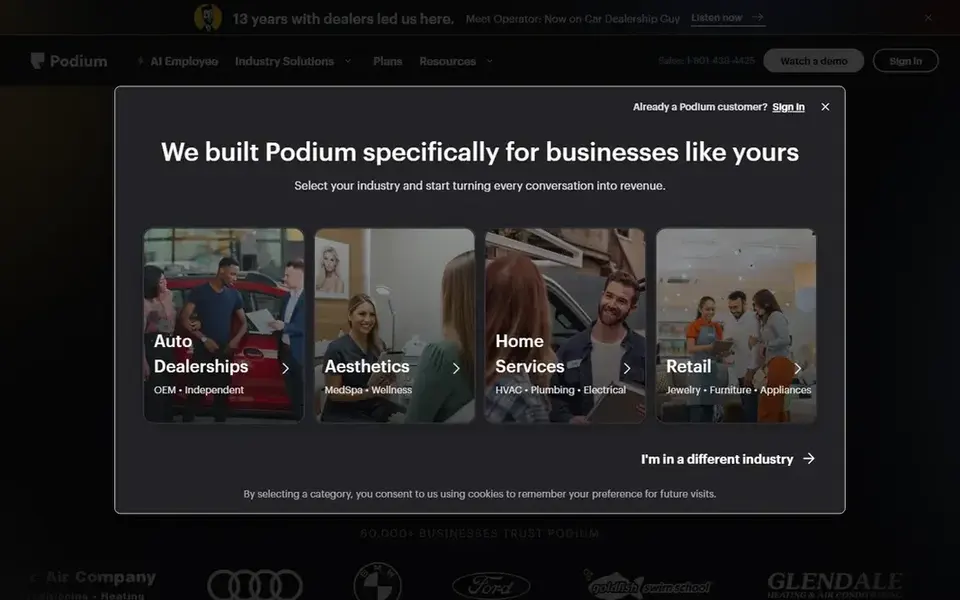
Podium is a messaging platform that local businesses use to text customers, collect payments and request reviews. A recording studio that already texts clients about session times can send the review request from the same thread, which keeps the ask natural.
The studio-specific angle is timing. After a client leaves with the final master, a short text asking for a Google review is easy to send from the same conversation where you confirmed the session. Podium also handles forms, which can cover session intake or feedback.
One limitation is scope. Podium is built for businesses that handle a lot of messages, and a single-room studio may not use most of it. Pricing is quote-based, so compare the quote against how many clients you actually message each month.
- Text messaging built in
- review requests from the same inbox
- handles payments and forms
- Priced for businesses with steady message volume
- more features than a small studio needs
NiceJob is a review and marketing tool for local businesses. You add clients, and it sends review requests and follow-ups. For a recording studio, the simple contact-based model fits: add the client when the project wraps, send the request, and let the follow-up run once.
The tool also covers other marketing tasks, such as social posts and simple website widgets, which some studios use to show recent reviews. If you want reviews to appear on your own site as well as Google, that is worth checking.
The limit is that there is no free plan, and the value depends on using more than just review requests. A studio that only wants to send a text after each session may find a simpler tool enough.
- Straightforward review request workflow
- also supports other marketing tasks
- easy contact-based sending
- No free plan
- best value only if you use its other features
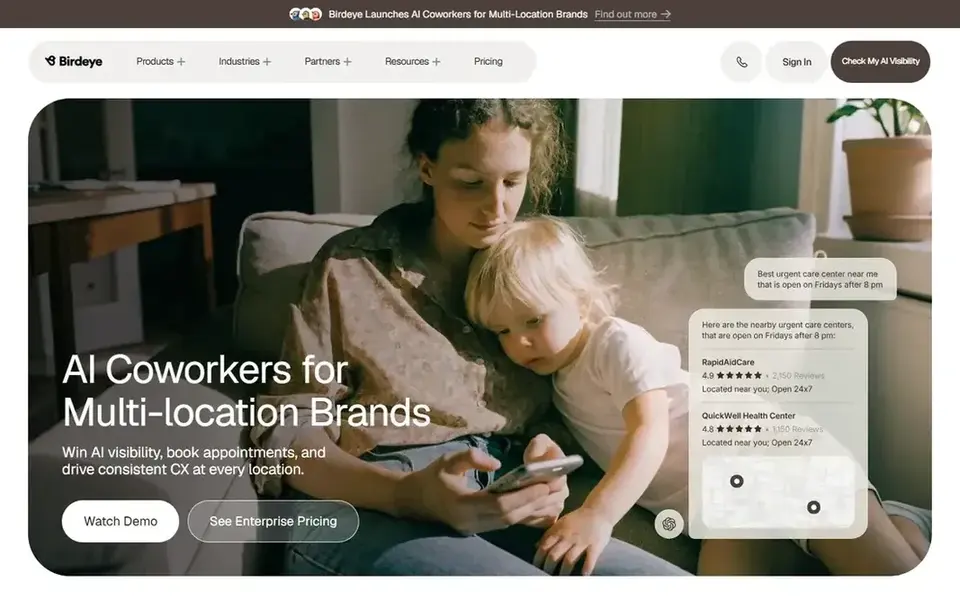
Birdeye is a reputation and customer experience platform used by businesses with several locations. A larger studio group with more than one room, or a production company with a label arm, can use it to collect reviews across listings and keep responses in one place.
For studios, the useful part is the survey and feedback flow. You can ask a client how the session went, then route happy clients to Google and unhappy ones to a private form. That keeps public reviews honest and gives you feedback you can act on.
The limit is size. A one-room studio will pay for capacity it does not use. Ask for a quote that matches your actual client volume before deciding.
- Handles reviews across many platforms
- supports multiple locations
- includes messaging and surveys
- More tool than a single-room studio needs
- pricing is quote-based
Localo is a local SEO tool built around Google Business Profile management. It helps you keep your listing complete, track local rankings and monitor reviews. For a recording studio, that means your Google listing stays accurate while you collect reviews in the same place.
The review side is more about monitoring and responding than running multi-channel campaigns. If your main need is to see new reviews, reply to them and keep your profile in shape, Localo covers that. If you want automated text requests after every session, it is not the main strength.
The limit is exactly that: it is a listing tool first. Studios that want a full request workflow should pair it with a dedicated request tool or choose one of the options above.
- Focused on Google Business Profile
- includes review monitoring
- simple interface
- Review request automation is not the main focus
- fewer channels than dedicated tools
How I chose
I started from each vendor's own documentation and public pages, then checked how the workflow would fit a recording studio. The questions I asked were practical: can it send a request by text, can the message mention the engineer or producer, can it handle a client list that includes bands, solo artists and labels, and does it keep requests and replies in one place.
I did not run hands-on tests, and I did not use client results or case studies to rank these. I also left out anything that encourages review gating, incentives or fake reviews, because those break Google's policies and put a studio's listing at risk. Where a tool is built for larger businesses, I said so, even if the product is good.
What to check before you buy
- Confirm the tool can send requests by text, because musicians and bands usually reply faster to a text than an email.
- Check whether the request message can name the engineer, producer or room, so the review reflects the actual session.
- Ask how the tool handles repeat clients, since a band that books every few months should not get a request after every single visit.
- Make sure requests link to your Google Business Profile and not a third-party page that hides the review from Google.
- Confirm the tool does not offer incentives or filter out unhappy clients before they can leave a review.
- Check how contacts are imported and whether you can remove a client who asks not to be contacted again.
Frequently asked questions
What is the best review request software for a small recording studio?
For most small studios, Weave is the practical choice because it combines calls, texts and review requests in one inbox, and session communication already happens by phone and text. Reviewshake is a good second option if you want more control over campaigns. Both are quote-based or trial-based, so check pricing before you commit.
When should a recording studio ask for a review?
Ask after the client has the final files and has had a chance to listen, usually a day or two after delivery. That is when the work is fresh and the client is happy. Sending the request during the session feels pushy, and waiting weeks means the client has moved on to the next project.
Can I offer a discount for a Google review?
No. Google's policies prohibit offering incentives in exchange for reviews, and that includes free studio time, gear discounts or anything else of value. Ask for an honest review and leave it at that. A studio that follows the rules keeps its listing safe and its reviews credible.
Should I send review requests by text or email?
Text usually works better for musicians and bands because they are already on their phones and often reply within a day. Email suits label contacts and corporate clients who handle bookings through an office. A tool that supports both lets you match the channel to the client.
Do I need review software if I only get a few clients a month?
You can ask manually, but a tool helps you remember to ask every time and keeps requests consistent. Even a few reviews a month add up over a year, and a simple request workflow makes it less likely that you forget after a busy session.
Sources
See where you really rank - block by block
ProMapRanker scans Google Maps across a grid of your service area. Simple monthly plans from $19, white-label on every plan.
Start freeBrowse all guides
← Best Review Request Software for Medical Clinics in 2026Best Review Request Software for Well Drilling Companies in 2026 →
 best review request software for ice cream shops
Best Review Request Software for Ice Cream Shops in 2026
A practical guide to review request software for ice cream shops in 2026, comparing tools for QR codes, SMS asks, receipts and counter staff.
Read → best review request software for demolition contractors
Best Review Request Software for Demolition Contractors in 2026
A demolition contractor's guide to review request software in 2026, comparing tools for automated asks, review monitoring and local visibility.
Read → best review request software for bed and breakfasts
Best Review Request Software for B&Bs in 2026
A practical guide to the best review request software for bed and breakfasts in 2026, compared from vendor documentation and public sources.
Read → ai local visibility for plumbers
AI Local Visibility Index for Plumbers: Who ChatGPT and Gemini Recommend
A first-of-its-kind AI visibility index for plumbers: which firms ChatGPT, Gemini, and Perplexity recommend and why.
Read → local seo for acupuncture clinics
Local SEO for Acupuncture Clinics
A local SEO guide for acupuncture clinics: Google Business Profile setup, reviews, and alternative-medicine local SEO.
Read → local seo for day spas
Local SEO for Day Spas
A local SEO guide for day spas: Google Business Profile setup, reviews, and spa treatment listings and review generation.
Read →More in Local SEO & Google Maps · All guides A to Z by date · Latest guides