 ProMapRanker
Best Review Request Software for Dance Studios in 2026

Steady review requests across a long season · Pricing starts at: See website
Direct answer
GatherUp is my top pick for dance studios because it sends review invitations by email and SMS, handles a steady trickle of requests across a long recital season, and keeps everything in one dashboard a small studio front desk can manage. Pricing is quote-based, so check its pricing page. If you mainly want review requests built into the scheduling and invoicing you already use, look at Jobber, and if you want a simple, low-cost email tool with review links, Mailchimp is a reasonable starting point.
I put this list together from vendor documentation and public sources, and I did not run hands-on tests of any of these tools. My focus was on how each one fits the way a dance studio actually talks to families: registration, class reminders, recital season and the quiet months in between.
Key takeaways
- Dance studios collect reviews in bursts around recital and registration time, so a tool that supports scheduled and repeat requests matters more than one big blast.
- Parents and adult students are the ones writing reviews, so ask them by email or text where they already read studio updates.
- A direct review link to your Google Business Profile is the core feature to check before anything else.
- Tools that also handle class reminders, invoices or client records can save a small studio from paying for two separate systems.
- Never offer prizes for reviews or filter out unhappy families; ask everyone the same way and let the review speak for itself.
Quick comparison
| Pick | Great for | Pricing starts at | Free tier | |
|---|---|---|---|---|
| GatherUp | Steady review requests across a long season | See website | Free trial | Visit |
 Jobber | Reviews inside scheduling and invoicing | See website | Free trial | Visit |
 NiceJob | More parent reviews after a milestone | See website | No free plan | Visit |
 Semrush Local | Studios already using Semrush for local SEO | See website | No free plan | Visit |
 Whitespark | Citation and review link work together | See website | No free plan | Visit |
 Podium | Texting and reviews in one inbox | See website | No free plan | Visit |
 Mailchimp | Small studios on a tight budget | See website | Free plan | Visit |
The best review request software for dance studios compared
GatherUp is a review and customer feedback platform built around sending invitations and tracking what comes back. For a dance studio, that means you can set up a request that goes out after a student's first month, after a recital, or after a competition weekend, and keep it running without someone remembering to send it manually.
The workflow that fits a studio best is a scheduled request tied to a milestone. You add a parent's email when they register, tag the request to a class or season, and let the tool send the invitation at the right moment. GatherUp also lets you capture private feedback first, which gives you a chance to respond to a concern about scheduling or a teacher before it turns into a public complaint.
The limit is that GatherUp is not a studio management system. It will not track tuition, attendance or recital costumes. If you want one login for everything, this is a review layer you add on top, not a replacement for your current tools.
- Email and SMS review invitations
- Simple dashboard for a small front desk
- Feedback capture before a review goes public
- Quote-based pricing needs a sales conversation
- Less useful as a full studio management tool
Jobber is field service software for scheduling, quoting, invoicing and client communication. It is not designed for dance studios specifically, but plenty of small studios run private lessons, birthday parties, workshops and rental bookings as jobs, and that is where Jobber fits.
The review request side works because Jobber already knows when a job is complete. You can set a request to go out after a private lesson package ends or after a birthday party, which is exactly the moment a parent is most likely to leave a review. Because the client record, invoice and request sit together, the front desk does not have to copy email addresses between systems.
Skip Jobber if your studio is purely class-based with monthly tuition and no job-style bookings. The scheduling model will feel like a poor fit, and you would be paying for invoicing features you do not need.
- Client records and job history in one place
- Review requests can follow a completed job
- Handles quotes, invoices and reminders
- Built for service businesses, not dance class schedules
- May be more than a small studio needs
NiceJob is a reputation and review marketing tool that centers on getting more reviews and turning them into simple marketing content. It suits a studio that wants a repeatable request process without a lot of setup.
For dance studios, the useful part is milestone-based campaigns. You can trigger a request after a student's first recital, after a competition, or after a set number of classes, so the ask lands when the family has something specific to say. NiceJob also helps you share positive reviews on your website and social profiles, which matters when new parents are comparing studios.
The main limitation is that NiceJob is not a class management tool, and there is no free plan. If your budget is very tight and you only need a handful of requests a month, a simpler email tool may be enough.
- Review requests by email and text
- Campaigns triggered by milestones
- Simple interface for small teams
- No free plan
- Review-focused rather than studio management
Semrush Local bundles listing management, review monitoring and local visibility tools. It makes sense for a studio that already pays for Semrush and wants reviews handled in the same place as its local search work.
The review side lets you monitor incoming reviews, request new ones and keep an eye on how your Google Business Profile is performing. For a studio competing with several others in the same town, that local visibility context is genuinely useful, because reviews and map rankings are connected. You can see whether a new batch of reviews lines up with more calls or direction requests.
The downside is cost and complexity. If your only goal is to email parents a review link after recital, Semrush Local is more platform than you need, and the learning curve is real for a one-person front office.
- Review management alongside local listing tools
- Listing accuracy checks across directories
- Useful local SEO data in one place
- Part of a larger paid platform
- Overkill if you only want review requests

Whitespark is best known for local citation building and local SEO tools, and it also offers review-related features such as generating review links and helping with review handoff. It suits a studio owner who is doing their own local SEO and wants listings and reviews handled with the same care.
For a dance studio, the practical use is making sure your name, address and phone number are consistent across directories, then pointing families to the right review link. A studio with a new location or a recent name change benefits from that cleanup before asking for reviews, because inconsistent listings confuse both parents and Google.
Whitespark is not a full review request automation platform in the way GatherUp is. If you want scheduled SMS campaigns to hundreds of families, look elsewhere. If you want solid local SEO foundations plus review links, it fits.
- Strong local citation and listing tools
- Review link and review handoff features
- Well documented for local SEO work
- Review requests are a smaller part of the toolkit
- No free plan
Podium combines messaging and review requests, which matches how many dance studios already communicate. Parents text about absences, schedule changes and recital details, and Podium puts those conversations and review invitations in one place.
The strength is text-based review requests. A short message after a recital asking for a Google review, sent to the same number the parent already uses, tends to get read. Podium also handles the back-and-forth that follows, so a question about a costume order does not get lost in a personal phone.
One limitation is fit and cost. Podium is built for businesses with high message volume, and a small studio with a few hundred families may find the pricing hard to justify. Check the plans carefully before committing.
- Text messaging built around reviews
- One inbox for parent messages
- Review invitations by text
- Priced for higher-volume businesses
- No free plan
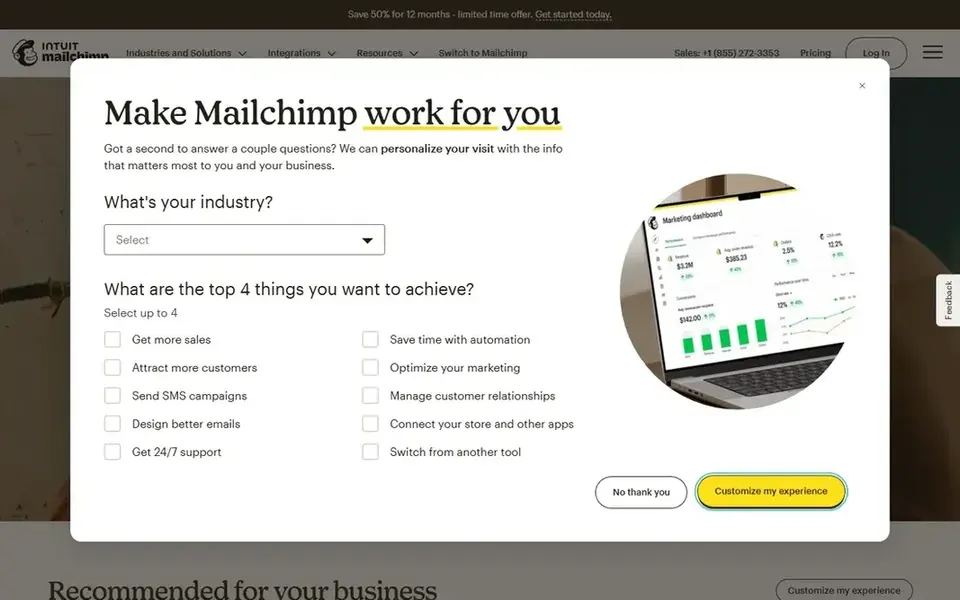
Mailchimp is an email marketing platform, not a dedicated review tool, but it is a realistic starting point for a small studio that already sends newsletters. You can add a review link to your regular parent email and ask for a Google review in the same message that shares recital photos.
The workflow is manual. You build the email, add a button that points to your Google Business Profile review link, and send it after a recital or at the end of a term. There is no automatic trigger and no SMS, so someone has to remember to do it. For a studio with one teacher and a small parent list, that may be enough.
Skip Mailchimp if you want scheduled requests, text messages or a dashboard that tracks who has reviewed. It is a newsletter tool with a review link, not a reputation system.
- Free plan for small lists
- Familiar email newsletter workflow
- Easy to add a review link button
- No built-in Google review request automation
- Manual setup for each send
How I chose
I compared these tools from vendor documentation and public sources rather than from hands-on testing. I looked at what each product says it does, which features are documented, and how the workflow would map onto a dance studio's year: registration in late summer, classes through the fall, recital season in spring, and summer camps in between. I also checked whether each tool supports email and text requests, scheduled or triggered invitations, and a direct link to a Google Business Profile.
I weighted fit over feature count. A studio does not need enterprise reputation management; it needs a reliable way to ask parents and adult students for reviews at the right moment without annoying them. I also considered limits, such as quote-based pricing, missing free plans and tools that are really built for other industries. Where a product is a poor fit for class-based studios, I said so rather than padding the list.
What to check before you buy
- Confirm the tool can send a direct link to your Google Business Profile review form, not just a general profile page.
- Check whether requests can be scheduled or triggered, since recital season and registration are predictable dates you can plan around.
- Ask whether SMS is included or costs extra, because many parents read texts faster than email.
- Make sure you can import your parent list from your current registration system without retyping every contact.
- Check how the tool handles a parent who had a bad experience, so you can respond privately without blocking or filtering reviews.
- Confirm the contract length and cancellation terms before you commit, especially for quote-based platforms.
Frequently asked questions
Do I need special software to ask dance studio parents for reviews?
No. A Google Business Profile review link and a regular email can work for a very small studio. Software helps when you want requests sent automatically after recital or registration, when you want text messages, or when you want one dashboard showing who was asked and who responded.
Is it against Google's rules to offer a discount for a review?
Yes. Google's guidelines prohibit offering incentives in exchange for reviews, and they also prohibit selectively asking only happy customers. Ask every family the same way, do not offer prizes or discounts, and never filter out people likely to leave a negative review.
Should I send review requests by text or email?
Text tends to get read faster, especially for parents managing schedules, but it also feels more personal, so keep the message short and identify the studio. Email works well for a longer note with recital photos. Many studios use both and let the family choose.
When is the best time to ask for a dance studio review?
Right after a positive moment: the end of a recital, the last class of a term, or a few weeks into a new season once a family has settled in. Avoid the busiest weeks of recital preparation, when parents are focused on costumes and schedules rather than writing reviews.
Can review software also help with class reminders and invoices?
Some can. Jobber handles scheduling, quotes and invoices alongside review requests, and Podium combines messaging with reviews. Dedicated review tools like GatherUp and NiceJob focus on reviews and feedback, so you would keep your existing registration and billing system.
Sources
See where you really rank - block by block
ProMapRanker scans Google Maps across a grid of your service area. Simple monthly plans from $19, white-label on every plan.
Start freeBrowse all guides
← Best Review Request Software for Carpet Cleaners (2026)Best Review Request Software for Handymen in 2026 →
 best review request software for bike shops
Best Review Request Software for Bike Shops in 2026
A bike shop owner's guide to review request software in 2026: how each tool handles repair tickets, tune-ups and follow-ups, plus what to check before buying.
Read → best review request software for appliance repair companies
Best Review Request Software for Appliance Repair Companies (2026)
A practical guide to review request software for appliance repair companies, comparing real tools on request workflows, SMS, follow-ups and local SEO fit.
Read → best review management software for veterinarians
Best Review Management Software for Veterinarians in 2026
A practical guide to the best review management software for veterinarians in 2026, compared from vendor documentation and public sources.
Read → google map pack
What Is the Google Map Pack? A Plain-English Guide
What the Google Map Pack is, why it matters, and how Google decides which three businesses show up.
Read → citation cleanup
Citation Cleanup: A Complete Guide
Everything you need to know about citation cleanup: what it is, why it matters for local SEO, and exactly how to act on it.
Read → google maps ranking
Google Maps Ranking Explained: How Local Listings Get Ordered
Understand how Google Maps ranking works and what decides which businesses appear first in local results.
Read →More in Local SEO & Google Maps · All guides A to Z by date · Latest guides