 ProMapRanker
Best Review Management Software for Screen Repair Companies (2026)

Review collection and website widgets · Pricing starts at: See website
Direct answer
Trustmary is my first pick for most screen repair companies because it handles review collection, reply workflows and on-site review displays in one place, and it has a free plan. Pricing above that is quote-based, so check its pricing page before you commit. GatherUp suits shops that want a simple request-and-reply loop, and Synup fits repair businesses that also want to manage their Google Business Profile listings from the same dashboard.
I put this comparison together from vendor documentation and public sources, not from hands-on testing. I looked at what each tool says it does, how its workflow fits a repair counter, and where the limits show up. Screen repair is a specific kind of local business: customers usually find you in a hurry, they care about turnaround and price, and they often decide based on the last few reviews they read. That shapes which tools are worth your time.
Key takeaways
- Screen repair shops live on walk-in trust, so a steady flow of recent Google reviews matters more than a large old review count.
- The best tool for you depends on whether you mainly need review requests, review replies, review widgets on your site, or listing management alongside reviews.
- Short links and QR codes at the counter let a customer leave a review while their phone is still in your hands.
- Reply templates save time, but each reply should still name the device and the issue so it reads as genuine.
- Check that the tool follows Google's review policies and never filters or gates customers before they can leave feedback.
Quick comparison
| Pick | Great for | Pricing starts at | Free tier | |
|---|---|---|---|---|
| Trustmary | Review collection and website widgets | See website | Free plan | Visit |
 GatherUp | Straightforward review requests and replies | See website | Free trial | Visit |
 Synup | Reviews plus Google Business Profile management | See website | Not stated | Visit |
 Broadly | Review requests tied to customer messages | See website | Not stated | Visit |
 Localo | Google Business Profile and local visibility | See website | Free trial | Visit |
 SE Ranking | Local rank tracking with review monitoring | See website | Free trial | Visit |
 Rio SEO | Repair chains with many locations | See website | Not stated | Visit |
The best review management software for screen repair companies compared
Trustmary is a review and feedback platform that collects reviews from customers and turns them into displays you can put on your website. For a screen repair shop, that means a customer who just had an iPhone screen replaced can be asked for a review through a link or a short form, and the resulting reviews can appear on your site next to your repair services. It fits small shops that want both collection and presentation without stitching two tools together.
The workflow suits a repair counter well. You can send a request after the repair is finished, or hand over a QR code that opens the review form while the customer is still at the counter. Because screen repairs are often same-day, the timing is easy to get right: ask right after pickup, when the fixed phone is fresh in the customer's mind. Trustmary also handles feedback that is not a public review, so an unhappy customer can be routed to you privately instead of straight to Google.
The limit is that the free plan will not cover everything a busy shop wants, and paid pricing is quote-based, so you need to ask. Skip it if you mainly want deep Google Business Profile listing management rather than review collection and display.
- Review request flows
- Display widgets for your site
- Reply and feedback handling
- Higher tiers are quote-based
- Some setup work needed for widgets
GatherUp is built around the basic loop most repair shops actually need: ask a customer for a review, watch for new reviews across sites, and reply from one place. It is not trying to be a full marketing suite. For a shop with one or two locations, that focus is a benefit because there is less to configure and less to ignore.
In a screen repair setting, you can load customer emails or phone numbers at the end of the day and send requests in a batch, which fits the rhythm of a counter that gets busy. New reviews land in a single stream, so the person closing the shop can reply to the day's reviews in a few minutes. Templates help, but you should still personalise each reply with the device and repair type.
The trade-off is that GatherUp is lighter on listing management and local rank data. If you want reviews and Google Business Profile work in one dashboard, look at Synup instead.
- Simple request campaigns
- Review monitoring in one inbox
- Reply tools
- Fewer listing tools
- Interface feels utilitarian
Synup manages business listings and reviews together, which matters if your screen repair business appears in several places online and you want the address, hours and phone number to match everywhere. For a shop that has grown to a second location, or that keeps a repair kiosk in a mall, that consistency is worth having.
The review side lets you monitor incoming reviews, reply from the dashboard, and see how each location is doing. A repair shop with two counters can compare review volume between them and spot which one is asking customers less often. That is a practical use of the reporting rather than a vanity metric.
Synup is designed with brands and multi-location businesses in mind, so a single small shop may find it heavier than needed. Pricing is quote-based, so ask for a quote that matches your location count before deciding.
- Listing management alongside reviews
- Review monitoring and replies
- Location-level reporting
- Built with multi-location brands in mind
- Pricing is quote-based
Broadly combines review requests with customer communication tools such as web chat and messaging. For a screen repair shop, the appeal is that the same system that answers a "how much for a Samsung screen?" question can later ask that customer for a review once the repair is done.
That link between intake and follow-up is the reason to consider it. Walk-in repair businesses often lose the customer's contact details at the counter, and a chat or messaging step captures them early. Later, the review request goes to a real conversation rather than a cold list.
It is more software than a shop that only wants review requests needs, and pricing is quote-based. Skip it if you already have a booking or messaging system you like.
- Review requests alongside customer messaging
- Web chat and intake tools
- Review monitoring
- More than a review tool
- Pricing is quote-based
Localo focuses on Google Business Profile work and local visibility, with review handling as part of that package. For a screen repair shop, the useful part is keeping the profile complete: correct hours, repair services listed, photos of the counter, and posts about turnaround times.
Reviews fit into that same picture. You can monitor new reviews and reply, and the local rank data shows whether your profile is showing up for searches like "phone screen repair near me". That connects review activity to the visibility it is meant to support.
If reviews are your only concern, Localo gives you less depth than a dedicated review platform. It makes more sense if you also want help with the rest of your Google Business Profile.
- Google Business Profile management
- Local rank tracking
- Review handling
- Review analytics are not the deepest
- Best value comes from using the whole tool
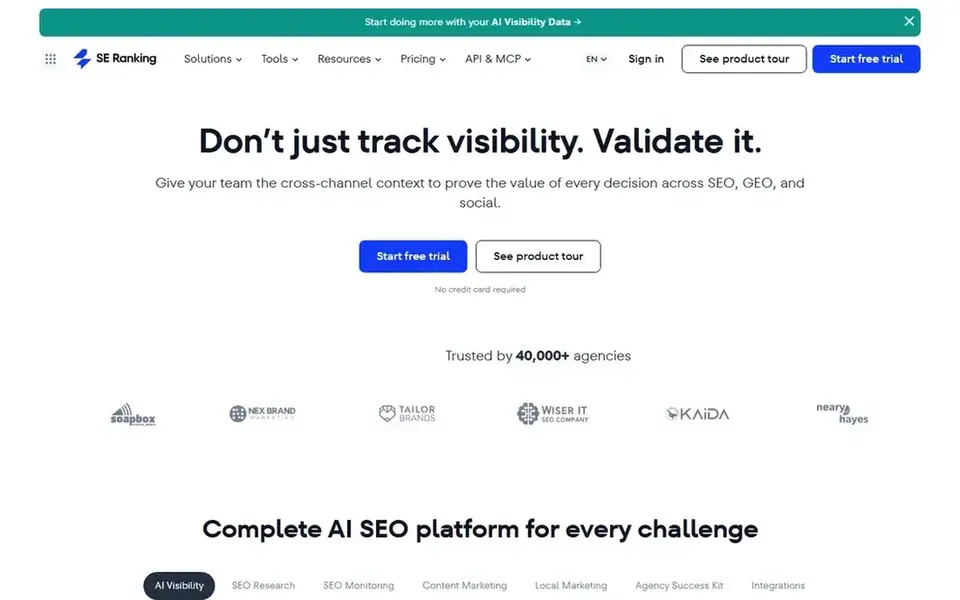
SE Ranking is an SEO platform with local rank tracking and review monitoring built in. A screen repair shop that wants to know where it ranks for "screen repair [city]" searches, and also wants to keep an eye on reviews, can do both in one place.
The practical angle for a repair business is comparison. You can track how your map position moves over time and line that up with periods when you were actively asking for reviews. That helps you decide whether the review effort is worth continuing, without claiming any guaranteed ranking effect.
The review features are part of a bigger toolkit, so the interface has more than a review-only product. If you will not use rank tracking, a simpler tool is a better fit.
- Local rank tracking
- Review monitoring features
- Broad SEO toolkit
- Review tools sit inside a larger suite
- More setup than a review-only tool

Rio SEO is local marketing software aimed at businesses with many locations. A screen repair chain with branches across a region, or a franchise model with independent counters, is the kind of operation it is built for.
At that scale, reviews become a management problem: which branch is asking, which is replying, and which has unanswered negative reviews sitting for weeks. Rio SEO gives a central team the tools to monitor and respond across locations, and to keep listings consistent while doing it.
For a single repair shop, it is more than you need, and pricing is quote-based. Look at it only when you have several locations and a person responsible for them.
- Local marketing at scale
- Listing and review management
- Built for multi-location operations
- Overkill for a single shop
- Pricing is quote-based
How I chose
I compared these tools using vendor documentation and public sources, including each vendor's own product pages and help content. I did not run hands-on tests, and I have not used every tool in a live repair shop. What I looked at was fit: whether the workflow matches how a screen repair business actually gets customers, asks for reviews and replies to them.
I also weighed limits. A tool that is excellent for a ten-location chain can be the wrong choice for a single counter, and a review-only product can be the right one if you already have listing management sorted. Where pricing is quote-based or a free plan is unclear, I say so rather than guess. The order reflects my judgement of fit for this audience, not a scored ranking.
What to check before you buy
- Confirm the tool sends review requests to Google and other platforms you care about, and that it does not filter or gate customers before they can leave a review.
- Check how requests are sent: email, SMS, short links or QR codes. A QR code at the counter is often the easiest option for walk-in repair customers.
- Ask whether replies can be sent from one inbox across Google and other sites, and whether templates can be edited per device type.
- Look at how the tool displays reviews on your website, and whether the widget updates automatically as new reviews arrive.
- Check the contract length and whether pricing is per location, per user or per review request, since repair shops often have one counter and one manager.
- Ask whether the tool manages your Google Business Profile listing as well as reviews, so you know if you need a second product.
Frequently asked questions
Do screen repair shops really need review management software?
Not strictly, but it helps. Most repair customers check recent reviews before they walk in, and a tool makes it easier to ask every customer at pickup, catch new reviews quickly and reply while the details are fresh. A spreadsheet and manual reminders can work at very low volume, but they get missed on busy days.
What is the best way to ask a repair customer for a review?
Ask right after pickup, when the repaired phone is in their hand and the experience is fresh. A QR code at the counter that opens your Google review page is the simplest method for walk-ins. If you have their contact details from a booking, a short follow-up message the same day works well. Never offer rewards for positive reviews only.
Can I reply to negative reviews without breaking Google's rules?
Yes. Reply politely, acknowledge the problem, and say what you will do to fix it. Do not argue, do not include personal details, and do not ask the customer to remove the review in exchange for anything. A calm reply is read by future customers as much as by the reviewer.
Should I use a review widget on my repair shop website?
It can help, especially on service pages for common repairs like iPhone screens or Samsung displays. Recent reviews give a nervous customer reassurance before they call. Make sure the widget shows genuine reviews and updates as new ones arrive, rather than a fixed set chosen by hand.
Is it worth paying for a tool if I only have one shop?
It depends on volume. If you repair several phones a day, a paid plan that automates requests and centralises replies will save time and catch reviews you would otherwise miss. If you handle a handful of repairs a week, start with a free plan or trial and move up only when the manual process breaks down.
Sources
See where you really rank - block by block
ProMapRanker scans Google Maps across a grid of your service area. Simple monthly plans from $19, white-label on every plan.
Start freeBrowse all guides
← Best Review Management Software for Mosquito Control (2026)Best Review Management Software for Sign Language Classes in 2026 →
 best review management software for boat detailers
Best Review Management Software for Boat Detailers in 2026
A boat detailer's guide to review management software in 2026: how each tool handles review requests, replies and local visibility, compared from vendor docs.
Read → best reputation management software for yarn stores
Best Reputation Management Software for Yarn Stores in 2026
A practical guide to the best reputation management software for yarn stores in 2026, with review requests, Google Business Profile tools and pricing notes.
Read → best reputation management software for safe technicians
Best Reputation Management Software for Safe Technicians in 2026
A guide to the best reputation management software for safe technicians, compared from vendor docs and public sources, with review request and listing tips.
Read → why is my google maps ranking dropping
Why Is My Google Maps Ranking Dropping? Diagnosing Sudden Drops
Lost Maps rankings overnight? Learn the most common reasons rankings drop and a step-by-step diagnostic checklist to recover.
Read → google map pack ranking factors
Google Map Pack Ranking Factors: What Actually Moves the Needle
The real Google Map Pack ranking factors and how to prioritize them for faster local wins.
Read → geo grid heatmap seo
Geo-Grid Heatmap SEO: How to Read Your Local Ranking Heatmap
Learn how to read a geo-grid heatmap: what green, orange, and red mean and where to focus your SEO.
Read →More in Local SEO & Google Maps · All guides A to Z by date · Latest guides