 ProMapRanker
Best Review Management Software for Junk Removal Companies in 2026
Direct answer
NiceJob is my top pick for junk removal companies because it is built around getting a review request out the moment a job is marked complete, which fits the on-demand, same-day rhythm of hauling work. It offers a free trial, so you can check its pricing page for current terms. Birdeye suits companies running several trucks and crews that want reviews and messaging in one place, and Grade.us fits smaller operators who want simple, low-cost review requests.
I compared these tools from vendor documentation and public sources, looking at how each one handles review requests, replies, and multi-location setups for hauling businesses. I did not run hands-on tests, so treat this as a starting shortlist to check against your own workflow.
Key takeaways
- Junk removal jobs finish fast, so the software you pick must send a review request within minutes of the crew leaving the driveway, not days later.
- Look for a tool that can text the customer a link to your Google Business Profile review form without the customer creating an account.
- Multi-truck operators need per-location or per-crew routing so the right customer gets the right request and the right manager sees the reply.
- Negative feedback should land in a private inbox first so you can call the customer back before a one-star review goes public.
- Review software only helps if your Google Business Profile is verified and your service area is set correctly, so fix that first.
Quick comparison
| Pick | Great for | Pricing starts at | Free tier | |
|---|---|---|---|---|
 NiceJob | Fast post-job review requests | See website | Free trial | Visit |
 Birdeye | Multi-truck companies wanting reviews plus messaging | See website | Not stated | Visit |
 Grade.us | Small operators on a budget | See website | Free trial | Visit |
 Podium | Text-first customer communication | See website | Not stated | Visit |
 ReviewTrackers | Tracking reviews across many sites | See website | Not stated | Visit |
 Broadly | One-person and small-crew haulers | See website | Not stated | Visit |
 Whitespark | Local SEO review links and citations | See website | Not stated | Visit |
The best review management software for junk removal companies compared
NiceJob is built around a simple idea: a job gets marked done, and the customer gets a friendly nudge to leave a review. That maps well to junk removal, where a customer books a pickup, the crew hauls the load, and the whole thing is over in an hour or two. The customer is still standing in an empty garage when the request arrives, which is the best possible moment to ask.
In practice you would connect NiceJob to your booking or CRM system, or add jobs manually, and set a request to go out shortly after completion. You can route happy customers to your Google Business Profile review page and send unhappy ones to a private form so a manager can call them back. For a hauler with two or three trucks, that private step matters because a bad review about a missed pickup or a damaged wall is expensive.
The limits are mostly about scale and depth. If you want a full web chat widget, a payment link, and review management in one dashboard, NiceJob is narrower than Birdeye or Podium. Small and mid-size junk removal companies will get the most from it.
- Sends review requests by text and email
- simple job-completion trigger
- private feedback inbox before public reviews
- easy for crews to use
- Deeper features sit on higher tiers
- less useful if you want a full messaging inbox
Birdeye is a broad customer experience platform that covers review requests, review responses, messaging, and business listings. For a junk removal company with several locations or crews, that single dashboard is useful because the owner can see which branch is collecting reviews and which one is falling behind. It also handles the inbound texts customers send when they ask "can you come today?"
For review management specifically, Birdeye can automate requests after a job closes, pull reviews from Google and other sites into one inbox, and let a manager reply from a phone. If your crews work across a metro area and you want one place to track reputation by depot, this is a strong fit. The trade-off is setup time: you need to map locations, users, and request rules before it runs smoothly.
Skip Birdeye if you run one truck and one phone. The feature depth is more than you need, and the quote-based pricing is better suited to a company with steady volume.
- Reviews, messaging, and listings in one dashboard
- per-location reporting
- webchat and text communication
- Setup and onboarding take more effort
- pricing is quote-based and can be heavy for a single truck
Grade.us is a review management tool aimed at agencies and small businesses, and it keeps things simple. You set up a campaign, add customers, and it sends requests by email or text. For a junk removal operator who wants to stop chasing reviews manually, that is often enough. The private feedback step lets you catch a complaint about a late arrival before it becomes a public review.
The workflow suits hauling because you can batch-add the day's completed jobs at the end of the shift, or connect it to a form. It also handles review monitoring so you see new Google reviews and can reply. Reporting is basic but shows whether requests are converting.
The limits show up if you need deep CRM integration, a built-in messaging inbox, or advanced multi-location controls. A one- or two-truck operation will be fine; a regional hauler with several branches should look at Birdeye or ReviewTrackers instead.
- Straightforward review request campaigns
- private feedback capture
- simple reporting
- Fewer integrations than bigger suites
- interface feels basic compared with newer tools
Podium is known for business texting, and junk removal is a texting business. Customers want to know when the truck will arrive, what the load will cost, and whether you take old mattresses. Podium lets you handle those messages and then send a review invite in the same thread once the job is done, which feels natural to the customer.
For review management, Podium collects reviews from Google and other sites, sends invites by text, and gives you a shared inbox so office staff can respond. If your office already lives in text messages, adding review requests to that flow is a small change rather than a new system.
The main caution is cost and fit. Podium is priced for businesses with real message volume, and a hauler who only wants review requests may pay for features they never use. Check the quote carefully against your actual monthly conversations.
- Strong texting workflow
- review invites built into conversations
- payments and messaging add-ons
- Priced for higher message volume
- can be more than a small hauler needs
ReviewTrackers focuses on listening: it gathers reviews from Google, Yelp, Facebook, and other sites into one dashboard, then helps you reply and spot trends. For a junk removal company with several locations, that is useful because reviews pile up on different platforms and nobody wants to log into five tabs to check them.
The tool is strong on reporting. You can see which branch gets the most praise for speed and which one keeps hearing about missed appointments. That kind of pattern is hard to spot when reviews are scattered. Reply workflows let a manager respond from one place.
What it does less well is the outbound request side. If your main problem is that too few customers leave reviews at all, a request-focused tool like NiceJob or Grade.us will move the needle faster. ReviewTrackers is better once you already have volume and need to manage it.
- Pulls reviews from many platforms into one view
- sentiment analysis
- multi-location reporting
- Less emphasis on automated request sending
- setup needs planning
Broadly is a customer interaction tool aimed at local service businesses, and it keeps the review request front and center. You add a customer, send a request, and the review lands on your Google profile. For a one-person junk removal operator who is driving, loading, and answering the phone, that simplicity is the point.
It also offers web chat and messaging, so a customer who finds you on Google can ask about a pickup without calling. That matters in hauling because many people search on a phone while standing next to a pile of furniture. The review request can follow the same conversation.
The limits are depth. If you need advanced routing by crew, detailed sentiment reporting, or integrations with a larger CRM, Broadly will feel thin. It is best for small operations that want reviews handled without a complicated setup.
- Simple review requests by text and email
- web chat and messaging
- built for small local businesses
- Smaller feature set than enterprise suites
- less suited to large multi-location operations
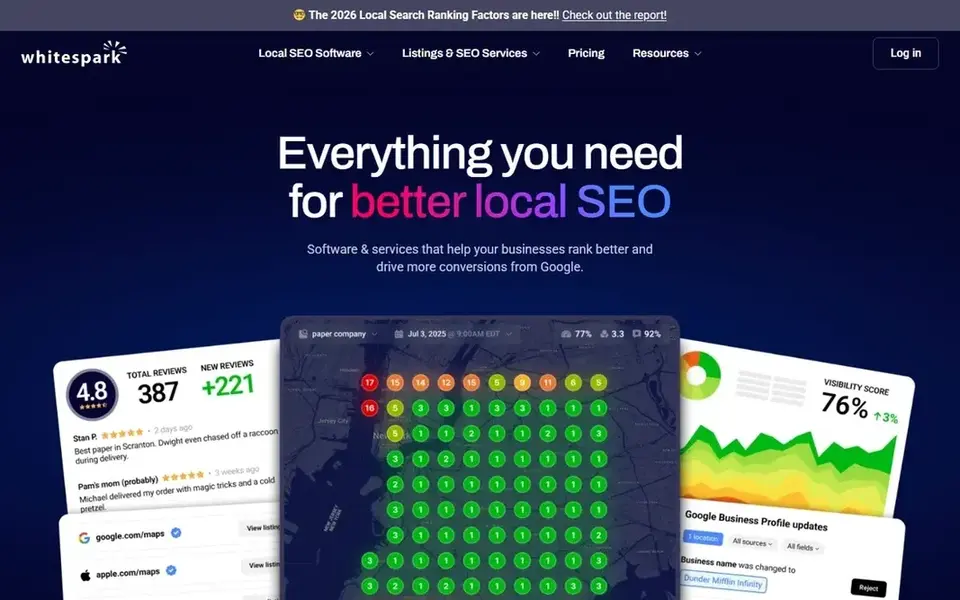
Whitespark is a local SEO toolkit rather than a pure review management platform, but it earns a place here because of its review link generator and citation tools. A junk removal company needs a clean Google Business Profile and consistent listings across directories, and Whitespark helps with both. The review link tool gives you a direct link to your Google review form that you can drop into texts or invoices.
For review management, it monitors reviews and helps you build the local signals that make your profile rank in the map pack. That is a different job from sending automated requests after every job, so most haulers will pair it with a request tool.
Skip Whitespark if you want one system that sends requests, collects replies, and manages messages. It is a specialist companion, not a replacement for NiceJob or Birdeye.
- Review link generator and local SEO tools
- citation building
- reputation monitoring
- Not a full review-request automation platform
- better as a companion tool
How I chose
I started from vendor documentation and public sources, then filtered for how junk removal work actually runs: short jobs, same-day scheduling, phone-first customers, and crews that are rarely at a desk. Tools that only send email requests ranked lower than tools that send texts, because a customer standing in an empty garage is more likely to tap a text than open an email.
I also weighed multi-location handling, private feedback capture, and how easy it is to reply from a phone. I did not run hands-on tests, so I have not verified every workflow detail myself. Where a tool's pricing or free plan was not clear from public pages, I said so rather than guess. Use this list to shortlist two or three tools, then ask each vendor how their request timing and location setup would work for your routes.
What to check before you buy
- Confirm the tool can send a review request by text within minutes of job completion, not on a daily batch.
- Check whether it links directly to your Google Business Profile review form and whether that link works on mobile.
- Ask how per-crew or per-location routing works if you run more than one truck or depot.
- Make sure negative feedback can go to a private inbox so a manager can call before a public review appears.
- Check the contract length and whether you can export your customer list and review history if you leave.
- Verify it follows Google's review policies: no review gating, no incentives for positive reviews, and no filtering out unhappy customers.
Frequently asked questions
Do junk removal companies need review management software?
Not strictly, but it helps a lot. Hauling is a trust purchase: a customer lets strangers into a home or garage. Reviews are often the deciding factor. Software makes it routine to ask every customer at the right moment and to catch complaints early, instead of remembering to ask when you get back to the office.
What is the best way to ask for a review after a junk removal job?
Ask by text within about an hour of the crew leaving, while the result is still visible. Keep the message short, name the crew if you can, and link straight to your Google review form. Avoid offering discounts or gifts for reviews, since Google's policies prohibit review incentives.
Can review software help with bad reviews?
It can help you respond faster and spot patterns, and many tools let unhappy customers send private feedback before they post publicly. That is allowed. What is not allowed is review gating, where you only ask customers you expect to be happy. Ask everyone, then handle complaints by fixing the problem.
Should I pick one tool for reviews and messaging, or two separate tools?
If your office already handles a lot of customer texts, one platform like Birdeye or Podium can be simpler. If you mainly want more Google reviews with little setup, a focused tool like NiceJob or Grade.us is easier to run. Two tools are fine as long as your customer data stays consistent.
Does review software affect Google Maps rankings?
Reviews are one signal among many, and Google does not publish exact weightings. What is clear is that a steady flow of genuine reviews, replied to promptly, supports your profile's activity and trust. Pair review software with a complete Google Business Profile and consistent citations for the best local visibility.
Sources
See where you really rank - block by block
ProMapRanker scans Google Maps across a grid of your service area. Simple monthly plans from $19, white-label on every plan.
Start freeBrowse all guides
← Best Review Management Software for Jewelry Stores in 2026Best Review Management Software for Landscapers in 2026 →
 best review management software for florists
Best Review Management Software for Florists in 2026
A florist's guide to review management software in 2026. Compare Birdeye, Podium, NiceJob, Grade.us and more on workflow, Google reviews and fit.
Read → best review management software for dermatologists
Best Review Management Software for Dermatologists in 2026
A practical guide to the best review management software for dermatologists in 2026, compared from vendor documentation and public sources.
Read → best reputation management software for physical therapists
Best Reputation Management Software for Physical Therapists (2026)
A practical guide to the best reputation management software for physical therapists in 2026, compared from vendor docs, with review requests, replies and listings.
Read → whitespark local citation finder
Whitespark Local Citation Finder: A Complete Guide
Everything you need to know about whitespark local citation finder: what it is, why it matters for local SEO, and exactly how to act on it.
Read → grid rank tracker google maps
Grid Rank Tracker for Google Maps: Setup, Scans, and Reading Results
A complete walkthrough of using a grid rank tracker for Google Maps, from setup to interpreting your heatmap.
Read → google business profile reinstatement
Google Business Profile Reinstatement: A Step-by-Step Recovery Plan
A complete GBP reinstatement playbook: appeal templates, evidence to submit, and how to avoid a second suspension.
Read →More in Local SEO & Google Maps · All guides A to Z by date · Latest guides