 ProMapRanker
Best Review Management Software for Car Rental Companies in 2026

Multi-location reputation monitoring · Pricing starts at: See website
Direct answer
Reputation.com is my first pick for car rental companies because it is built around reputation monitoring and review response at multiple branch locations, which matches how rental counters work. Pricing is quote-based, so you need to request it from the vendor. For review requests sent by email or text after a rental closes, Grade.us fits well, and for tracking how each depot ranks on Google Maps, Local Viking is the one to look at.
I compared these tools using vendor documentation and public sources, not hands-on tests. I looked at how each one handles multiple branch locations, review requests, response workflows and reporting, then matched that to how a car rental business actually operates. Where a tool is strong on listings but light on reviews, I say so.
Key takeaways
- Car rental reviews usually land on Google Business Profile pages for each pickup counter, so the software must handle many locations, not one.
- A rental review often covers a specific vehicle, a specific counter and a specific return process, so response templates need to allow detail.
- Review requests work best when they are sent right after the vehicle is returned, while the experience is still fresh.
- Review monitoring should include Google, plus the marketplaces and aggregators your customers already use.
- Review software does not replace a clean rental process; it only helps you ask, listen and reply in a consistent way.
Quick comparison
| Pick | Great for | Pricing starts at | Free tier | |
|---|---|---|---|---|
| Reputation.com | Multi-location reputation monitoring | See website | Not stated | Visit |
 Grade.us | Review requests after a rental closes | See website | Free trial | Visit |
 Trustmary | Collecting reviews with forms and widgets | See website | Free plan | Visit |
 Local Viking | Local rank tracking per rental branch | See website | Free trial | Visit |
 SE Ranking | Local SEO and review checks together | See website | Free trial | Visit |
 Synup | Google Business Profile management at scale | See website | Not stated | Visit |
 WhatConverts | Call tracking tied to review outcomes | See website | Free trial | Visit |
The best review management software for car rental companies compared

Reputation.com is a reputation management platform aimed at businesses with several locations. For a car rental company with counters at an airport, a downtown depot and a few suburban pickup points, that structure matters. Each location can be tracked and handled separately, which is how rental reviews actually arrive.
In practice, you would use it to watch reviews across the sources your renters use, route new reviews to the right branch manager, and keep responses consistent without copying the same text everywhere. A review about a dirty vehicle at one depot should reach that depot, not sit in a shared inbox. The platform also gives you reporting so head office can see which counters get the most complaints.
The main limit is that pricing is quote-based, so a small independent rental firm may find the scoping process heavy. If you run one counter only, a lighter tool is easier to justify.
- Built for many locations
- review monitoring across sources
- response and reporting workflows
- Quote-based pricing
- setup takes planning
Grade.us is a review generation and monitoring tool. It fits rental companies because the core job is asking the customer for a review at the right moment, then watching what comes back. Rental businesses already collect an email address and mobile number at booking, so the raw material for a request campaign is there.
The workflow I would set up is a request sent shortly after the vehicle is returned, with a short message that names the branch. Responses can be drafted from templates and edited per review. Monitoring covers the main review sites, so a bad review about a late shuttle does not go unnoticed. Branches can be separated so each manager sees their own queue.
Skip it if you need deep sentiment analysis across thousands of reviews, or if your customer contact data is messy. A request campaign only works when the list is clean.
- Review request campaigns
- simple dashboards
- works for agencies and multi-location clients
- Request lists must be clean
- advanced reputation analytics are limited
Trustmary is a review collection and display tool. A car rental company can use it to gather reviews through a form or link, then show selected reviews on the booking page or a branch page. That display side is useful because renters often check a location page before they book.
For a rental business, the practical use is collecting feedback at the counter or by follow-up message and turning the good ones into on-site proof. It is lighter than a full reputation platform, so a small operator with a handful of branches can set it up without a long project. The trade-off is depth: it is not built for complex multi-branch routing or heavy reporting.
- Review collection forms
- display widgets for websites
- simple setup
- Basic for large branch networks
- limited deep reputation analytics
Local Viking is a local SEO tool built around Google Business Profile and local rank tracking. For a car rental company, the value is seeing how each branch ranks in Google Maps for searches like car rental near the airport or van hire in a specific suburb. Those searches are how many renters find a counter.
Review activity feeds into that picture. More recent, relevant reviews help a branch page, and Local Viking lets you watch the ranking effect branch by branch. It is not a review request engine, so pair it with a tool that asks customers for feedback. If your only goal is sending review requests, this is not the right starting point.
- Google Business Profile focused
- geo-grid rank tracking
- useful for branch-level visibility
- Not a full review request platform
- review features are secondary
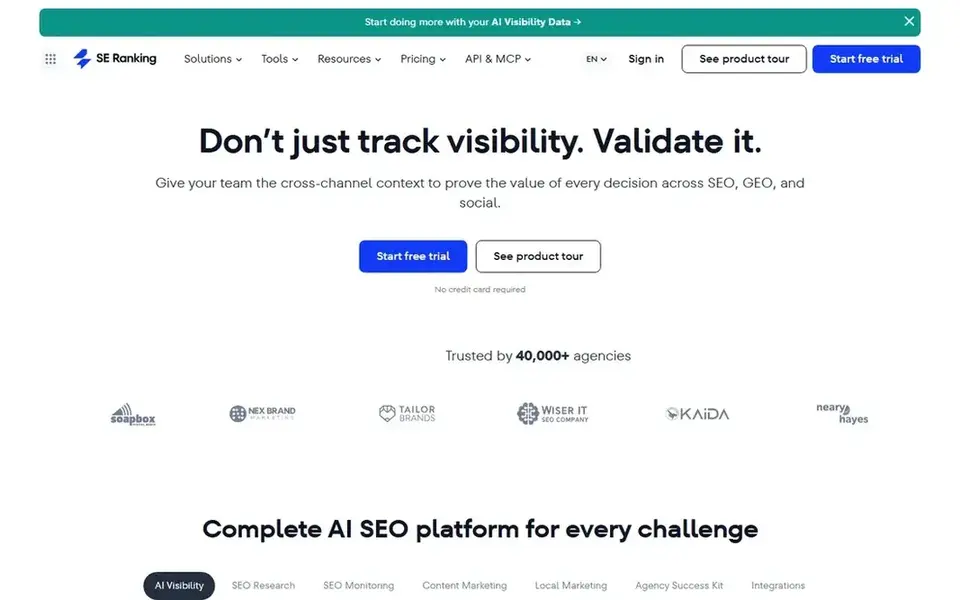
SE Ranking is an SEO platform with local and review features. A rental company with several branch pages can use it to track local rankings, check listings and keep an eye on reviews in the same workspace. That suits a marketing manager who already handles SEO and does not want a separate login for every task.
For review management specifically, it covers monitoring and basic response work, but it is not as specialised as a reputation platform. It fits best when reviews are one part of a wider local SEO job. A single-branch operator may find the suite larger than needed.
- Rank tracking and local SEO tools
- review monitoring add-on
- multi-project setup
- Review features are one part of a broad suite
- may be more than a small firm needs
Synup is a listings and local presence platform. Car rental companies often have inconsistent branch data across maps and directories, and Synup is built to fix that. Correct opening hours, phone numbers and pickup addresses matter a lot when a renter is trying to find a counter at night.
Reviews sit inside that listings workflow. You can monitor reviews and respond, and the branch data that feeds the listing also feeds the review context. It is a good fit if your main problem is branch data accuracy. If your main problem is getting more reviews after each rental, a dedicated request tool will do more.
- Listings and GBP management
- multi-location structure
- review monitoring included
- Review requests are not the main focus
- quote-based pricing
WhatConverts is a call tracking and lead reporting tool. Rental desks take a lot of phone calls, and knowing which calls came from which branch page or ad helps you understand where bookings start. That context is useful when you review feedback: a complaint about a phone booking often traces back to a specific page or number.
It does not send review requests or manage review responses. Use it alongside a review tool if phone enquiries are a big part of your business. On its own, it will not improve your review volume.
- Call and lead tracking
- ties enquiries to source
- useful for phone-heavy rental desks
- Not a review request tool
- needs setup around your phone system
How I chose
I built this list from vendor documentation and public sources, not from hands-on testing. I read what each vendor says about multi-location support, review requests, response workflows and reporting, then checked whether those features match how car rental companies actually get reviews: at a counter, after a return, and often about a specific vehicle or shuttle.
I also weighed limits. A tool that is strong on listings but weak on review requests is not the best pick for a company whose main goal is more Google reviews. I left out tools where the review features are unclear from public documentation, and I did not rank anything on price because most of these vendors quote per location. The order reflects fit for a multi-branch rental business, not a score.
What to check before you buy
- Confirm the tool supports one profile per branch, because renters review the counter they used, not the brand as a whole.
- Check which review sources are monitored, including Google and any marketplace or aggregator your customers use.
- Ask how review requests are sent and whether you can time them to fire after the vehicle is returned.
- Test the response workflow: can a branch manager reply, and does head office see it?
- Check that review data can be exported or reported by branch, so you can compare depots fairly.
- Make sure the tool follows Google's review policies and does not offer review gating or incentives.
Frequently asked questions
Do car rental companies need review management software?
It helps when you have more than one branch. Reviews arrive on separate Google Business Profile pages, and without a shared system they sit unread or get answered late. Software gives you one queue, branch routing and reporting. A single counter can manage with the Google Business Profile app alone, but multi-branch firms usually need more structure.
Can I ask renters for reviews?
Yes, if you ask everyone the same way and do not offer incentives or filter out unhappy customers. Send a neutral request after the rental closes and let the customer decide where to post. Do not gate reviews or hand-pick only happy renters. Follow Google's review policies and keep the message honest about what you are asking for.
Should I reply to every review?
Reply to negative reviews promptly and to positive ones when you can add something useful. A reply about a specific vehicle or shuttle delay shows other renters that you read the feedback. Keep replies short, name the branch if relevant and avoid copying the same text across reviews. Generic replies read as automated and do not help.
How do I handle reviews about a specific vehicle?
Route the review to the branch that rented the vehicle and reply with the facts you can confirm. Do not argue in public. If the issue is a maintenance or cleaning process, fix it internally and say what changed. Review software helps by tagging and assigning these reviews so the right person sees them.
Does review software help local rankings?
Reviews are one signal among many for local results, and recent, relevant reviews can support a branch page. The bigger gains usually come from accurate branch data, a complete Google Business Profile and consistent listings. Use review software to collect and respond, and pair it with local rank tracking to see what actually moves.
Sources
See where you really rank - block by block
ProMapRanker scans Google Maps across a grid of your service area. Simple monthly plans from $19, white-label on every plan.
Start freeBrowse all guides
← Best Review Management Software for Asphalt Contractors in 2026Best Review Management Software for Framing Shops in 2026 →
 best reputation management software for vacation rentals
Best Reputation Management Software for Vacation Rentals in 2026
A practical guide to the best reputation management software for vacation rentals in 2026, compared from vendor documentation and public sources.
Read → best reputation management software for masonry contractors
Best Reputation Management Software for Masonry Contractors (2026)
A guide to the best reputation management software for masonry contractors in 2026, compared from vendor docs and public sources, with review request and GBP tips.
Read → best reputation management software for glass companies
Best Reputation Management Software for Glass Companies in 2026
A guide to the best reputation management software for glass companies in 2026, covering review requests, listing accuracy and local rank tracking.
Read → local seo for contractors
Local SEO For Contractors: A Complete Guide
Everything you need to know about local seo for contractors: what it is, why it matters for local SEO, and exactly how to act on it.
Read → local seo importance
Local SEO Importance: A Complete Guide
Everything you need to know about local seo importance: what it is, why it matters for local SEO, and exactly how to act on it.
Read → heatmap action plan
From Heatmap to Action Plan: Prioritizing Red Grid Points
Turn a geo-grid heatmap into a prioritized action plan that fixes the highest-impact zones first.
Read →More in Local SEO & Google Maps · All guides A to Z by date · Latest guides