 ProMapRanker
Best Review Management Software for Asphalt Contractors in 2026
Direct answer
Reputation.com is my top pick for asphalt contractors because it handles review requests, replies, and reputation reporting in one place, which suits a trade where one bad driveway review can cost you a season of work. Pricing is quote-based, so check its pricing page. Grade.us is a simpler option for sending review invites after a job, and Synup fits contractors who also want to manage their Google Business Profile listings alongside reviews.
I put this comparison together from vendor documentation and public sources, not from hands-on testing. I looked at how each tool handles review requests, replies, and Google Business Profile work, and where it fits a paving or sealcoating business. The order reflects how well each one suits asphalt contractors, not a general ranking.
Key takeaways
- Asphalt work is seasonal and referral-driven, so steady review requests after each completed job matter more than a one-time burst.
- Review software should let you ask by text message, because most homeowners read texts faster than email.
- Replying to reviews in your own voice, without templates that sound robotic, keeps your profile credible.
- Review gating and offered incentives break Google's rules, so pick tools that let you request reviews from every customer.
- If you also manage listings for multiple crews or service areas, a tool that combines reviews and Google Business Profile management saves time.
Quick comparison
| Pick | Great for | Pricing starts at | Free tier | |
|---|---|---|---|---|
 Reputation.com | Full reputation management | See website | Not stated | Visit |
 Grade.us | Simple review requests | See website | Free trial | Visit |
 Synup | Reviews plus listings | See website | Not stated | Visit |
 Trustmary | Collecting and showing reviews | See website | Free plan | Visit |
 Localo | Google Business Profile and reviews | See website | Free trial | Visit |
 Yext | Large multi-location setups | See website | Not stated | Visit |
 WhatConverts | Review requests tied to calls | See website | Free trial | Visit |
The best review management software for asphalt contractors compared

Reputation.com is a reputation management platform built around collecting reviews, responding to them, and tracking how your business looks across review sites. For an asphalt contractor running several crews across a metro area, it gives one place to see what customers are saying about each job type, from driveway replacements to parking lot sealcoating.
The workflow fits asphalt work well. You can send review requests after a job closes, route negative feedback to a manager before it goes public, and keep replies consistent across Google and other sites. That matters when a homeowner searches your company name before calling about a crack-filling quote.
The limit is cost and complexity. Pricing is quote-based, and the platform is built for businesses with real review volume. A two-person sealcoating operation should look at a lighter tool first.
- Broad review request and reply tools
- reputation reporting
- fits multi-crew businesses
- Quote-based pricing
- more than a small crew needs
Grade.us is a review management tool focused on getting customers to leave reviews and helping you respond. It suits asphalt contractors who want a simple routine: finish the job, send the request, reply to what comes back.
For paving work, the value is in the follow-up. You can set a request to go out a day or two after a driveway is finished, when the customer is still looking at fresh asphalt. You can also send reminders and keep replies in one inbox instead of hunting through Google.
It is not a full local SEO suite. If you need listing sync across dozens of directories, you will want a different tool. For a single-location contractor, it covers the basics.
- Straightforward review request campaigns
- reply tools
- easy for small crews
- Limited listing management
- fewer integrations than larger suites
Synup handles both review management and business listing management. That combination fits asphalt contractors who serve several towns and want their name, address, and phone consistent everywhere while also collecting reviews.
The listing side helps when you expand into a new suburb and need your business to show up correctly in local search. The review side lets you request reviews after jobs and reply from one dashboard, which keeps your Google Business Profile active during paving season.
Setup is not instant. You need to claim and verify listings, which takes some back-and-forth. Contractors who only want review requests may find it heavier than needed.
- Combines review management with listing sync
- good for multiple service areas
- reply workflow
- Setup takes time
- pricing is quote-based
Trustmary is built around collecting reviews and displaying them on your website. For an asphalt contractor, that means you can gather feedback after a job and show it on a page about driveway paving or commercial parking lot work.
The display side is useful because homeowners often check a contractor's site before calling. Showing recent reviews next to photos of finished driveways gives them a reason to trust you. You can also send review requests by email or link.
It is not a listing management tool. If your main problem is inconsistent business info across directories, look elsewhere. If you mainly want more reviews on your site, it is a reasonable starting point.
- Free plan to start
- review collection widgets
- display reviews on your site
- Less local listing focus
- smaller businesses may outgrow the free tier
Localo is a local marketing tool centered on Google Business Profile, with review monitoring and reply features. It fits asphalt contractors who mostly care about Google Maps and search results in their service area.
For a paving business, that focus makes sense. Most homeowners find contractors through Google, and your profile is where reviews, photos, and service areas live. Localo helps you keep that profile active and respond to reviews without a big platform.
The trade-off is scope. It does not cover as many review sites or listing directories as larger tools. Contractors who need broad coverage should compare it with Synup or Reputation.com.
- Focused on Google Business Profile
- review monitoring
- simple interface
- Narrower than full reputation suites
- fewer review site connections
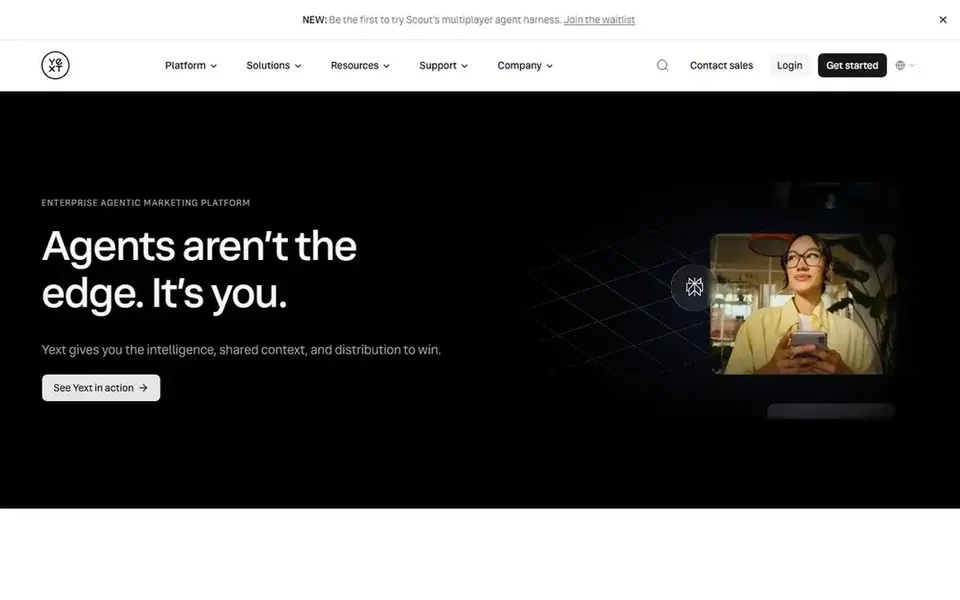
Yext is a listings and reputation platform used by larger organizations. It fits asphalt contractors with multiple branches or a commercial division operating across several cities, where keeping business information consistent is a real job.
The review features let you monitor and respond to feedback across locations, and the listing side keeps your addresses and hours accurate. For a paving company with yards in three counties, that consistency helps customers find the right office.
It is more than a small crew needs. Setup is involved, pricing is quote-based, and the platform assumes you have someone managing it. Solo operators should start with a simpler tool.
- Strong listing management
- review monitoring
- scales across locations
- Complex setup
- pricing is quote-based
WhatConverts is a call tracking and lead reporting tool that can also trigger review requests. For asphalt contractors, that link is useful: when a homeowner calls about a driveway quote and the job is later completed, you can tie the review request to that lead record.
The main value is knowing which calls turned into jobs and which customers to ask for feedback. That helps you focus review requests on people who actually hired you, rather than blasting old contact lists.
It is not built as a review management platform. If reviews are your main goal, use it alongside a dedicated tool rather than instead of one.
- Tracks calls and form leads
- can trigger review requests
- lead reporting
- Not a full review suite
- review features are secondary
How I chose
I compared these tools using vendor documentation and public sources. I did not run hands-on tests, and I did not rely on client results or case studies. My focus was on how each tool handles review requests, replies, and Google Business Profile work for a local trade business.
I weighed fit for asphalt contractors specifically: seasonal job volume, text-first customers, multiple service areas, and the need to keep replies personal. I also noted limits, such as quote-based pricing or narrow feature sets, so you can skip tools that do not match your size. Where a tool is built for larger organizations, I say so rather than pretending it suits a small crew.
What to check before you buy
- Confirm the tool can send review requests by text message, since many homeowners respond faster to texts than email.
- Check whether it supports Google Business Profile replies directly, so you are not copying and pasting between tabs.
- Ask how it handles negative feedback, and make sure it does not hide or filter reviews, which breaks Google's rules.
- Confirm it can handle multiple service areas if you pave in several towns, without mixing up your listings.
- Check whether review requests can be triggered after a job closes, not just on a fixed schedule.
- Read the pricing page carefully, since several of these tools are quote-based and the cost depends on volume.
Frequently asked questions
What is the best review management software for asphalt contractors?
Reputation.com is my top pick for contractors who want a full reputation workflow, with Grade.us as a simpler option for review requests and Synup for combining reviews with listing management. The right choice depends on whether you need just review requests or a broader local presence tool.
Can I ask customers for reviews after a paving job?
Yes, as long as you ask every customer and do not offer incentives or filter out unhappy ones. Send the request soon after the job is finished, when the work is fresh in the customer's mind, and keep the message short and personal.
Do I need review software if I only have one crew?
Not always. A single crew can manage reviews with a simple process and a spreadsheet. Software helps when you want reminders, text requests, and one inbox for replies across Google and other sites, especially during busy paving season.
How should an asphalt contractor reply to a negative review?
Reply calmly, acknowledge the problem, and offer to talk offline. Do not argue or blame the customer in public. A short, professional reply shows other homeowners that you handle problems seriously, which matters in a trade built on trust.
Does review software help with Google Maps rankings?
Reviews are one signal among many, and software helps you collect them consistently and keep your profile active. It does not guarantee rankings. Pair review requests with accurate business info and regular photos of completed jobs for the best results.
Sources
See where you really rank - block by block
ProMapRanker scans Google Maps across a grid of your service area. Simple monthly plans from $19, white-label on every plan.
Start freeBrowse all guides
← Best Reputation Management Software for Vacation Rentals in 2026Best Review Management Software for Car Rental Companies in 2026 →
 best reputation management software for masonry contractors
Best Reputation Management Software for Masonry Contractors (2026)
A guide to the best reputation management software for masonry contractors in 2026, compared from vendor docs and public sources, with review request and GBP tips.
Read → best reputation management software for glass companies
Best Reputation Management Software for Glass Companies in 2026
A guide to the best reputation management software for glass companies in 2026, covering review requests, listing accuracy and local rank tracking.
Read → best reputation management software for climbing gyms
Best Reputation Management Software for Climbing Gyms in 2026
A practical guide to the best reputation management software for climbing gyms in 2026, covering review requests, replies and local listings.
Read → google maps proximity ranking
Google Maps Proximity Ranking: Why Distance Decides Who Customers See
Proximity is one of Google's biggest local signals. Learn how distance shapes Maps results and why geo-grid tracking reveals it.
Read → local seo for electricians
Local SEO for Electricians: More Calls From Your Service Area
An electrician's local SEO guide: service-area GBP setup, reviews, and geo-grid tracking for more calls.
Read → how to get into google 3 pack
How to Get Into the Google 3-Pack (Local Pack) in Competitive Markets
Want into the coveted Google 3-pack? Learn what separates the top 3 from everyone else and how to break in.
Read →More in Local SEO & Google Maps · All guides A to Z by date · Latest guides