 ProMapRanker
Best Remote Monitoring Software in 2026

Key takeaways
- Per-technician pricing wins for teams with many devices and few staff, while per-device pricing fits large fleets with predictable device counts.
- Patching, alerting and remote access matter more than a long feature list, because those three jobs fill most of a technician day.
- Action1 is the clear low-cost entry point for smaller Windows estates, with a free tier for up to 200 endpoints.
- Every tool here is for disclosed IT management on devices you own or manage under contract, not for secret monitoring of another person.
Quick comparison
| Pick | Great for | Pricing starts at | Free tier | |
|---|---|---|---|---|
 Atera | Small to mid-size MSPs | $129 per technician per month | Free trial (30 days) | Visit |
 NinjaOne | Large device fleets | $3.75 per device per month | Free trial (14 days) | Visit |
 Syncro | MSPs wanting RMM plus PSA | $129 per user per month | Free trial (14 days) | Visit |
 Pulseway | Mobile-first IT teams | See website | Free trial (14 days) | Visit |
 Datto RMM | Backup-linked monitoring | See website | Free trial (14 days) | Visit |
 N-able N-central | Large complex estates | See website | Free trial | Visit |
 SuperOps | Modern MSPs wanting one platform | See website | Free trial | Visit |
 Action1 | Small teams on a tight budget | Free | Yes | Visit |
 ConnectWise RMM | MSPs in the ConnectWise system | See website | Free trial | Visit |
The best remote monitoring software
Remote monitoring software watches servers, desktops and laptops, raises alerts when something fails, and lets an authorised technician fix problems from another location. We compared official pricing pages, feature documentation and public reviews, and we kept only tools built for lawful, disclosed management of business or client devices.
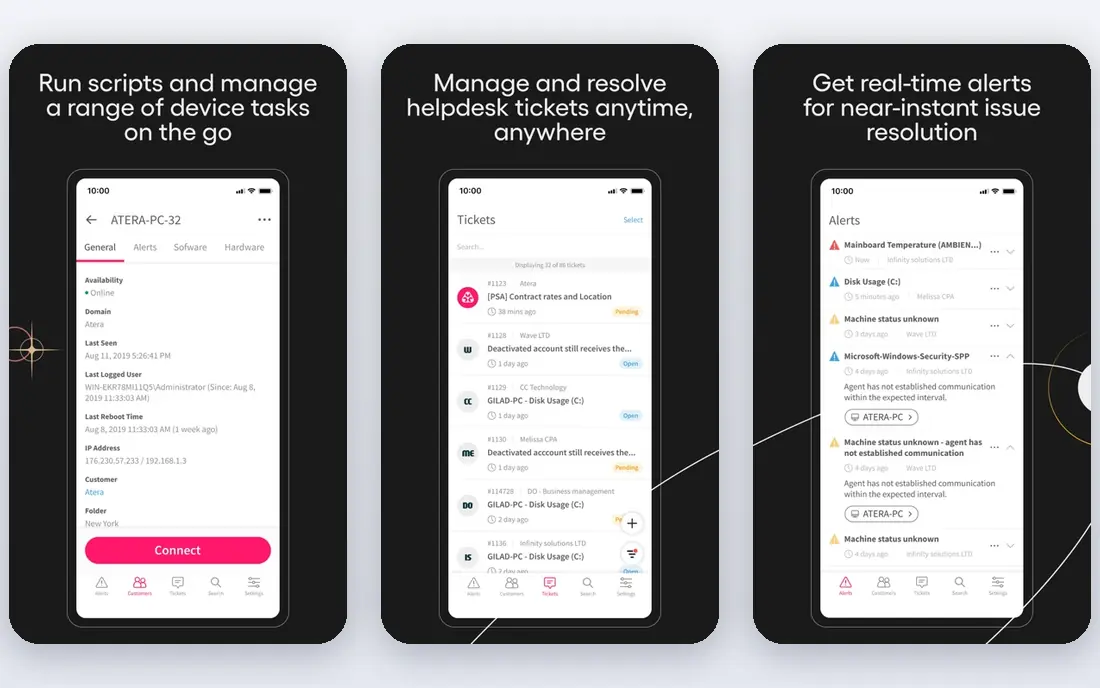
Atera suits a managed service provider that looks after many endpoints with a small team. Because the bill follows technicians rather than devices, adding a client with hundreds of machines does not automatically raise the monthly cost in the same way a per-device plan would. The platform combines monitoring, patch management, ticketing and remote access, so a technician can move from an alert to a fix without switching tools.
The trade-off is depth in some areas. Teams that need highly custom reports or a wide catalogue of third-party integrations may find Atera narrower than larger enterprise platforms. It still covers the core MSP workflow well, and its published pricing makes budgeting far simpler than quote-only rivals. For a growing MSP, that predictability is a real advantage.
- Per-technician pricing with unlimited endpoints
- Built-in ticketing and remote access
- Clear published pricing
- Advanced reporting can feel limited
- Mac coverage is thinner than Windows coverage
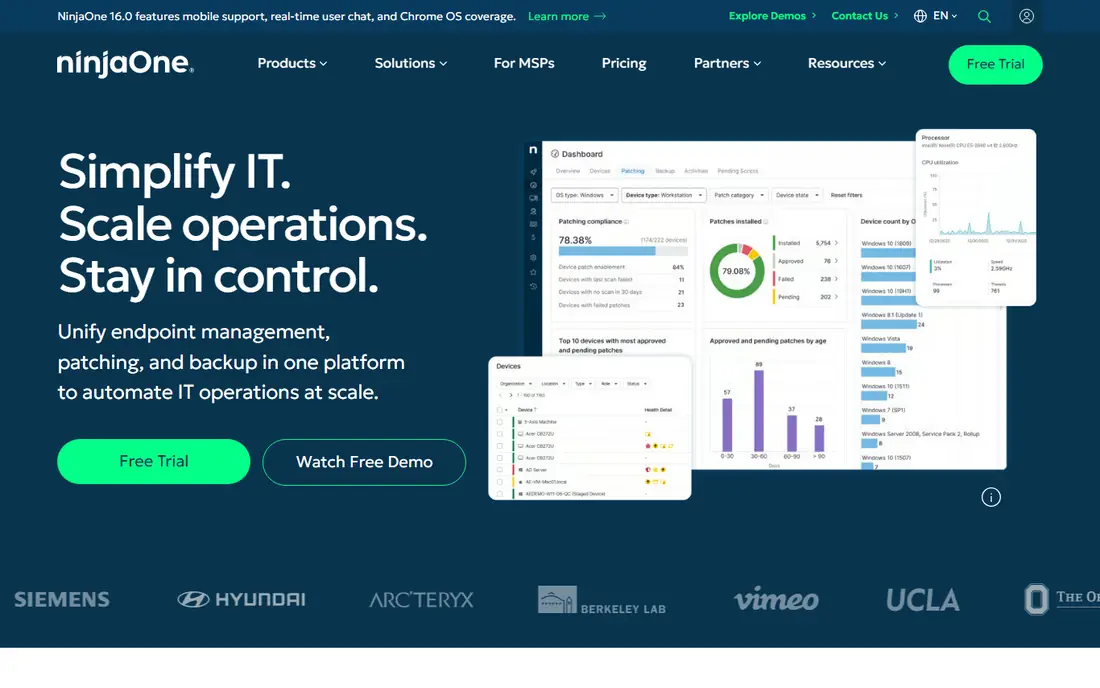
NinjaOne is built for IT teams that manage a large number of endpoints and want a console that new technicians can learn quickly. Its patching covers operating systems and common third-party applications, and its alerting helps teams spot failing disks, full drives and offline machines before users report them. Native remote access is included, which keeps support sessions inside one workflow.
The per-device model is the main catch. A fleet of thousands of devices can become expensive, even though the per-device rate falls as volume rises. Teams should model the total bill at their real device count, not at the headline rate for a small estate. For teams that value polish and patch depth, the cost is often justified.
- Clean console and fast onboarding
- Strong patch management
- Broad operating system support
- Exact pricing needs a quote at scale
- Costs rise with every added device
Syncro appeals to MSPs that want monitoring and business operations in the same place. Tickets, time tracking, invoicing and device monitoring sit together, which cuts down on copying client details between systems. The per-user model, like Atera, keeps costs stable when a client adds devices. That matters for MSPs whose clients grow quickly.
The platform is less specialised than a pure enterprise RMM in some deep monitoring areas. Teams with very complex network monitoring needs may still add a dedicated network tool. For most small and mid-size MSPs, however, the combined RMM and PSA approach saves more time than a slightly deeper monitoring engine would add.
- RMM, PSA and billing in one platform
- Unlimited endpoints on paid plans
- Transparent per-user pricing
- Smaller MSPs may pay for PSA features they rarely use
- Some advanced automation takes setup time
Pulseway stands out for technicians who spend much of their day away from a desk. Its mobile app covers monitoring, remote control, patching and automation, so an alert on a server can be checked and often fixed from a phone. That mobile focus is genuinely useful for small teams, field engineers and on-call staff who cannot wait until they reach a workstation.
The downside is pricing transparency. Pulseway does not publish a simple starting price, so buyers need a quote based on device count and modules. Teams should also confirm which PSA or billing features are included, because Pulseway is strongest as a monitoring and remote management tool rather than a full business platform. If mobile control is the priority, it is hard to beat.
- Strong mobile app for full management
- Real-time alerts
- Patch management and automation included
- Pricing is quote-based
- Larger enterprises may want deeper PSA depth
Datto RMM is a natural pick for MSPs already using Datto backup or other Kaseya products. Monitoring, patching and remote access sit alongside data protection, which makes it easier to tie a device alert to a backup status check. If a machine fails, the team can see whether a recent backup exists before deciding how to recover it. That link between monitoring and recovery is practical, not just a marketing point.
Outside that product family, Datto RMM is harder to judge on price alone because pricing is quote-based. Smaller MSPs may find per-endpoint costs add up, and the sales process is longer than signing up for a published plan. Teams already invested in Datto backup, or planning to be, will get the most from it.
- Strong monitoring and automation
- Close fit with Datto backup products
- Ransomware detection features
- Quote-only pricing
- Best value inside the wider Datto and Kaseya product set
N-able N-central is aimed at larger MSPs and IT departments with complex estates. It covers servers, networks and workstations with detailed monitoring rules, and its automation tools help teams standardise patching and maintenance across many clients. The option to run it hosted or on-premises gives larger organisations control over where management data lives, which some regulated clients require.
That power comes with complexity. N-central needs careful setup, and small teams may find the learning curve steep compared with Atera or Syncro. Pricing is also quote-based, so budgeting requires a sales conversation. For a large MSP that needs depth and control, the effort pays off. For a five-person shop, it is often more tool than needed.
- Deep monitoring for servers and networks
- Automation and scripting at scale
- On-premises or hosted options
- Quote-only pricing
- Setup and tuning take real effort
SuperOps targets MSPs that want a modern, unified platform without stitching together separate RMM and PSA products. Its interface feels current, and its combined approach covers monitoring, ticketing, project work and billing in one place. That unity helps smaller MSPs avoid the integration work that older multi-product stacks often require.
Because SuperOps is newer than some rivals, its third-party integration list is still growing. Teams tied to a niche PSA or documentation tool should check compatibility before committing. Pricing also depends on the model and tier chosen, so buyers should get a written quote for their exact technician and endpoint counts. For MSPs starting fresh, it is a strong modern alternative.
- Unified RMM and PSA on one codebase
- Modern interface
- Per-technician and per-endpoint options
- Newer platform with a smaller integration catalogue
- Pricing varies by model chosen
Action1 is the easiest recommendation for a small business or school IT team that needs real patching and monitoring without a large budget. The free tier covers up to 200 endpoints, which is enough for many small estates, and the cloud console means there is no server to maintain. Patch management, software deployment and remote access cover the jobs that consume most small-team time.
The limits are clear. Action1 is Windows-focused, so mixed Mac and Linux estates will need another tool for those devices. It also lacks the full PSA, billing and deep network monitoring found in MSP platforms. For a small Windows estate, though, it delivers the core of remote monitoring at no cost, which is rare in this category.
- Free for up to 200 endpoints
- Patch management and remote access
- Cloud-based with quick setup
- Windows-focused
- Enterprise features are thinner than larger RMM platforms
ConnectWise RMM makes most sense for MSPs already running ConnectWise PSA, or planning to adopt it. Monitoring data flows into tickets, billing and security workflows without custom integration work, and the wider ConnectWise ecosystem covers backup, security and documentation. That depth is valuable for mid-size and large MSPs that standardise on one vendor stack.
Teams outside that stack face a steeper path. Pricing is quote-based, and the platform assumes a level of MSP process maturity that a small internal IT team may not need. If you already use ConnectWise PSA, the integration alone can justify the choice. If you do not, a simpler standalone RMM will usually be faster to adopt.
- Deep integration with ConnectWise PSA and security tools
- Mature MSP ecosystem
- Automation and monitoring
- Quote-based pricing
- Can feel complex for teams outside the ConnectWise stack
How we picked these
We compared official feature pages, pricing pages and public documentation for tools that monitor and manage business devices with the knowledge and consent of the device owner. We excluded consumer spyware, covert tracking apps and any tool marketed for monitoring another person without disclosure. We favoured tools with patch management, alerting and remote access, because those features define remote monitoring in practice, and we noted where pricing was published and where a quote is required.
What to check before you buy
Start with the billing model, because it decides the long-term cost. Count technicians and devices separately, then model both a per-technician and a per-device plan at your real numbers for the next year. A plan that looks cheap for 50 devices can become expensive at 500, and the reverse is true for per-technician plans when you hire more staff.
Next, test patching and alerting on your actual mix of machines. Ask for a trial, enrol a small group of Windows, Mac and Linux devices if you run them, and check how quickly patches deploy and how noisy alerts are. An alert system that cries wolf will be ignored, which defeats the purpose of monitoring. Also confirm remote access works through your firewalls and that access logs are kept, so every remote session can be audited later.
Finally, confirm consent and access controls. Remote monitoring should only run on devices your organisation owns or manages under a written agreement, with users told what is monitored and why. Use role-based access, multi-factor sign-in and session logging, and keep monitoring data only as long as your policy requires. A tool that makes those controls easy is worth more than one with a longer feature list.
Frequently asked questions
What is the best remote monitoring software for a small MSP?
Atera and Syncro are strong starting points for small MSPs, because per-technician pricing keeps costs stable as client device counts grow. Action1 is worth testing first for a small Windows estate, since its free tier covers up to 200 endpoints. The right pick depends on whether you also need PSA and billing, or monitoring alone.
Is remote monitoring software legal?
Yes, when it is used on devices you own or manage under contract, with users informed about what is monitored. Secret monitoring of another person, or installing monitoring on a device you have no right to manage, can break privacy and computer misuse laws. Always get written agreement from clients and tell staff what data is collected.
What is the difference between RMM and remote access software?
Remote access software lets a technician control a single machine for a support session. RMM adds continuous monitoring, patching, alerting and automation across many machines, so problems are found and often fixed before a user calls. Most MSPs need RMM, while a single remote session tool may suit occasional one-off support.
Does remote monitoring software work on Mac and Linux?
Most tools here support Windows best, with Mac support varying and Linux support often limited to servers or specific distributions. NinjaOne and N-able offer broader cross-platform coverage than some rivals, but you should test your exact operating system versions in a trial. Do not assume every feature works the same on every platform.
How much does remote monitoring software cost?
Costs range from free for Action1 up to 200 endpoints, to published plans such as Atera and Syncro at $129 per technician or user per month, to quote-based per-device plans for larger platforms. The total depends on technicians, devices, modules and contract length. Always model the full bill, including backup and security add-ons, before signing.
Sources
See where you really rank - block by block
ProMapRanker scans Google Maps across a grid of your service area. Simple monthly plans from $19, white-label on every plan.
Start freeKeep reading
 who has best internet service
Who Has the Best Internet Service in 2026
Who has best internet service for US homes? We compare fiber, cable, fixed wireless and satellite providers on speed, price, availability and terms today.
Read → which survey tool has the best analytics
Which Survey Tool Has the Best Analytics in 2026
Find which survey tool has the best analytics in 2026, comparing Qualtrics, SurveyMonkey, Typeform, Alchemer, and more on reports, text, and stats today.
Read → which streaming service has the best movies
Which Streaming Service Has the Best Movies in 2026
Answering which streaming service has the best movies, with Netflix, Max, Criterion and more compared on libraries, prices and free options in this guide.
Read →