 ProMapRanker
Best Recipe Manager Apps in 2026

Key takeaways
- Paprika is the best pay-once manager for cooks who want offline access and a deep, private collection.
- Plan to Eat is the best planner-first pick, since saved recipes feed a calendar and auto grocery lists.
- AnyList is the best family pick, with shared lists that update instantly for everyone shopping.
- Import quality decides most choices, so test clipping from your favorite food blogs before paying for a year.
Quick comparison
| Pick | Great for | Pricing starts at | Free tier | |
|---|---|---|---|---|
 Paprika | Pay-once deep collection | See website | No | Visit |
 Plan to Eat | Calendar meal planning | See website | Free trial | Visit |
 AnyList | Shared family lists | Free | Yes | Visit |
 Samsung Food | Free discovery and shopping | Free | Yes | Visit |
 Copy Me That | Fast web clipping | Free | Yes | Visit |
 Recipe Keeper | Cross-platform import | Free | Yes | Visit |
 Mela | Apple-native design | Free | Yes | Visit |
 Crouton | Polished Apple cooking | Free | Yes | Visit |
 ReciMe | Mobile-first discovery | Free | Yes | Visit |
The best recipe manager apps
A recipe manager should save a recipe once, then make it easy to find, scale, cook, and shop for. These nine do that job in different ways, from pay-once desktop tools to free mobile apps with social discovery. Pick by where you cook and who shops with you.
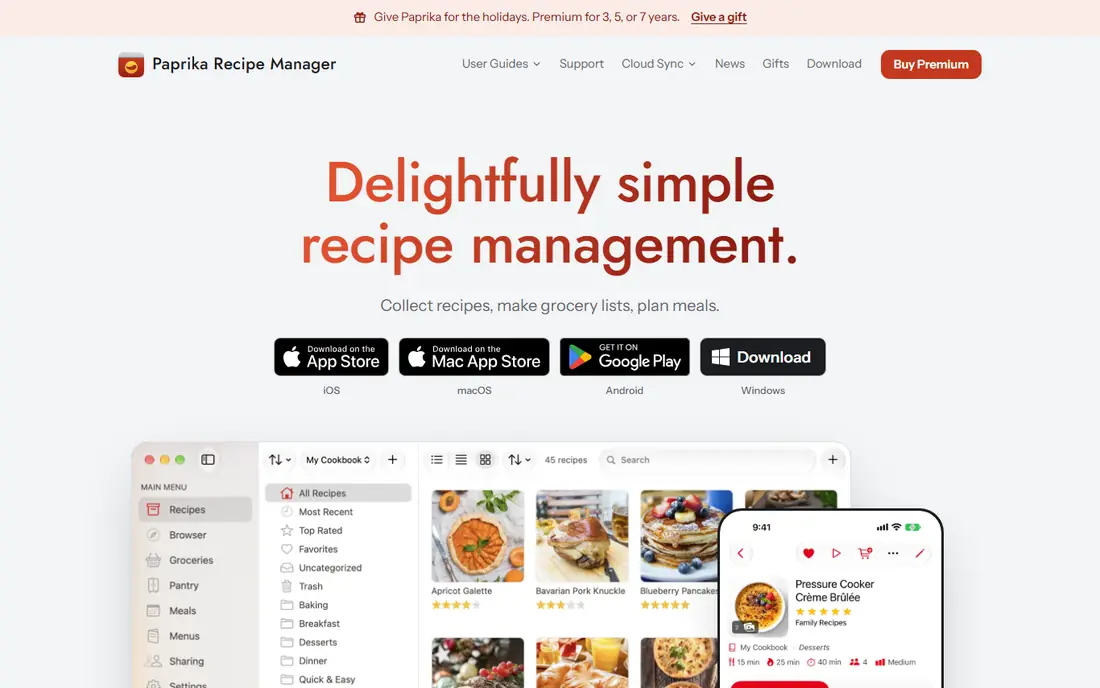
Paprika remains the standard for cooks who want a private, durable collection. Its browser clipper pulls recipes from food blogs cleanly, scaling adjusts ingredient amounts, and cook mode keeps steps visible with timers. Offline access means a saved recipe still works in a kitchen with weak signal.
The cost model needs attention, since iOS, Android, Mac, and Windows versions are separate purchases. Paprika fits cooks who plan to keep a collection for years, cook from one main device, and prefer paying once over a monthly subscription.
- Strong web clipper
- Scaling and cook mode
- Offline access and cloud sync
- Each platform version is sold separately
- Web app is limited beside native apps
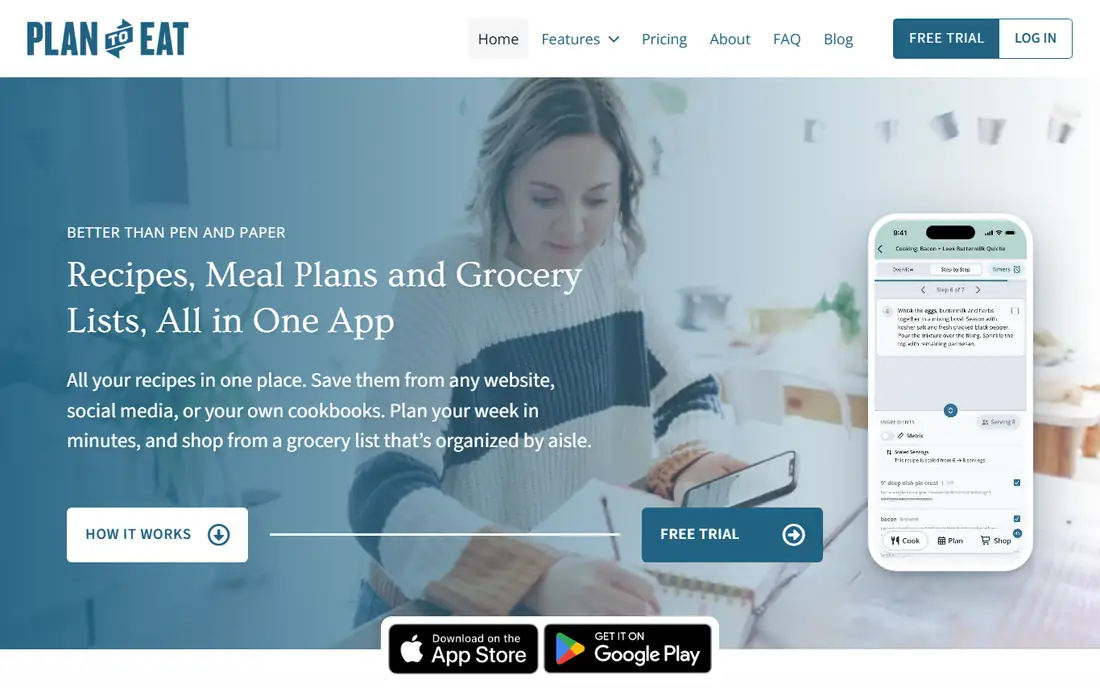
Plan to Eat starts with the week, not the recipe box. You drag saved recipes onto a calendar, and the app builds a grocery list from those planned meals. That flow suits families who answer the same question every Sunday, which is what to cook for the next seven days.
It is less of an archive tool than Paprika, and it requires a subscription after the trial. Plan to Eat fits weekly planners who want planning and shopping tied together, and who will use the calendar every week rather than saving recipes they never cook.
- Drag-and-drop meal calendar
- Auto grocery lists from planned meals
- One-click recipe import
- Subscription required
- Less focus on archiving a huge recipe library
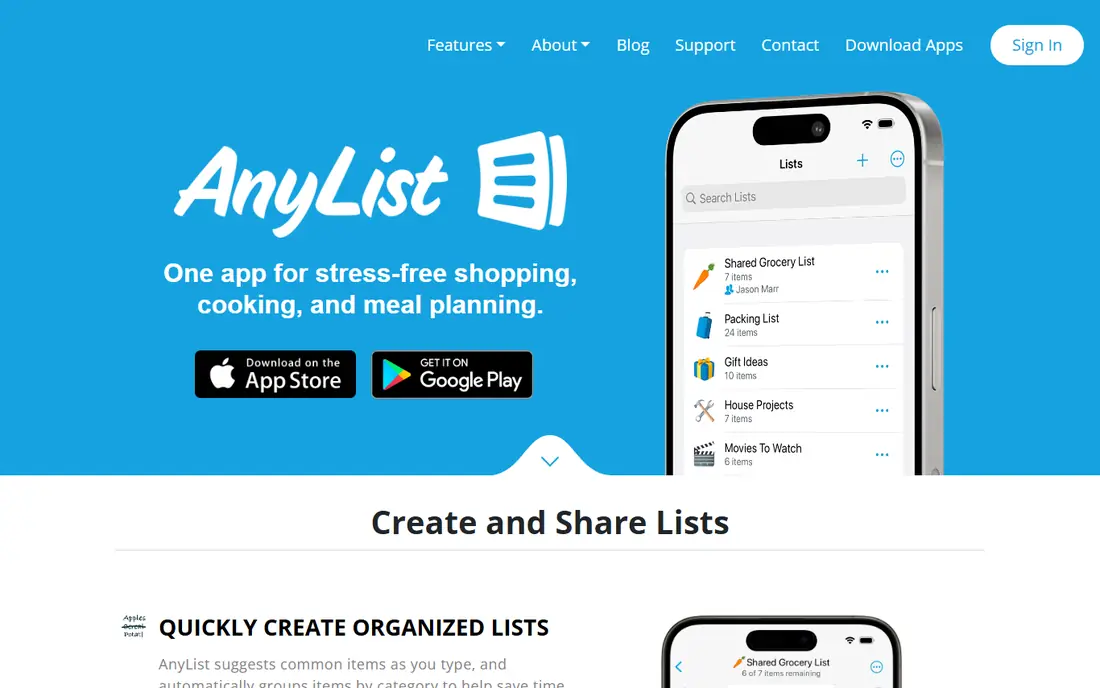
AnyList is the app households actually keep using, because shared lists update for everyone at once. One partner can add milk from work while the other shops, and recipes feed those lists without retyping ingredients. The recipe box, planner, and browser extension cover the basics well.
Recipe depth is lighter than Paprika, and the paid tier adds fuller recipe and desktop features. AnyList fits families where shared shopping matters most, and where a simple recipe box beside a great list beats a deep archive that only one person opens.
- Best shared grocery lists in this list
- Recipe box plus meal planner
- Fast household sync
- Recipe management is secondary to lists
- Some recipe and desktop features need a paid tier
Samsung Food, formerly Whisk, gives free users a lot, including recipe saving, meal planning, nutrition views, and community recipes. Grocer integrations in the US let planned meals flow toward shopping, and appliance links suit Samsung households. Discovery is a real strength, since saved recipes sit beside creator content.
Paid Plus features add more personalization and tools, so free users should check which features they actually need. Samsung Food fits cooks who want a free, modern app with discovery built in, and who do not mind a larger platform beside a simple recipe box.
- Free core with recipe saving and planning
- Creator community and discovery
- Grocer links in the US
- Some Plus features sit behind a subscription
- Rebrand history can confuse new users
Copy Me That is for heavy collectors who save recipes from many websites. Its browser button clips a recipe in seconds, and the free tier covers a useful collection before any payment. Meal planning and shopping lists are present, though simpler than Plan to Eat or AnyList.
The design is plain, and cooks who want a polished cooking view may prefer Mela or Crouton. Copy Me That fits readers who browse food blogs daily, save far more than they cook, and want the fastest path from a blog post to a saved recipe.
- Fast browser-based clipping
- Free tier for collecting
- Simple meal planning and lists
- Interface feels utilitarian
- Premium features are modest beside newer apps
Recipe Keeper suits households with mixed devices, since it runs on iOS, Android, Windows, Mac, and web. Import covers web recipes plus scanned photos and PDFs, which helps cooks with handwritten family recipes or cookbook pages. The free start lets users test sync before paying.
Payment varies by platform, so check the store listing for your device before buying on several devices. Recipe Keeper fits cooks who need a recipe vault on every device in the house, including a Windows computer in the kitchen.
- Web import plus photo and PDF capture
- Broad platform support
- Generous free start
- Advanced features sit behind payment
- Pricing varies by platform
Mela is the prettiest recipe manager here for Apple users. Import from the in-app browser is fast, RSS capture pulls new recipes from favorite blogs, and cook mode presents steps cleanly. iCloud sync keeps iPhone, iPad, and Mac in step without a separate account.
Apple-only coverage is the hard limit. Households with Android phones or Windows computers cannot share the same library easily. Mela fits Apple households who value design and speed, and who cook mainly from Apple devices.
- Elegant Apple-native design
- Fast in-app browser import
- ICloud sync and shared libraries
- Apple only
- No full web app for Android or Windows users
Crouton is a smaller Apple-native app with a careful design and a clear cooking view. Import from URLs and photos covers most sources, and the app feels fast on iPhone, iPad, and Mac. Cooks who like Mela but want a different take on Apple design often compare the two directly.
Its ecosystem is smaller, and Android or Windows households should look elsewhere. Crouton fits Apple cooks who want a polished, focused recipe app without a large social layer or a subscription-heavy feature list.
- Beautiful native Apple design
- URL and photo import
- Cook mode with timers
- Apple only
- Smaller ecosystem than Paprika or Samsung Food
ReciMe suits mobile-first cooks who discover recipes on social apps and want to save them in cookbooks. The interface feels modern, grouping saves by theme, and import from websites and social posts is a core strength. It works well for cooks who plan meals from a phone, not a desktop.
Desktop depth is thinner than Paprika or Plan to Eat, so heavy planners may miss a full calendar view. ReciMe fits younger cooks and social recipe savers who want inspiration and organization in one mobile app, with a free tier to test import limits first.
- Modern mobile interface
- Social-style discovery and cookbooks
- Good mobile import
- Newer ecosystem with less desktop depth
- Import allowances need checking
How we picked these
We compared official app pages, app store listings, and recent recipe app summaries, and we kept only apps that are still available in October 2026 with recipe import, organization, and cooking or shopping features. We favored apps with reliable clipping, scaling, and list generation, and we noted where a platform purchase, subscription, or Apple-only limit changes the value. Prices shown are starting points where verified, and we wrote See website where pricing varied by platform.
What to check before you pick
Start with your devices and your household. An Apple-only app is a poor pick for a mixed-device home, while a pay-once app can cost more than a subscription if you buy it on four platforms. Test import from five of your favorite recipe sites during any trial, since clipping quality varies by site and matters more than a feature list.
Next, check how lists and plans work in real life. If two people shop, shared lists matter. If you plan weekly, a calendar matters. If you mainly save recipes, search, tags, and offline access matter. Pick the app that matches the one job you will do every week, and let the other features be a bonus.
Frequently asked questions
What is the best recipe manager app?
Paprika is the best overall pick for a deep, pay-once collection, while Plan to Eat is best for weekly planning and AnyList is best for shared family shopping. Samsung Food is the best free starting point for cooks who also want discovery.
Is there a free recipe manager app?
Yes, AnyList, Samsung Food, Copy Me That, Recipe Keeper, Mela, Crouton, and ReciMe all offer free tiers. Free limits vary, so check import allowances and whether recipe, planning, or desktop features need a paid tier.
Can recipe apps import from Instagram or TikTok?
Some apps, including ReciMe and newer import tools, support social imports, but success varies by post format and site. Test import from your actual sources during a trial, and keep the original link saved until you confirm the recipe imported cleanly.
Do recipe managers work offline?
Paprika offers strong offline access on native apps, and several other apps cache saved recipes for cooking. Check offline behavior for your device before relying on an app in a kitchen with weak signal, since web-only tools need a connection.
How do I move recipes from one app to another?
Export options vary, and some apps support standard recipe formats while others do not. Before switching, export a small test batch, check that ingredients and steps survived, and keep your old app until the move is complete.
Sources
See where you really rank - block by block
ProMapRanker scans Google Maps across a grid of your service area. Simple monthly plans from $19, white-label on every plan.
Start freeKeep reading
 who has best internet service
Who Has the Best Internet Service in 2026
Who has best internet service for US homes? We compare fiber, cable, fixed wireless and satellite providers on speed, price, availability and terms today.
Read → which survey tool has the best analytics
Which Survey Tool Has the Best Analytics in 2026
Find which survey tool has the best analytics in 2026, comparing Qualtrics, SurveyMonkey, Typeform, Alchemer, and more on reports, text, and stats today.
Read → which streaming service has the best movies
Which Streaming Service Has the Best Movies in 2026
Answering which streaming service has the best movies, with Netflix, Max, Criterion and more compared on libraries, prices and free options in this guide.
Read →