 ProMapRanker
Best Realtor App to Use in 2026

Key takeaways
- Zillow is the best starting point for broad home search, because it covers listings, rentals, and home value estimates in one app.
- Realtor.com suits buyers who want fresh MLS listings and fast status updates, so a home that just went under contract is less likely to look available.
- Redfin is the strongest pick when you want tours, a brokerage, and data in the same app, especially in Redfin service areas.
- Use two apps together for serious searches, since listing freshness, agent contact routes, and local data differ from one portal to the next.
- Always confirm a listing with the listing agent or your own agent before you plan a visit, because portal data can lag behind the MLS.
Quick comparison
| Pick | Great for | Pricing starts at | Free tier | |
|---|---|---|---|---|
 Zillow | Broad home search | Free | Yes | Visit |
 Realtor.com | Fresh MLS listings | Free | Yes | Visit |
 Redfin | Tours and brokerage help | Free | Yes | Visit |
 Homes.com | Agent-led search | Free | Yes | Visit |
 Trulia | Neighbourhood research | Free | Yes | Visit |
 Compass | Agent collaboration | Free | Yes | Visit |
 Rocket Homes | Search plus mortgage path | Free | Yes | Visit |
 StreetEasy | New York City search | Free | Yes | Visit |
The best realtor app to use
A realtor app can mean two things, and both matter here. For buyers and renters, it is a home search app with listings, maps, and agent contact. For people working with an agent, it is also a collaboration tool for tours, saved homes, and messages. We compared apps that cover both jobs, and we noted where an app is strong in one area and weaker in another.
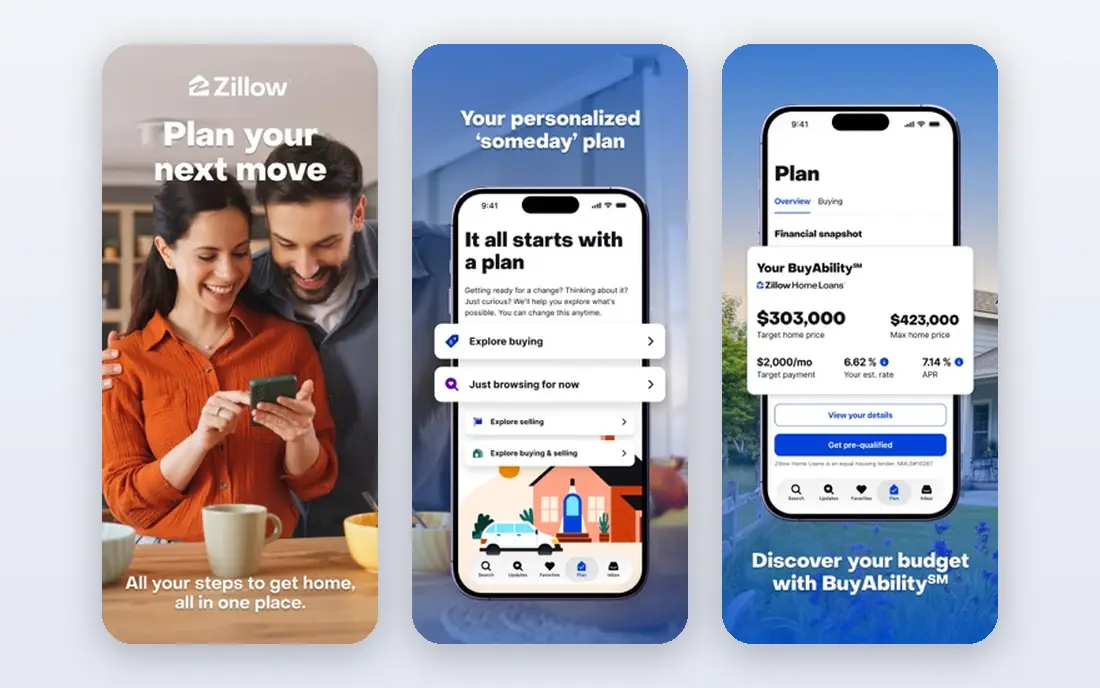
Zillow is the app most buyers open first, and for good reason. It covers for-sale homes, rentals, new construction, and for-sale-by-owner listings, with map search, filters, saved homes, and alerts that are easy to set up. The Zestimate gives a quick value estimate for most addresses, which helps early research even though it is an estimate, not an appraisal.
The main weakness is freshness. A home can change status in the MLS before Zillow updates, so a home that looks available may already be under contract. The agent who answers a contact request may also be a partner agent for that area rather than the listing agent. Use Zillow for breadth and alerts, then confirm any serious home with Realtor.com or your own agent before you book a tour.
- Largest general listing coverage
- Zestimate home value estimates
- Saved searches, tours, and rental listings in one app
- Listing status can lag behind the MLS
- Contact may go to a paid partner agent rather than the listing agent
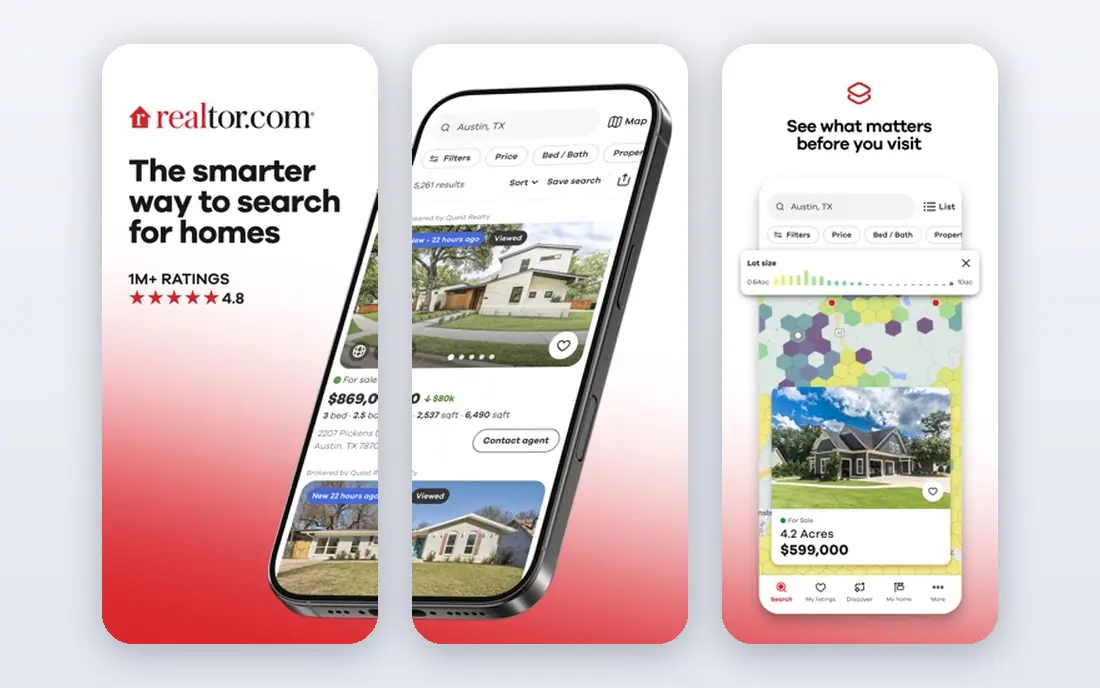
Realtor.com is the best check against stale listings. Because it pulls directly from MLS feeds, status changes tend to surface sooner than on syndicated portals, which matters in a fast market where good homes move in days. The listing pages also carry detailed data on schools, commute times, and local costs, plus affordability tools that help you test a price against your budget.
Realtor.com is less of a casual browsing app than Zillow, and its design feels more practical than playful. That is a fair trade for buyers who are ready to tour homes and need to trust what they see. Keep Realtor.com as your freshness check, even if Zillow remains your daily browsing app.
- Direct MLS feeds
- Fast status updates
- Deep school, commute, and neighbourhood data
- Smaller audience reach than Zillow
- Some contact routes still lead to paid agent placements
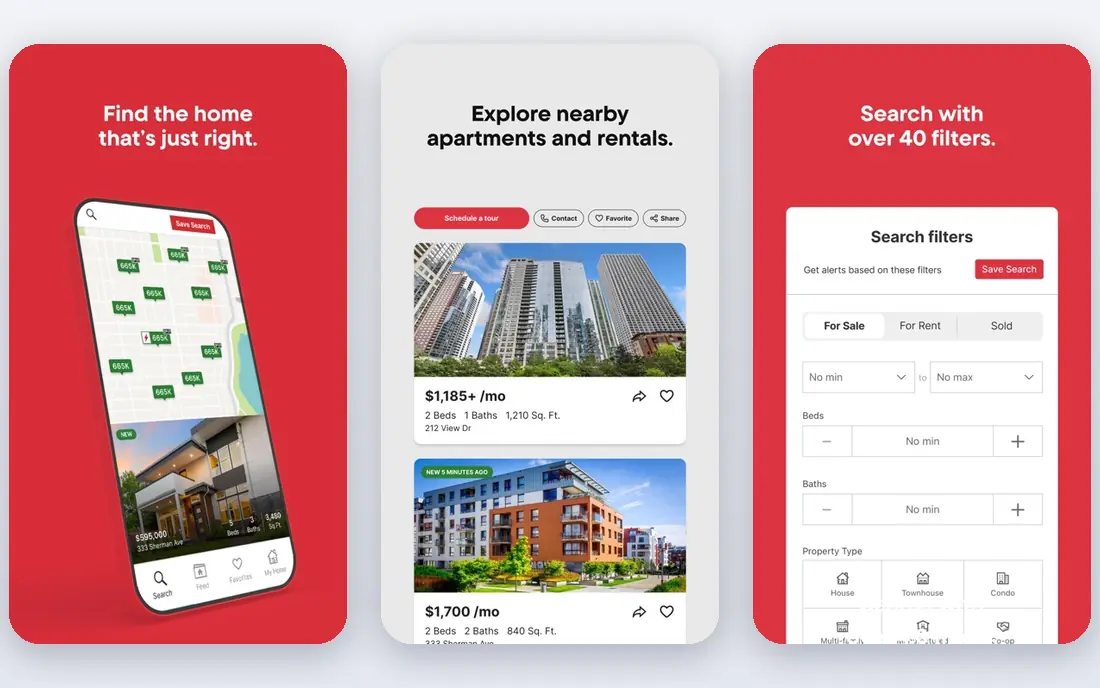
Redfin combines a portal with a brokerage, which changes how it feels to use. You can search, save homes, and book tours in the app, then work with a Redfin agent who can see the same saved homes and tour history. That shared view reduces the back-and-forth that slows down many searches, and Redfin data tools such as days on market and sold comparables help you judge a price.
Availability is the limit. Redfin brokerage service does not cover every town, so buyers outside its service areas get a good search app without the full brokerage benefit. Fees, rebates, and terms also vary, so read the local terms before you assume a saving. In a Redfin area, though, the combined search and tour flow is the smoothest on this list.
- Fast map search
- On-demand tour booking
- Brokerage service with salaried agents in service areas
- Brokerage service is not available everywhere
- Listing fees and rebates vary by market and terms
Homes.com has grown as a national portal with a clear agent-led model. Contact requests tend to go to the listing agent, which suits buyers who want to speak to the person who knows the home best. Neighbourhood video tours and area insights add context for relocating buyers who cannot visit every area in person first.
Homes.com is still building depth in some markets, so it works best as a second source rather than your only app. Pair it with Zillow for breadth and Realtor.com for freshness, and use Homes.com when you want a direct line to the listing agent or a closer look at a neighbourhood from afar.
- Listing agent contact model
- Neighbourhood video tours
- Growing national portal coverage
- Smaller listing audience than Zillow and Realtor.com
- Coverage depth varies by market
Trulia, part of Zillow Group, is the best app on this list for learning about a neighbourhood before you commit to it. Resident reviews, lifestyle filters, and local data help you compare areas on schools, commute, amenities, and daily life, not just on price and bedroom count. For buyers choosing between two similar homes in different areas, that context can matter more than a small price gap.
Trulia shares much of its listing feed with Zillow, so it carries the same freshness caveat. It is also not a brokerage, so you will still need an agent for offers and negotiations. Use Trulia early in your search, when you are narrowing areas, then switch to Realtor.com or Redfin when you are ready to tour specific homes.
- Strong neighbourhood reviews and lifestyle filters
- Local data on schools and crime
- Same broad listing feed as Zillow
- Shares Zillow Group data limits, including possible status lag
- Less useful as a standalone brokerage tool
Compass is an agent-led platform with a polished app for clients. Listings look clean, saved homes and messages sit in one place, and working with a Compass agent means your agent sees the same shortlist and notes you see. That shared workspace helps when you are touring many homes and need to compare them without losing track of feedback.
Compass works best where Compass agents are active. In metros with a strong Compass presence, the app feels complete. Elsewhere, it is still a usable search app, but the collaboration benefit is thinner. If your agent works at Compass, use its app as your main workspace. If not, treat it as a well-designed second source.
- Polished listing presentations
- In-app collaboration with a Compass agent
- Strong in Compass-heavy metros
- Best value needs a Compass agent
- Coverage is stronger in some metros than in others
Rocket Homes suits buyers who want search, agent matching, and mortgage steps in one flow. You can search nationwide listings, connect with an agent, and move toward Rocket Mortgage pre-approval without switching platforms. For first-time buyers who want a guided path, that single flow can reduce confusion about what comes next.
The tie-in is also the drawback. If you already have a lender you trust, or you want to compare lenders freely, a mortgage-linked portal can feel pushy. Search features are solid but not as deep as Zillow or Realtor.com for local data. Use Rocket Homes for its guided path, and keep an independent portal open to cross-check listings and prices.
- Nationwide listings
- Integrated mortgage pre-approval path
- Agent matching in one flow
- Mortgage tie-in may not suit buyers who already have a lender
- Search depth is thinner than the top portals
StreetEasy is essential for New York City and irrelevant elsewhere, which is exactly why it earns a place here. Its building pages, floor plans, and NYC filters cover co-ops, condos, rentals, and townhouses in a way national portals do not match. For buyers and renters in the five boroughs, it is often the first app agents themselves check.
Outside New York City, StreetEasy has no value, so national buyers should skip it. Within the city, though, pair it with a national portal for price context, and use StreetEasy for building history, layout details, and neighbourhood depth that only a local specialist can provide.
- Deep New York City building data
- Floor plans and building pages
- NYC-specific filters
- Only useful for New York City
- National buyers gain nothing from it
How we picked these
We compared official app pages, listing sources, and feature sets, and we kept only apps that are still active in October 2026 and that serve buyers, renters, or agents in the United States. We weighed listing coverage, freshness, tour booking, agent contact routes, neighbourhood data, and ease of use. An app that only covered one city earned a place only where its local depth was clearly best in class, as with StreetEasy.
How to use realtor apps without missing a home
Start with two apps, not eight. Pick Zillow for breadth and Realtor.com for freshness, set alerts for your price range and must-have filters, and check both daily during an active search. Add Redfin when you are ready to book tours, and Trulia when you are comparing neighbourhoods. More apps do not mean more homes, because most portals draw from overlapping feeds.
Next, talk to an agent early, even if you enjoy browsing alone. An agent can set up MLS alerts, confirm status before you drive to a tour, and explain local rules on offers, inspections, and closing. Portal estimates are useful guides, but they are not appraisals, and a home value tool cannot see a renovated kitchen, a noisy road, or a roof that needs work.
Finally, keep notes in one place. Save homes in your main app, note the date you first saw each listing, and record tour feedback the same day. A short note on light, noise, storage, and commute will help you compare homes weeks later, when photos alone start to blur together.
Frequently asked questions
What is the best realtor app to use for buying a home?
Zillow is the best starting point for most buyers, with Realtor.com as the freshness check and Redfin as the tour and brokerage option in its service areas. Use Zillow for breadth, Realtor.com to confirm status, and your own agent for offers and negotiations.
Is Zillow or Realtor.com more accurate?
Realtor.com is usually fresher, because it pulls directly from MLS feeds, while Zillow syndicates listings and can lag on status changes. Neither portal replaces the MLS or your agent, so confirm any home you plan to tour before you travel to see it.
Do I need a realtor to use these apps?
No, you can browse, save homes, and book some tours without an agent. An agent still adds value on pricing, offers, inspections, and closing, especially in a competitive market, so most buyers benefit from talking to one before they make an offer.
What is the best realtor app for New York City?
StreetEasy is the best pick for New York City, thanks to its building pages, floor plans, and local filters. National portals still help with price context, but StreetEasy covers city-specific details that national apps miss.
Can I use a realtor app to sell my home?
Yes, most of these apps let you check value estimates, view comparable sales, and connect with an agent, but selling still needs pricing advice, photos, staging, and negotiation. Use the apps for research, then choose an agent based on local sales history and a clear fee agreement.
Are home value estimates on these apps reliable?
They are useful starting points, not final values. Estimates rely on public data and recent sales, and they can miss renovations, condition issues, and local factors. Treat a Zestimate or similar estimate as a guide, and get a local agent opinion or appraisal before you price an offer or a listing.
Sources
See where you really rank - block by block
ProMapRanker scans Google Maps across a grid of your service area. Simple monthly plans from $19, white-label on every plan.
Start freeKeep reading
 bitly alternatives
Bitly Alternatives in 2026: 8 Tools Compared
Compare the best Bitly alternatives for branded short links, with free tiers, custom domains, analytics, and pricing that suits creators and small teams.
Read → bill.com alternatives
Best Bill.com Alternatives in 2026
Looking for bill.com alternatives? We compared 9 bill pay and AP automation tools on price, approvals, and accounting sync to help you switch with confidence.
Read → betterhelp alternatives
BetterHelp Alternatives in 2026
We compared BetterHelp alternatives for online therapy, covering Talkspace, Grow Therapy, Rula, Brightside and more on price, insurance and format in 2026.
Read →