 ProMapRanker
Best Real-Time Document Collaboration Tools in 2026

Key takeaways
- Google Docs is our pick for most teams, because live co-editing, comments, and sharing work with almost no setup or training.
- Microsoft 365 suits teams that need formal track changes, Office file fidelity, and SharePoint version control for regulated documents.
- Notion, Confluence, and ClickUp suit teams that want documents beside wikis, tasks, or project work, rather than standalone files alone.
- Coda and Zoho Writer suit teams that want structured, app-like documents or a lower-cost Office-compatible editor.
- ONLYOFFICE suits teams that need Office format fidelity with self-hosting options, while Nuclino suits small teams that want a fast, simple wiki.
Quick comparison
| Pick | Great for | Pricing starts at | Free tier | |
|---|---|---|---|---|
 Google Docs | Low-friction live co-editing | Free | Yes | Visit |
 Microsoft 365 | Formal Office document collaboration | See website | Free trial | Visit |
 Notion | Docs and team wiki in one place | Free | Yes | Visit |
 Confluence | Engineering and team knowledge bases | Free | Yes | Visit |
 ClickUp Docs | Docs tied to tasks and projects | Free | Yes | Visit |
 Coda | Structured, app-like documents | Free | Yes | Visit |
 Zoho Writer | Office-compatible writing and review | Free | Yes | Visit |
 ONLYOFFICE Docs | Office formats with self-hosting | Free | Yes | Visit |
The best real-time document collaboration tools
Real-time collaboration means more than sharing a file: several people can edit at once, see each other's changes as they happen, comment on specific text, and roll back to an earlier version when needed. The best real-time document collaboration tool for a team depends on file types, review style, and the other software the team already uses. We compared official feature and pricing pages, and we focused on live editing, comments, version history, and sharing controls.
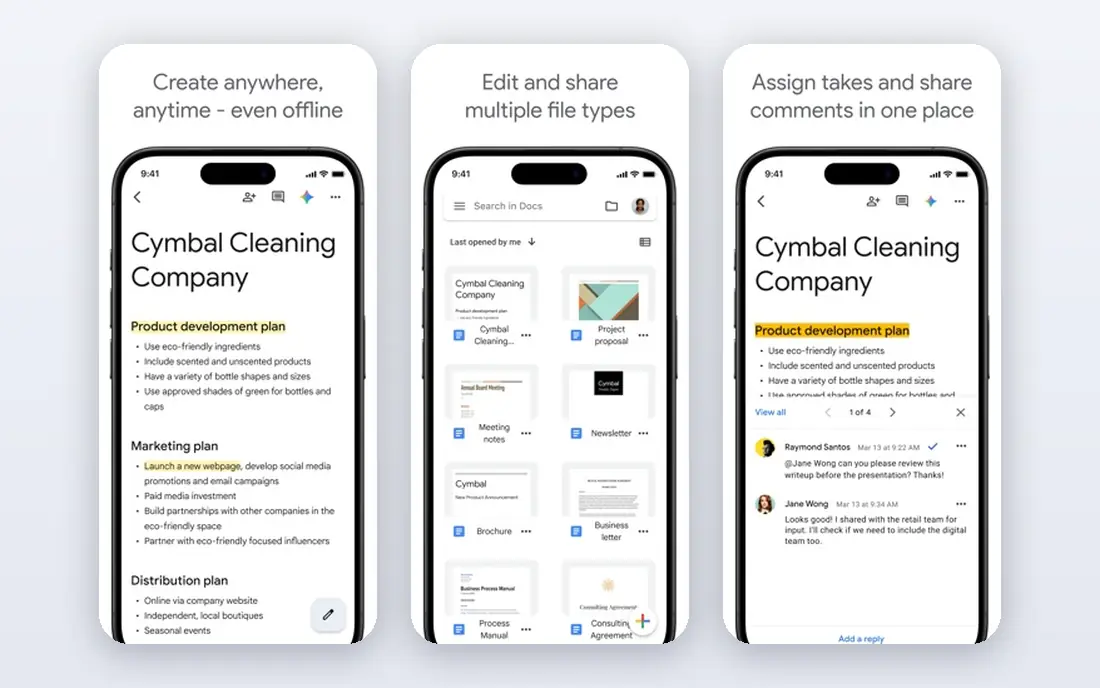
Google Docs remains the easiest way for a team to write together. Multiple people can edit the same document at once, see cursors and changes live, leave comments, and suggest edits without overwriting the original text. Sharing is a link and a permission level, which is why it works so well for mixed teams, clients, and external reviewers.
The limits show up with complex formatting and large, regulated document estates. Word files with heavy styles, tracked changes, and legal formatting may not convert perfectly, and permission management across thousands of files needs care. For everyday drafting, meeting notes, and collaborative writing, though, Google Docs is hard to beat.
- Instant multi-user editing
- Suggestion mode and comments
- Simple sharing and version history
- Formatting limits for complex Office documents
- Governance gets messy at very large scale
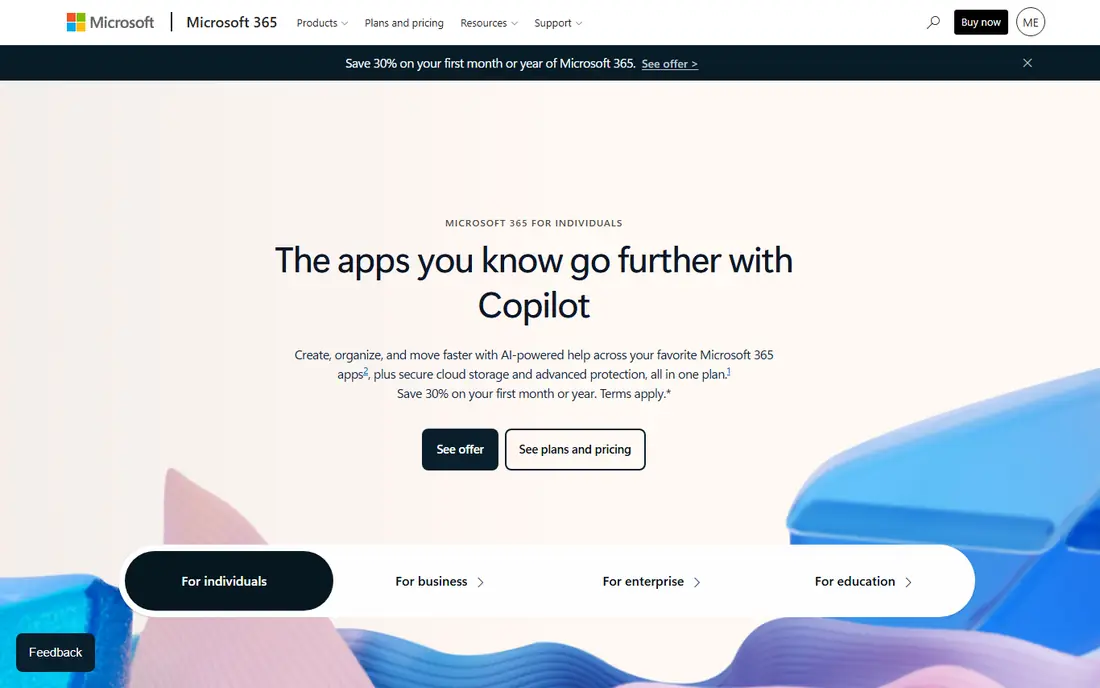
Microsoft 365 suits teams that live in Word and need formal review. Co-authoring in Word for the web lets several people edit at once, while track changes, assigned comments, and document comparison support the redline-heavy workflows used in legal, finance, and regulated work. SharePoint adds version history and access control for shared libraries.
The trade-off is friction outside Microsoft. Guests and external reviewers can work in the browser, but the smoothest experience stays inside a Microsoft account and tenant. For teams already on Microsoft 365, that is not a drawback. For mixed-tool teams, Google Docs may be simpler.
- Word, Excel, and PowerPoint co-authoring
- Track changes and legal comparison tools
- SharePoint versioning
- External reviewers face more friction
- Best value inside the Microsoft stack

Notion appeals to teams that want documents, wikis, and project tracking in one system. A meeting note can link to a project page, a database, and a task, and several people can edit and comment in real time. That connected structure helps small and mid-size teams keep knowledge in one place instead of scattered files.
The risk is sprawl. Without someone owning structure, a large Notion workspace can become hard to navigate, and formal documents for clients may still need export to Word or PDF. For internal knowledge and collaborative drafting, Notion is a strong, flexible choice.
- Live editing beside databases, wikis, and project pages
- Comments and page history
- Flexible templates
- Large workspaces need ongoing ownership
- Less suited to formal Office file production
Confluence suits engineering and product teams that already use Jira. Documentation, specs, and runbooks can live beside the work they describe, with live editing, comments, and version history. Page statuses and analytics help teams see which docs are current and which need review.
For polished external documents, Confluence is less flexible than Word or Google Docs, and its strength is clearly inside Atlassian. Teams that already plan work in Jira will get the most from it, while other teams may prefer a standalone editor.
- Live pages beside Jira work
- Page history, statuses, and analytics
- Strong fit for engineering documentation
- Less suited to polished client-facing documents
- Strongest inside Atlassian
ClickUp Docs suits teams that want decisions in a document to become tracked work without copy and paste. A comment can become a task, a doc can sit inside a project, and several people can edit at once. That link between writing and doing is useful for product, operations, and agency teams.
The catch is scope. If you only need a shared editor, ClickUp is a large platform to adopt for that one job. For teams already using ClickUp for projects, Docs is a natural extension that keeps writing close to the work.
- Real-time Docs beside tasks and goals
- Assigned comments and task conversion
- Page history and guest access
- More system than needed if you only want an editor
- Learning curve for the wider platform
Coda suits teams that want a document to act like a small app. A project brief can include a live table, a formula, a button that updates status, and an automation that notifies the next reviewer, all while several people edit together. That structure helps operations, product, and planning teams that outgrow plain pages.
The trade-off is complexity. Building a good Coda doc takes more thought than writing a plain document, and teams that only need text may find it overkill. For structured team workflows, that extra power is the reason to choose it.
- Tables, formulas, buttons, and automations inside docs
- Live collaboration
- Packs for other apps
- Sophisticated docs can feel like configuring an app
- Pricing is per Doc Maker on paid plans
Zoho Writer is a practical, lower-cost editor for teams that want real-time collaboration without a Google or Microsoft commitment. It handles Word files well, supports comments, suggestions, and review workflows, and offers a free plan for individual use. Small businesses already using Zoho apps will find it fits naturally.
The ecosystem is smaller than Google Workspace or Microsoft 365, so teams with many third-party integrations should check compatibility first. For straightforward collaborative writing, especially in a Zoho-centred team, it is a solid and affordable choice.
- Real-time co-editing with Word compatibility
- Review, comments, and approval features
- Free plan for individuals
- Works best inside Zoho
- Smaller integration ecosystem than Google or Microsoft
ONLYOFFICE Docs suits teams that need Office file fidelity and control over where documents live. Its editors handle Word, Excel, and PowerPoint formats closely, support real-time co-editing, comments, and version history, and can be self-hosted or used in the cloud. That choice appeals to organisations with data residency or privacy requirements.
Self-hosting adds setup and maintenance, and the full collaboration experience depends on the workspace or platform you connect it to. For teams that want an Office-compatible editor they can run themselves, ONLYOFFICE is one of the clearest options.
- Strong Office format compatibility
- Real-time co-editing
- Self-hosted and cloud options
- Collaboration features depend on the workspace you pair it with
- Setup takes more work self-hosted
How we picked these
We compared official vendor feature pages, pricing pages, and documentation, and we favoured tools with true real-time co-editing, comments, and version history, not just file sharing. We included standalone editors, wiki systems, and task-linked docs, because the best real time document collaboration tools for one team may be a wiki or a project system for another. Where pricing is not published as a simple figure, we wrote See website rather than guessing.
What to check before you choose
Start with the document types you actually produce. Formal Word contracts need Microsoft 365 or ONLYOFFICE, internal wikis need Notion or Confluence, and everyday drafting needs Google Docs or Zoho Writer. Then check sharing rules: who can view, comment, and edit, how external guests are handled, and how version history and recovery work.
Also test with a real document, not a blank page. Import your most complex file, edit it with two people at once, leave comments, and roll back a change. That test reveals formatting loss, permission friction, and comment quirks faster than any feature list. Choose the tool that survives that test with the least extra work.
Frequently asked questions
What is the best real-time document collaboration tool?
Google Docs is the best starting point for most teams, because live editing, comments, and sharing need almost no setup. The same list also covers searches for best real time document collaboration tools, since the spelling does not change the tools. Microsoft 365 suits formal Office work, while Notion and Confluence suit wikis and knowledge bases.
What are the best real time document collaboration tools for small teams?
Google Docs, Notion, ClickUp Docs, and Zoho Writer all offer free plans and live editing for small teams. Choose Google Docs for simple drafting, Notion for wikis, ClickUp for task-linked docs, and Zoho Writer for a lower-cost Office-compatible editor.
Can several people edit the same document at once?
Yes, all tools in this list support real-time co-editing, so several people can edit, comment, and see changes live. Check version history and permission controls, since those differ more than basic live editing.
Which tool is best for Office files?
Microsoft 365 is the natural choice for Word, Excel, and PowerPoint fidelity, with ONLYOFFICE Docs as a strong alternative, especially for self-hosting. Zoho Writer also handles Word files well for everyday work.
Is there a free real-time document collaboration tool?
Yes. Google Docs, Notion, Confluence, ClickUp Docs, Coda, Zoho Writer, and ONLYOFFICE Docs all offer free plans or free community options, with paid plans adding storage, controls, and advanced features.
Sources
See where you really rank - block by block
ProMapRanker scans Google Maps across a grid of your service area. Simple monthly plans from $19, white-label on every plan.
Start freeKeep reading
 who has best internet service
Who Has the Best Internet Service in 2026
Who has best internet service for US homes? We compare fiber, cable, fixed wireless and satellite providers on speed, price, availability and terms today.
Read → which survey tool has the best analytics
Which Survey Tool Has the Best Analytics in 2026
Find which survey tool has the best analytics in 2026, comparing Qualtrics, SurveyMonkey, Typeform, Alchemer, and more on reports, text, and stats today.
Read → which streaming service has the best movies
Which Streaming Service Has the Best Movies in 2026
Answering which streaming service has the best movies, with Netflix, Max, Criterion and more compared on libraries, prices and free options in this guide.
Read →