 ProMapRanker
Best Radar App in 2026: 9 Apps Compared

Key takeaways
- MyRadar is our pick for most people, with a fast, free radar map, storm alerts, and a hurricane tracker in one app.
- RadarScope is the choice for storm chasers and weather enthusiasts who want raw NEXRAD radar data rather than smoothed images.
- RainViewer leads for global coverage, pulling radar from more than 1,000 stations in 90-plus countries.
- Free apps cover daily rain checks well, but the paid tiers matter if you want ad-free maps, longer loops, or professional radar products.
Quick comparison
| Pick | Great for | Pricing starts at | Free tier | |
|---|---|---|---|---|
 MyRadar | Fast, free daily radar | Free | Yes | Visit |
 RadarScope | Pro-level NEXRAD data | See website | No | Visit |
 WeatherBug | Radar plus lightning and alerts | Free | Yes | Visit |
 Windy | Wind, radar, and global maps | Free | Yes | Visit |
 RainViewer | Global radar coverage | Free | Yes | Visit |
 AccuWeather | Radar inside a full forecast app | Free | Yes | Visit |
 The Weather Channel | Radar with video and storm news | Free | Yes | Visit |
 Clime | NOAA radar with a clean map | Free | Yes | Visit |
 RadarOmega | Detailed radar for enthusiasts | See website | No | Visit |
The best radar app
We compared radar quality, map speed, alert options, coverage, and price, because a radar app earns its place by loading fast and showing rain clearly when a storm is on the way.
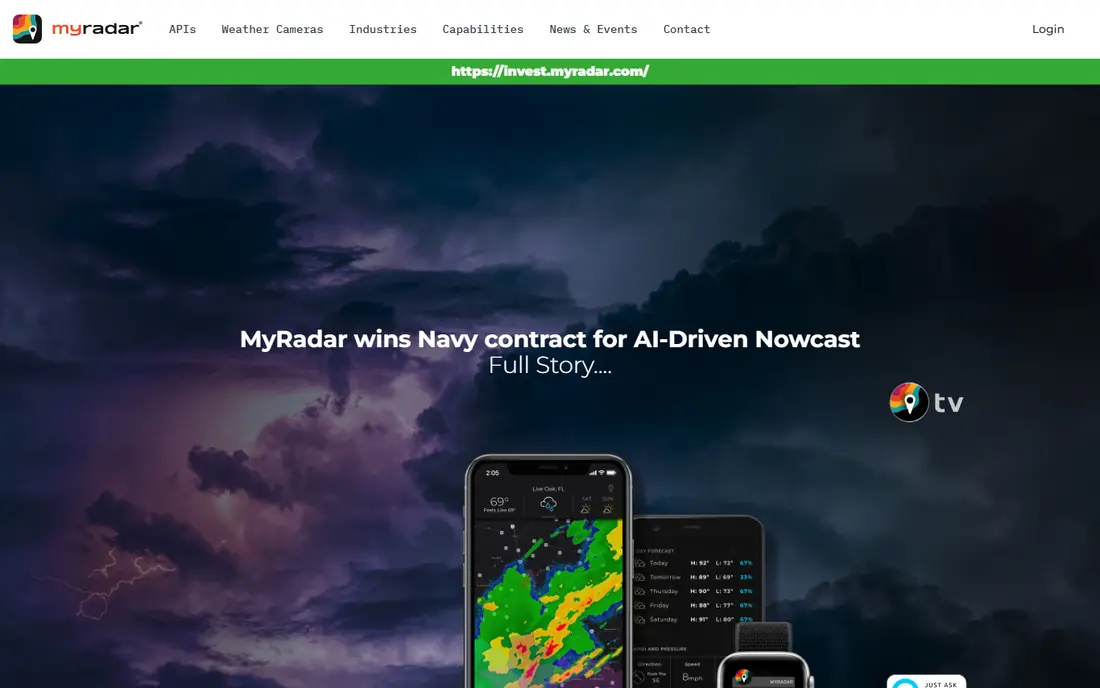
MyRadar has built its reputation on speed. The map loads quickly, the radar image is sharp, and you can check rain heading your way in seconds rather than waiting for tiles to fill in. The free app includes NOAA weather alerts, temperature overlays, forecasts, and a hurricane tracker, which covers most daily needs without paying anything. It is available on iOS, Android, and Windows, plus Alexa, which is wider platform support than most rivals.
The catch is that the most advanced layers and the ad-free experience need the Pro upgrade, and the sheer number of layers can overwhelm a first-time user. Still, for a quick rain check before you leave the house, few apps match it. Pick MyRadar if you want a free radar app that opens fast and stays out of your way.
- Very fast high-definition radar map
- NOAA weather alerts
- Hurricane tracker and aviation layers
- Pro features need a paid upgrade
- Interface can feel busy at first
- Some advanced layers sit behind paywalls
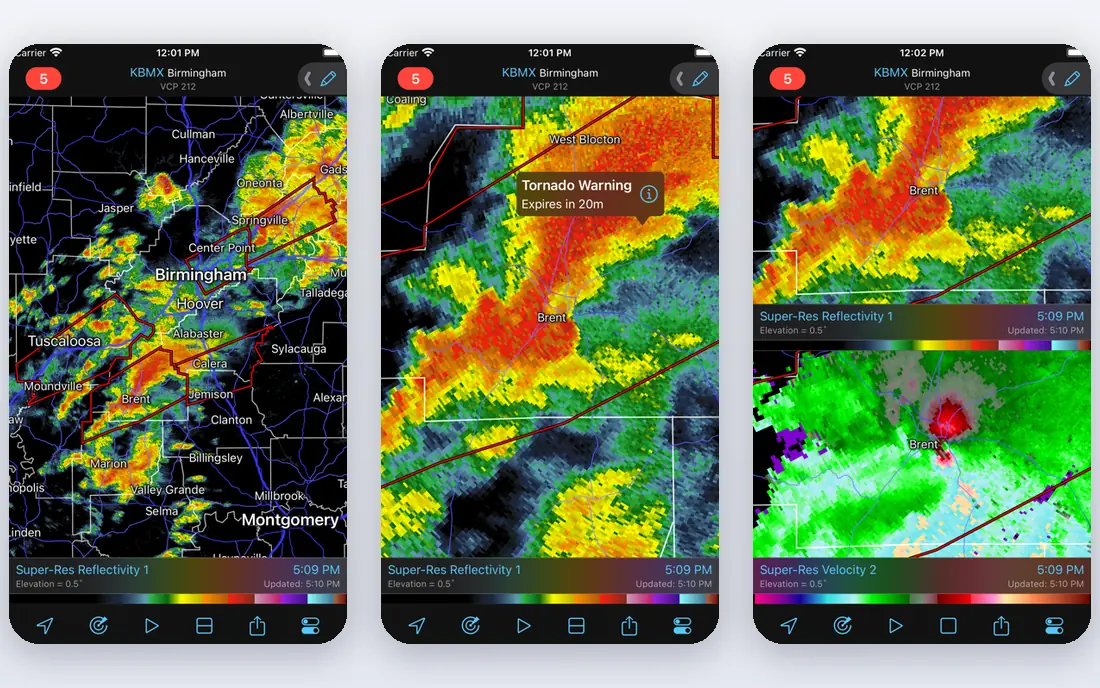
RadarScope is the standard for people who take radar seriously. Instead of smoothed images, it downloads and decodes NEXRAD Level 3 data in its native format, showing reflectivity, velocity, rainfall estimates, and dual-polarization products at full resolution. Meteorologists, storm chasers, and pilots use it because velocity data reveals rotation inside a storm, which a simple rain map cannot show. Severe weather warnings are built into the display.
The trade-offs are price and complexity. RadarScope is a paid app with subscription tiers for extra features, and a newcomer can find the product menu confusing. It is also radar only, so you still need a separate app for forecasts. Choose RadarScope if you want the raw data and you are willing to learn what the products mean.
- True NEXRAD Level 3 radar data
- Velocity and dual-polarization products
- Severe weather warnings built in
- Paid app with subscription tiers
- Steep learning curve
- No forecast features, radar only
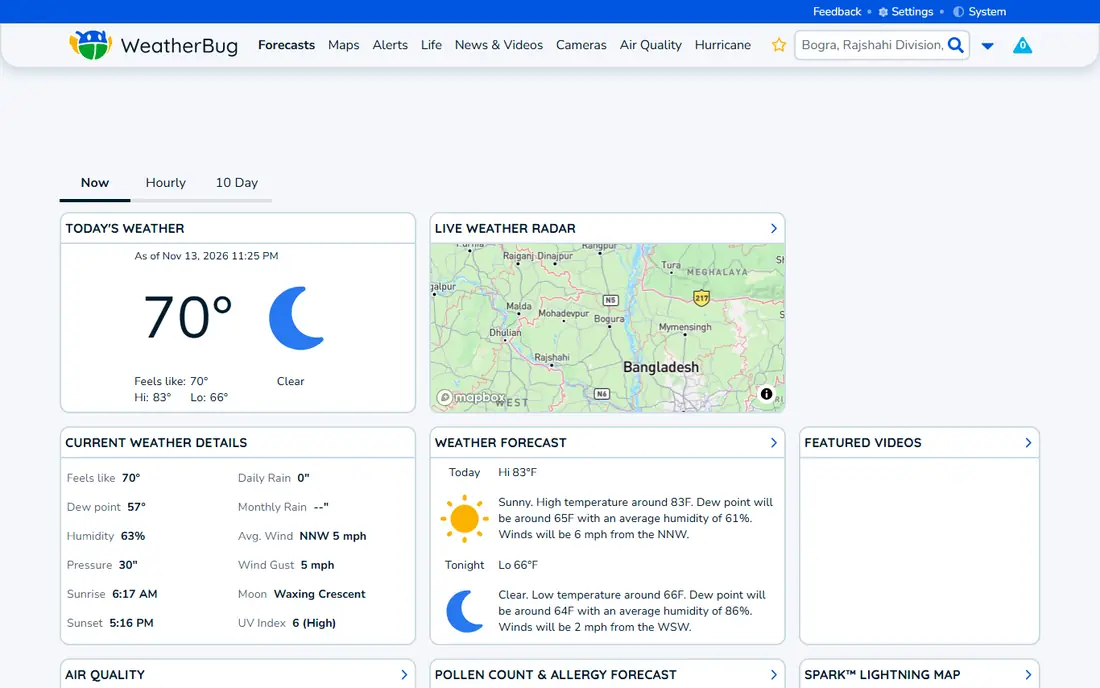
WeatherBug pairs a clear radar map with lightning detection, storm tracking, and wind layers, up to twenty layers in total, which gives a fuller picture than a rain-only map. The app defaults to your current location when you allow it, so the first screen you see is usually the one you need. Alerts cover severe weather, lightning nearby, and rain start times, which are practical for outdoor plans.
The free version carries ads, and some layers and the ad-free experience need a paid upgrade. Forecast detail is also lighter than a full forecast app. Pick WeatherBug if you want one free app for radar, lightning, and alerts, especially if you spend time outdoors.
- Free with radar, lightning, and storm tracking layers
- Defaults to your location
- Strong alert options
- Ads in the free version
- Some features need a paid tier
- Forecast depth is lighter than AccuWeather
Windy started as a wind map and has grown into a full weather platform with radar, satellite, rain, and wave layers for almost anywhere on earth. Pilots and boaters value the altitude wind layers and the ability to compare forecast models side by side, which helps when models disagree about a storm track. The free tier is generous, with most maps available without paying.
The interface is dense, and a casual user checking rain for the afternoon may find it more than they need. Premium features, such as longer forecasts and an ad-free map, need a subscription, and radar quality depends on local station coverage. Choose Windy if you travel, sail, fly, or want to compare models rather than trust a single forecast.
- Global radar, wind, and wave maps
- Altitude layers for pilots
- Many forecast models to compare
- Interface is dense for casual users
- Premium features need a subscription
- Radar resolution varies by region
RainViewer collects radar data from more than 1,000 stations across 90-plus countries, which makes it the best choice for travelers and for anyone outside the US radar network. The map is focused and simple: an animated loop of past and forecast rain, with a timeline you can scrub. That simplicity is a strength when you just want to see where rain is heading.
The app is radar first, so it does not replace a full forecast app for temperature, wind, or severe alerts. Coverage also has gaps in regions with few radar stations, and the forecast portion of the loop comes from models, not observations. Pick RainViewer if you need radar that works across borders or you want a clean, fast rain loop.
- Radar from more than 1,000 stations in 90-plus countries
- Smooth animated loops
- Simple, focused map
- Radar only, no full forecast suite
- Coverage gaps in some regions
- Rain forecast is model-based, not observed
AccuWeather combines a solid radar map with MinuteCast, which estimates rain start and stop times for your exact location, minute by minute for the next few hours. That timing feature is genuinely useful for deciding when to run an errand or start a walk. The app also carries a deep forecast database, hourly and daily outlooks, and severe weather alerts, so it works as a daily weather app, not just a radar viewer.
Radar detail is lighter than in specialist apps, and the free version carries ads, with an ad-free experience behind a premium tier. Still, for most people, one app that handles radar and forecasts together is simpler than two. Choose AccuWeather if you want radar plus strong short-term rain timing in a single app.
- Radar plus MinuteCast precipitation timing
- Huge forecast database
- Severe weather alerts
- Ads in the free version
- Radar detail is lighter than RadarScope
- Premium tier needed for ad-free use
The Weather Channel app pairs its radar map with video forecasts, storm coverage, and tracking tools, which helps during major weather events when you want context, not just a map. The radar itself is clear and easy to read, with past and future loops and storm cell tracking. It also benefits from a large US audience, which keeps its data and alerts well maintained.
The app can feel heavy compared with the fast, focused maps of MyRadar or RainViewer, and the free version carries ads. Some features sit behind a premium tier. Pick The Weather Channel if you want radar plus storm news and video explanations during severe weather.
- Radar map with storm tracking
- Video forecasts and storm coverage
- Wide US station data
- Ads in the free version
- App can feel heavy
- Some features need a premium tier
Clime, formerly known as NOAA Weather Radar Live, presents NOAA radar data on a clean map with rain alerts and storm tracking. The interface is straightforward, which suits users who found Windy or RadarScope too dense. It also includes lightning data and severe weather alerts, covering the essentials for daily use and for storm season.
The free version carries ads, and the fuller feature set needs a premium subscription. Forecast tools are lighter than in a full forecast app, so many users pair Clime with another app for longer outlooks. Choose Clime if you want NOAA radar on a clean map without a learning curve.
- NOAA radar data with a clean interface
- Rain alerts and storm tracking
- Available on iOS and Android
- Ads in the free version
- Some features need a premium tier
- Forecast tools are lighter than AccuWeather
RadarOmega targets weather enthusiasts who want more than a basic rain map, with high-resolution radar products, storm tracks, and warning polygons on both mobile and desktop. It sits between MyRadar and RadarScope in complexity: richer than a casual app, but presented in a modern interface that many users find easier to learn than RadarScope. Storm tracking tools and detailed product options make it a strong second choice for serious users.
It is subscription-based, so there is no free tier comparable to MyRadar, and the interface still assumes some radar knowledge. For a quick check of afternoon rain, it is more than you need. Pick RadarOmega if you follow storms closely and want detailed radar on more than one device.
- High-resolution radar with many products
- Storm tracks and warning polygons
- Desktop and mobile apps
- Subscription-based
- Interface assumes radar knowledge
- Overkill for a quick rain check
How we picked these
We compared radar data sources, map speed, alert options, coverage, and pricing from official app pages, app store listings, and independent comparisons. We favored apps whose radar is currently maintained and available in the US, and we kept a mix of free daily apps and specialist tools for enthusiasts. We did not claim hands-on testing, and we treated app store ratings and review roundups as background rather than proof, since radar quality depends on your location and the storm in question.
What to look for in a radar app
Check the data source first. Apps that show NEXRAD data, such as RadarScope and RadarOmega, give finer detail than apps that show smoothed images, but they need more learning. For daily use, map speed and a clear loop matter more: an app that loads slowly during a storm is not useful. Look at alert options too, since a radar map you never open will not warn you, while a good rain-start alert will.
Consider coverage if you travel. US-focused apps may show little outside the country, while RainViewer and Windy cover far more territory. Finally, decide how much you will pay. Free apps handle most daily rain checks, and a subscription only makes sense if you use the extra layers, longer loops, or ad-free maps often enough to notice them. During severe weather, always follow official warnings from the National Weather Service as well as any app.
Frequently asked questions
What is the best free weather radar app?
MyRadar is our pick for most people, since it is free, fast, and includes alerts and a hurricane tracker. WeatherBug and RainViewer are strong free alternatives, with WeatherBug adding lightning layers and RainViewer adding global coverage. The best free app depends on if you value speed, lightning data, or travel coverage most.
What are the best free weather radar apps?
The best free weather radar apps are MyRadar, WeatherBug, RainViewer, Windy, AccuWeather, The Weather Channel, and Clime. Each is free to download with optional paid upgrades, and each covers radar differently, from global maps to lightning layers. Try two or three and keep the one whose map you read most easily.
Is RadarScope worth paying for?
RadarScope is worth paying for if you follow storms closely, chase storms, fly, or work in weather, since its raw NEXRAD data shows rotation and storm structure that smoothed maps hide. For a daily rain check, a free app such as MyRadar does the job and costs nothing. The value depends entirely on how much detail you actually use.
Why does my radar app show different rain than outside?
Radar shows precipitation detected aloft, which can evaporate before reaching the ground, and ground clutter or beam blocking can distort the picture near some stations. Your location, the radar station distance, and the time lag of the image also matter. Check a second source and look outside before cancelling outdoor plans.
Can a radar app replace official weather warnings?
No. A radar app is a viewing tool, not an official warning system, and it can lag or miss a warning. During severe weather, follow alerts from the National Weather Service and local emergency officials, and treat app alerts as a helpful extra, not the final word.
Sources
See where you really rank - block by block
ProMapRanker scans Google Maps across a grid of your service area. Simple monthly plans from $19, white-label on every plan.
Start freeKeep reading
 bitly alternatives
Bitly Alternatives in 2026: 8 Tools Compared
Compare the best Bitly alternatives for branded short links, with free tiers, custom domains, analytics, and pricing that suits creators and small teams.
Read → bill.com alternatives
Best Bill.com Alternatives in 2026
Looking for bill.com alternatives? We compared 9 bill pay and AP automation tools on price, approvals, and accounting sync to help you switch with confidence.
Read → betterhelp alternatives
BetterHelp Alternatives in 2026
We compared BetterHelp alternatives for online therapy, covering Talkspace, Grow Therapy, Rula, Brightside and more on price, insurance and format in 2026.
Read →