 ProMapRanker
Best Queue Management Software in 2026


Small and mid-size service businesses · Pricing starts at: $31 per month
Key takeaways
- Waitwhile is our pick for most small and mid-size businesses because it pairs a free plan with bookings, waitlists, and messaging in one place.
- Qminder and Qmatic suit larger sites with desks, kiosks, and screens, but their pricing is quote based and far above the small business tools here.
- Price scales with visits and locations on several plans, so check the visit limit before you judge a monthly price.
- SMS and email alerts matter more than a long feature list for most guests, since a clear wait estimate keeps people from leaving.
- A short pilot at one location will tell you more than a demo, because staff habits and guest behaviour differ by site.
Quick comparison
| Pick | Great for | Pricing starts at | Free tier | |
|---|---|---|---|---|
| Waitwhile | Small and mid-size service businesses | $31 per month | Yes | Visit |
 Qminder | Large service locations with kiosks | See website | No | Visit |
 QLess | Government and campus service offices | See website | No | Visit |
 Qmatic | Enterprise sites with hardware | See website | No | Visit |
 WaitWell | Clinics and multi-service offices | $29 per month per location | No | Visit |
 NextMe | Simple single-location waitlists | See website | Yes | Visit |
 Skiplino | Banks and telecom branches | $99 per month per branch | No | Visit |
 Queue-it | Online waiting rooms for traffic peaks | See website | No | Visit |
The best queue management software
These tools turn a physical line into a managed list. Guests join online or at a kiosk, staff call them in order, and everyone gets a clearer wait time. We focused on tools that still serve walk-in businesses in October 2026, with current pricing from vendor pages where it was published.
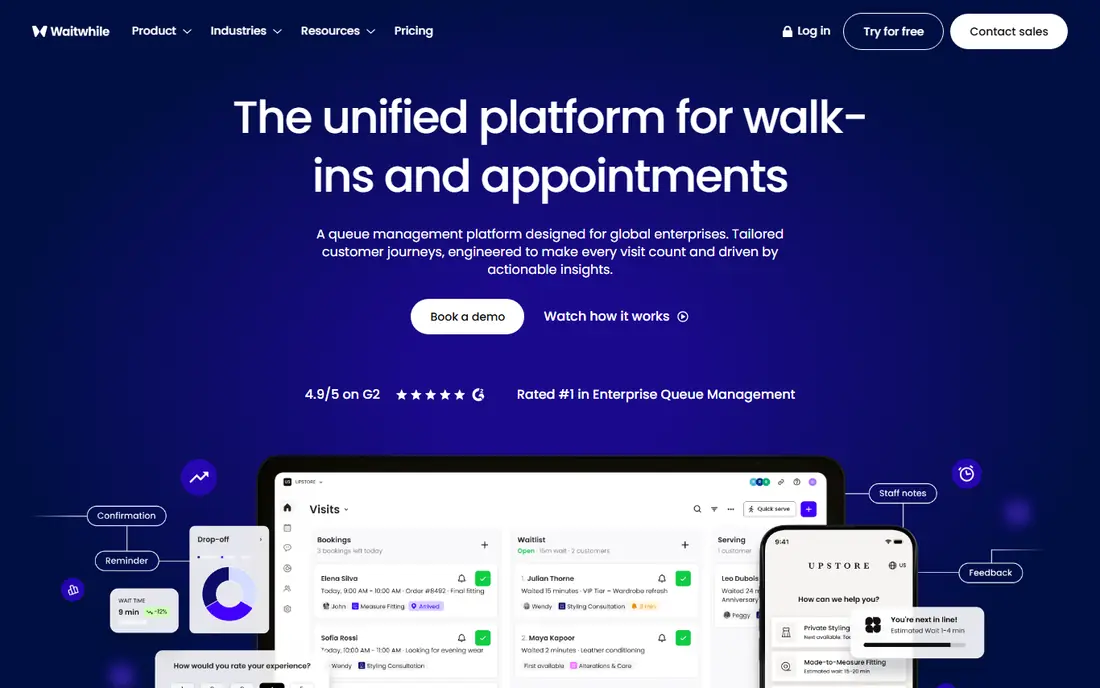
Waitwhile is the easiest starting point for a shop, salon, clinic, or restaurant that wants guests to join a list from a phone. Guests can check in online, see an estimated wait, and receive messages when their turn nears. Staff get a shared list, service assignment, and basic statistics for one location or several. The free plan covers one location with 50 visits per month on the current pricing page, which is enough for a genuine pilot but not for a busy site.
The paid Starter plan starts at $31 per month and raises the visit limit to 2,500 per month across up to 10 locations. Business adds custom roles, an API, and stronger analytics from $55 per month. The main trade-off is that cost follows volume, so a site with heavy foot traffic should model its real monthly visits before choosing a tier. For most single-location businesses, though, Waitwhile gives the best balance of price, polish, and guest experience in this list.
- Free plan for one location
- Combines waitlists with bookings
- Two-way guest messages
- Visit limits rise with price
- Advanced analytics sit on higher plans
Qminder suits banks, government offices, hospitals, and large retail service desks where guests check in at a counter or kiosk and move between departments. Its service intelligence tools show wait times, service times, and staff load, which helps managers spot bottlenecks during a busy day. Visitors can also join from a website, and staff can chat with guests by SMS while they wait.
The catch is cost and scale. Qminder does not publish a simple small business price, and third-party pricing pages in 2026 put it in the hundreds of dollars per month per location. That makes it a poor fit for a single salon or cafe, even though the kiosk and analytics package is strong. Choose Qminder when you run several desks, need visitor reporting for management, and have the budget for an enterprise style rollout.
- IPad check-in kiosks
- Service analytics
- Visitor flow tools
- No free plan
- Pricing is high for small businesses
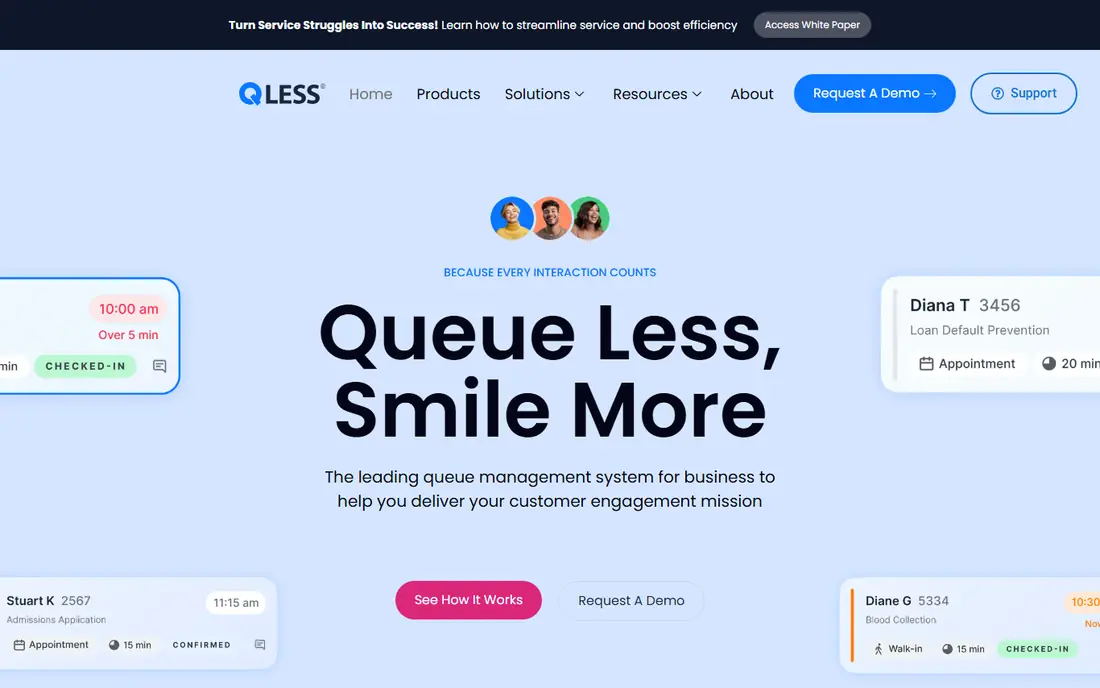
QLess is built for organisations that serve large numbers of people in person, such as motor vehicle offices, universities, and health services. Guests can join a virtual line, receive alerts, and in some setups request a callback instead of waiting on site. Staff can manage several queues at once, and managers get reports on wait times and service volume across locations.
That depth comes with a slower start. Pricing is quoted, deployment can take weeks, and a small shop will find simpler tools faster to launch. QLess earns its place here for public sector and campus teams that need proven scale, appointment handling, and reporting that stands up to audit. If you run one storefront, look at Waitwhile or NextMe first and keep QLess for a larger rollout.
- Virtual queuing with callback options
- Appointment booking
- Reporting for large organisations
- Quote-based pricing
- Setup takes longer than a simple waitlist app
Qmatic is the classic enterprise queue system, pairing ticket machines and screens with software that routes guests to the right desk. It fits banks, hospitals, and government buildings where a printed ticket, a display board, and a structured journey still matter. The platform covers appointments, mobile tickets, and branch level reporting, and it connects with customer and operational systems used by large organisations.
The downside is the same as its strength: this is a full system, not a quick app. Pricing is quoted, hardware may be part of the deal, and implementation can run for weeks. Small businesses should not start here. Large sites that already plan for kiosks, signage, and multi-branch reporting will get the most from Qmatic, and they should ask for a total price that includes hardware, licences, and support.
- Ticket kiosks and digital signage
- Journey management across branches
- Strong enterprise integrations
- Quote-based pricing
- Hardware and setup add time and cost
WaitWell combines virtual queuing, appointment booking, and staff scheduling, which suits clinics, public service offices, and multi-service centres. Guests join a queue or book ahead, staff see one schedule, and managers can review performance across locations. The vendor lists compliance work, including accessibility and health privacy considerations, as a selling point for regulated settings, which matters when patient or citizen data is involved.
Pricing starts at $29 per month per location in vendor comparison material, with unlimited staff on that basis. There is no free plan, so a pilot will be a paid trial or a sales conversation. WaitWell is a strong choice when appointments and walk-ins share the same staff and rooms, and when a clinic or office needs one system rather than two separate tools.
- Queue plus appointments in one system
- Per-location pricing with unlimited staff
- Compliance focused options
- No free plan
- Some features need a higher tier or setup help
NextMe keeps the job small: a guest scans a code or follows a link, joins the list, and gets a text update when it is nearly their turn. Staff manage the list from a dashboard and can add notes about each guest. That simplicity is the point. A barbershop, food truck, or small clinic can set it up in minutes and train staff without a manual.
The free plan covers basic waitlist use, while paid plans add more capacity and features. Published starting prices differ across review pages, so we list the price as See website and suggest confirming the current plan on the vendor page before buying. NextMe is not the pick for multi-branch reporting or complex routing, but for one location that wants a tidy digital line, it does the core job well.
- Simple QR check-in
- Clean guest experience
- Free plan for basic use
- Fewer analytics and integrations than larger tools
- Pricing varies by source
Skiplino is a branch level queue system used by banks, telecom operators, and service networks. Guests can join remotely or at a branch, staff manage queues by service type, and managers compare performance across branches. Multi-language support helps in diverse service areas, and the vendor also offers video based virtual branch service for remote help.
Pricing is listed at $99 per month per branch in comparison material, which is clear for a branch network but high for a single small shop. Skiplino fits organisations that run several branches and want consistent queuing, reporting, and guest messaging across them. A single location with simple needs will get similar guest benefits for less from Waitwhile or NextMe.
- Multi-language support
- Branch and cross-branch analytics
- Virtual branch options
- No free plan
- Banking and telecom focus may be more than a small shop needs
Queue-it solves a different queue problem: too many people arriving on a website at once for tickets, sales, or registrations. It places visitors in a fair online waiting room, lets them through at a rate the site can handle, and keeps the checkout from failing under load. Event organisers, retailers, and ticket sellers use it for launches and peak sales days.
Do not buy Queue-it for a shop floor line, since it does not manage in-person guests, desks, or kiosks. For online peaks, though, it is the specialist in this list, and its controls for fairness, branding, and traffic pace are the reason large sellers use it. Pricing is quoted, so budget for a conversation about expected peak traffic, event length, and the sites covered.
- Handles large online traffic spikes fairly
- Protects checkout and ticketing
- Detailed traffic controls
- Not a physical queue tool
- Pricing is quoted for each event or site
How we picked these
We compared vendor pricing pages, product documentation, and recent independent comparisons from October 2026, and we kept only tools that still serve walk-in or online queue use today. We favoured tools with a clear guest journey, staff controls, and messaging, and we noted where pricing was quoted rather than published. We did not claim hands-on testing, and we treated third-party price figures as a guide where the vendor page did not publish a simple starting price.
What to check before you buy
Start with the guest journey, not the feature list. Walk through joining the queue as a guest, receiving a message, and being called, and check that the steps work on a phone without an app download if that matters to your guests. Ask how wait estimates are calculated, since a wrong estimate is worse than no estimate for many visitors.
Next, model your real volume. Count monthly visits, locations, and messages, then match those numbers to the plan limits, because several tools charge by visits or messages rather than by staff seats. Check kiosk, screen, and signage needs separately, since hardware can change the total cost and the setup time. Finally, confirm data handling and message costs for your country, and run a pilot at one site before rolling out to every location.
Frequently asked questions
What is the best queue management software for a small business?
Waitwhile is our pick for most small businesses because it offers a free plan, bookings, and guest messaging in one system. NextMe is a good simpler alternative when you only need a basic waitlist at one location.
How much does top queue management software cost?
Prices range from free for basic plans to hundreds of dollars per month per location for enterprise systems with kiosks and analytics. Most small businesses can start on a free or low cost plan, then pay more as visits, locations, or message volume grow.
Do guests need to download an app to join a queue?
Most tools here let guests join through a web link or QR code without an app, and they receive SMS or email updates. Kiosk based systems add an on-site check-in option for guests who do not want to use a phone.
Can queue software handle appointments as well as walk-ins?
Yes, several tools here combine both. Waitwhile, WaitWell, QLess, and Qmatic let guests book ahead or join on the day, and staff see both types of visit in one list. That shared view helps when the same staff serve booked and walk-in guests.
What is the difference between a virtual waitlist and a ticket system?
A virtual waitlist lets guests join from a phone and wait elsewhere until they are called, while a ticket system often uses a printed number and a display screen on site. Many enterprise tools combine both, while simpler tools focus on the phone based list.
Should a clinic choose a general queue tool or a healthcare focused one?
A clinic should check privacy, consent, and patient messaging needs first, then choose a tool that fits those rules. WaitWell and Qminder both target regulated service settings, while a general tool may be enough for a small practice with simple visits.
Sources
See where you really rank - block by block
ProMapRanker scans Google Maps across a grid of your service area. Simple monthly plans from $19, white-label on every plan.
Start freeKeep reading
 who has best internet service
Who Has the Best Internet Service in 2026
Who has best internet service for US homes? We compare fiber, cable, fixed wireless and satellite providers on speed, price, availability and terms today.
Read → which survey tool has the best analytics
Which Survey Tool Has the Best Analytics in 2026
Find which survey tool has the best analytics in 2026, comparing Qualtrics, SurveyMonkey, Typeform, Alchemer, and more on reports, text, and stats today.
Read → which streaming service has the best movies
Which Streaming Service Has the Best Movies in 2026
Answering which streaming service has the best movies, with Netflix, Max, Criterion and more compared on libraries, prices and free options in this guide.
Read →