 ProMapRanker
Best Publishing Software in 2026


Professional print and digital publishing · Pricing starts at: $22.99 per month
Key takeaways
- Adobe InDesign remains the print standard, but Affinity by Canva now gives small teams professional layout tools for free.
- Template tools such as Canva and Marq win on speed and team collaboration, while desktop tools win on print control.
- Scribus is the best no-cost option for print work, but it needs more patience than paid tools.
- Check PDF export, colour handling and file compatibility before you commit, since those decide whether a printer accepts your work.
Quick comparison
| Pick | Great for | Pricing starts at | Free tier | |
|---|---|---|---|---|
| Adobe InDesign | Professional print and digital publishing | $22.99 per month | Free trial | Visit |
 Affinity by Canva | Free professional layout work | Free | Yes | Visit |
 QuarkXPress | Print shops that prefer a yearly licence | See website | Free trial | Visit |
 Canva | Fast template-led documents | Free | Yes | Visit |
 Marq | Branded team publishing | $10 per user per month | Yes | Visit |
 Scribus | Free open-source print publishing | Free | Yes | Visit |
 Swift Publisher | Cheap Mac page layout | $19.99 one-time | Free trial | Visit |
 VivaDesigner | Mixed operating system teams | Free | Yes | Visit |
 Designrr | Turning existing content into ebooks | $29 per month | Free trial | Visit |
The best publishing software
Publishing software covers two different jobs: precise page layout for print, and fast creation of digital documents, magazines and marketing materials. This list mixes both, so you can match the tool to the output you actually need, from a print-ready book to a monthly team newsletter.
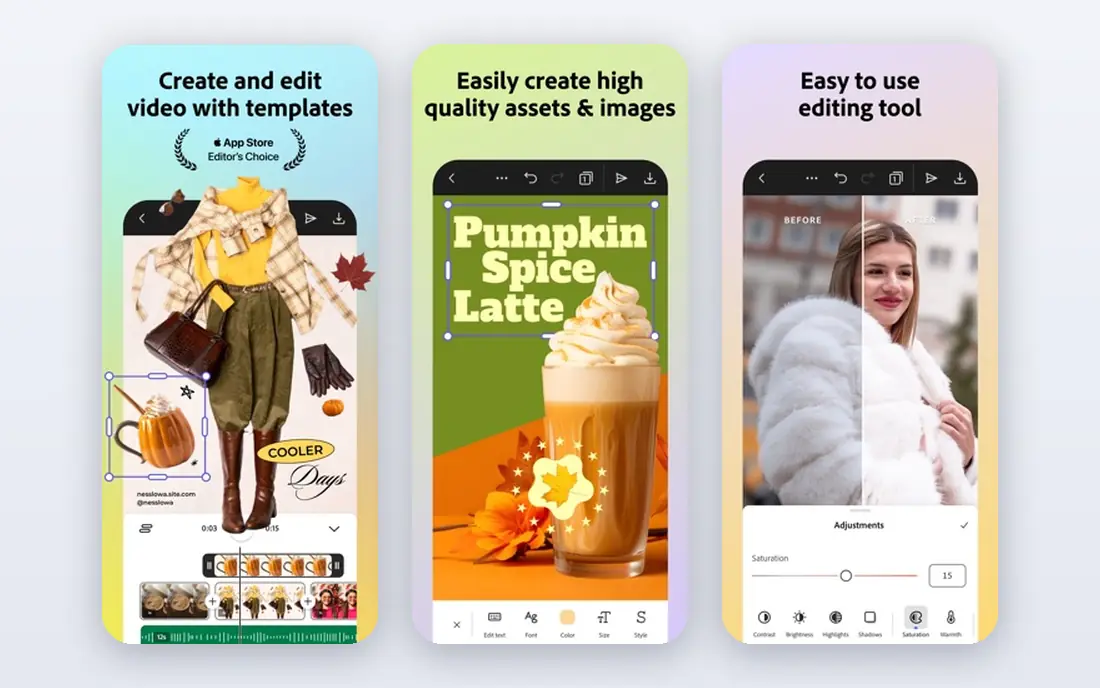
Adobe InDesign is still the default choice for magazines, books, catalogues and brochures that must meet print standards. Its typography controls, master pages, styles, tables and preflight checks give a designer precise control over long documents, and printers and agencies almost always accept InDesign files or its PDF output without fuss. If you work with outside designers or printers, that compatibility alone can justify the price.
The cost and learning curve are real barriers for a small team. At $22.99 per month on the plan we found, InDesign is a running cost, not a one-off purchase, and beginners will need time to learn styles, master pages and print settings. It also works best as part of a wider Adobe workflow for photos and illustrations. For a professional publisher, it remains the safest pick, but casual users should try the free options first.
- Industry-standard layout and typography
- Strong PDF and print export
- Wide printer and agency compatibility
- Subscription cost adds up
- Learning curve is steep for beginners
- Needs other Adobe apps for full photo and vector work
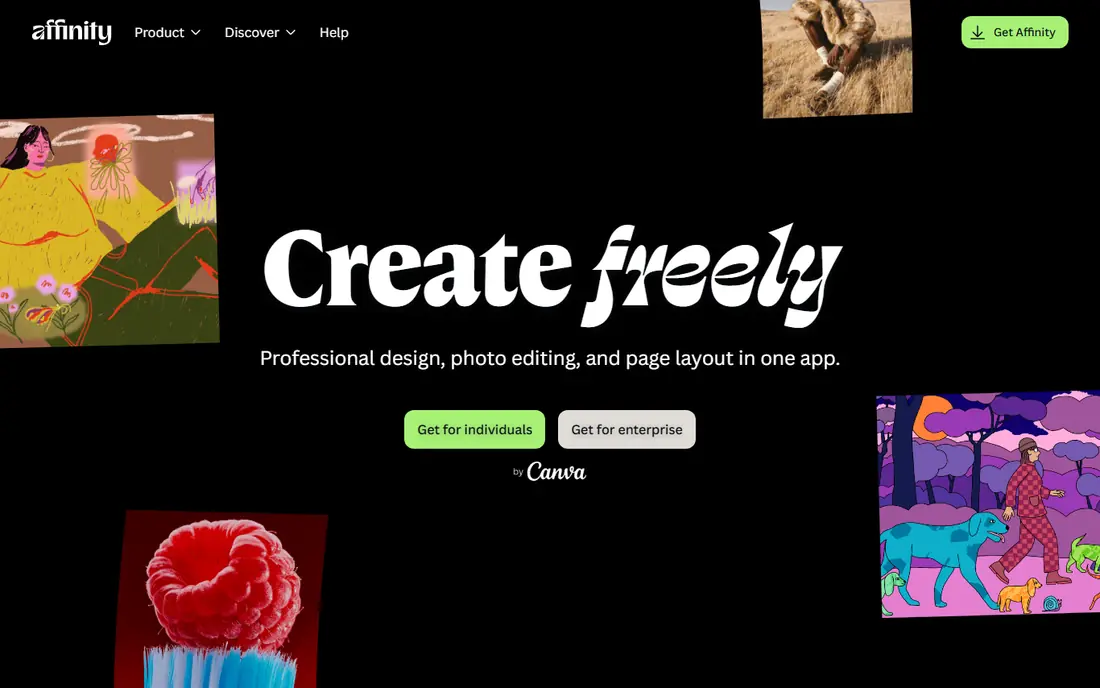
Affinity by Canva is the most surprising value on this list. Canva replaced the separate Affinity Photo, Designer and Publisher apps with one unified app that includes page layout tools, and the core app is free. That means a small publisher can build a book, magazine or brochure with professional layout, typography and PDF export without paying for InDesign or QuarkXPress.
There are limits to note. You need a free Canva account to download and activate it, and AI-powered features sit behind a paid Canva plan. The unified app is also newer than the old separate apps, so long-time Affinity users may need to relearn a few workflows. For a new user starting from scratch, though, free professional layout with no subscription is hard to beat.
- Full layout, photo and vector tools in one free app
- No subscription for core features
- Print-ready PDF export
- Requires a free Canva account
- AI features need a paid Canva plan
- Newer unified app means some workflows have changed
QuarkXPress has been a print publishing tool for decades, and it still suits print shops and publishers that want deep layout control without a monthly Adobe subscription. It handles long documents, complex typography and print output well, and it offers digital publishing features for teams that also need web and app versions. For a shop with established Quark workflows, switching would cost more time than it saves.
For a new buyer, the case is narrower. QuarkXPress costs more than the free Affinity app, and its community, templates and training resources are smaller than those around InDesign. The interface also feels less modern than newer tools, which can slow new staff. Choose it if you already know it or your printer prefers it, not as a first publishing tool for a small team.
- Long print publishing history
- Strong typography and layout tools
- Digital publishing options included
- Higher price than Affinity
- Smaller community than InDesign
- Interface feels dated to some users
Canva is the fastest way for a non-designer to produce a good-looking newsletter, report, ebook cover or social document. Templates, drag-and-drop layout, stock images and team commenting let a small business publish in hours rather than days. The free plan covers a surprising amount, and paid plans add brand kits, background tools and more storage.
Canva is not a replacement for a print production tool. Fine typography control, complex long-document handling and detailed preflight checks are weaker than in InDesign or Affinity, so a printer may ask for adjustments on complex jobs. It also works best for shorter, template-led work. Use Canva for speed and collaboration, and move to a desktop layout tool when print precision becomes the priority.
- Huge template library
- Easy team collaboration
- Free plan covers many basic publishing jobs
- Less precise print control than InDesign
- Brand and export limits on the free plan
- Long documents are harder to manage
Marq, formerly Lucidpress, fits distributed teams that need many people to create on-brand documents without breaking the design. Managers can lock fonts, colours and logos in templates, while staff edit text and images in a browser. That control matters for franchises, sales teams and marketing departments that publish often and cannot review every page by hand.
Marq is less suited to books or long magazines, where desktop layout tools give better control over styles, pagination and print output. Pricing also grows with each user, so a large team should model the total before committing. For branded, repeatable documents produced by non-designers, Marq is one of the most practical picks here.
- Brand-locked templates for teams
- Browser-based collaboration
- Good for sales and marketing materials
- Less suited to long-form books
- Pricing rises with team size
- Print control is below desktop tools
Scribus is the best choice when the budget is zero and print output still matters. It is free, open source and runs on all major desktop systems, with support for CMYK colour, PDF export and professional layout features. Schools, non-profits, community magazines and small publishers have used it for years to produce real printed work without licence costs.
Expect to invest time. The interface is less polished than Affinity or InDesign, templates are fewer, and some tasks take extra steps. Support comes mainly from community documentation and forums rather than a vendor help desk. If you can accept that trade, Scribus delivers genuine publishing power for nothing, and it pairs well with free photo and vector tools.
- Free and open source
- Runs on Windows, Mac and Linux
- Supports CMYK and PDF output for print
- Interface is less polished
- Learning curve is steep
- Fewer templates and integrations than paid tools
Swift Publisher is a sensible Mac-only pick for users who want more control than a word processor but do not need InDesign. At $19.99 as a one-time purchase, it is cheap, and its templates and layout tools make flyers, brochures, newsletters and booklets quick to build. Beginners often find it easier than Scribus or InDesign, which makes it a good first layout app.
The limits are clear. It runs only on Mac, so mixed-system teams cannot share the same app, and it lacks the deep typography, long-document and preflight tools of professional publishing software. For a solo Mac user producing short printed items, those limits rarely matter. For a book publisher or a cross-platform team, look at Affinity or Scribus instead.
- Low one-time price
- Gentle learning curve
- Good templates for flyers, brochures and newsletters
- Mac only
- Less powerful than InDesign for long books
- Smaller user community
VivaDesigner suits teams that work across Windows, Mac and Linux and need a desktop publishing tool that runs everywhere. The free edition covers basic layout work, while paid editions add fuller features for professional use. Its multilingual support and document conversion tools also help publishers that handle several languages or need to import files from other layout apps.
The trade-off is polish and community size. VivaDesigner has fewer tutorials, templates and third-party resources than InDesign or Affinity, and its interface feels older. Pricing for the full commercial edition should be checked on the vendor site, since it varies by edition. For a mixed-system team that values compatibility over fashion, it remains a useful option.
- Free edition available
- Runs on Windows, Mac and Linux
- Strong multilingual and document conversion features
- Paid edition pricing is not simple to compare
- Interface is less modern
- Community is smaller than major tools
Designrr fills a different gap from the rest of this list. Instead of starting from a blank page, you import a blog post, document, video transcript or podcast and turn it into a formatted ebook or digital magazine. That speed suits marketers, coaches and small publishers who need a lead magnet or a report quickly, without learning a full layout app.
Do not buy Designrr expecting InDesign-level print control. Its strength is conversion and templates, not fine typography, CMYK preflight or long-book production. The monthly price also adds up if you only publish occasionally, so plan your content batch before subscribing. For turning existing content into a readable digital publication, it is efficient and easy to use.
- Converts blogs, videos and documents into ebooks
- Templates for digital publishing
- Fast for lead magnets and reports
- Not a full print layout tool
- Monthly cost for a conversion job
- Design control is template-bound
How we picked these
We compared official product pages, pricing, platform support, print export features and independent publishing comparisons checked in October 2026. We included tools that are live now, that handle page layout or digital publishing as a core job, and that cover a range of budgets from free to professional. We marked prices as See website where the vendor quotes by edition, region or licence type rather than publishing one clear starting price.
How to choose publishing software for your project
Start with the output, not the app. A print book or magazine needs CMYK colour, bleed, margins and a print-ready PDF, while a digital newsletter or lead magnet mainly needs good templates and fast sharing. If a printer will handle your work, ask which file formats they accept and whether they check PDFs before printing. That answer alone can narrow the list to two or three tools.
Next, match the tool to the skill in your team. Professional layout apps reward training with precise control, while template tools let non-designers publish quickly with less risk of a broken layout. For long documents, test styles, master pages, table of contents and image handling on a real chapter before you buy. A tool that feels fine on one page can become slow and fiddly at two hundred pages.
Finally, weigh cost over the life of the project. A free tool that needs extra time may cost more in staff hours than a paid tool, while a subscription that you use once a quarter may be poor value next to a one-time purchase. Try the free plan or trial on a real project, export the final file, and check it with your printer or reader before you commit a whole team.
Frequently asked questions
What is the best publishing software for beginners?
Canva and Swift Publisher are the easiest starts, depending on your system. Canva suits browser-based template work for any team, while Swift Publisher suits Mac users who want a cheap desktop layout app. Affinity by Canva is the next step up when you want professional tools without paying a subscription.
What is the best desktop publishing software for print?
Adobe InDesign remains the print standard for professional work, with Affinity by Canva and QuarkXPress as strong alternatives. InDesign offers the widest printer compatibility, Affinity offers professional tools for free, and QuarkXPress suits shops with an established Quark workflow. Check PDF and colour output with your printer before you decide.
Is there a free publishing platform that is good enough for a book?
Yes, Affinity by Canva and Scribus are both good enough for many books, with different trade-offs. Affinity is easier and more polished, while Scribus is fully open source and runs on Linux as well. Test a sample chapter, including images, headings and page numbers, and export a print-ready PDF before you commit to either.
What is the best publishing software for magazines?
InDesign and Affinity by Canva lead for magazines, because they handle master pages, styles, long documents and print export well. Canva and Marq suit shorter, template-led digital magazines produced by a team. If the magazine goes to print, prioritise the desktop tools and confirm the PDF standard with your printer.
Can I use Canva as publishing software?
Yes, for many digital and short print jobs, Canva works well as publishing software. It offers templates, collaboration and easy export, which suits newsletters, reports and marketing documents. For complex print books or magazines, a desktop layout tool gives better typography control and preflight checks.
How much does publishing software cost?
Publishing software ranges from free to about $22.99 per month for InDesign on the plan we found, with one-time options such as Swift Publisher at $19.99. Template tools often offer a free plan with paid upgrades, while professional tools charge by month or year. Add the cost of stock images, fonts and printing when you budget a project.
Sources
- https://www.adobe.com/products/indesign.html
- https://affinity.studio
- https://www.quark.com
- https://www.canva.com
- https://www.marq.com
- https://www.scribus.net
- https://www.belightsoft.com/products/swiftpublisher/
- https://www.viva-software.com
- https://www.designrr.io
- https://rankite.com/blog/best-software-for-magazine-design
See where you really rank - block by block
ProMapRanker scans Google Maps across a grid of your service area. Simple monthly plans from $19, white-label on every plan.
Start freeKeep reading
 best tour operator software
Best Tour Operator Software in 2026
Compare the best tour operator software for bookings, channel management, waivers and payments, with pricing models for day tours and multi-day trips.
Read → best time clock app for small business
Best Time Clock App for Small Business in 2026
We compare the best time clock app for small business options, with free plans, GPS clock ins, scheduling and payroll links for hourly teams and payroll help.
Read → best test automation tools
Best Test Automation Tools in 2026
Compare the best test automation tools, from Playwright and Selenium to Cypress, Katalon and BrowserStack, with prices, languages and best uses explained.
Read →