 ProMapRanker
Best Project Accounting Software in 2026


Small firms needing project profit tracking · Pricing starts at: $38 per month
Key takeaways
- QuickBooks Online is our pick for most small firms because it links project income, costs, and profitability to a full accounting system.
- Deltek Vantagepoint and Deltek Ajera fit architecture, engineering, and consulting firms that need deeper project controls and resource planning.
- BigTime and BQE CORE suit professional services teams that live on time tracking, billing, and project profitability reports.
- Sage Intacct and Acumatica fit larger firms that need revenue recognition, multi-entity reporting, and complex project financials.
Quick comparison
| Pick | Great for | Pricing starts at | Free tier | |
|---|---|---|---|---|
| QuickBooks Online | Small firms needing project profit tracking | $38 per month | Free trial | Visit |
 Deltek Vantagepoint | Architecture, engineering, and consulting firms | See website | No | Visit |
 Deltek Ajera | Architecture and engineering project accounting | See website | No | Visit |
 BigTime | Professional services time and billing | $19 per user per month | Free trial | Visit |
 BQE CORE | Project budgets, time, and billing in one place | See website | No | Visit |
 Sage Intacct | Larger firms with complex project financials | See website | No | Visit |
 Acumatica | Growing firms needing project ERP depth | See website | No | Visit |
 Xero | Small firms tracking project time and costs | $27 per month | Free trial | Visit |
 FreshBooks | Freelancers and small teams billing projects | $23 per month | Free trial | Visit |
The best project accounting software
Project accounting is different from general accounting. It tracks income, labor, expenses, and profit project by project, so you can see which jobs make money and which ones quietly lose it. The top project accounting software below ranges from small-business tools to full project ERP systems.

QuickBooks Online is the safest starting point for a small firm that needs project accounting without buying a full ERP system. Projects track income and expenses, compare estimates with actual spending, and produce profitability reports that tie back to the general ledger. The Simple Start plan starts at $38 per month, while project features become more useful on Plus at $140 per month and Advanced at $340 per month, so price the plan you actually need.
The limits show up in larger or more specialized work. Resource and capacity planning is basic, revenue recognition is less deep than Sage Intacct, and construction firms that need formal change order control will want a more specialized tool. For service firms, agencies, and small contractors, though, QuickBooks Online covers the core job with the least setup friction.
- Project profitability and estimated versus actual costs
- Links projects to the general ledger
- Wide app ecosystem
- Advanced resource planning is limited
- Project features strengthen only on higher plans
- Construction change orders are weak
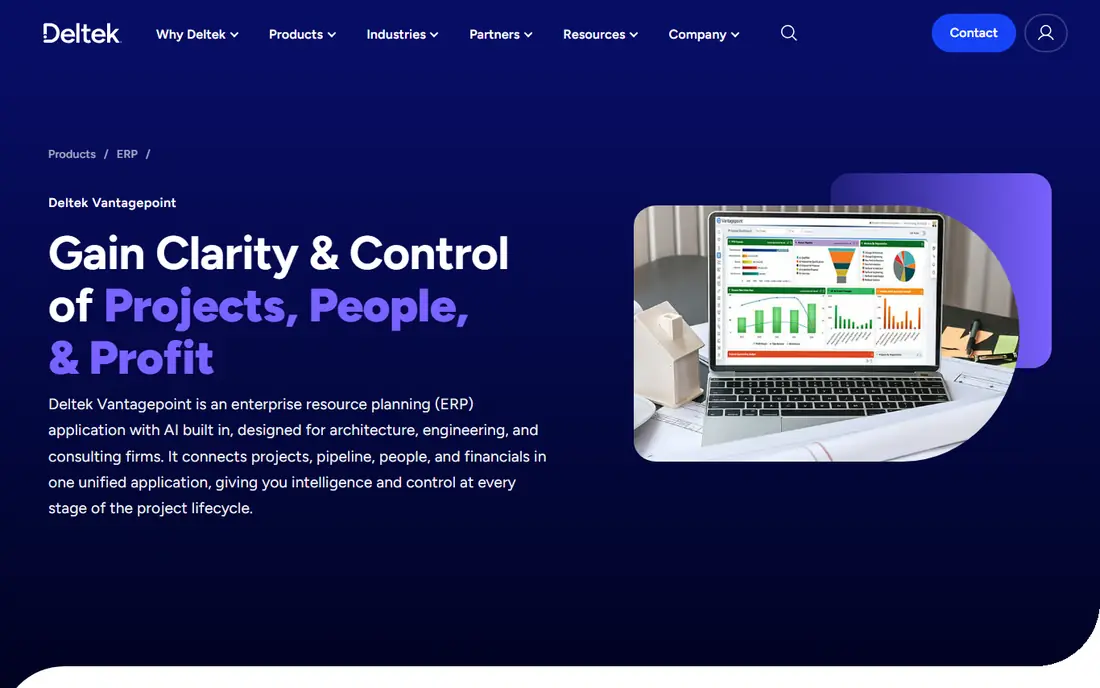
Deltek Vantagepoint is built for project-based firms that manage pursuits, people, and money together. It brings project management, CRM, resource planning, and accounting into one system, with dashboards that show project health, utilization, and financial status side by side. That single view helps principals spot a troubled project before it affects the quarter.
The trade-off is scale and cost. Pricing is quote-based and modules add complexity, so a small firm may find setup heavier than the benefit justifies. For mid-size and larger architecture, engineering, and consulting firms, however, Vantagepoint replaces several disconnected tools and gives leadership a consistent picture across the portfolio.
- Project, client, and financial data in one view
- Strong pursuit, resource, and billing tools
- Built for project firms
- Quote-based pricing with module complexity
- Implementation often needs planning and training
- Heavier than small tools
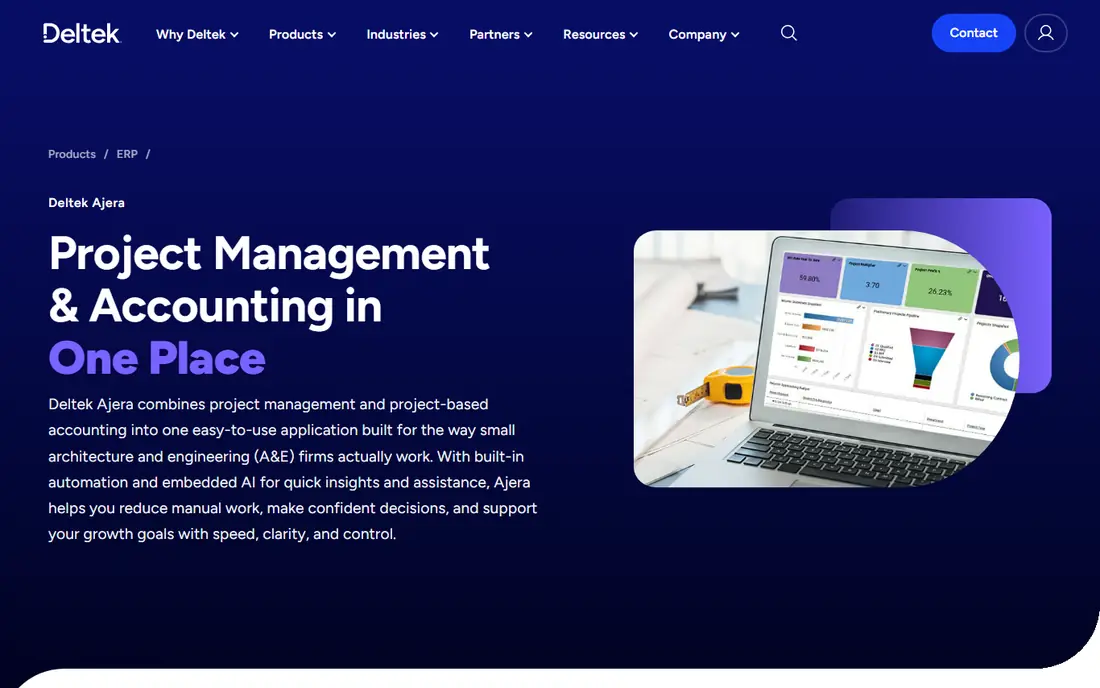
Deltek Ajera serves architecture and engineering firms that need project budgeting, labor costing, and billing without the full breadth of Vantagepoint. It tracks project financials, manages employee time against projects, and supports billing workflows that match how design firms charge clients. Payroll can connect through third-party providers, which keeps a common setup intact.
Ajera is less general than QuickBooks Online, and that focus is both its strength and its limit. A firm outside architecture and engineering will find features aimed elsewhere, while a design firm will find workflows that match its daily work. Get a demo with your own project structure before buying, since setup choices shape how useful the reports become.
- Project budgeting and labor costing for design firms
- Billing and project financials in one suite
- Payroll links available
- Quote-based pricing
- Interface feels dated next to newer cloud tools
- Best fit is narrow to design firms
BigTime fits accounting, legal, IT services, and advertising firms that bill by the hour and need to get invoices out fast. Timesheets, expense tracking, invoicing, and project profitability sit in one workflow, and the QuickBooks link keeps accounting data in sync. Starting at $19 per user per month, it is an affordable step up from spreadsheets for a growing services firm.
Custom reports and specific data pulls can require more effort than expected, and firms that need deep resource planning may outgrow it. For the core job of tracking time, billing accurately, and seeing which projects make money, BigTime is a clean and practical choice that staff can learn quickly.
- Clean time tracking and invoicing
- QuickBooks integration
- Project profitability views
- Custom reporting can take effort
- Resource planning is lighter than Deltek tools
- Pricing rises with add-ons
BQE CORE combines project accounting with time tracking, expense capture, billing, and resource management for professional services firms. Project budgets show planned versus actual costs, staff can log time against projects and tasks, and profitability reports help partners decide where to focus. The tool is aimed squarely at firms that sell expertise by the project.
Pricing is quote-based, so a firm must speak with sales to get a firm number, and that makes direct comparison harder. A demo with real project data is worth the time, since CORE rewards firms that set budgets and billing rules carefully at the start. For firms that want one system for project money and project time, it deserves a shortlist place.
- Project budgets with time and expense tracking
- Billing and profitability reporting
- Resource management tools
- Quote-based pricing
- Demo needed to confirm current plans
- Setup effort for larger firms
Sage Intacct is a cloud financial system with project accounting built for firms that need more than basic job costing. It handles project costing, revenue recognition, project billing, and multi-dimensional reporting, so finance teams can slice results by project, client, department, or location. That depth suits firms with complex contracts, multiple entities, or strict reporting needs.
The cost and implementation effort place it above small-business tools. Pricing is quote-based, and a rollout benefits from planning and training. For a growing firm that has outgrown QuickBooks Online project features, Sage Intacct is a logical next step that keeps accounting and project data in one controlled system.
- Project costing with revenue recognition
- Multi-dimensional reporting
- Strong general ledger depth
- Quote-based enterprise pricing
- Implementation and training take time
- More than small firms need
Acumatica is a cloud ERP system whose project accounting module covers budgets, cost commitments, change orders, progress billing, and profitability. That breadth helps firms that also need inventory, distribution, or manufacturing features alongside project work, since one platform can carry the whole operation. Project data flows into financial reports without manual reconciliation.
As with other ERP tools, pricing is quote-based and implementation often involves a partner, which adds cost and time. A small firm that only needs project billing will find QuickBooks Online or BigTime simpler. A firm that needs project accounting inside a wider ERP system will find Acumatica a strong and flexible option.
- Project budgets, commitments, and change orders
- Progress billing and profitability
- Broad ERP coverage
- Quote-based pricing
- Implementation partners often needed
- Learning curve for smaller teams
Xero suits small firms that want tidy accounting first and project tracking second. Projects record time and costs, apply staff cost rates, allocate expenses, and produce project invoices, all inside a system many accountants already know. The Early plan starts at $27 per month, with Growing at $59 and Established at $97 per month adding capacity and features.
Project depth is lighter than BigTime or Deltek tools, and firms with complex billing rules may hit limits. For a small consultancy, studio, or trades firm that values clean books and simple project profit views, Xero is an attractive and affordable choice, especially when the accountant already works in Xero.
- Clean accounting with project time and cost tracking
- Staff cost rates and project invoicing
- Good app links
- Project features are lighter than dedicated project tools
- Advanced project reporting needs higher plans
FreshBooks is best for freelancers and small teams that bill projects and want invoicing to stay painless. Projects track billable time, team cost rates, estimates, and expenses, and profitability views show whether a job paid off. The Lite plan starts at $23 per month, with Plus at $43 and Premium at $70 per month adding clients, team members, and features.
Larger firms with multi-stage billing, revenue recognition, or portfolio reporting will outgrow FreshBooks quickly. For a solo consultant or a small studio, though, the simple setup and clear invoices matter more than ERP depth, and FreshBooks delivers that with very little training time.
- Simple project profitability and billable time
- Estimates and expense tracking
- Easy invoicing
- Project accounting depth is limited for larger firms
- Team cost rates and reporting sit on higher plans
How we picked these
We compared official pricing pages, feature documentation, and public reviews, and we kept only tools that are live in October 2026 and truly track project income, costs, and profit. We favored tools with clear project budgeting, billing, and profitability reporting, and we marked quote-based enterprise tools as See website rather than repeating unverified price claims. Where secondary sources disagreed on a published price, we used the most recent widely reported figure and noted the plan it belongs to.
What to check before you buy
Start with how you bill. Hourly firms need strong time tracking and rate handling. Fixed-fee firms need budget versus actual tracking and milestone billing. Construction and design firms need change orders, commitments, and progress billing. A tool that handles your billing model cleanly will save more time than one with a longer feature list that fits a different model.
Next, test profitability reporting with your own data. A demo with sample projects hides the messy parts, such as split staff costs, reimbursable expenses, and work in progress. Ask how the tool handles those items, and confirm which plan includes the reports you need. Finally, check the accounting link, since project data that does not reconcile to the general ledger creates month-end work that wipes out the benefit.
Budgets, billing, and revenue
Set a project budget before work starts, and check actual costs weekly rather than at month end. The best tools warn you when labor or expenses pass a threshold, so a project manager can act while there is still room to adjust. For longer contracts, confirm how revenue is recognized and how partial billing, retainers, and change orders flow into invoices without manual re-entry.
Team adoption and reporting
Project accounting fails when staff do not log time accurately, so choose a tool with a mobile app and a timesheet flow your team will actually use. Managers need simple views: budget used, cost to complete, billed versus unbilled work, and profit by project. Finance needs audit trails and consistent categories. A short trial with one real project will reveal adoption problems faster than any feature checklist.
Frequently asked questions
What is the best project accounting software for a small business?
QuickBooks Online is the strongest small-business pick for most firms, since it links project profit to full accounting at a clear starting price. Xero and FreshBooks suit smaller firms that value simple books and invoicing. Choose the one your accountant already supports, since that reduces setup and year-end friction.
What is the top project accounting software for architecture and engineering firms?
Deltek Vantagepoint and Deltek Ajera are the strongest picks for architecture and engineering firms, since both are built around design-firm workflows, labor costing, and project billing. Vantagepoint suits larger firms that also need CRM and resource planning, while Ajera suits firms that want focused project accounting.
How much does project accounting software cost?
Small-business tools in this list start from $19 per user per month for BigTime and $23 to $38 per month for FreshBooks and QuickBooks Online base plans. Enterprise tools such as Sage Intacct, Deltek products, BQE CORE, and Acumatica use quote-based pricing, so total cost depends on users, modules, and implementation help.
Can project accounting software replace my general accounting system?
Some tools can, and some should not. QuickBooks Online, Xero, Sage Intacct, and Acumatica include general accounting, so they can serve as the main system. BigTime and BQE CORE focus on project work and usually sync with an accounting system such as QuickBooks, which keeps both sides accurate without double entry.
How is project accounting different from regular accounting?
Regular accounting tracks company income, expenses, and profit as a whole. Project accounting tracks those same items project by project, with budgets, labor costs, billing, and profitability for each job. That detail shows which projects make money, which clients are costly to serve, and where estimates need to change.
Do I need project accounting if I already use a project management tool?
A project management tool tracks tasks, dates, and assignments, but it rarely tracks labor costs, billing, and profit with accounting accuracy. If you bill clients, manage budgets, or need profit by project, a project accounting tool or a project accounting module adds the money view that task tools lack.
Sources
- https://quickbooks.intuit.com
- https://www.deltek.com/en/products/vantagepoint
- https://www.deltek.com/en/products/ajera
- https://www.bigtime.net
- https://www.bqe.com
- https://www.sage.com/en-us/sage-business-cloud-intacct/
- https://www.acumatica.com
- https://www.xero.com
- https://www.freshbooks.com
- https://technologyadvice.com/accounting/best-project-accounting-software/
- https://www.selecthub.com/psa-software/bigtime-vs-deltek-vantagepoint/
See where you really rank - block by block
ProMapRanker scans Google Maps across a grid of your service area. Simple monthly plans from $19, white-label on every plan.
Start freeKeep reading
 who has best internet service
Who Has the Best Internet Service in 2026
Who has best internet service for US homes? We compare fiber, cable, fixed wireless and satellite providers on speed, price, availability and terms today.
Read → which survey tool has the best analytics
Which Survey Tool Has the Best Analytics in 2026
Find which survey tool has the best analytics in 2026, comparing Qualtrics, SurveyMonkey, Typeform, Alchemer, and more on reports, text, and stats today.
Read → which streaming service has the best movies
Which Streaming Service Has the Best Movies in 2026
Answering which streaming service has the best movies, with Netflix, Max, Criterion and more compared on libraries, prices and free options in this guide.
Read →