 ProMapRanker
Best Pomodoro App in 2026: 8 Apps Compared

Key takeaways
- Forest is our pick for people whose phone is the main distraction, because a growing tree gives a clear reason to stay in the app.
- Pomofocus is the simplest free start, since it runs in a browser with no install and a clean timer.
- Focus To-Do and TickTick suit people who want tasks and timing in one place, rather than a timer alone.
- Paid plans matter less than habit here, so start with a free tier for a week before paying for extra stats or blocking.
Quick comparison
| Pick | Great for | Pricing starts at | Free tier | |
|---|---|---|---|---|
 Forest | Beating phone distraction | Free | Yes | Visit |
 Pomofocus | Simple browser timing | Free | Yes | Visit |
 Focus To-Do | Tasks plus timing | See website | Yes | Visit |
 TickTick | Tasks, calendar, and timing | $35.99 per year | Yes | Visit |
 Be Focused | Apple users who want intervals | See website | Yes | Visit |
 Flora | Shared focus with friends | See website | Yes | Visit |
 Tide | Calm sounds with timing | See website | Yes | Visit |
 Session | Mac users who want detail | $4.99 per month | Yes | Visit |
The best pomodoro apps
We compared timers on how easy they are to start, how they handle tasks and breaks, what they cost, and where they fall short. A good timer should fade into the background and leave you with a clear record of focused time.
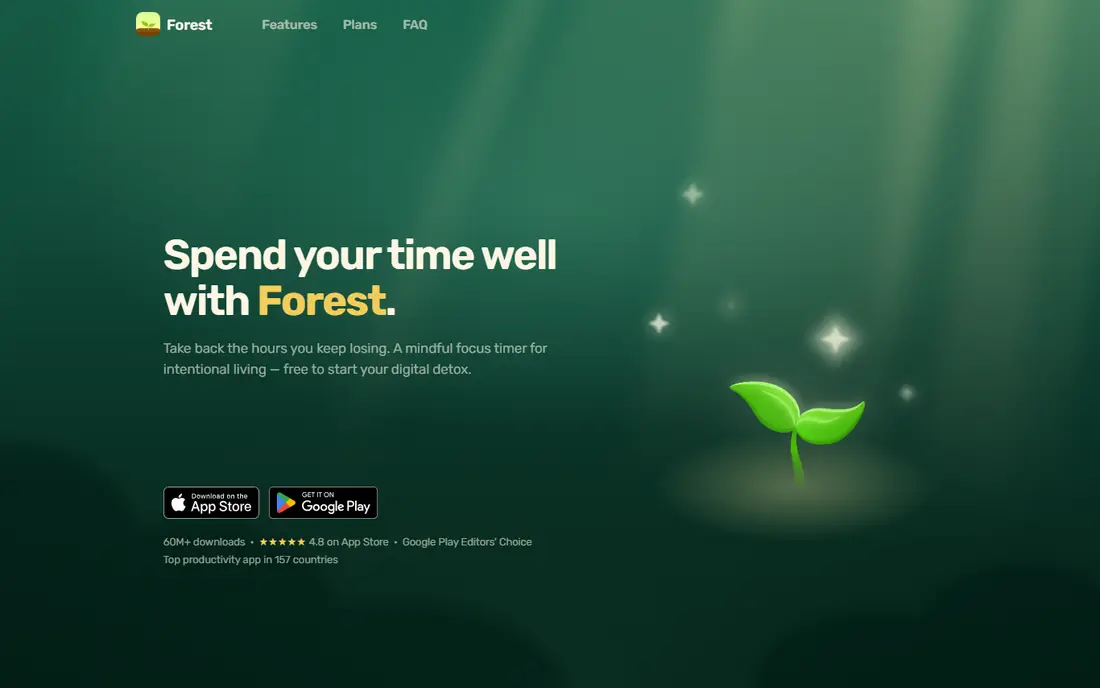
Forest turns a focus session into a growing tree. You set a timer, plant a virtual tree, and the tree grows while you stay in the app. Leave the app to scroll, and the tree fails. That simple rule is the whole point, and it works well for students and anyone who picks up a phone the moment work gets hard.
The free tier now covers core focus, including the timer, Deep Focus app blocking, focus tracking, and group Plant Together rooms, based on the current official site. Plus adds extra tree species, soundscapes, custom allowlists, and fuller analytics. The catch is platform shape. Forest is phone led, with a browser extension on the side, so desktop-first workers may want a second tool for computer work. If your phone is the problem, though, this is the most direct fix in this list.
- Strong visual reason to stay off the phone
- Works offline for core focus
- Simple timer with tags and group rooms
- Desktop support is limited compared with phone apps
- Detailed analytics sit behind the paid Plus tier
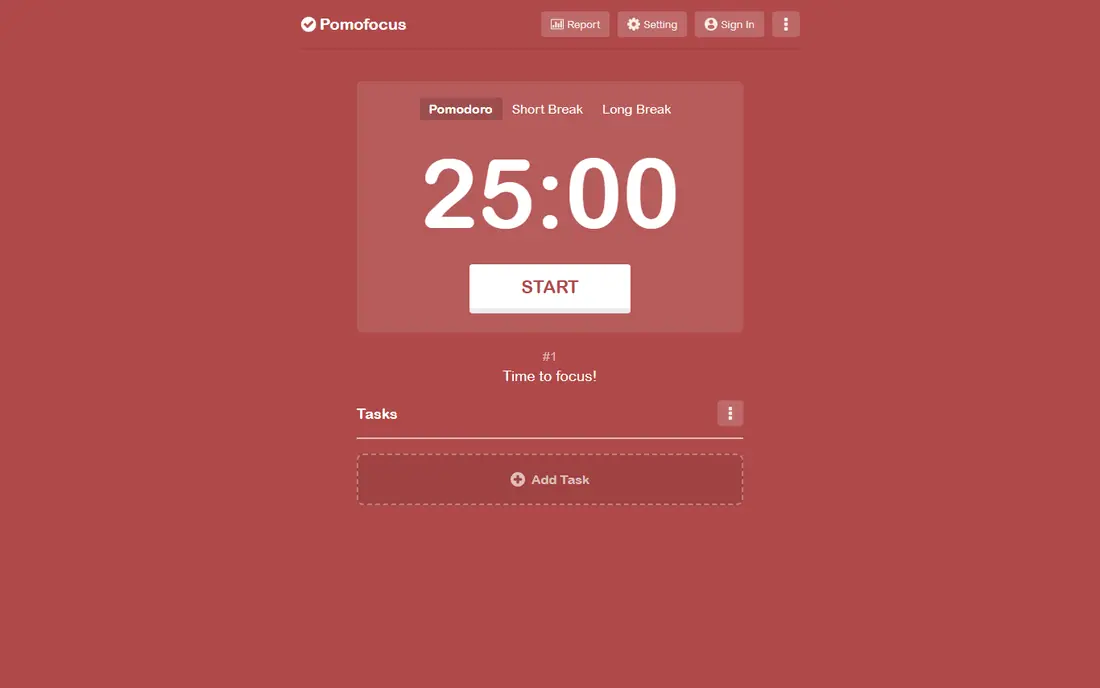
Pomofocus is the timer we would hand to someone who just wants to start now. Open it in a browser, add a task, set a work interval and a break, and press start. The design stays out of the way, which matters when the point is to focus rather than to manage another app.
The free tier covers basic timing and tasks, while paid Pro adds more templates and removes ads, with a monthly price reported at $3 per month. That is a fair trade for a browser tool, but Pomofocus will not block distracting apps for you. Pair it with a blocker or with phone settings if distraction, rather than timing, is your main issue. For study sessions and short work blocks, its simplicity is a strength, not a gap.
- No install needed
- Clean timer with tasks
- Easy custom intervals
- Free templates are limited
- No deep app blocking on its own
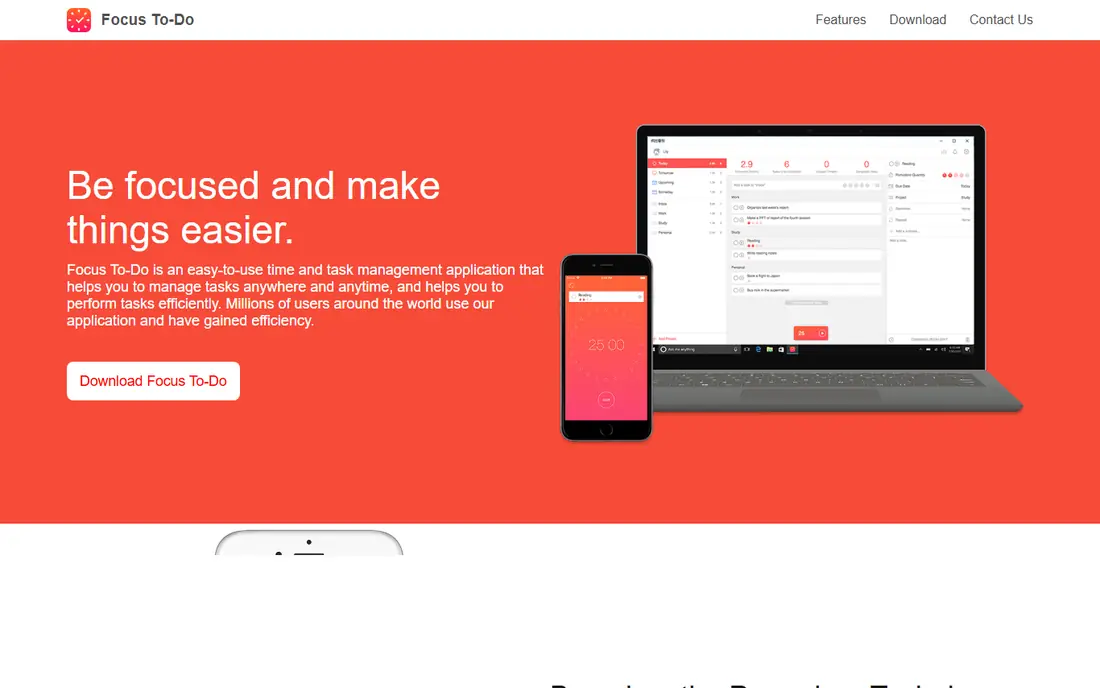
Focus To-Do suits people who lose time switching between a to-do list and a separate timer. You create tasks, estimate how many pomodoros each one needs, and start timing from the task itself. At the end of the day you can see which tasks got real focused time and which ones only got planned.
The free tier is usable for daily work, and Premium adds more history and features. Prices in app stores have varied by region and billing period, so we list starting price as See website rather than guessing a single figure. The honest catch is that this is a productivity app first and a timer second. If you want only a timer, Pomofocus is lighter. If you want one place for tasks and timing, this is a strong all-in-one choice.
- Pomodoro timer built into a task manager
- Sync across phone and computer with an account
- Clear daily focus records
- Some advanced features sit behind Premium
- Sync details vary by plan and platform
TickTick is for people who already need a task manager and do not want a separate timer app on top. Its pomodoro timer sits inside tasks, so you can time work without leaving your plan for the day. Calendar views, reminders, and habit tracking sit in the same app, which keeps planning in one place.
Premium is listed at $35.99 per year in recent 2026 coverage, and the free tier covers core tasks and timing for lighter use. The trade-off is focus. A full task manager can tempt you to reorganise lists instead of starting work, and the timer itself is simpler than a dedicated focus app. Still, for students and workers who want tasks, calendar, and timing together, TickTick gives the best balance of breadth and price here.
- Full task manager with calendar and habits
- Built-in pomodoro timer
- Works across platforms
- Timer is one feature inside a larger app
- Free tier has limits on lists and features
Be Focused is a straightforward interval timer built for the Apple ecosystem. You set work and break lengths, attach tasks, and track how many intervals each task takes. The interface is calm and easy to learn, and sync across Mac, iPhone, and iPad keeps your counts in one place if you stay inside Apple devices.
The free app covers basic timing, with Pro adding extra features, and store prices have varied, so we list See website for the starting price. The main limit is platform. Windows and Android users should pick another option from this list. Apple users who want a timer that feels native, without gamification or a social layer, will find Be Focused a quiet and reliable pick.
- Clean interval timer for Mac, iPhone, and iPad
- Task lists with session counts
- Sync across Apple devices
- Apple only, so mixed-device users are left out
- Fuller features need the Pro upgrade
Flora takes a softer version of the Forest idea and adds a social layer. You plant a tree for a focus session, and friends can join the same room so you focus together even when you are apart. That shared timer can help on days when working alone feels easy to abandon.
Flora is best for study groups, classes, and friends who want light accountability without a strict blocking tool. It does not offer the same depth of reports as Session or Toggl-style tools, and some features sit behind a paid tier whose price varies by app store. If you focus better with other people around, even virtually, Flora is worth trying before you pay for a heavier app.
- Group focus rooms add gentle accountability
- Simple timer with a plant theme
- Good for study groups
- Less detailed reporting than dedicated analytics apps
- Pricing and Pro features vary by store
Tide is a good pick if silence makes focus harder and music with lyrics pulls your attention away. It pairs a focus timer with nature sounds, rain, and white noise, and adds sleep sounds and short breathing exercises in the same app. The timer itself is simple, which keeps the experience calm rather than busy.
The free tier covers basic timing and sounds, while paid features expand the library. That makes Tide a mood tool as much as a timer. People who need detailed task estimates, project tracking, or app blocking should look elsewhere. People who focus best with steady background sound, and who like one app for focus and wind-down, will get more from Tide than from a bare timer.
- Focus timer paired with nature sounds and white noise
- Sleep and breathing tools in the same app
- Calm design
- Sound library depth varies by plan
- Less task management than Focus To-Do or TickTick
Session suits Mac and iOS users who want more control than a fixed pomodoro. You can run classic intervals, flexible flow sessions, and custom automations, then review patterns in your focus history. That detail helps if you want to learn when you focus best, rather than just counting sessions.
The free tier lets you try the core timer, and paid pricing has been reported at $4.99 per month. That is a real cost for a timer, so it only makes sense if you will use the analytics and flexibility. If you want a free and simple timer, Pomofocus covers the basics. If you are on Apple devices and want a timer that adapts to deep work, Session is the most capable Apple-only option here.
- Flexible sessions beyond fixed 25-minute blocks
- Useful analytics and automations
- Clean Mac and iOS design
- Apple only
- Monthly cost adds up if you only need a basic timer
How we picked these
We compared official feature pages, pricing pages, and app store listings, along with recent independent roundups, for timers that still work in October 2026. We favoured apps with a clear free starting point, a timer that matches the pomodoro idea of focused work plus breaks, and a real fit for study or office work. We left out timers that only count down with no task, history, or break handling, and we did not list any app that required guessing its price or platform. Prices change by region and store, so where a price varied we wrote See website.
What to check before you pick a timer
Start with your main distraction. If your phone pulls you away, pick a phone-led tool with a cost for leaving, such as Forest or Flora. If your computer tabs pull you away, pick a browser or desktop timer and pair it with site blocking in your browser or operating system, since most timers here do not block sites on their own.
Next, decide how much structure you want. A classic 25-minute work block with a 5-minute break suits most study and admin work. Longer writing or coding work may suit a flexible timer such as Session, or a custom interval in Pomofocus or Be Focused. Try one interval length for a few days before changing it, because constant tweaking is itself a distraction.
Tasks, sync, and price
If tasks live somewhere else already, a light timer is enough. If tasks keep getting lost, a combined tool such as Focus To-Do or TickTick saves a step. Check sync before you pay. Some apps sync only with an account, and some Apple-only apps will not help on a Windows work computer. Free tiers are generous in this category, so use one for a full week of real work before paying for analytics or extra sounds.
A simple first week
Pick one app, set a daily target of four focused blocks, and keep breaks truly away from screens where you can. Note which blocks failed and why. Phone checks point to Forest. Tab drift points to blocking plus Pomofocus. Lost tasks point to Focus To-Do or TickTick. That note, more than any feature list, will tell you which timer to keep.
Frequently asked questions
What is the best pomodoro app for students?
Forest is a strong student pick because phone distraction is often the main problem, and the tree mechanic makes leaving the app feel costly. Pomofocus is a good free alternative for browser-based study, and Focus To-Do helps when you also need a task list for assignments.
What are the best study timer apps if I do not want to pay?
Pomofocus, Forest, Focus To-Do, TickTick, and Tide all offer free tiers that cover basic timing. Start free, use the app for real study sessions, and only pay if you hit a limit that matters, such as templates, analytics, or sound libraries.
Are the best pomodoro apps the same on phone and computer?
Not always. Forest is strongest on phones, Be Focused and Session are Apple only, and Pomofocus works best in a browser. Check the platform list before you commit, especially if you switch between a phone and a work computer during the day.
How long should a pomodoro be?
The classic pattern is 25 minutes of work followed by a 5-minute break, with a longer break after four blocks. That pattern is a starting point, not a rule. Shorter blocks suit dense reading, and longer blocks suit writing or coding, as long as breaks stay regular.
Can a pomodoro app block distracting apps?
Some can, and some cannot. Forest includes Deep Focus blocking on supported devices, while Pomofocus on its own does not block apps or sites. If blocking matters, check that feature on the official page for your device before you pay.
Is TickTick a pomodoro app or a task app?
TickTick is a task app with a built-in pomodoro timer. That makes it a good choice if you want tasks, calendar, and timing together, but a lighter dedicated timer may suit you better if you already have a task system you like.
Sources
See where you really rank - block by block
ProMapRanker scans Google Maps across a grid of your service area. Simple monthly plans from $19, white-label on every plan.
Start freeKeep reading
 bitly alternatives
Bitly Alternatives in 2026: 8 Tools Compared
Compare the best Bitly alternatives for branded short links, with free tiers, custom domains, analytics, and pricing that suits creators and small teams.
Read → bill.com alternatives
Best Bill.com Alternatives in 2026
Looking for bill.com alternatives? We compared 9 bill pay and AP automation tools on price, approvals, and accounting sync to help you switch with confidence.
Read → betterhelp alternatives
BetterHelp Alternatives in 2026
We compared BetterHelp alternatives for online therapy, covering Talkspace, Grow Therapy, Rula, Brightside and more on price, insurance and format in 2026.
Read →