 ProMapRanker
Platforms to Manage Fitness Meetups in 2026: Top 6 Compared

Small teams with straightforward scheduling · Pricing starts at: From €9.17 per team/month
Direct answer
Heja leads the list, best for small teams with simple scheduling. Listed starting prices: Heja from €9.17 per team/month, Luma from $59 a month and Punchpass from $59 per month. For a different need, Luma covers free public meetups with RSVPs and Punchpass covers studios that sell class passes. The full list of 6 tools follows, with prices and free plan facts.
This ProMapRanker guide covers 6 platforms to manage fitness meetups. Each profile lists a starting price, free plan details, strengths and drawbacks, so you can drop poor fits quickly.
Key takeaways
- Top of the list is Heja, which targets small teams with straightforward scheduling.
- TeamUp has the lowest monthly starting price in this list: $12 per month.
- Eventbrite fits ticketed public fitness events.
- Check the limits for Luma before you commit: free plan caps invites and newsletters at 500 per week.
- A free plan is available from 5 of the 6 tools: Heja, Luma, Spond, TeamUp, Eventbrite.
Quick comparison
| Pick | Great for | Pricing starts at | Free tier | |
|---|---|---|---|---|
| Heja | Small teams with straightforward scheduling | From €9.17 per team/month | Yes | Visit |
 Luma | Free public meetups with RSVPs | $59 a month (billed yearly) | Yes | Visit |
 Punchpass | Studios that sell class passes | $59 per month | Free trial (14 days) | Visit |
 Spond | Regular training groups and clubs | $0, 3.29% + $1.00 per payment in the US | Yes | Visit |
 TeamUp | A shared calendar for class times | $12 a month (billed yearly) | Yes | Visit |
 Eventbrite | Ticketed public fitness events | $0 for free events, 3.7% + $1.79 per ticket plus 2.9% processing | Yes | Visit |
Tool-by-tool breakdown
Where Heja fits: small teams with straightforward scheduling. Team Pro Max layers on an ad-free experience for all members. Heja is a team management app with a free plan at no cost that is ad supported.
Watch-outs: Free plan lets only 1 team admin and displays ads.
Team Pro begins from €9.17 per team per month and layers on desktop access, payments tracking, attendance statistics, RSVP notifications, announcement permissions, unlimited admins and polls. Worth adding: Heja fits a small fitness group that wants a straightforward schedule and RSVP list without the weight of a full club system. The starting price for Heja: From €9.17 per team/month. Free access exists with Heja.
- Free plan contains team schedule
- Team messaging and document sharing
- Team Pro Max is needed for an ad-free experience for all members

Luma works best for free public meetups with RSVPs. Once ticket sales pass about $1,200 per month, Plus costs less than the 5% fee. On top of that, Luma is free at no cost events, with unlimited events and guests on the free plan.
It comes with event pages, registration, approval and token gating, guest check-in, and Zoom integration with attendance tracking. In practice, Luma suits a fitness meetup that is free to join and needs clean event pages and RSVPs, like a weekly park workout or a run club. For everyday use, plus costs $59 per month billed yearly, or $69 per month monthly, and cuts the system fee to 0%. Plus also raises invites and newsletters to 5,000 per week, and brings a custom URL for event pages, tax collection, a check-in manager role, Zapier and Price to start with Luma: $59 per month. Luma includes a free tier.
What to check first: Free plan caps invites and newsletters at 500 per week.
- Zoom integration with attendance tracking
- Free plan has unlimited events and unlimited guests
- Custom event page URL and 0% product fee need Plus at $59 per month billed yearly
Punchpass was built for studios that sell class passes. Grow bundles unlimited classes, passes and instructors, online pass sales, private sessions, waitlists, waivers, 3 automations and a 10,000-minute video library. In daily use, annual billing saves 12%, and every plan has a 14-day free trial with no card required.
Points against: Recurring memberships need Flow at $99 per month, not Grow.
Its plans are Grow at $59 a month, Flow at $99 per month, and Pro at $149 per month, all month to month with no long-term contract. From a buyer's view, Punchpass fits a small studio that sells class passes and wants a straightforward booking flow without per-ticket fees, since payments run through Stripe at Flow layers on recurring memberships, workshop tickets, multi-day series, discount codes, gift passes, family accounts and 10 automations. Price to start with Punchpass: $59 per month. Free plan details: Free trial (14 days).
- No platform transaction fees on top of Stripe rates
- 14-day free trial with no card required
- Grow allows only 3 automations, whereas unlimited automations need Pro at $149 per month
Spond is aimed squarely at regular training groups and clubs. On a $100 payment the group receives $95.71. It spans groups, one-off and recurring events, invitations, availability requests, messaging and payments.
Watch-outs: Payment fee of 3.29% plus $1.00 per payment in the US applies to every payment.
On top of that, the fee is calculated per product selected, not per payment, so if one request asks for dues and a team shirt and a member picks both, the fee is charged twice. Beyond that, Spond states on its own help page that it is a free system and only makes money when users process payments through Spond, with Stripe as its payments partner. On cost, Spond starts like this: $0, 3.29% + $1.00 per payment in the US. Spond includes a free tier.
- No monthly subscription for the core app and Spond Club
- Messaging and payments in one place
- Club website costs $19.95 per month in the US after a trial
Pick TeamUp if this describes you: a shared calendar for class times. TeamUp is a shared online calendar for groups, not a full event system. As for the details, one limit: a group that outgrows 5 sub-calendars on the free plan must move to Plus, and even then it still needs a second tool for RSVPs and money.
Watch-outs: No RSVP; against $12 per month billed yearly.
Reasons to shortlist it: Free plan contains 5 sub-calendars. Worth adding: the free plan contains 5 sub-calendars, 5 users, 1 custom field and 1 year of history. TeamUp has no RSVP list, no ticketing and no payment collection. Plus costs $12 per month billed yearly, or $15 per month monthly, and brings up to 12 sub-calendars, 12 users, password protection, a daily agenda and 5 years of data history. What you pay to start with TeamUp: $12 per month. TeamUp includes a free tier.
- Plus brings 12 sub-calendars and 12 users
- Shared calendars can be embedded on a website
- Plus costs $15 per month on monthly billing
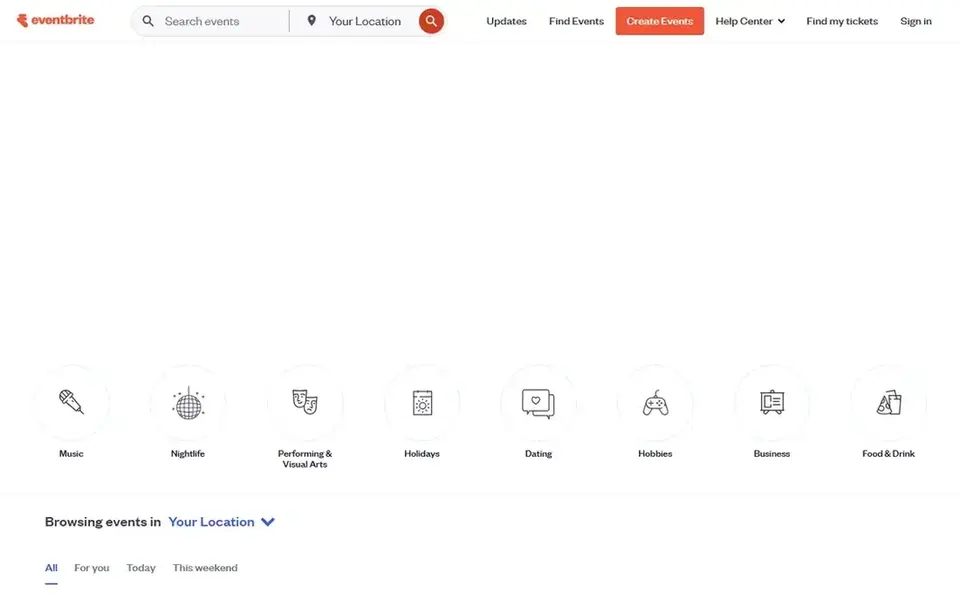
Pick Eventbrite if this describes you: ticketed public fitness events. When tickets have a price, the US fee is 3.7% plus $1.79 per ticket, plus 2.9% processing. As for the details, premium at $69 per month in the US brings live chat support, $20 per month in ads credits, and up to 2,000 marketing emails a day.
As for the details, Eventbrite suits a public event that needs to reach people who are not already members, like a charity run or a weekend fitness festival. Also, on a $20 ticket that is about $3.11, more than 15% of the ticket price. On top of that, Eventbrite lets an organiser publish unlimited events at no cost, with no fees at no cost tickets. Price to start with Eventbrite: $0 for free events, 3.7% + $1.79 per ticket plus 2.9% processing. A free plan is available with Eventbrite.
What Eventbrite does well: ticket types.
Where it is weaker: Ticket fees reach about $3.11 on a $20 ticket, so low-priced sessions lose a large share.
- Free to publish events of any size
- Large public discovery audience
- Premium subscription at $69 per month brings marketing tools but does not cut ticket fees
How we chose
We compared the tools on published pricing, free plan or trial availability, feature coverage for platforms to manage fitness meetups, and the limits each vendor documents. Figures are shown as the vendors publish them. Billing terms, seat minimums and add-ons can change the real cost. Order on the page follows fit for the typical buyer first, then price transparency and free access. Your own requirements should decide the final pick.
Pre-purchase checklist
- Check the vendor page for the current price: TeamUp starts at $12 per month here, and seats or billing terms can move it.
- Check what the free option really includes: Heja, Luma, Spond and others offer a free plan, and usage caps differ.
- Run a trial of Punchpass with real work before paying for a year; your own workflow is the best test.
- Before choosing Heja, weigh its main limit: free plan lets only 1 team admin and displays ads.
- Map your must-have features to a specific Eventbrite plan before you compare prices.
- Run a one or two week pilot of TeamUp with the people who will use it every day.
Frequently asked questions
Is Heja the right pick for everyone comparing platforms to manage fitness meetups?
No single tool suits every team. Heja comes first because it fits small teams with simple scheduling, while Luma suits free public meetups with RSVPs and Punchpass suits studios that sell class passes. Match the tool to your own size, budget and workflow before deciding.
Can I try these tools before paying?
Often, yes. Heja, Luma, Spond and others have a free plan and Punchpass offers a free trial. Use your own data and a real task during the test, and check what the free tier or trial limits before you rely on it.
Which is best for a free weekly running club?
For most readers this guide would start with Heja, built for small teams with straightforward scheduling. Luma is the alternative for free public meetups with RSVPs, and Punchpass for studios that sell class passes. The right answer depends on budget and workflow.
How are the tools for platforms to manage fitness meetups ordered?
Heja sits first and Eventbrite last because the order follows typical fit for platforms to manage fitness meetups, then price clarity and free access. It is a judgement call, so read each profile for fit and limits.
What is the cheapest option for platforms to manage fitness meetups in this list?
On published monthly entry prices, TeamUp is the lowest here at $12 per month. Entry price is only part of the cost, because seats, add-ons and billing terms can change the total.
Sources
See where you really rank - block by block
ProMapRanker scans Google Maps across a grid of your service area. Simple monthly plans from $19, white-label on every plan.
Start freeBrowse all guides
← Patient Scheduling Software: 5 Options Compared in 20266 Best Therapist Scheduling Software for Group Practices for 2026 →
 best medical appointment reminder software
Medical Appointment Reminder Software: Best Picks of 2026
Best medical appointment reminder software in 2026: 7 contenders with entry costs and free tiers. Strengths and gaps are listed per tool. Pick by budget.
Read → best education resources learning platforms
Education Resources Learning Platforms: Best Picks of 2026
7 best education resources learning platforms, compared on pricing, free plans and best-fit use. Every entry states what it lacks. Refreshed for 2026.
Read → best checkout platforms with ux optimisation
7 Best Checkout Platforms with UX Optimisation Options for 2026
Best checkout platforms with UX optimisation: 7 contenders ranked by fit, with entry costs and free tiers. Each tool gets a one-line verdict. Compare quickly.
Read → zapier alternatives
Zapier Alternatives in 2026
Looking for Zapier alternatives? We compared 9 automation tools, including free and open source options, on price, task limits and fit, with US pricing from October 2026.
Read → best supply chain planning software
Best Supply Chain Planning Software in 2026
Best supply chain planning software compared for demand planning, inventory and scenario work, from SAP and Oracle to Kinaxis, o9 and Anaplan for your business.
Read → company name standardization best practices
Company Name Standardization Best Practices in 2026
We cover company name standardization best practices through tools that clean, match, and govern company names, from OpenRefine to MDM platforms for US teams.
Read →More in Project Management & Productivity · All guides A to Z by date · Latest guides