 ProMapRanker
Best Photo Editing Apps for Face and Body in 2026

Key takeaways
- Facetune and AirBrush lead for manual face and body control, with sliders that let you keep edits subtle.
- YouCam Makeup and YouCam Perfect suit fast, automatic retouching and virtual makeup in one tap.
- Snapseed is the best free, no-subscription option for clean skin and tone work without body reshaping.
- Heavy reshaping reads as edited quickly, so small adjustments and a zoomed-out check give the most natural result.
Quick comparison
| Pick | Great for | Pricing starts at | Free tier | |
|---|---|---|---|---|
 Facetune | Precise face and body sliders | Free | Free trial | Visit |
 AirBrush | Natural one-tap retouch | Free | Yes | Visit |
 YouCam Makeup | Virtual makeup and face retouch | Free | Yes | Visit |
 YouCam Perfect | Fast beauty edits and body tools | Free | Yes | Visit |
 BeautyPlus | All-in-one filters and retouch | Free | Yes | Visit |
 Perfect365 | Natural makeup overlays | Free | Yes | Visit |
 FaceApp | AI face transforms | Free | Yes | Visit |
 PicsArt | Full editing plus portrait tools | Free | Yes | Visit |
 Snapseed | Free clean retouching | Free | Yes | Visit |
 Meitu | Bold filters and beauty edits | Free | Yes | Visit |
The best photo editing apps for face and body
These are legitimate portrait editing tools for your own photos and for photos you have permission to edit. Never edit photos of other people without their consent, and never use an editing app to create misleading or non-consensual imagery of anyone. We compared official app pages, app store listings and feature guides, and we excluded any tool marketed for undressing people.
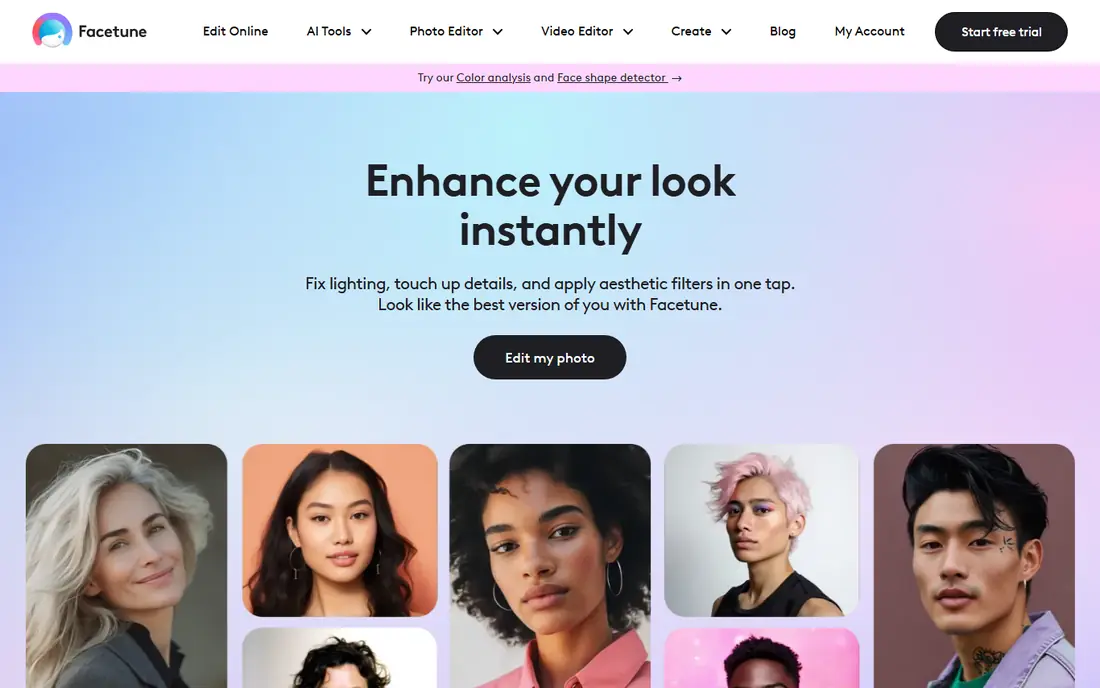
Facetune is the portrait specialist. Smooth evens skin, Reshape nudges features, Whiten brightens teeth, and body tools let you adjust proportions with sliders rather than a single automatic pass. That manual control is why creators pick it when a face must look consistent across stills and video.
Control is also the risk. Reshaping at full strength warps backgrounds and reads as edited at once, so small moves and a zoomed-out review matter. The app is free to download, with a trial leading to a subscription for full features. If you want precision and you will edit with restraint, Facetune leads this list.
- Manual reshape, smooth, whiten and detail tools for face and body
- Video retouching included
- Studio lighting and color tools
- Easy to overdo at full strength
- Full features need a subscription
- No scenery or product editing focus
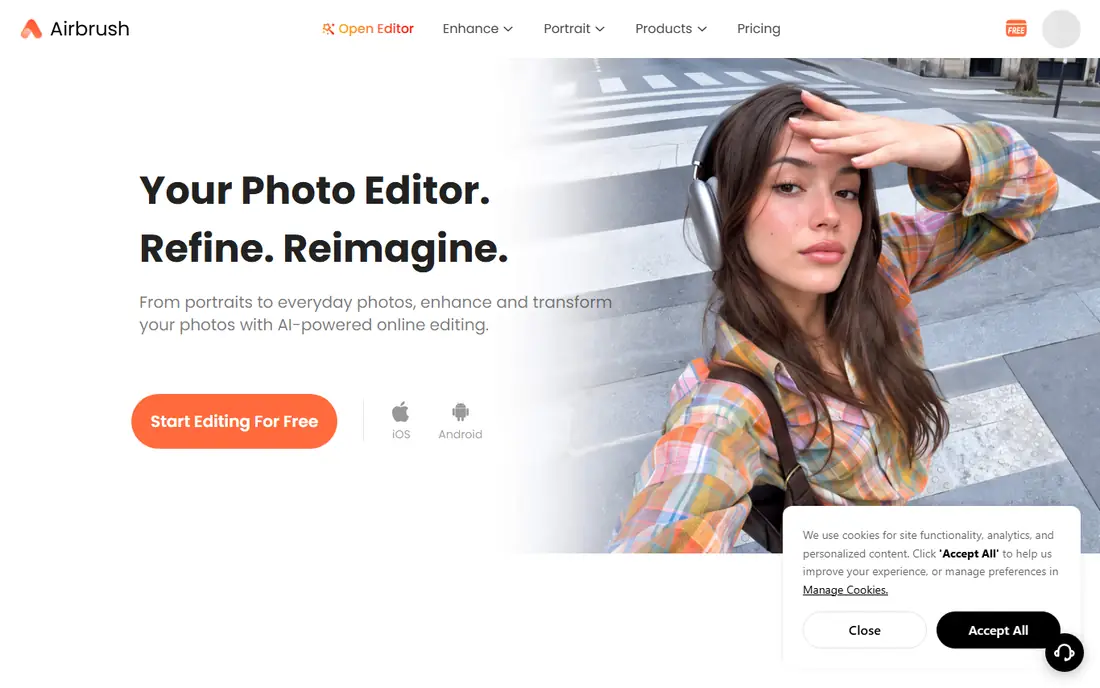
AirBrush aims for the fastest route to a clean portrait. One-tap retouch smooths skin and brightens a photo, while manual tools let you refine face and body shape, remove blemishes and add makeup. Its reshape tools adjust features smoothly, which helps avoid the warped edges that give retouching away.
The free tier works for basic edits, with ads and some tools behind a subscription. Automatic results can still feel heavy if you accept every default, so dial strength back and check the full frame. For a natural look with little effort, AirBrush is our pick for most casual users.
- AI retouch with smooth, natural results
- Face and body reshape tools
- Blemish, whiten and makeup tools in one place
- Free tier shows ads
- Some advanced tools need a subscription
- Automatic defaults can still look strong
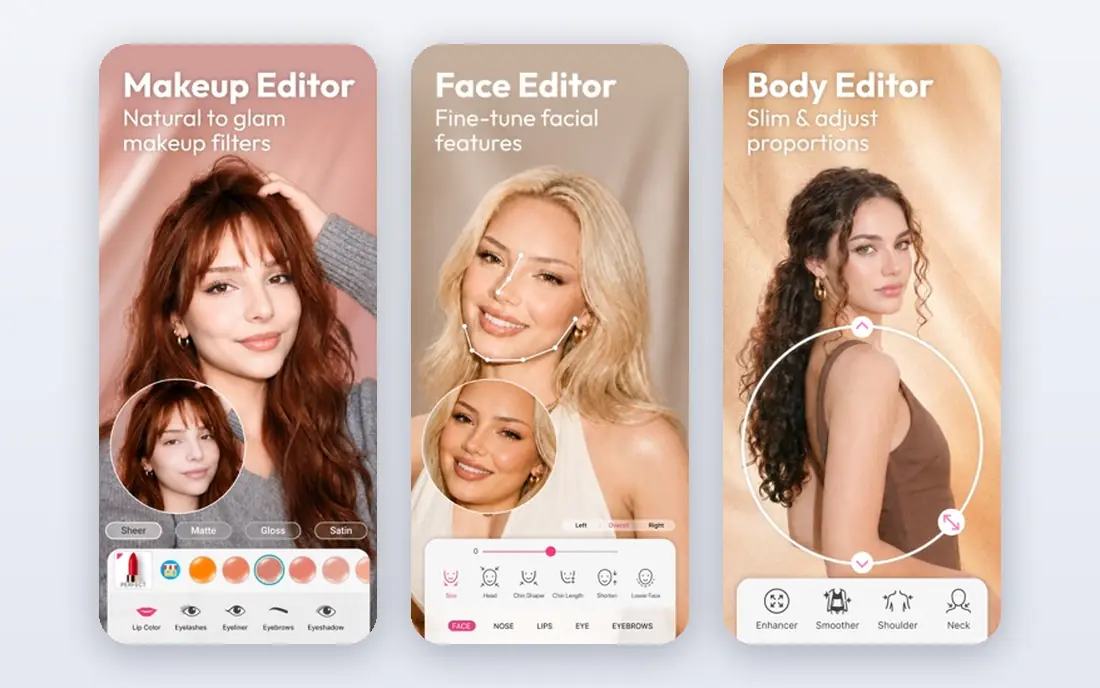
YouCam Makeup treats the camera as a makeup mirror. Virtual lipstick, blush, eyeshadow and full looks can be tried live or on a photo, and retouch tools smooth skin, remove blemishes and whiten teeth. Face reshape sliders adjust jawline, lips and face shape for users who want that control.
The catalog is the draw and the distraction. Users who want a plain, natural edit may find the makeup options noisy, and the free tier limits some AI features. Still, for trying makeup looks before buying products, or for a polished selfie with makeup, YouCam Makeup is unmatched here.
- Deep virtual makeup catalog with live camera preview
- Blemish removal and skin smoothing
- Face reshape sliders
- Makeup focus may not suit users who want plain retouch
- Free tier is ad-heavy with limited AI credits
- Some looks need a subscription
YouCam Perfect is the quicker sibling of YouCam Makeup, built for fast edits rather than deep makeup play. Beauty tools smooth skin, reshape face and body features, and apply filters in a few taps, with a live camera mode for real-time preview. That speed suits social posts where editing must take seconds.
Speed has a cost in subtlety. Default strengths can look filtered, so pull sliders back for a natural finish. Premium adds more tools and removes ads. If you want a fast, all-in-one beauty editor with body tools included, YouCam Perfect is a strong choice.
- Live AR makeup and quick beauty edits
- Body and face retouch tools
- Large filter and effect library
- Free tier shows ads
- Premium features cost extra
- Results can look filtered if strength stays high
BeautyPlus packs a lot into one app. Filters, stickers, makeup, skin smoothing and face reshaping sit beside standard photo edits, so a single app can take a selfie from capture to post. Its breadth suits users who like to experiment with styles rather than master one retouch workflow.
The busy interface takes a little learning, and some free exports carry watermarks, which pushes users toward Premium. Still, for variety at a low price, BeautyPlus delivers more looks per dollar than most rivals here. Keep edits light if you want a natural result.
- Broad filter, sticker and retouch library
- Skin smoothing, makeup and face reshape
- Easy sharing to social apps
- Free exports may carry a watermark on some features
- Premium costs around 4.99 dollars per month
- Interface is busy
Perfect365 focuses on makeup that looks like makeup, not a filter. Face detection maps lipstick, eyeshadow and blush to your features, and preset looks range from everyday to evening styles. That mapping helps overlays sit naturally instead of floating over the photo.
Users who want body editing or plain skin work will find Perfect365 thinner than Facetune or AirBrush. It is a face-first app, and its best use is trying a makeup look on your own photo. For natural-looking virtual makeup, it remains a solid pick.
- Makeup overlays designed to look natural
- Face detection maps makeup to features
- Hot styles and looks update often
- Makeup focus limits plain retouching
- Body tools are thinner than Facetune or AirBrush
- Some looks need a subscription
FaceApp is best known for its AI transforms. Age a photo, change a smile, try a hairstyle or apply a stylized look, all from a single image. The results are often strikingly realistic, which is why the app stays popular for fun edits and social posts.
It is not a subtle retouch tool. Transforms are meant to be noticed, and free exports may carry watermarks on Pro filters. Privacy also matters: AI processing may upload photos to servers, so read the privacy policy and avoid sensitive images. For playful, dramatic face edits on your own photos, FaceApp is the pick.
- Photorealistic age, smile and style transforms
- Single-photo edits are fast
- Filters for hair, makeup and backgrounds
- Pro filters may watermark free exports
- Subscription costs extra
- AI transforms are obvious by design, not subtle retouching
PicsArt is the general editor on this list that also handles portraits well. Retouch, makeup and reshape tools sit beside cropping, filters, stickers, collage and background removal, so you can finish a whole post in one app. That breadth suits creators who edit many kinds of photos, not just faces.
Breadth means the portrait tools are less focused than Facetune, and the app promotes its subscription often. Free users can still do solid portrait work. If you want one editor for faces, bodies and everything else in a post, PicsArt is the most versatile choice here.
- Full photo editor with retouch, makeup and reshape tools
- Stickers, collage and background tools
- Large creative community
- Subscription pushes are frequent
- Interface packs in many features
- Portrait tools are broader than specialist apps
Snapseed is the free, honest option. Google's editor offers healing for blemishes, selective tuning for skin tone, and precise exposure and color controls, all without a subscription or watermark. Note that Snapseed has no standalone homepage, so we list Google's official Snapseed support page instead of an unofficial lookalike site.
What it lacks is body reshaping and automatic beauty passes. Edits take manual work, and results depend on your eye. For users who want clean, believable portraits without paying or sharing photos with an AI server, Snapseed is the best free pick on this list.
- Completely free with no subscription and no watermark
- Precise healing, tuning and selective edits
- Google support page is the official home
- No body reshape tools
- Face tools are manual rather than automatic
- Interface takes a little learning
Meitu brings a decade of selfie editing experience to face and body work. Its beauty engine smooths skin, reshapes features and applies makeup, while filters and AI portrait styles offer bolder looks. Users who like a polished, stylized selfie will find plenty to try.
The default pass can be stronger than Western users expect, so reduce strength for a natural result. Some features need VIP credits, and watermarks can appear on AI exports. Still, for a wide, playful beauty toolkit with body tools included, Meitu earns its place.
- Long-running beauty engine with rich filters
- Face and body retouch tools
- Makeup, stickers and AI portrait styles
- Default beauty pass can feel heavy
- VIP credits gate some features
- Interface and translations can feel less polished in English
How we picked these
We compared official app pages, app store listings and feature guides, and we kept only legitimate portrait editors that work in October 2026. We weighed retouch control, realism, body tool coverage, price and privacy handling. Tools marketed for undressing people or non-consensual imagery were excluded outright, and we note where an app uploads photos for AI processing.
How to edit portraits without overdoing it
Start with light, exposure and color before touching skin or shape. Small smoothing and blemish fixes look natural, while full-strength reshaping warps backgrounds and proportions. Zoom out and check edges, door frames and hairlines after every reshape, since those lines reveal an edit first.
Only edit photos you own or have permission to edit, and keep a copy of the original. If an app processes photos in the cloud, read its privacy policy, limit permissions, and avoid uploading sensitive images of yourself or others. A good edit should look like better light and a good day, not a different person.
Frequently asked questions
What is the best photo editing app for face and body?
Facetune leads for manual face and body control, while AirBrush leads for fast, natural retouching. YouCam Perfect adds quick body tools, and Snapseed leads for free editing. The best pick depends on how much control you want and how much you want to pay.
Can you edit body shape in these apps?
Yes, Facetune, AirBrush, YouCam Perfect and Meitu include body reshape tools for your own photos. Use them lightly, check backgrounds for warping, and never edit photos of other people without their consent. Snapseed and Perfect365 focus on face and tone rather than body shape.
Are face editing apps safe for privacy?
Many AI editors upload photos to servers for processing, so read each privacy policy before use. Limit permissions, avoid sensitive images, and prefer on-device editors such as Snapseed for private photos. Never upload photos of children or other people without proper consent.
Which face editing app is free with no subscription?
Snapseed is completely free with no subscription and no watermark, though it lacks body reshape tools. AirBrush, YouCam Perfect and BeautyPlus offer useful free tiers with ads or limits. Facetune offers a trial before a subscription.
How do I make edits look natural?
Use small slider moves, fix light and color first, and check the full frame at normal size after each change. Heavy smoothing erases skin texture, and strong reshaping warps straight lines behind you. If you can spot the edit at a glance, pull it back.
Sources
See where you really rank - block by block
ProMapRanker scans Google Maps across a grid of your service area. Simple monthly plans from $19, white-label on every plan.
Start freeKeep reading
 who has best internet service
Who Has the Best Internet Service in 2026
Who has best internet service for US homes? We compare fiber, cable, fixed wireless and satellite providers on speed, price, availability and terms today.
Read → which survey tool has the best analytics
Which Survey Tool Has the Best Analytics in 2026
Find which survey tool has the best analytics in 2026, comparing Qualtrics, SurveyMonkey, Typeform, Alchemer, and more on reports, text, and stats today.
Read → which streaming service has the best movies
Which Streaming Service Has the Best Movies in 2026
Answering which streaming service has the best movies, with Netflix, Max, Criterion and more compared on libraries, prices and free options in this guide.
Read →