 ProMapRanker
Best Penetration Testing Tools in 2026

Key takeaways
- Nmap, Metasploit and Burp Suite form the core toolkit for most testers, covering discovery, exploitation and web application testing.
- OWASP ZAP and Wireshark offer strong free options for automated web scanning and traffic analysis, while Nessus suits scheduled vulnerability scanning.
- sqlmap and Nikto are specialist tools for database and web server checks, and they work best alongside a broader toolkit, not alone.
- These tools are for authorised testing only. Never test a system you do not own or do not have written permission to test.
Quick comparison
| Pick | Great for | Pricing starts at | Free tier | |
|---|---|---|---|---|
 Nmap | Network discovery and mapping | Free | Yes | Visit |
 Metasploit Framework | Exploitation and payload testing | Free | Yes | Visit |
 Burp Suite | Manual web application testing | $449 per year | Yes | Visit |
 OWASP ZAP | Free automated web scanning | Free | Yes | Visit |
 Wireshark | Network traffic analysis | Free | Yes | Visit |
 Nessus | Scheduled vulnerability scanning | See website | Yes | Visit |
 sqlmap | Database injection testing | Free | Yes | Visit |
 Nikto | Web server configuration checks | Free | Yes | Visit |
The best penetration testing tools
We compared these tools on their core job, ease of use, automation options, reporting and how they fit into a real authorised test, from discovery to reporting.
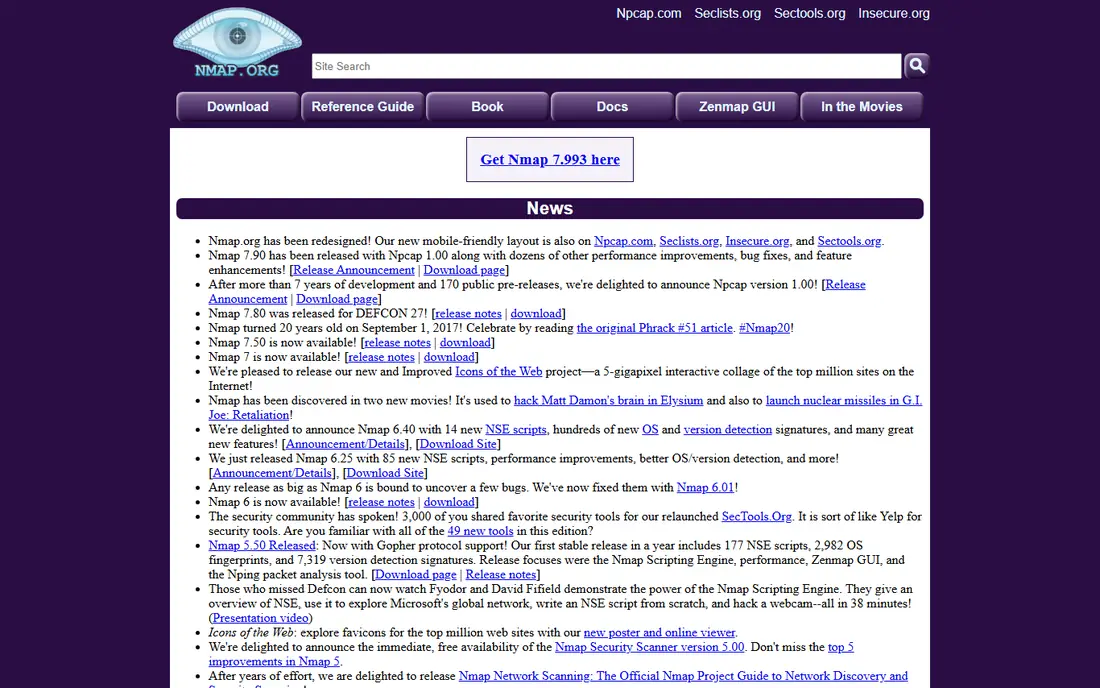
Nmap is the starting point for almost every network test. It finds live hosts, open ports, running services and operating system clues, and its scripting engine adds checks for common misconfigurations and vulnerabilities. That map of the network shapes everything that follows, because you cannot test what you have not found. Output in text, XML and other formats also feeds into reports and other tools.
Nmap takes time to learn well. A basic scan is simple, but choosing the right timing, scan type and script set for a large network needs practice, and aggressive scans can slow or disrupt fragile services if run without care. Always agree scan scope, timing and intensity with the system owner in writing before you start, and run intrusive scans in a test window first where possible.
- Fast host and service discovery
- Flexible scripting engine
- Standard output formats for reporting
- Command-line learning curve
- Results need interpretation
- Aggressive scans can disrupt services
Metasploit Framework gives testers a structured way to check whether a vulnerability is actually exploitable, rather than just reported by a scanner. You can select an exploit module, set a target and payload, test safely in scope and document the result with evidence. That proof matters, because a confirmed exploit carries more weight with a client than a scanner warning alone. The open-source framework is free, while Metasploit Pro adds a graphical interface, reporting and automation at a price on request.
Metasploit is powerful, and that power needs discipline. Running exploits against a system without written authorisation is illegal in many places, and even authorised exploits can crash a service if used carelessly. Use a lab first, confirm scope and rollback plans with the owner, and treat every exploit as a change to a live system, not just a test command.
- Large exploit and payload library
- Structured workflow for testing
- Strong community modules
- Steep learning curve
- Misuse risk if run without permission
- Pro version is priced on request
Burp Suite is close to a standard tool for manual web application testing. Its proxy lets you intercept, inspect and modify requests between browser and server, while Repeater lets you resend a request with changes and Intruder automates parameter testing. Those manual controls help a tester find logic flaws, broken access controls and input handling issues that automated scanners miss. Community Edition is free, while Professional is listed from $449 per user per year in recent guides.
Professional pricing is a barrier for students and solo testers, and the Community Edition limits the scanner and some automation features. Burp also takes practice to use well, especially for testers new to web protocols. For professional web testing, though, Burp Professional is the tool most clients and teams expect to see in a report.
- Industry-standard web proxy
- Repeater and Intruder for manual testing
- Strong extension ecosystem
- Professional price is high for solo testers
- Learning curve for new users
- Scanner is limited in Community edition
OWASP ZAP, from the Open Web Application Security Project, is the best free alternative to Burp for web testing. It offers a proxy, an automated scanner, spidering and API scanning, and it integrates with continuous integration pipelines for regular checks. For teams that want automated web scans on every release without a licence cost, ZAP is a strong choice, and its open-source community keeps it actively maintained.
ZAP does not match Burp Professional for deep manual testing, and automated results still need a human to triage false positives and confirm real issues. The interface can feel busy at first, with many panels and options for a new user. Pair ZAP with manual testing for important applications, and use it as the automated layer, not the whole test.
- Completely free and open source
- Automated scanner and proxy
- CI pipeline integration
- Less manual depth than Burp Professional
- Results need triage
- Interface can feel busy
Wireshark lets you capture and inspect network traffic packet by packet, which helps you understand what an application actually sends, whether credentials travel in clear text and how a protocol behaves under test. Filters, colour rules and protocol dissectors make it possible to focus on the traffic that matters, and its documentation and community are extensive. It is free and runs on Windows, macOS and Linux.
Wireshark also captures a lot of data, and a busy network can produce more packets than a new analyst can review. Capturing traffic on a network you do not own, or that carries other people's data, raises legal and privacy issues, so only capture with permission and within scope. Wireshark fits analysis and troubleshooting, not exploitation, and it works best alongside Nmap and a web proxy.
- Deep packet inspection
- Huge protocol support
- Free and widely documented
- Traffic volume can overwhelm new users
- Capturing on shared networks needs permission
- Analysis takes practice
Nessus, from Tenable, is a vulnerability scanner that checks hosts, services and applications against a large plugin library and reports missing patches, misconfigurations and known flaws. Scheduled scans, compliance templates and clear reports make it useful for regular checks across servers, workstations and cloud assets, not just a one-off test. Nessus Essentials offers a limited free tier for small use, while Professional pricing varies and should be checked on the vendor site.
Nessus reports vulnerabilities, but it does not prove exploitability the way Metasploit does, and its results still need triage to separate real risk from noise. A scanner alone is not a penetration test, and a clean scan does not mean an application is safe from logic flaws or manual attack. Use Nessus for regular, repeatable scanning, and pair it with manual testing for important systems.
- Broad vulnerability coverage
- Scheduled scans and reporting
- Nessus Essentials for small use
- Full pricing needs a quote for some plans
- Results need triage
- Not a manual pentest replacement
sqlmap automates the detection and exploitation of SQL injection flaws in web applications, which remain a serious risk when user input reaches a database without proper handling. It can fingerprint the database, list tables and, in an authorised test, extract sample data to prove impact. That automation saves hours of manual payload crafting, especially when testing many parameters across a large application.
sqlmap is command-line only and powerful, so it needs care and permission. Running it against a production database without a backup and a test window can cause load, locks or data issues, and extracting data beyond proof of concept can breach privacy rules. Use sqlmap in a test environment first, limit extraction to what proves the flaw, and document scope in writing before you run it.
- Automatic SQL injection detection
- Database fingerprinting
- Data extraction for proof in authorised tests
- Command-line only
- Misuse risk is high
- Can damage a database if run carelessly
Nikto is a fast, open-source scanner that checks web servers for outdated software, dangerous files, misconfigurations and known issues. It runs from the command line, produces a readable report and works well as a first pass over a web server before deeper manual testing. For a quick configuration check or a regular scan of a public server you own, Nikto is a useful, low-cost tool.
Nikto is noisy, so a target with monitoring will detect it quickly, and its results include false positives that need manual checking. It does not test application logic, authentication flows or business rules in depth, so it cannot replace Burp or ZAP for a full web test. Use Nikto for server configuration checks, then follow up with manual testing for the application itself.
- Fast web server scanning
- Checks for outdated software and dangerous files
- Simple command-line use
- Noisy and easy to detect
- Results include false positives
- No deep application logic testing
How we picked these
We compared official product pages, documentation and recent tool guides, focusing on tools that are still maintained in October 2026, widely used by professional testers and available with a free or clearly priced tier. We favoured tools with distinct jobs, from discovery and exploitation to web testing, traffic analysis and scanning, rather than listing many tools that do the same thing. We did not claim hands-on testing, and we excluded tools that were abandoned or that offered no legitimate, authorised use case.
How to build a testing toolkit safely
Start with scope, permission and a lab, not with a tool list. Get written authorisation that names the systems, IP ranges, applications, time windows and testing methods allowed, and agree how findings will be reported and how testing will stop if a service is affected. Practise in your own lab or on a training platform made for testing, so you learn each tool's behaviour before you use it on a client system.
Build your toolkit in layers. Use Nmap for discovery, Nessus or Nikto for initial scanning, Burp or ZAP for web testing, sqlmap for database checks where relevant, Wireshark for traffic questions and Metasploit only where exploitation proof is in scope. Keep notes, screenshots and request logs for every finding, because a report without evidence is hard for a client to fix or verify.
Finally, report clearly and retest after fixes. Explain each finding in plain terms, with impact, evidence, affected systems and a practical fix, and avoid exaggerating risk. Offer a retest window after the client patches, and delete any test data you collected once the engagement ends, following the agreement you signed at the start.
Frequently asked questions
What are the best penetration testing tools for beginners?
Nmap, OWASP ZAP and Wireshark are good starting points because they are free, well documented and widely used. Learn discovery and traffic analysis first, practise in a lab, and add Burp Suite and Metasploit once you understand web protocols and scope rules.
What is the best penetration testing software for web apps?
Burp Suite Professional is the usual choice for manual web testing, with OWASP ZAP as the best free alternative for automated scanning. Use both where possible: ZAP for regular automated checks, and Burp for manual logic, access control and input testing that automation misses.
Are penetration testing tools free?
Many core tools are free and open source, including Nmap, Metasploit Framework, OWASP ZAP, Wireshark, sqlmap and Nikto. Burp Suite Community Edition and Nessus Essentials are free with limits, while Burp Professional and full Nessus plans are paid. Skill and method matter more than tool price.
Is it legal to use penetration testing tools?
The tools themselves are legal, but using them on systems without written permission is not. Practise in your own lab or on platforms made for training, and always get authorisation before testing a client system, with scope, timing and methods agreed in writing.
What is the difference between a vulnerability scan and a penetration test?
A vulnerability scan checks for known flaws and misconfigurations and reports them, while a penetration test goes further by trying to exploit flaws, chain issues together and show real impact within an agreed scope. Scans are repeatable and broad, while penetration tests are deeper, manual and evidence-based.
Do I need all these tools for one test?
No. Most testers use several tools together, choosing the ones that fit the target. A network test leans on Nmap, Nessus and Metasploit, while a web test leans on Burp or ZAP, sqlmap and Nikto. Start with the core tools for your target type, and add specialists only when the test needs them.
Sources
See where you really rank - block by block
ProMapRanker scans Google Maps across a grid of your service area. Simple monthly plans from $19, white-label on every plan.
Start freeKeep reading
 best saas ecommerce platforms
Best SaaS Ecommerce Platforms in 2026
Compare the best SaaS ecommerce platforms for 2026, from Shopify and BigCommerce to Wix and Squarespace, with pricing, features and honest limits today.
Read → best rated seo platform for b2b
Best Rated SEO Platform for B2B in 2026
Compare the best rated SEO platforms for B2B teams, including Semrush, Ahrefs, Moz Pro, SE Ranking, Surfer, and Screaming Frog tools for B2B teams in 2026.
Read → best medical billing software
Best Medical Billing Software in 2026
We compared the best medical billing software for small and midsize practices on claims, denials, pricing, and support, so you can choose with confidence.
Read →