 ProMapRanker
Best Pen Testing Tools in 2026


Manual web application testing · Pricing starts at: $499 per year
Key takeaways
- Burp Suite Professional and OWASP ZAP cover most web application testing, with Burp adding a paid scanner and ZAP costing nothing.
- Nmap, Wireshark and sqlmap handle the free foundations of network discovery, traffic analysis and injection checks.
- Metasploit Framework turns a confirmed weakness into proof, while Cobalt Strike suits mature red teams with a larger budget.
- Nessus Professional fits teams that need broad vulnerability scanning and compliance-ready reporting.
- Every tool here is for lawful authorised testing only, on systems you own or have written permission to test.
Quick comparison
| Pick | Great for | Pricing starts at | Free tier | |
|---|---|---|---|---|
| Burp Suite Professional | Manual web application testing | $499 per year | Free trial | Visit |
 Nmap | Network discovery and port scanning | Free | Yes | Visit |
 Metasploit Framework | Exploit validation | Free | Yes | Visit |
 OWASP ZAP | Free web scanning in pipelines | Free | Yes | Visit |
 Nessus Professional | Broad vulnerability scanning | $4,790 per year | Free trial | Visit |
 Kali Linux | A ready-made testing workstation | Free | Yes | Visit |
 Wireshark | Network traffic analysis | Free | Yes | Visit |
 Nuclei | Fast template-based checks at scale | Free | Yes | Visit |
 Cobalt Strike | Mature red team operations | See website | No | Visit |
The best pen testing tools
Penetration testing tools help security teams find weaknesses before an attacker does, but only when they are used with clear permission and a defined scope. This list mixes free open-source tools with paid platforms, because most real engagements use both. A short disclaimer first: use these tools only on systems you own or have written authorisation to test, and keep findings inside the agreed scope.
Burp Suite Professional is our pick for most people doing web application testing by hand. The intercepting proxy lets a tester pause, inspect and change requests between browser and server, which is how many logic flaws and broken access controls surface. Repeater makes it simple to resend a modified request and compare the response, and the built-in scanner catches common issues across a site.
The paid edition matters because the free Community Edition leaves out the scanner and several advanced features. Teams that test web apps often still pair Burp with a separate scanner or a checklist, since no single scanner finds everything. Pricing is per user per year, so a small team can start with one or two seats and add more as testing volume grows.
- Strong intercepting proxy and repeater for manual work
- Automated scanner included
- Large extension library
- Per-user yearly price adds up for big teams
- Scanner tuning takes practice
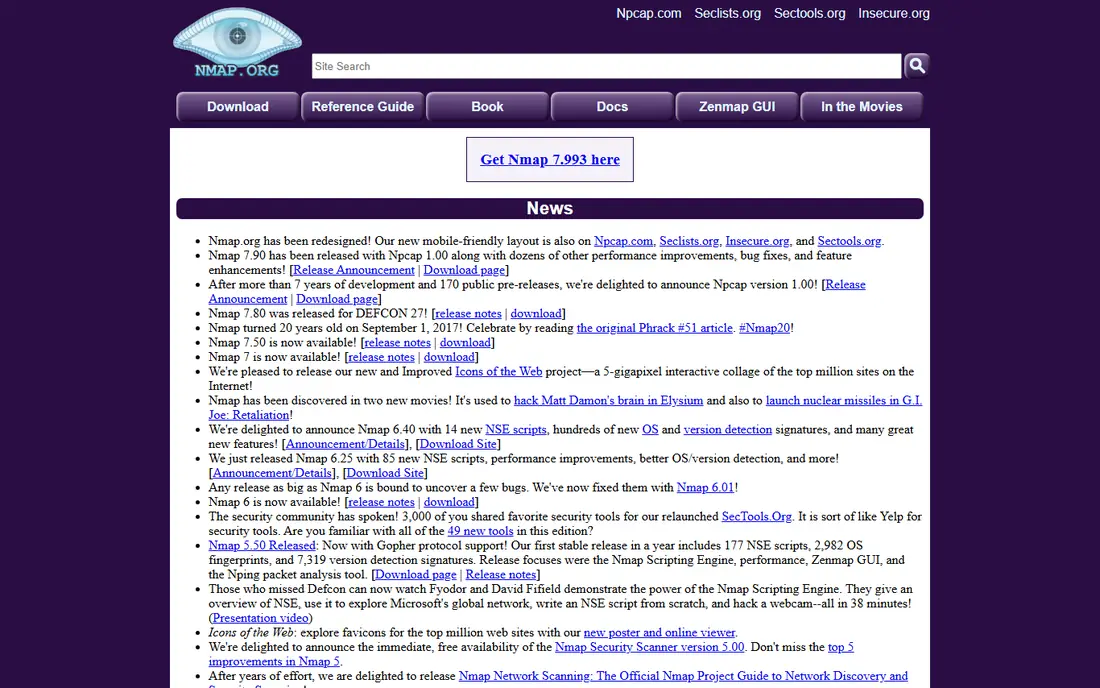
Nmap is the first tool most testers reach for when mapping a network. It finds live hosts, open ports and running services, and its scripting engine adds checks for common misconfigurations. That map shapes everything that follows, from which services deserve deeper testing to which hosts should stay out of scope.
The honest catch is that Nmap reports facts, not verdicts. An open port is not automatically a vulnerability, and a tester must check what the service actually does before drawing conclusions. Scans should also stay inside the agreed scope and rate limits, since an aggressive sweep can slow older devices or trigger alarms.
- Fast host discovery and service detection
- Flexible scripting engine
- Runs on major platforms
- Output needs interpretation by a skilled tester
- Aggressive scans can disturb fragile systems
Metasploit Framework helps a tester move from a suspected flaw to proof. When a scanner flags a vulnerable service, Metasploit can test a matching exploit in a controlled way and show what access, if any, follows. That proof changes a report from a warning into a decision, since teams fix confirmed access paths first.
Power is also the risk here. Exploits can crash services or change data, so testers use them only inside scope, against agreed targets, and often against staging copies first. The free Framework covers most validation work, while the paid Pro edition adds a graphical interface, automation and reporting for larger teams.
- Large exploit and payload library
- Confirms whether a flaw is truly exploitable
- Active community
- Needs care to avoid harming target systems
- Commercial Pro edition is quote-based
OWASP ZAP, often called ZAP, is the free alternative many teams pair with Burp or use on its own. Its automated scanner crawls a web application and probes for common flaws, and it can run inside a build pipeline so new code gets checked before release. For a small team or a solo tester, that price point is hard to argue with.
ZAP rewards a tester who tunes it. Out of the box it can produce noise on complex single-page applications, and authentication setup takes some patience. Once configured, though, it gives steady coverage between deeper manual tests, which is exactly where automated scanning earns its keep.
- Free and open source
- Good automated scanner
- Fits continuous integration pipelines
- Manual testing features are less polished than Burp
- Large scans need tuning
Nessus Professional suits teams that need to scan many hosts, operating systems and applications on a regular cycle. Its plugin library covers a wide range of known vulnerabilities, and its reports map findings to remediation steps that managers and auditors can follow. That breadth is why it shows up in compliance-driven environments.
The price puts it out of reach for casual use, and the output still needs a person to sort real risk from noise. A high-severity flag on an unreachable internal service is not the same as one on a public server, and only context separates the two. Used that way, Nessus gives a team a repeatable baseline between deeper manual engagements.
- Very broad plugin coverage
- Clear reporting for compliance work
- Regular plugin updates
- Yearly price is steep for small teams
- Results still need human review
Kali Linux is a Linux distribution built for security testing, maintained by Offensive Security. It ships with many of the tools on this list already installed, which saves hours of setup when building a test workstation. A tester can boot it, pick a tool for the task at hand, and get started without hunting down packages.
Kali itself does not find vulnerabilities. Its value is convenience and consistency, since every team member works from the same toolset. Beginners should learn one tool at a time rather than treating the whole distribution as a shortcut, because running tools without understanding them leads to weak reports and avoidable mistakes.
- Hundreds of testing tools preinstalled
- Rolling updates
- Strong documentation
- Not a testing tool on its own
- Needs a tester who knows the bundled tools
Wireshark lets a tester watch network traffic packet by packet, which answers questions scanners cannot. It shows whether credentials travel in plain text, whether an application leaks data in headers, and how a client and server actually talk. That detail often explains a strange scanner result or confirms a suspected flaw.
Capturing traffic carries responsibility. Packets can contain passwords, tokens and personal data, so captures belong on authorised networks only, stored securely and deleted when the engagement ends. With that discipline in place, Wireshark is one of the most instructive tools a tester can learn.
- Deep packet inspection
- Strong filters and protocol support
- Free and widely used
- Captured traffic can include sensitive data
- Large captures need skill to read
Nuclei takes a different approach from a general scanner. It runs small, focused templates, each checking for one known issue, across many targets at high speed. A team can check a whole estate for a newly disclosed vulnerability in hours rather than weeks, which matters when a critical flaw is public.
Speed creates a verification burden. A template match is a lead, not a confirmed finding, and community templates vary in quality. Good teams confirm matches by hand, tune out noisy templates, and write their own for internal applications. Used with that discipline, Nuclei is a strong addition to continuous testing.
- Thousands of community templates
- Very fast across many targets
- Easy to run in automation
- Template quality varies
- Findings need verification before reporting
Cobalt Strike is built for red teams that simulate a determined attacker over days or weeks, not for a quick scan. Its Beacon payload, team server and post-exploitation tools let operators coordinate, move carefully through a network, and test detection and response as well as prevention. That scope is why established red teams keep returning to it.
It is also the tool on this list that most demands governance. Licences should stay with trained, authorised teams, access should be tightly controlled, and every use should sit inside a written engagement. Smaller teams will usually get more value from the free tools above before paying for this level of simulation.
- Full adversary simulation and post-exploitation tooling
- Team server for coordinated work
- Strong reporting
- Quote-based pricing for larger budgets
- Misuse risk means strict access control is essential
How we picked these
We compared official feature pages, pricing pages and documentation, plus public reviews, and kept only tools that exist and work in October 2026 and truly fit authorised penetration testing. We favoured tools with a clear, current purpose, from network mapping and web testing to exploit validation and red team simulation. We left out tools aimed at unauthorised access, and we treated scanner output as a starting point, not a verdict, in every write-up above.
Choosing the right mix for your scope
Start from the engagement, not the tool list. A web application test leans on Burp or ZAP, plus manual review of business logic that no scanner understands. A network test leans on Nmap and Nessus for coverage, then Metasploit for proof on the findings that matter. A red team exercise adds Cobalt Strike or a similar platform, with detection testing as an explicit goal.
Budget shapes the mix too. Free tools cover most technical ground, but they cost time in setup, tuning and reporting. Paid tools buy speed, support and polished reports, which matters when findings must reach busy managers and auditors. Small teams often start free, add one paid seat for web testing or scanning, and expand only when volume justifies it.
Skills matter as much as licences. A scanner in untrained hands produces long reports that nobody trusts, while a skilled tester with Nmap and Burp produces a short report that gets fixed. Invest in training, practise in a lab, and agree the rules of engagement in writing before touching a production system. That agreement should name targets, test windows, forbidden techniques and how findings will be handled.
Frequently asked questions
What is the best pen testing software for beginners?
Start with Nmap, OWASP ZAP and Kali Linux, since all three are free and well documented. Learn network mapping first, then web scanning, and practise only in a lab or on systems you have permission to test. Add Burp Suite Professional when manual web testing becomes regular work.
How much does pen testing software cost?
Free tools cover most ground, while Burp Suite Professional costs $499 per user per year and Nessus Professional costs $4,790 per year. Enterprise platforms such as Cobalt Strike are quote-based and priced for larger teams. Many teams mix free tools with one or two paid seats.
What is the difference between a vulnerability scanner and a pen testing tool?
A scanner finds and lists possible weaknesses across many systems, while penetration testing tools help a tester confirm, exploit and explain those weaknesses. Scanners give breadth, manual tools give proof, and a good engagement uses both. Neither replaces judgement about business risk.
Is penetration testing legal?
Testing is lawful only with authorisation, on systems you own or have written permission to test, inside the agreed scope. Testing systems without permission can break the law even when the intent is to help. Always get scope, targets and rules in writing first.
Which tool is best for web application testing?
Burp Suite Professional is the strongest choice for manual web testing, with ZAP as a capable free alternative and a good pipeline scanner. Many teams use both, with ZAP for regular automated checks and Burp for deep manual work. Manual review still catches logic flaws scanners miss.
Do I need Cobalt Strike to run a red team exercise?
No, smaller teams can run useful exercises with Metasploit, Nuclei and manual techniques. Cobalt Strike adds coordination, stealth and reporting for mature red teams running longer operations. Start with the free toolset and move up when exercises outgrow it.
Sources
See where you really rank - block by block
ProMapRanker scans Google Maps across a grid of your service area. Simple monthly plans from $19, white-label on every plan.
Start freeKeep reading
 who has best internet service
Who Has the Best Internet Service in 2026
Who has best internet service for US homes? We compare fiber, cable, fixed wireless and satellite providers on speed, price, availability and terms today.
Read → which survey tool has the best analytics
Which Survey Tool Has the Best Analytics in 2026
Find which survey tool has the best analytics in 2026, comparing Qualtrics, SurveyMonkey, Typeform, Alchemer, and more on reports, text, and stats today.
Read → which streaming service has the best movies
Which Streaming Service Has the Best Movies in 2026
Answering which streaming service has the best movies, with Netflix, Max, Criterion and more compared on libraries, prices and free options in this guide.
Read →